
Features
Tutorials


Make files stand out with colors
Have you ever created several websites in a single Django project? Then you might have opened more than one models.py, views.py, _init_.py files in the editor. How to tell one from another and understand which website they belong to?

PyCharm helps you make files with similar names stand out at a glance: press Ctrl+Alt+S to open the Settings dialog, and choose File Colors.
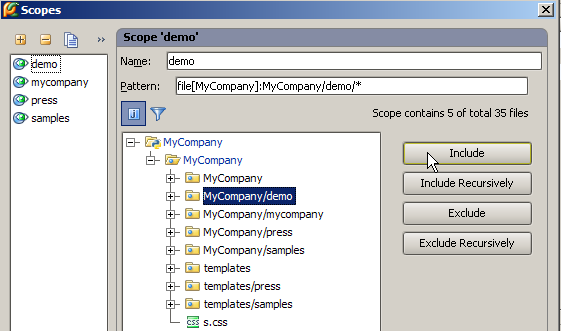
First, let’s break our application into smaller chunks – scopes. Click Manage Scopes button, and create a scope for each directory:
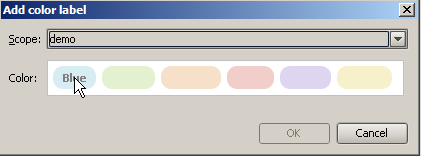
Next, associate each scope with its own color:
Now you will never get lost among the files of your application:

Enjoy!