Features
WebStorm
Autopopup documentation feature
PhpStorm & WebStorm are capable of showing you documentation related to PHP class, JS element or HTML tag just by pressing Ctrl+Q when cursor is on that element.
You can call it up also when IDE suggests you to auto-complete your code.
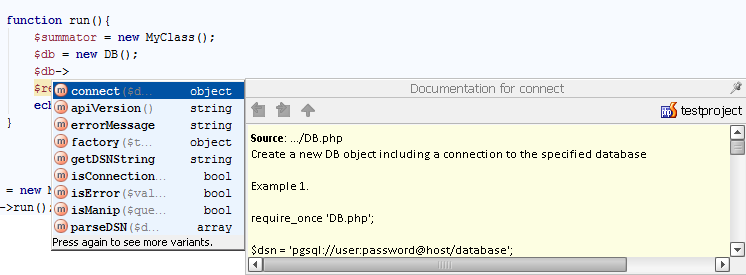
For example, you are going to use “connect” method of DB class and would like to see documentation for it.
Pressing Ctrl+Space will show you all methods of DB class. Pressing Ctrl+Q when method is selected in drop-down box will show you popup with documentation.
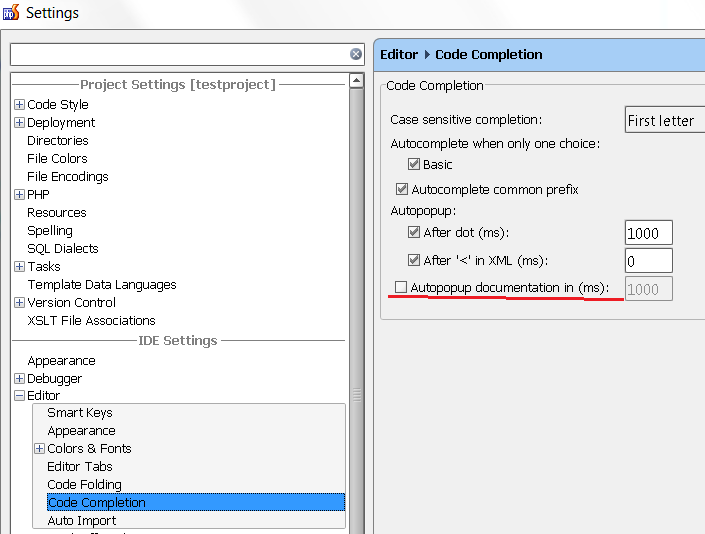
If you’d like to enable showing documentation by default after given timeout you can turn it on in Settings->Editor->Code completion menu: