
Hello everyone,
The last few weeks we’ve been working hard to open the Early Access Program for the next major RubyMine version. The wait is over: please welcome RubyMine Enoki EAP! By the way, ’Enoki’ is Japanese for hackberry (a kind of tree), in line with our codenaming tradition.
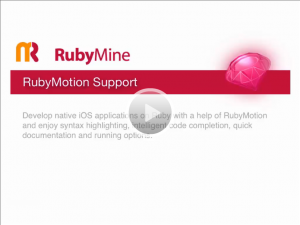
We have good news for those who’re looking forward to full support for RubyMotion. Though we’re still working on testing and debugging features, we already have a few things to show you. Yes, literally: we’ve prepared a demo for you to watch.
Well, now that hopefully you’re interested, go ahead and try RubyMine Enoki!
You can also take a look at the release notes. As usual, we want your feedback!
Note: When working in RubyMotion run console, you need to move the mouse to get a response. It is caused by a known RubyMotion bug, and a fix is on its way.
—
Develop with pleasure!
JetBrains RubyMine Team

How about just keep the version of the Ruby plugin for Intellij up to date?
Sucks not even being able to use the 4.5 features.
Ruby plugin for IDEA 12 EAP is available from plugin repository. We’re not planning to backport any new features to the Ruby plugin for IntelliJ IDEA 11.1
Doesn’t seem to work with the version of the EAP available for downline – the Ruby plugin ins’t available in plugin in manager.
In any case, I just purchased InteilliJ a few weeks ago – am I going to be eligible for a free upgrade to 12? If not that entire line of argument is moot.
I’ve just checked using latest published IDEA EAP, Ruby plugin is available and installed just fine.
IDEA release cycle is one year and Ruby plugin had to follow the same cycle. All the features of intermediate releases (such as 4.5) are available with delay corresponding to that cycle.
i cannot create a new project after installing lates ruby build. anyone else got the same problem?
This is great news, one ide to develop both rails and rubymotion apps! Go ruby!!!
Pingback: This Week in Ruby: JRuby 1.7.0, Passenger 4.0b1, Ruby 2.0 Feature Freeze
Hi! Thank you for updates! Also it would be great to have the Solarized color scheme in new RubyMine version!
Please, vote for http://youtrack.jetbrains.com/issue/RUBY-10319
Installed here but Rubymotion autocomplete doesn’t work, how to I enable it?
Hm, should work
Could you please add an issue with code sample and any details to http://youtrack.jetbrains.com/issues/ruby
Nevermind, I opened Rubymine again, and now it’s working! I guess I only had to restart it
Excellent job to all of you! I really appreciate you offering RubyMotion as a core part of RubyMine. I went through the screencast and followed along. It was very clear and easy to follow. I’m eager for the final release to come out so the auto-complete and tips are quick.
By the way, I love the auto format. It makes life easier.
Thanks
Is there still this annoying auto-save feature in RubyMine?
The one which auto save your modified file without asking when you close the tab ?
It is a show stopper for me, don’t want to use a IDE that forces me into what they think its good for me.
Other then that, good luck for you.
@Amazing Gino: Go to Settings/General and turn off the “Save Files on Frame Deactivation”. I actually find this setting great, but to each his own.
Shut up and take my money!
Why I cannot access the EAP page? I’ve used it from the 3rd version.. and now can’t get it
EAP is now closed because of the final release version is available for download on the site