

Qodana
The code quality platform for teams
Публикации и ответы на комментарии в блогах JetBrains не выходят на русском языке с 2022 года.
Приносим извинения за неудобства.
隆重推出“全局项目配置”:在一个地方管理所有 Qodana 规则

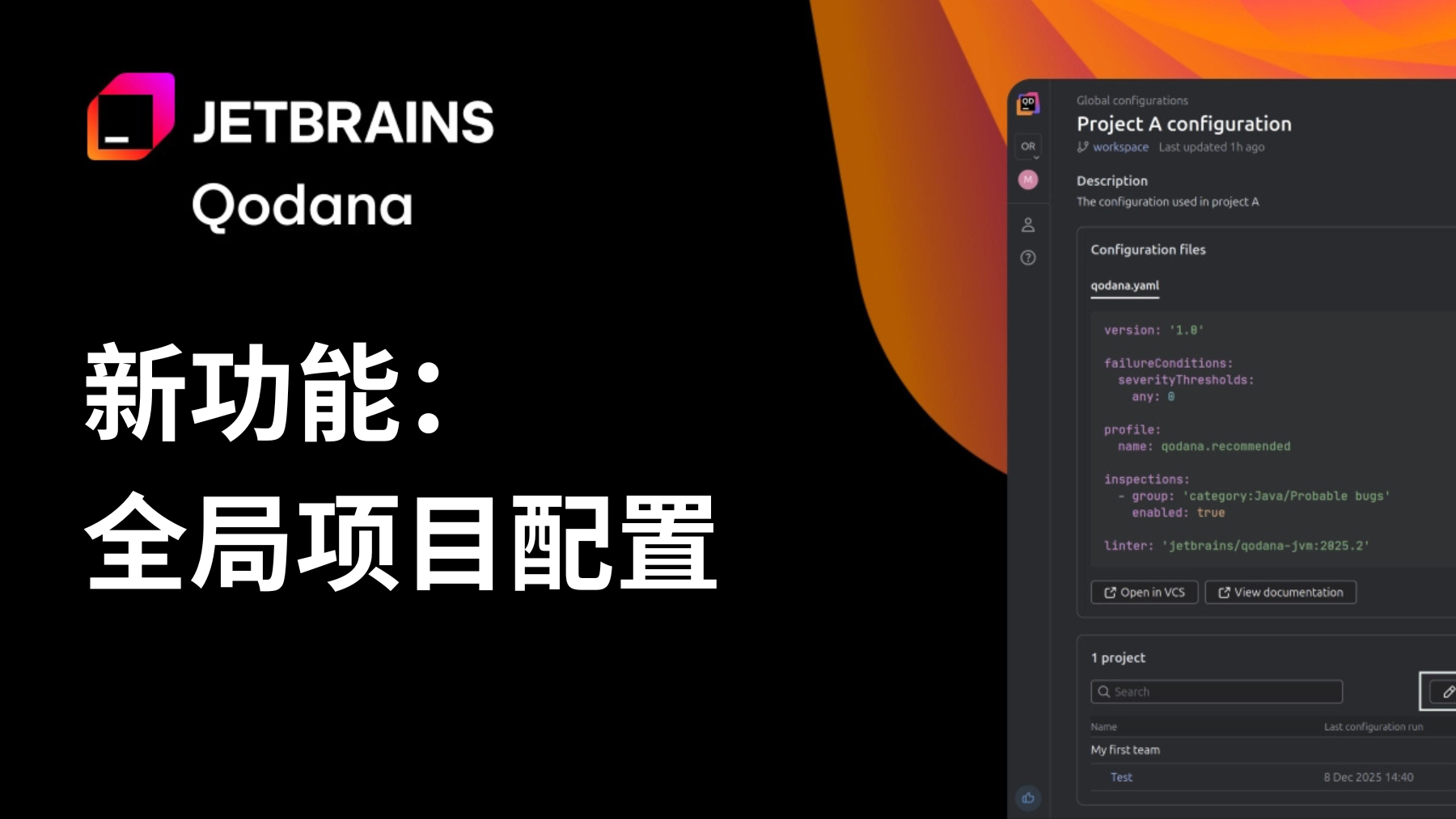
“全局项目配置”是一项新功能,可以帮助 Qodana 用户在一个地方管理整个组织或团队的 linter 设置。以前,要想保持一致的代码质量规则,必须更新每个仓库中的配置文件。
无论是审批新许可证、调整规则严重性,还是为硬编码的密码定义自定义模式,都必须在多个项目中手动重复进行更改。不过,随着组织规模的不断扩大,这种方式变得缓慢、容易出错而且难以审核。
“全局项目配置”解决了这个问题。它提供了一种简化、可重用的组织范围机制,可以定义并实施代码质量标准,而不会限制灵活性,这对个别项目来说必不可少。
“全局项目配置”为什么重要
使用这个新功能,您可以:
- 一次性确立组织范围内的标准,并将其应用于所有地方。
- 实施最佳做法,而不会影响项目特定的调整。
- 大规模应用和更新规则,立即影响任何关联项目。
- 减少重复工作和手动开销,尤其适用于大型仓库或分散团队。
- 提高团队、语言和技术栈之间的一致性。
这使得 Qodana 更容易管理、更适应实际工作、可扩缩性更强。
运作方式
“全局项目配置”由专用的仓库提供支持,其中会存储贵组织在 Qodana 分析期间使用的配置文件。您可以按照适合自己工作流的方式构建自己的仓库,以合乎逻辑的方式组织配置,并引用其他配置以鼓励重用。
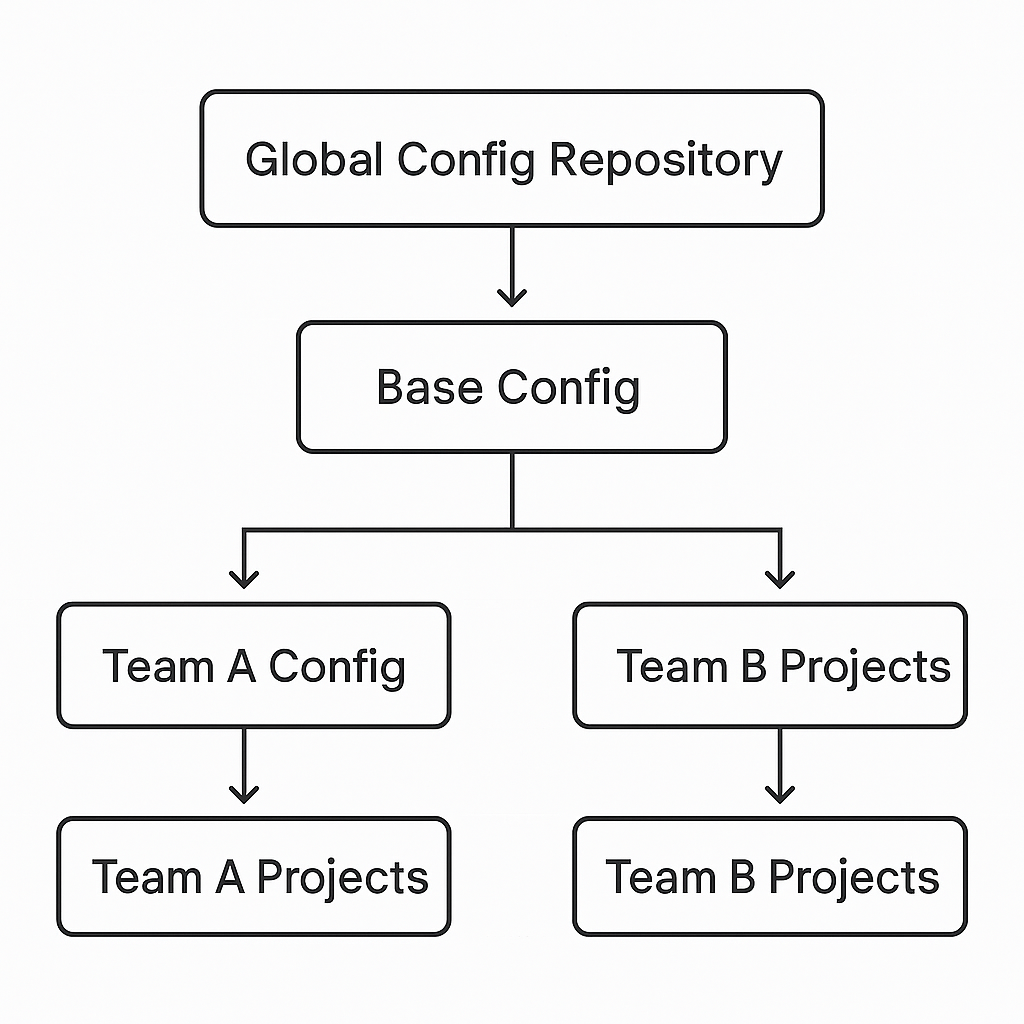
为团队配置:一个实践示例
我们来看看不同的团队如何利用这个功能。
假设贵组织创建了一个全局 Base 配置,其中包含所有团队共享的通用编码标准。其中:
在 Java 开发中使用 Lombok 的 A 团队继承自 Base,并添加了更严格的 Lombok 相关规则。他们仅将此配置应用于自己的项目。
维护遗留项目的 B 团队继承自 Base,但禁用了除安全规则外的大多数检查。这使他们可以聚焦关键问题,而不受无关警告的影响。
每个团队都根据自己的需求制定标准,同时仍与组织的整体质量策略保持一致。
将配置应用于项目
将项目与配置关联后:
- Qodana 会在下次运行时自动应用该配置。
- 任何被推送到配置仓库的更改都会被无缝获取和应用。
- 您可以在 Qodana Cloud UI 中查看所有配置及其相关项目,使管理变得透明、直观。
一切都集中管理、可追踪并易于维护。
开始使用 Qodana 的“全局项目配置”
在产品中访问 Qodana Cloud → Settings → Global Configurations(Qodana Cloud → 设置 → 全局配置),或查看我们的文档,获得有关创建配置仓库、将仓库与 Qodana Cloud 同步以及将配置与特定项目关联的完整指南。
本博文英文原作者:

Subscribe to Qodana Blog updates
Discover more



Introducing Global Project Configuration: One Place to Manage All Your Qodana Rules
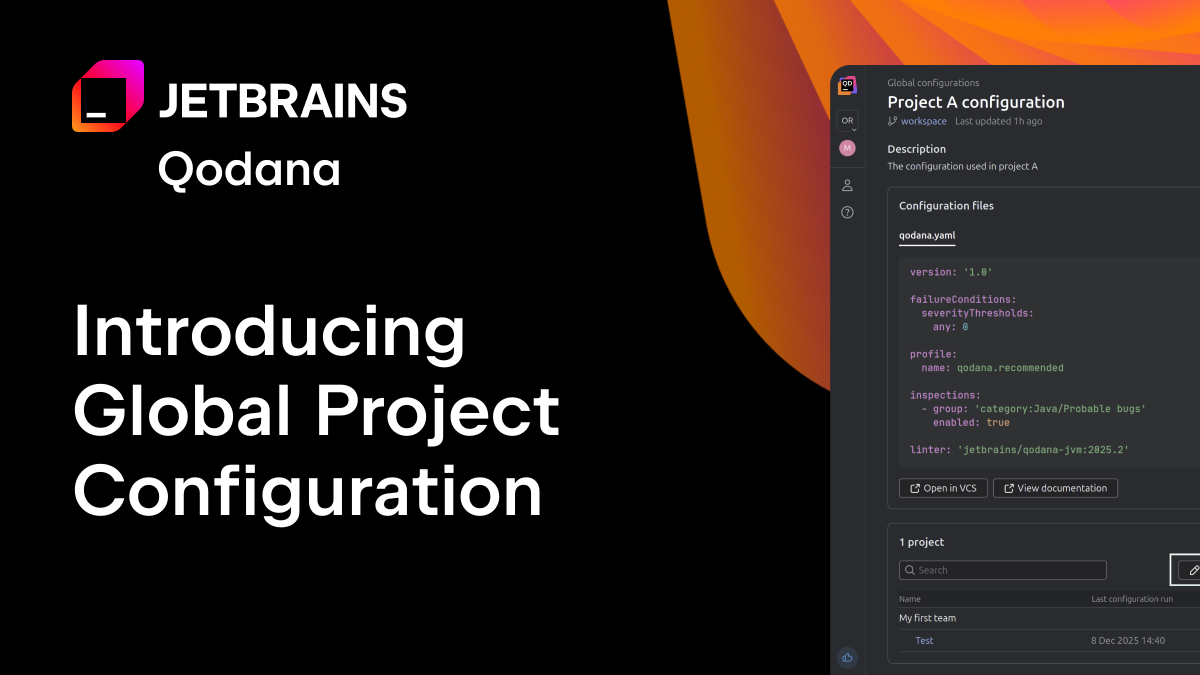
Global Project Configuration is a new feature that helps Qodana users manage linter settings across an entire organization or team – all from one location. Until now, maintaining consistent code quality rules meant updating configuration profiles in every individual repository.
Whether you were approving new licenses, adjusting rule severity, or defining custom patterns for hardcoded passwords, changes had to be repeated manually across multiple projects. However, as organizations scale, this approach becomes slow, error-prone, and difficult to audit.
Global Project Configuration solves this. It provides a streamlined, reusable, organization-wide mechanism for defining and enforcing code quality standards – without limiting the flexibility individual projects may need.
Why Global Project Configuration matters
With this new capability, you can:
- Establish organization-wide standards once, and apply them everywhere.
- Enforce best practices without sacrificing project-specific adjustments.
- Apply and update rules at scale, instantly affecting any linked projects.
- Reduce duplication and manual overhead, especially for large repositories or distributed teams.
- Improve consistency across teams, languages, and tech stacks.
This makes Qodana easier to manage, more adaptable to real-world work, and much more scalable.
How it works
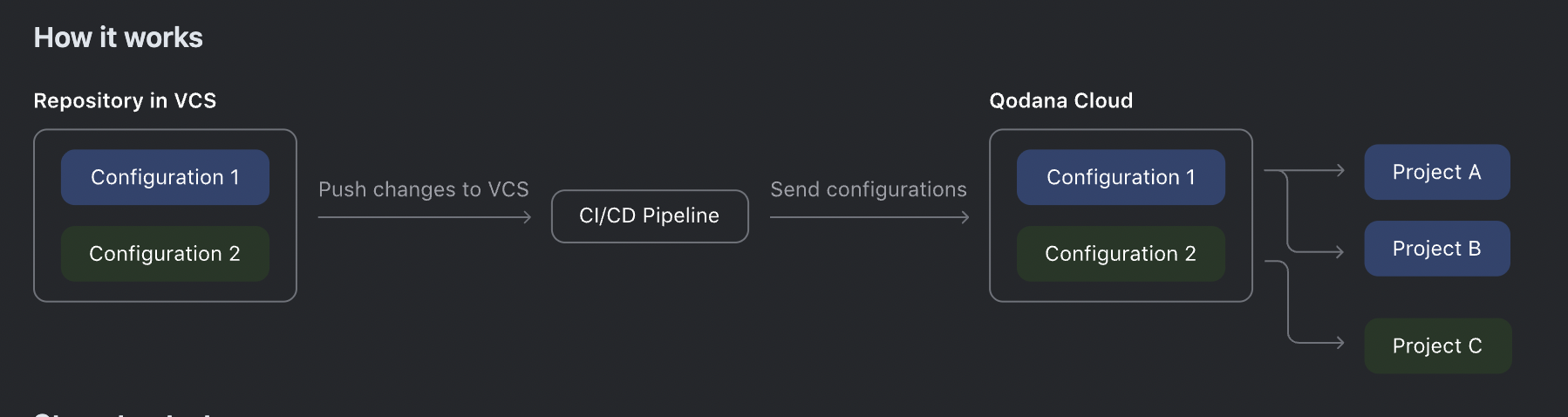
Global Project Configuration is powered by a dedicated repository in which your organization stores the configuration files to be used during Qodana analysis. You can structure this repository in a way that suits your workflow, organizing configurations logically and referencing others to encourage reuse.
Configuring for teams: A practical example
Let’s look at how different teams might take advantage of this feature.
Imagine your organization creates a global Base configuration containing universal coding standards shared across all teams. From there:
Team A, which uses Lombok in Java development, inherits from Base and adds stricter Lombok-related rules. They apply this configuration only to their own projects.
Team B, maintaining a legacy project, inherits from Base but disables most checks except for security rules. This allows them to focus on critical issues without being overwhelmed by unrelated warnings.
Each team tailors the standards to their needs – while still aligning with the organization’s overall quality strategy.
Applying configurations to projects
Once a project is linked to a configuration:
- Qodana automatically applies it on the next run.
- Any changes pushed to the configuration repository are picked up and applied seamlessly.
- You can view all configurations and their associated projects in the Qodana Cloud UI, making management transparent and intuitive.
Everything is centralized, traceable, and easy to maintain.
Get started with Qodana’s Global Project Configuration
Visit Qodana Cloud → Settings → Global Configurations in the product, or view our documentation for a full guide on creating the configuration repository, syncing it with Qodana Cloud, and linking configurations to specific projects.