Datalore
Collaborative data science platform for teams
Datalore 2026.1: New Data Explorer Cells, Instance-Wide BYOK for AI, Stronger Security via Sidecar Containers in Kubernetes, and More

The first Datalore release of the year delivers several new features that make working with data even easier. These updates are already available to Datalore Cloud users. For Datalore On-Premises, instance administrators can enable them by updating their Datalore instance.
Let’s dive in!
Data explorer
Datalore 2026.1 introduces data explorer cells, a new way to explore and visualize data directly from dataframes without writing additional code. You can quickly inspect datasets, filter results, and generate charts from a single interactive cell.
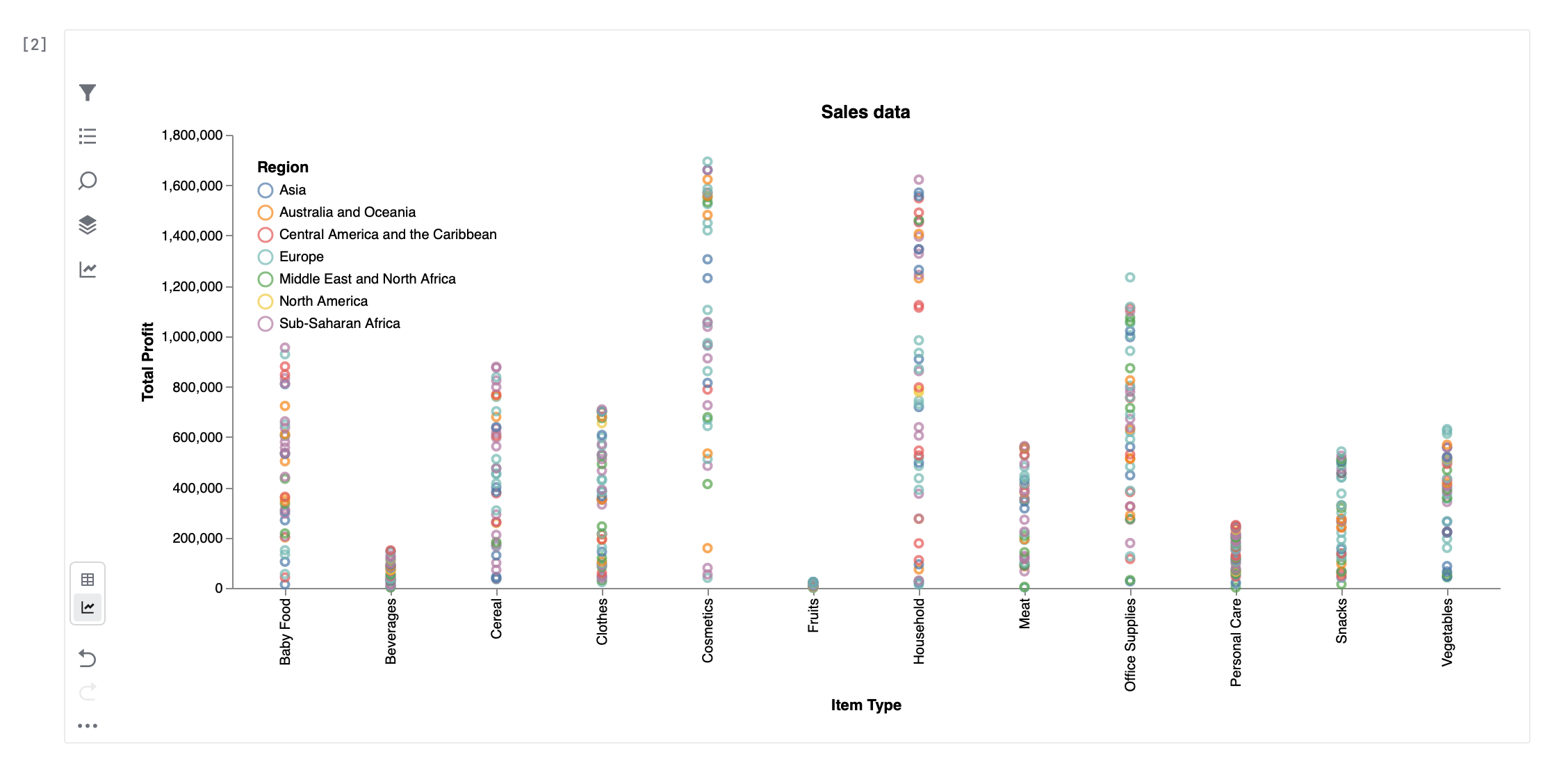
In Table mode, you can search and filter your data, exclude duplicates or missing values, and control which columns are displayed. You can also create new columns using SQL expressions, allowing you to derive new values from existing data without modifying your dataframe.
Visualization mode allows you to build charts such as line, bar, area, scatter, and box plots. Configure axes, apply aggregations, and adjust chart settings directly in the UI. Once your chart is ready, you can download it as a PNG or SVG file for use in reports or presentations. Learn more
Bring Your Own Key (BYOK) for AI
Starting with this release, Datalore On-Premises administrators can choose between JetBrains AI or another provider for all AI features.
If your company has strict security and data governance policies, using instance-wide BYOK for AI enables you to align AI usage with these policies and maintain explicit control over which external services are accessed. It can also be useful if you have specific pricing agreements or consumption commitments with AI providers.
Datalore On-Premises supports OpenAI, Azure OpenAI, and other providers through OpenAI-compatible APIs. This includes self-hosted models running in your environment. Learn more
Sidecar containers
When deploying Datalore On-Premises on Kubernetes, agents can be configured to run as a pod with two containers that share a filesystem: an unprivileged agent container and a privileged sidecar container.
In this architecture, the privileged sidecar container is responsible for mounting external resources. It uses FUSE to mount WebDAV and other data sources as local filesystems, which are then exposed to the notebook agent container through shared volumes.
Because the mounting logic is isolated in the sidecar container, the container running the notebook agent typically does not require elevated privileges, helping maintain a more secure setup. Learn more
For more details about the new features, see What’s new in the Datalore documentation.