Amper 0.10 – JDK Provisioning, a Maven Converter, Custom Compiler Plugins, and More

Amper 0.10.0 is out, and it brings a variety of new features, such as JDK provisioning, custom Kotlin compiler plugins, a Maven-to-Amper converter, and numerous IDE improvements! Read on for all of the details, and see the release notes for the full list of changes and bug fixes.
To get support for Amper’s latest features, use IntelliJ IDEA 2025.3.4 or IntelliJ IDEA 2026.1 (or newer). Make sure the latest version of the Amper plugin is installed.
JDK provisioning
Amper needs a JDK (Java Development Kit) in order to perform various tasks in the project: compile Kotlin and Java sources, run tests, run JVM apps, etc.
Our philosophy is that you should be able to run your project without manually installing anything on your machine or having to configure anything. This is why Amper is able to provision a JDK automatically for you – JDK 21 by default.
However, some projects require specific JDK versions. You can now specify the criteria for the necessary JDK in module.yaml, and Amper will download and install the matching JDK.
settings:
  jvm:
    jdk:
      version: 21 # major version
      distributions: [ zulu, temurin ] # acceptable distributions
Amper also takes the JAVA_HOME environment variable into account, since it is a common way to set the JDK to be used on the machine. You can read more about Amper’s JDK provisioning behavior in the documentation.
Maven converter and Maven plugin compatibility
If you have an existing Maven project, you don’t have to rewrite your build configuration from scratch. This release introduces a semi-automated conversion tool that reads your pom.xml files, including those in multi-module reactor projects, and generates the corresponding project.yaml and module.yaml files for you. To use it, simply run:
./amper tool convert-project
The converter maps your dependencies, BOMs, repositories, publishing coordinates, compiler flags, and other settings to their Amper equivalents. To support using both build systems during the transition, it sets layout: maven-like in every module so that your source directory structure, including src/main/java and src/main/kotlin, stays the same and no files need to be moved.
Well-known Maven plugins such as maven-compiler-plugin and spring-boot-maven-plugin are translated into built-in Amper settings. Other Maven plugins are added to the new mavenPlugins configuration section in module.yaml, and Amper can execute them during the build process through our Maven plugin compatibility layer.
The conversion is best-effort, so some projects may require tweaks afterward. For a full walkthrough and a list of limitations, see the documentation.
Kotlin compiler plugins
This release brings support for third-party Kotlin compiler plugins. Enabling this support is as easy as adding the following to module.yaml:
settings:
  kotlin:
    compilerPlugins:
      - id: org.example.my.plugin
        dependency: org.example:my-plugin:1.0.0
        options:
          myKey1: myValue1
          myKey2: myValue2
See the documentation for examples and how to enable IDE support for custom plugins.
We also added built-in support for the kotlinx.rpc and JsPlainObjects compiler plugins.
IDE improvements
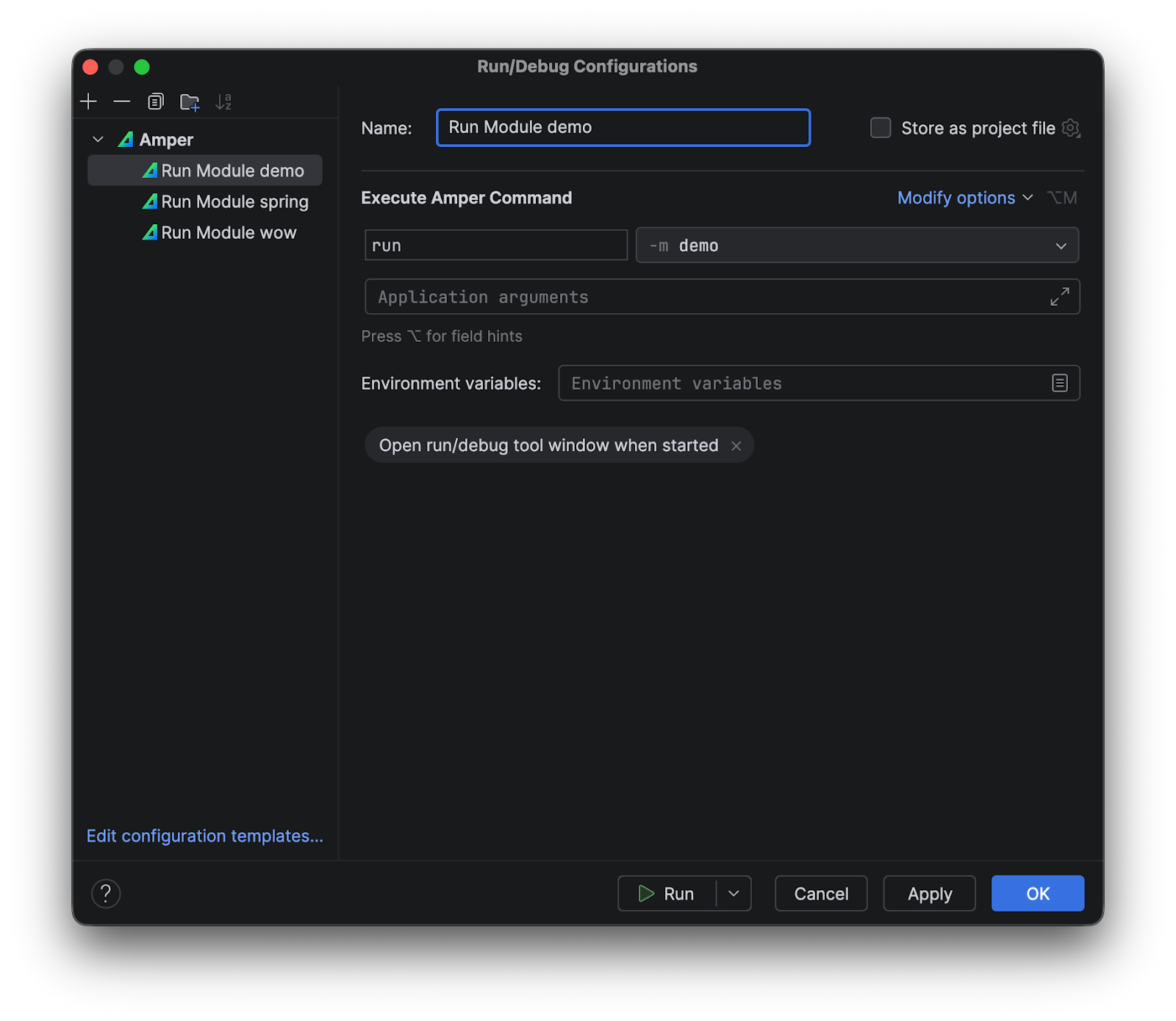
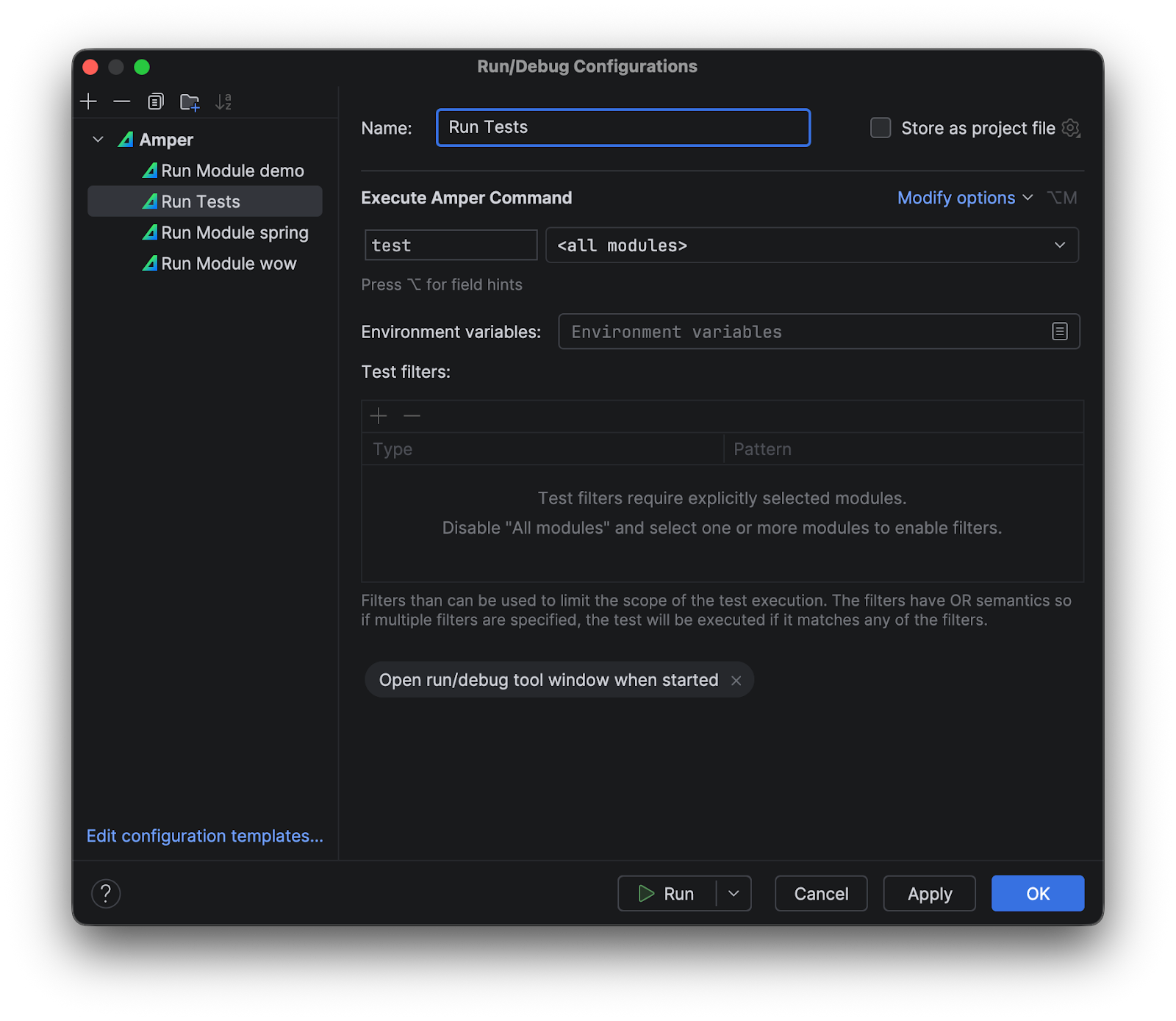
Reworked UX for running Amper commands
We’ve revisited the UI for creating and editing run configurations in the IDE. New custom views allow you to configure the options for run and test commands in a more convenient way:
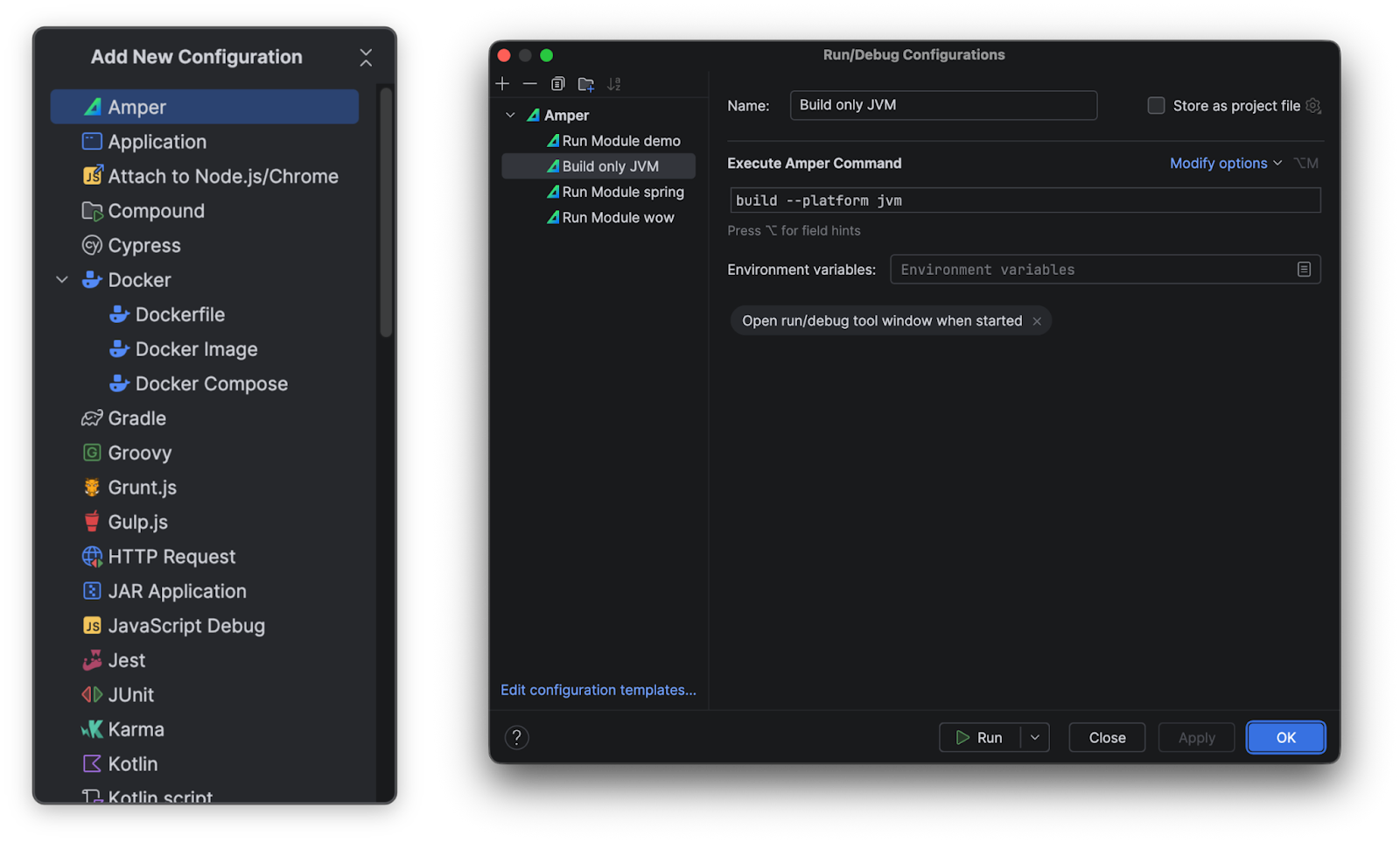
Additionally, you can now create a configuration for any Amper command by choosing Amper in the Add New Configuration menu:
If you want to run a command in an ad-hoc way, you can use Run Anything (Ctrl+Ctrl) and prepend your command with amper:

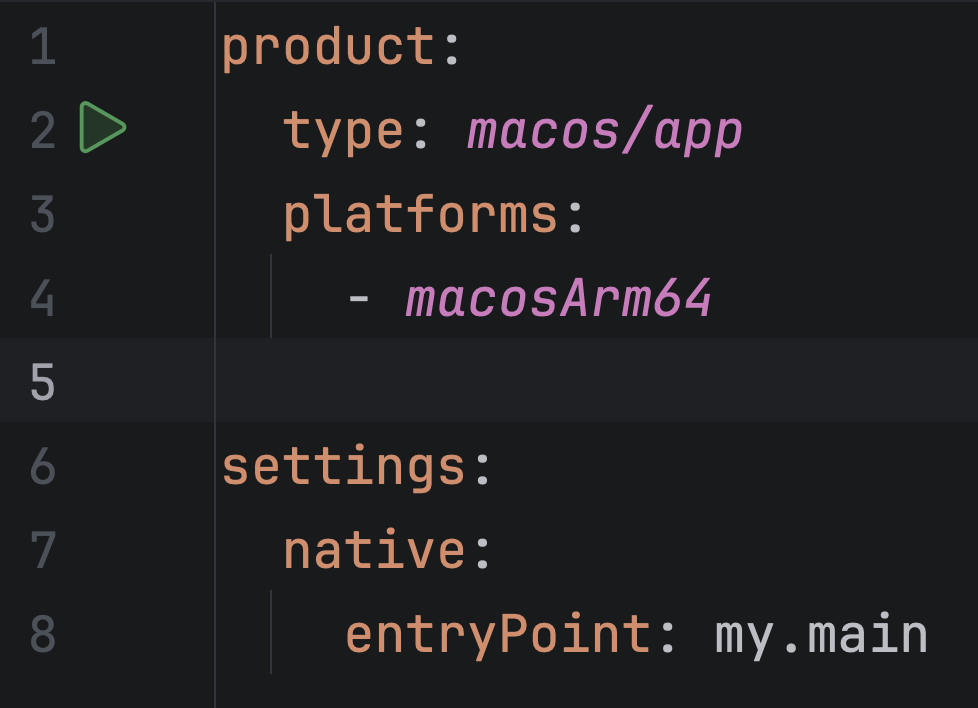
Run gutters for native applications in module.yaml
Native applications (linux/app, macos/app, windows/app) can now be run from the IDE via the gutter:
Better test names in the Test tool window
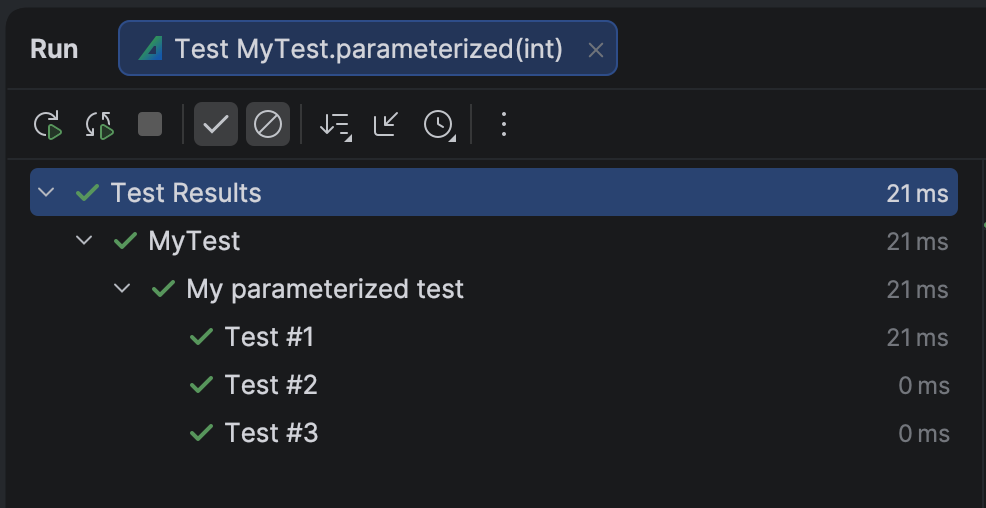
The @DisplayName and @ParameterizedTest.name JUnit 5 annotations are now respected in the Test tool window when showing the test execution tree.
@ParameterizedTest(name = "Test #{0}")
@DisplayName("My parameterized test")
@ValueSource(ints = [1, 2, 3])
fun parameterized(i: Int) {}
Ktor plugin assistance
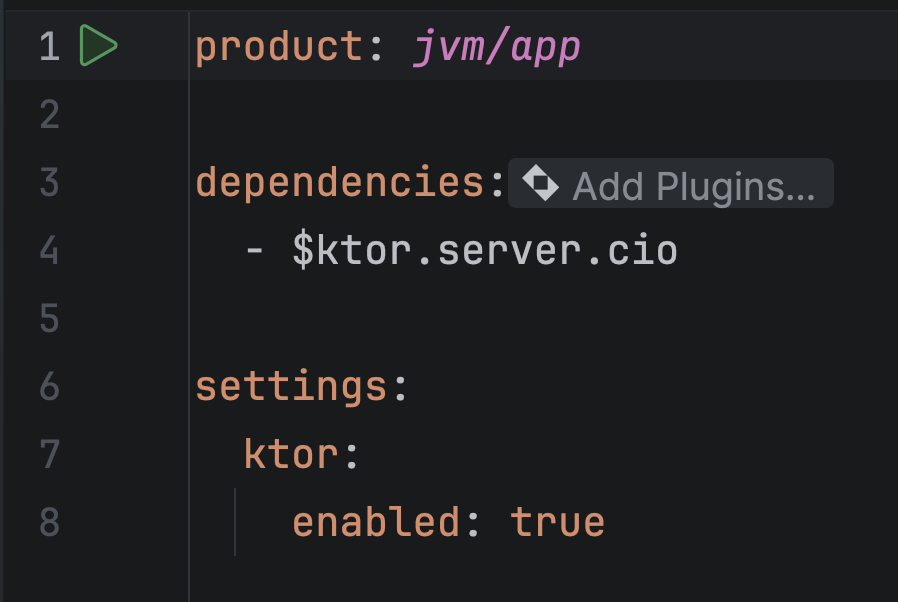
If your module has the Ktor server dependency, the module.yaml file provides support for searching and adding plugins via the Add Plugins… inlay:
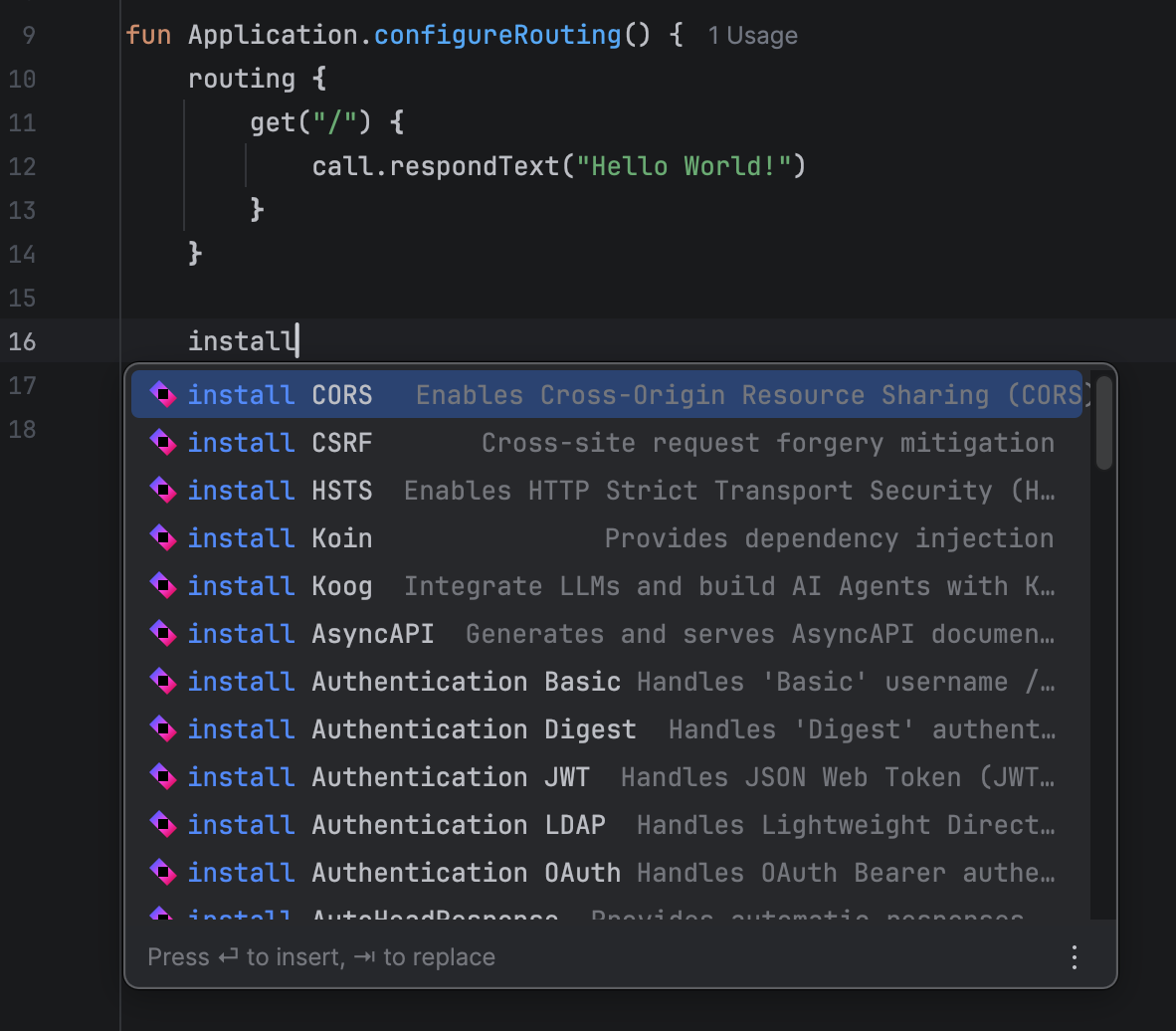
Alternatively, you can use completion in the Kotlin code, which will add all the necessary dependencies to the module without you even having to touch the module.yaml file:
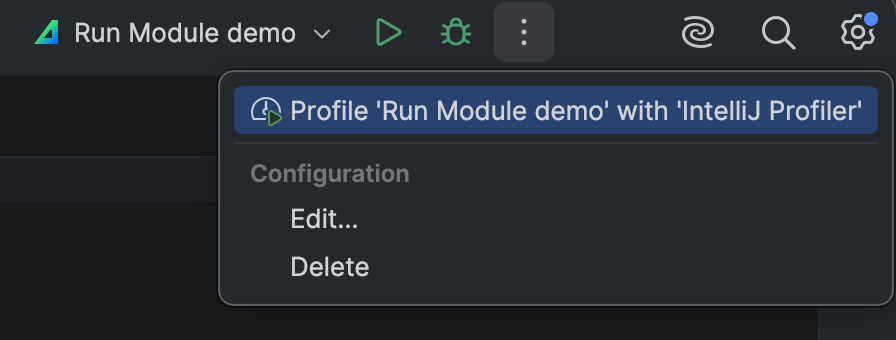
Support for profiling JVM applications
Note: This feature requires IntelliJ IDEA Ultimate.
The configuration for the run command in jvm/app modules can now be run using IntelliJ IDEA’s support for profilers:
Amper plugin development
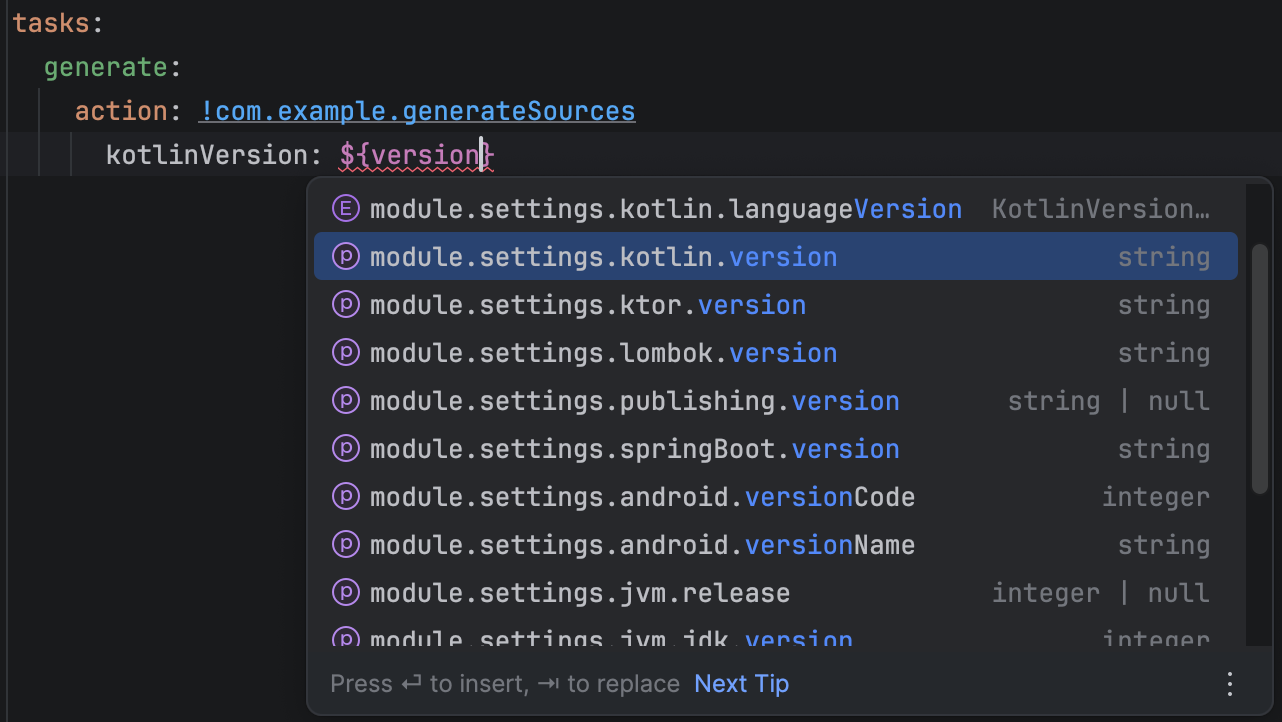
The previous release of Amper brought the preview of Amper’s extensibility system. We received a lot of feedback, and we are working on extending the capabilities of plugins. While the ability to publish and share plugins is still a work in progress, a valuable improvement is already available in this release: you can now reference the module settings from the plugin using ${module.settings} in plugin.yaml:
Other improvements
Starting with version 0.10, Amper supports Maven profiles declared in the POM files of transitive dependencies.
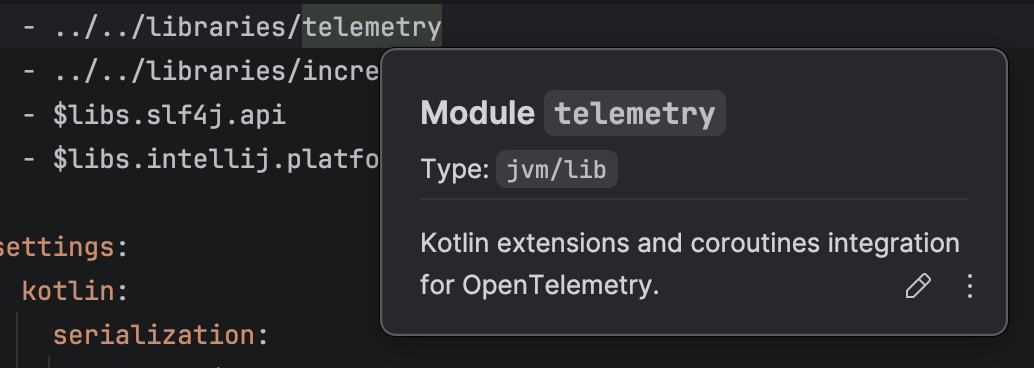
In this release, we’ve also introduced the ability to add module descriptions in module.yaml. The description is formatted in Markdown and can occupy multiple lines. This text is used by the ./amper show modules command in the CLI, as well as by the IDE to show information about the module. For libraries, it is also used as a description in published metadata by default.
Updated default versions
We updated some of our default versions for toolchains and frameworks:
- Kotlin: 2.3.20
- Android minimum SDK: 23
- Compose: 1.10.3
- KSP: 2.3.6
- Ktor: 3.4.1
- Spring Boot: 4.0.5
Try Amper 0.10.0
To update an existing project, use the ./amper update command.
To get started with Amper, check out our Getting started guide. Take a look at some examples, follow a tutorial, or read the comprehensive user guide depending on your learning style.
Share your feedback
Amper is still experimental and under active development. You can provide feedback about your experience by joining the discussion in the Kotlinlang Slack’s #amper channel or sharing your suggestions and ideas in a YouTrack issue. Your input and use cases help shape the future of Amper!