Rust AI in Practice: Building LLM Applications With Rig

Rust AI is moving from the experimentation stage toward more practical usage. We recently kicked off a new livestream series with the Rust Foundation to explore how Rust and AI are coming together in real-world applications. In the first session, our Developer Advocate Orhun Parmaksız spoke with Stephen Korzeniewski, Lead Maintainer of Rig at 0xPlaygrounds.
Orhun demonstrated a small coding agent he had created with Rig and Ratatui. Then he and Stephen reviewed the code together during the session. The demo gives us a practical starting point for looking at how AI agents work in Rust and what Rig makes possible. If you still haven’t watched this livestream, you can do it here 👇
TL;DR
Rig gives Rust developers a common interface for working with LLM providers such as OpenAI, Anthropic, and Gemini. It supports AI agents, tools, RAG, database integrations, streaming, and local models. During the livestream, Orhun demonstrated a small coding agent built with Rig and Ratatui, while Stephen walked through the agent’s setup, tools, and supporting abstractions.
What is Rig?
Rig is an open-source Rust library for working with large language models from various providers. OpenAI, Anthropic, Gemini, and other providers each offer their own API. And while many providers claim to be OpenAI-compatible, each service behaves a little differently in reality.
Rig handles those differences by using a single Rust interface for all providers, so developers can switch providers without rewriting the parts of their application that depend on the LLM.
“Rig implements one way of using all of those providers.”

Its abstractions cover both simple model requests and more advanced applications that can call tools or retrieve external context.
How Rig structures LLM applications
Rig organizes an LLM application around a few core pieces: a provider client, a completion model, an agent, and any tools available to it. The provider client connects the application to the service, while the selected model is used to configure the agent.
Stephen described the agent as a level of abstraction above the LLM. A direct model request follows a simple text-in, text-out flow. An agent adds instructions, token limits, and capabilities around that model call.
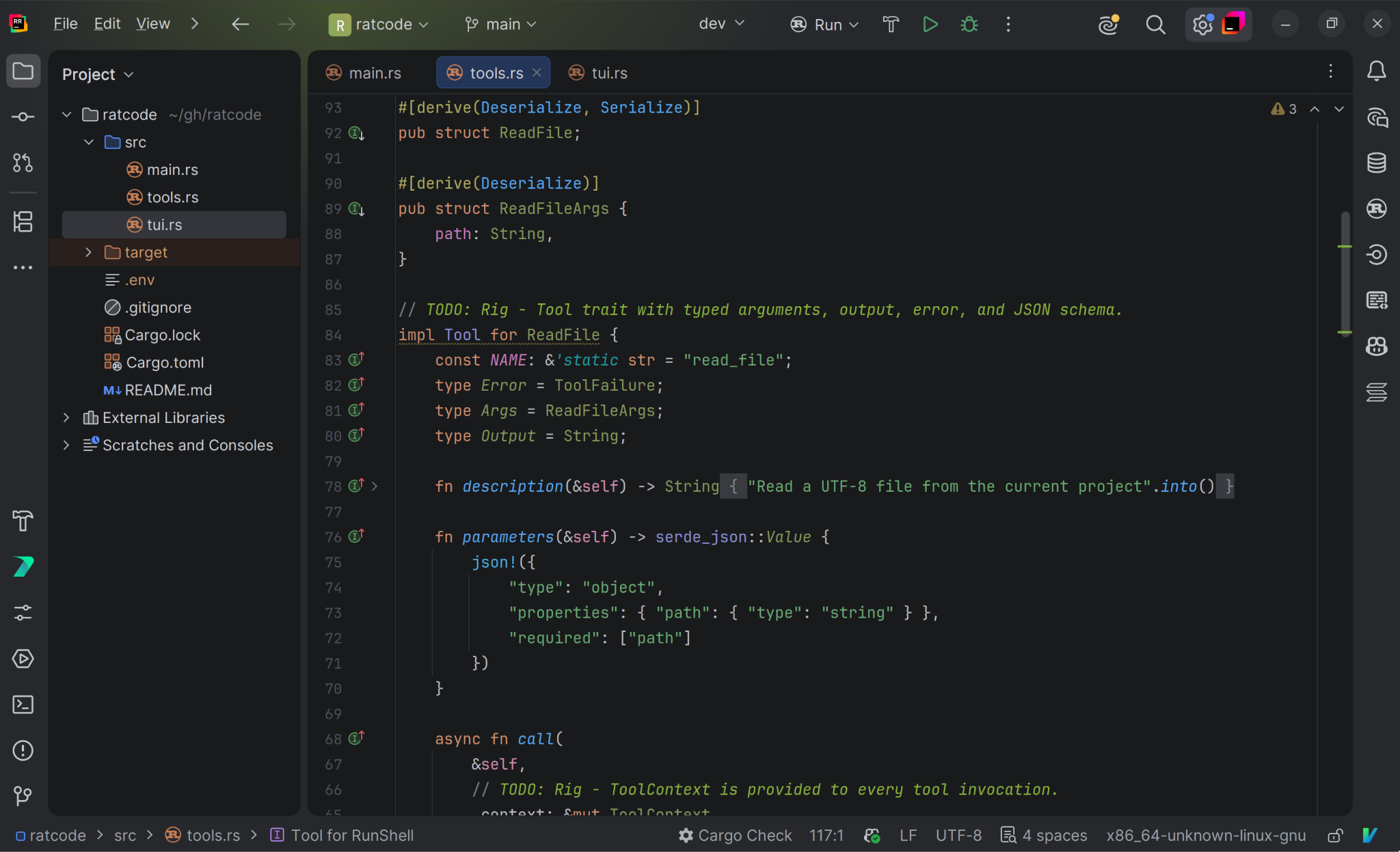
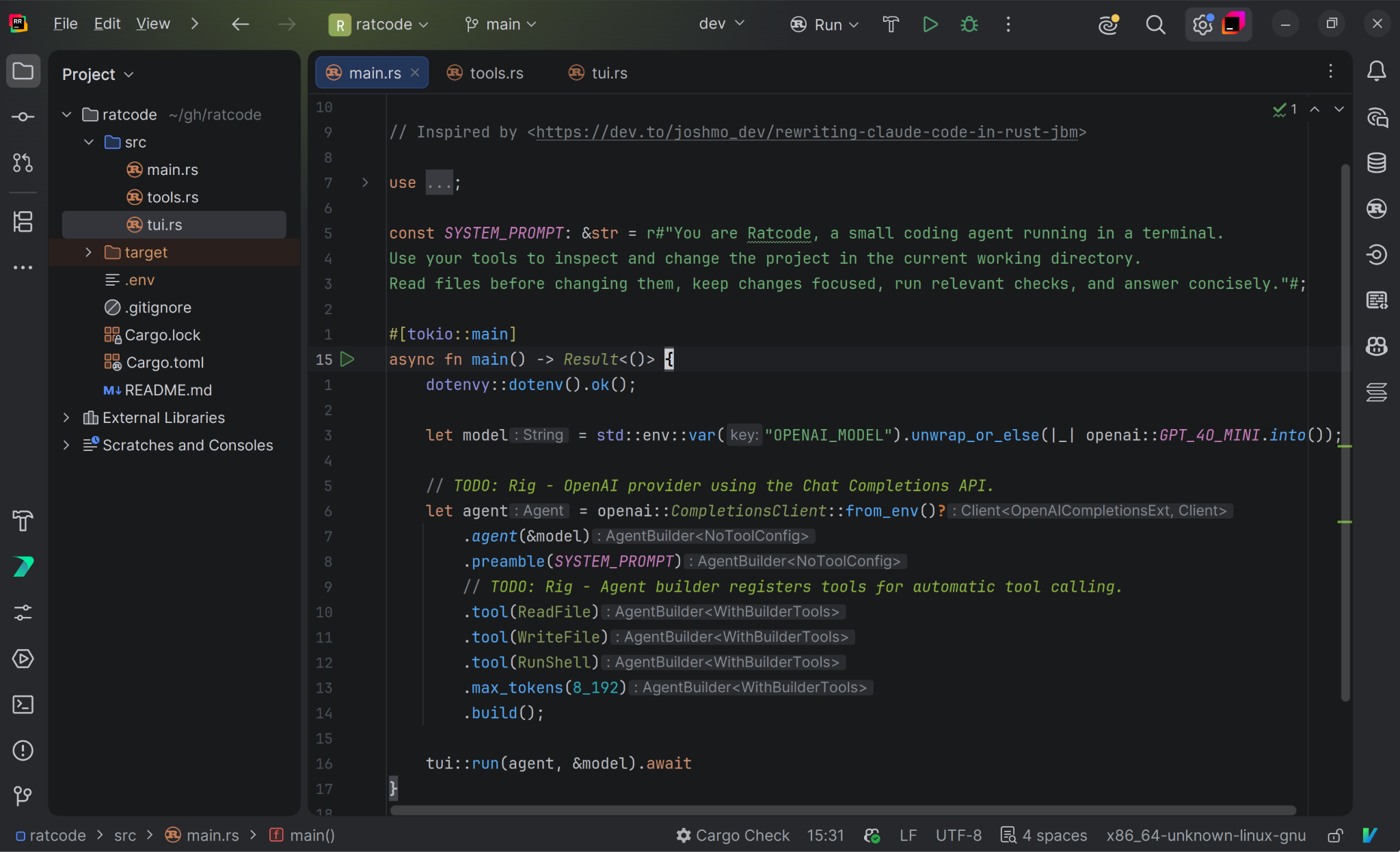
In Rig, those instructions are provided through a preamble, which acts as the system prompt and is included at the beginning of each request. The agent remains connected to a provider during each run, while Rig handles the differences between provider APIs through a common interface.
Because communicating with model providers involves network requests, Rig uses async APIs for this flow. Much of that async work is handled inside the library, allowing the application code to remain focused on its configuration and behavior.
This separation gives each part of the agent a clear role: Rig handles the connection to the provider, and the preamble defines its instructions. Tools are what allow the agent to go beyond generating text and interact with the rest of the application.
How AI agents and tools work in Rig
In Rig, a tool is defined through Rust’s Tool trait. As Stephen put it: “A tool is basically a Rust function that an AI agent can execute.”
Implementing the trait defines the tool’s name, input, output, and error types, along with the function that runs when the tool is called. The tool definition describes its expected arguments using JSON Schema, giving the model a structured description of the input it can provide.
Once a tool is registered with an agent, a model that supports tool calling can decide when to use it and incorporate the result into its response. The underlying Rust function might perform a calculation, query a database, retrieve information, or interact with another service.
Tools can also receive context that gives them access to state. This can be used to count calls, cache results, or retain information needed between tool calls.
Rig extends the same model to agents themselves. An agent can be made available as a tool to another agent. This makes it possible for agents to use a single tool interface to delegate tasks to each other.
Inside the coding agent demo
Orhun brought these pieces together in Rat Code, a small terminal coding agent built with Rig and Ratatui. The application presents a simple prompt-and-response interface, with Rig managing the agent underneath it.
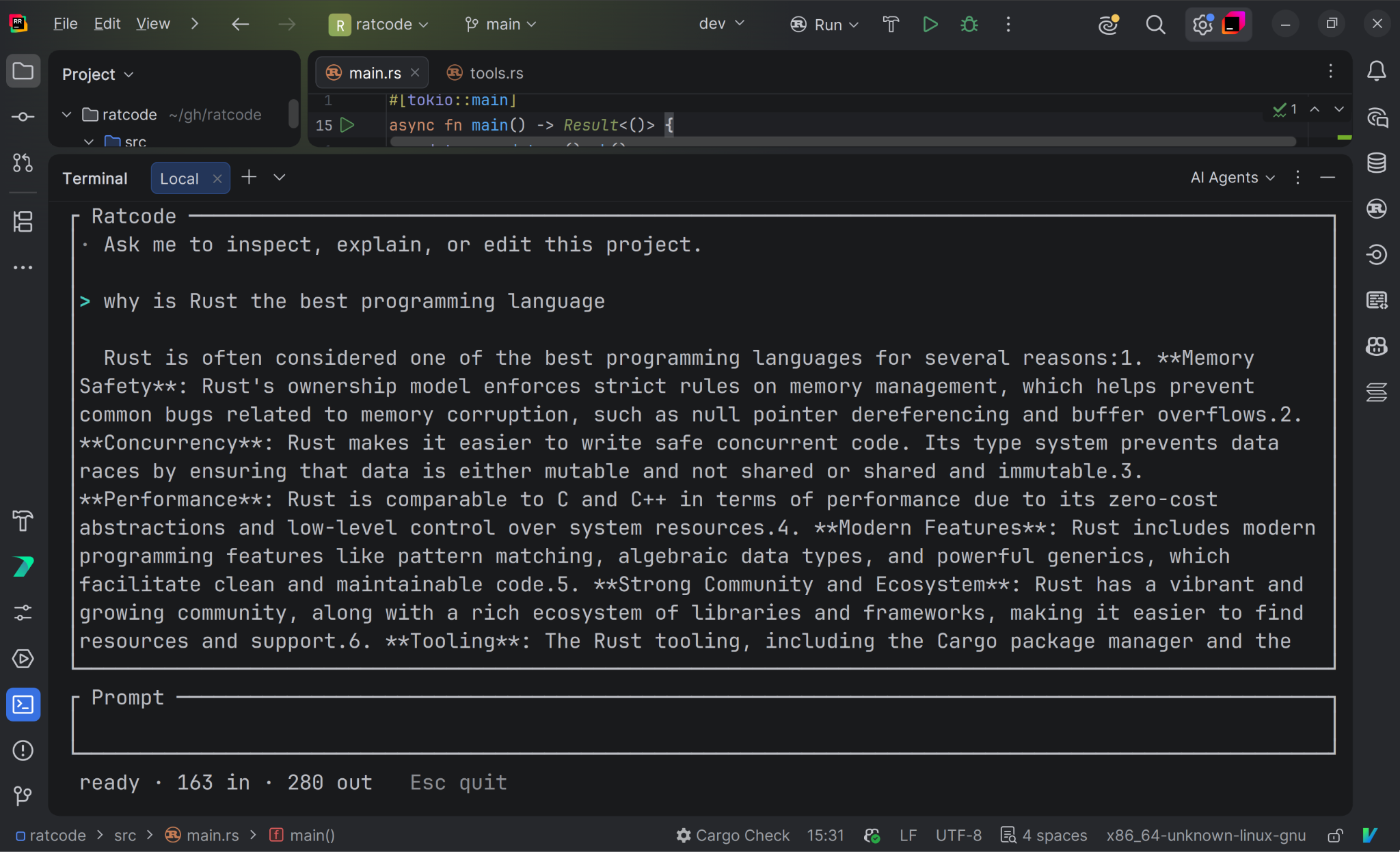
The project keeps its main responsibilities visible in the code. In main.rs, the application sets up the provider client, model, and agent. The capabilities for reading files, writing files, and running shell commands are defined separately and registered with the agent through Rig’s tool interface.
The application also uses Rig’s streaming API to process the response in chunks and update the terminal interface as the model generates its answer. During the walkthrough, Stephen also discussed Rig’s hook system, tool-call recovery, and some of the design choices behind its abstractions.
You can follow the complete code walkthrough in the livestream, starting at 27:28.
RAG and local models in Rust
Rig also supports applications that need access to external data or want to run models closer to where the application is deployed.
Connecting LLMs to external data with RAG
Retrieval-augmented generation (RAG) gives an LLM relevant information before it generates a response. Applications convert documents and user queries into vector embeddings. They then use semantic similarity to find the most relevant documents and add them to the model’s context.
Rig supports this process through its database integrations and vector store abstractions. Developers can either connect a supported database or, if they prefer to use a non-supported database that can store vectors, they can implement Rig’s vector store trait.
Running local LLMs with Rig
Rig offers several ways to work with local models, including Ollama, llama.cpp, and Candle. It can connect to local models through Ollama and llama.cpp, which use a locally running server, while the rig-candle integration runs inference through Candle directly in the Rust application.
Hugging Face developed Candle as a Rust framework for machine learning. With rig-candle, users can embed model weights directly into an application, run inference locally, and run supported models through WebAssembly. This approach makes it possible to ship applications that do not depend on a hosted model API or a separate local inference server.
Support for hosted providers, databases, and local inference provides more control over where models and data run. It also raises an important practical question: How do you test integrations when model providers and their outputs can change?
How Rig tests LLM integrations
Testing an LLM application comes with one unusual challenge. Model responses are nondeterministic, while changes to integration code can affect how an application communicates with different providers. Rig separates testing the provider integration from evaluating the quality of a model’s output.
Replaying provider requests in CI
Rig primarily tests its provider integrations with a cassette system. The maintainers run tests against live providers, record the HTTP traffic, and save those interactions as YAML files. A mock server can then replay the recorded requests and responses so Rig’s tests can run without contacting the live API.
According to Stephen, Rig has around 1,700 recorded provider interactions, with more being added. The project replays them in CI for every pull request, and the full process takes only a few seconds.
Testing live model behavior
Cassette tests can verify that the API integration still works, but they cannot show whether the quality of a model’s output has changed. Providers regularly update their models, so the same application can behave differently even when its code remains unchanged.
For production applications that depend on response quality, Stephen described scheduled tests against live models as a more advanced approach. Rig itself focuses mainly on testing its API integrations, so it relies primarily on the static cassette system.
Together, these approaches address two different questions: Does the integration still work, and does the live model still produce the results the application needs?
What’s next for Rust and AI?
Rust can power AI applications, and AI can help developers build software in Rust. Our joint series with the Rust Foundation will explore both sides, bringing in different voices from across the community.
Rig gave us a practical place to start. It supports everything from model providers and agents to tools, RAG, streaming, and local inference. Rat Code allowed us to see how Rig’s agent and tool abstractions work in a small Rust application. A big thank-you to Stephen for joining Orhun, walking us through Rig’s design, and sharing his experience as its lead maintainer.
For the complete Rat Code walkthrough and the rest of the conversation – including Rig’s hook system and tool-call recovery, as well as Stephen’s AI-assisted development workflow – watch the full session on YouTube. If you’re experimenting with Rig or building an AI agent in Rust, tell us what you’re working on in the comments or join the Rig community on Discord. Follow our updates to catch the next session in the series.
FAQ
What is Rig?
Rig is an open-source Rust library for working with large language models from providers such as OpenAI, Anthropic, and Gemini. It provides a single Rust interface across all supported providers, so developers can switch providers without rewriting their application code.
How does Rig structure an LLM application?
Rig organizes an LLM application around a provider client, a completion model, an agent, and any tools registered with that agent. The agent adds a preamble (system prompt), token limits, and tool capabilities on top of a direct model call.
What is a tool in Rig?
A tool in Rig is a Rust type that implements the Tool trait, exposing a function-like capability that an AI agent can call when needed. It defines the tool’s name, description, arguments, output, and execution logic.
What was the Rat Code demo?
Rat Code is a small terminal coding agent built by JetBrains Developer Advocate Orhun Parmaksız using Rig and Ratatui. It demonstrates how to set up a provider client, register file and shell tools with an agent, and stream responses to a terminal interface.