JetBrains AI
Supercharge your tools with AI-powered features inside many JetBrains products
Experimental AI Features for JetBrains IDEs: Recap and Insights

JetBrains IDEs already offer a variety of AI features to help you with everyday development tasks, from code completion as you type to code generation and explanation in response to prompts or commands. As we continue expanding their AI capabilities, including with more tools and the ability to use third-party agents, we’ve also been exploring something else: AI features that work proactively.
Two experiments in this direction are the recap and insights features. After testing them with a small group of users late last year and receiving encouraging feedback, we’re now making them available as a separate experimental plugin for anyone who wants to try them out.
The new features
Recap: Think of this like a “previously on…” for your codebase. It provides a compact, auto-updating summary of your most recent activities, tracking where you left off, what you were doing, and what changed. It lives in its own tool window and stays out of your way until you call it. If you’ve ever had to spend ten minutes piecing together what you were last working on when you came back from a meeting or long weekend, or even just switched projects, you’ll find the recap to be a valuable resource.
Insights: These are one-line explanations of non-obvious code that you either did not author or have not seen in a while. They highlight blocks that deserve a closer look and explain what they do. The feature is selective by design, focusing on code that’s actually tricky instead of annotating everything. They are currently available only for Python and JVM languages.
Why a separate plugin?
Most AI features in your IDE are reactive – you ask, they respond. The recap and insights features are different. Instead of waiting for prompts, they proactively surface context and add notes to the editor. That’s a fundamentally different interaction model, and the stakes are higher. An incorrect instance of code completion costs you a keystroke. An unwanted feature in your editor depletes your focus and trust – and we take that seriously.
Offering these features in a separate plugin gives you explicit opt-in control and gives us a tighter feedback loop. We believe this is how opinionated AI features should be developed. We should ship them to people who actively want to try them, and then we listen closely and iterate.
How to get started
You can try the new features in JetBrains IDEs starting from version 2026.1 EAP by installing the JetBrains AI Assistant Experimental Features plugin.
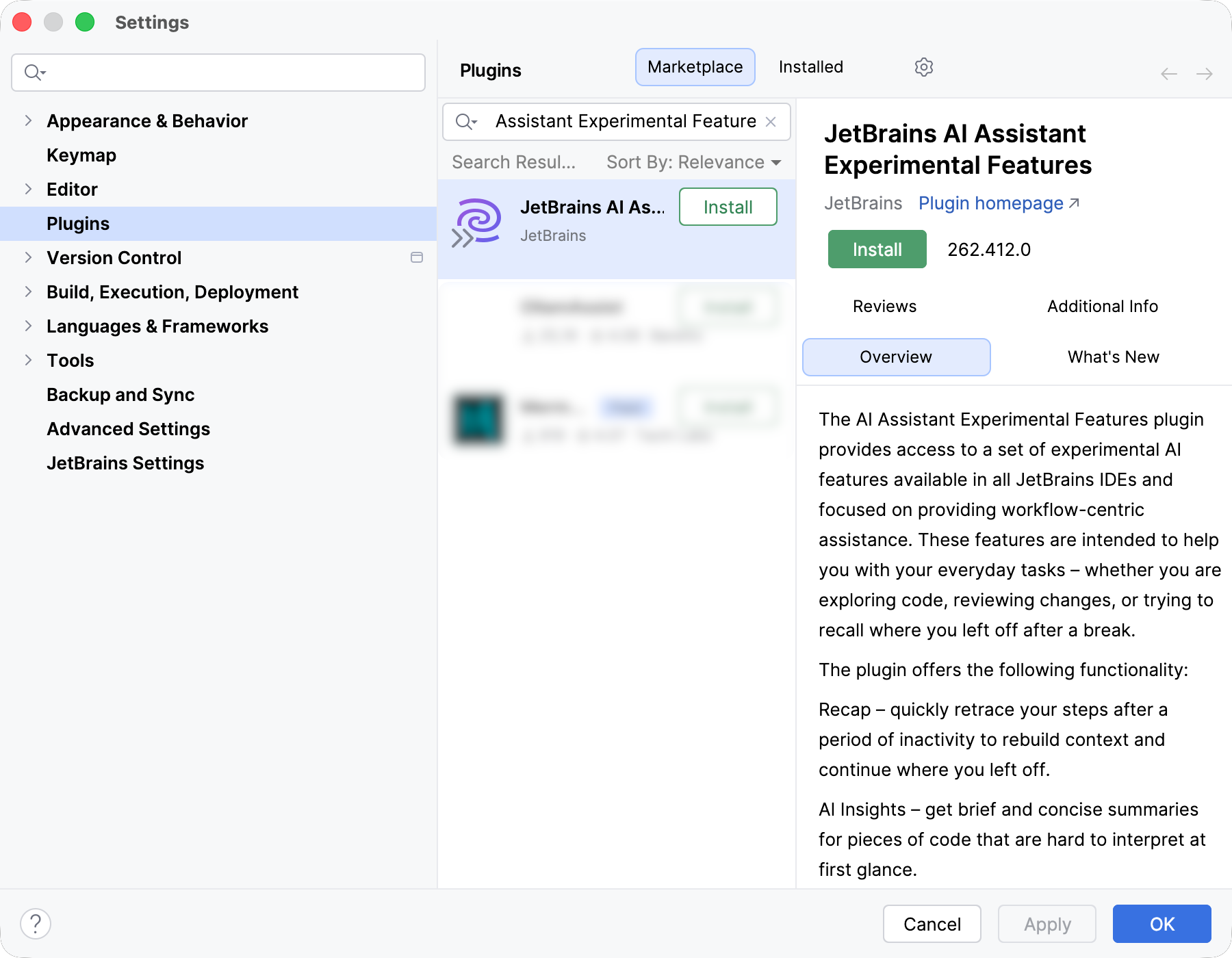
An active JetBrains AI Pro or Ultimate subscription is required. Both features use your existing AI quota. We monitor consumption closely and keep it under 10% of your quota. For 99% of our test users, it stayed well within those limits. If you are ever concerned about quota usage, you can disable individual features or uninstall the plugin at any time. We’d appreciate hearing about any anomalies you notice.
Installing this plugin means joining an active feedback loop, so enabling detailed data collection is required. We collect usage data and review it to improve feature quality. We’re not collecting anything new compared to regular data sharing in the AI Assistant plugin.
The plugin currently generates text in English only, regardless of your IDE language settings. Localization is on our to-do list, but we want to polish the core experience first.
What’s next
The recap and insights features are the first two tools in this plugin, not the last. We’re already working on updates to both based on what early testers have told us. Many mentioned that the recap was most valuable for long breaks and cross-project switching, rather than short interruptions, and requested shorter, crisper summaries. The next release will deliver that. There was also a request to ground the recap in the branch history, which we are now exploring.
Next on our radar is the VCS tool window. There’s already a Group with AI feature in your local diff view, but we have a lot more in mind. Tell us which AI-powered VCS features you’d welcome and what sorts of things would be absolute deal-breakers, even as an experiment.
The best features from this plugin will eventually graduate into the main AI Assistant plugin, but that will only happen when you tell us they’re ready.
Tell us what you think
Install the plugin, try the features, and share your feedback. You can use the in-IDE feedback form in the AI chat, leave a plugin review, or drop us a note here in the comments or on social media.