DataSpell 2026.1: AI Agents Ecosystem, Export Notebooks to PDF, Editor Improvements

With the 2026.1 release, DataSpell continues to improve the way you explore data, work with notebooks, and integrate AI into your workflows. This update expands the AI ecosystem with new agents support and brings several productivity improvements throughout the IDE.
Read on to discover everything that’s new in DataSpell 2026.1.

AI Agents ecosystem
DataSpell 2026.1 expands the range of AI tools you can use directly inside the IDE.
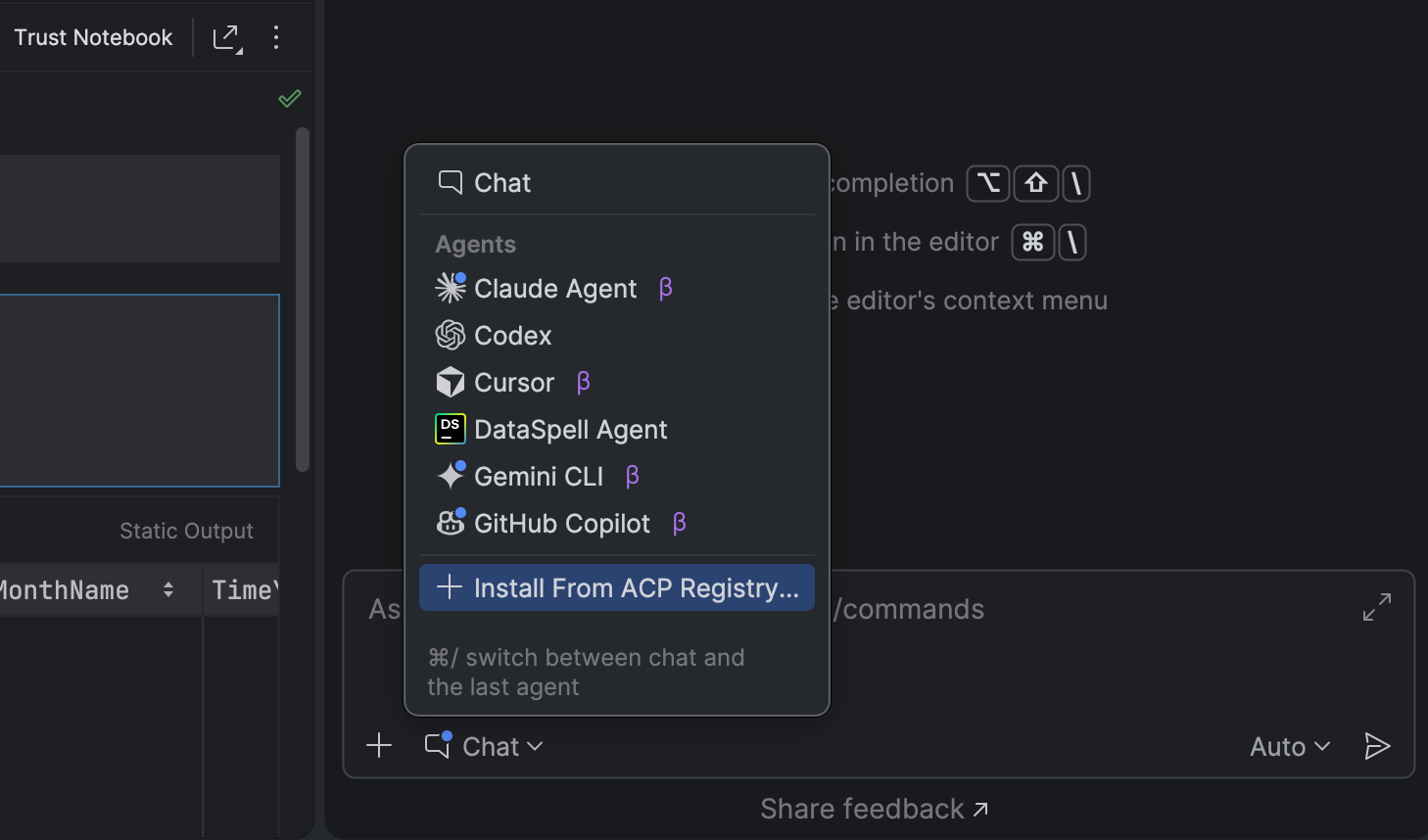
In addition to Claude Agent and DataSpell’s AI agent, the AI chat now supports Codex, Cursor, and many other agents through the Agent Client Protocol (ACP). This allows you to integrate the AI tools of your choice into your everyday workflows.
To make discovering and installing agents easier, we’ve introduced the ACP Registry. It lets you browse available AI agents and install them with a single click directly from the IDE.
Ability to export notebooks to PDF
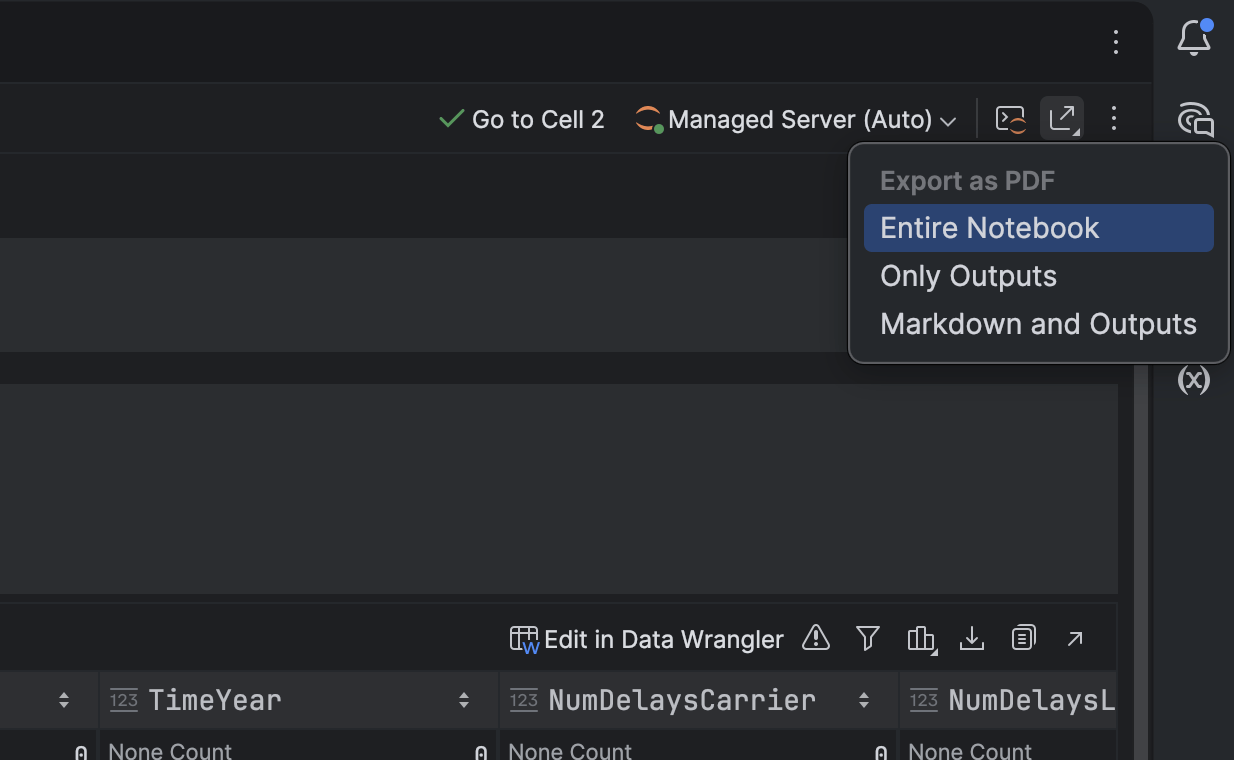
You can now export Jupyter notebooks to PDF directly from DataSpell.
This new native export implementation works without requiring Python, nbconvert, or LaTeX. Instead, notebooks are converted directly inside the IDE, making the export process faster, simpler, and more reliable.
In-terminal completion
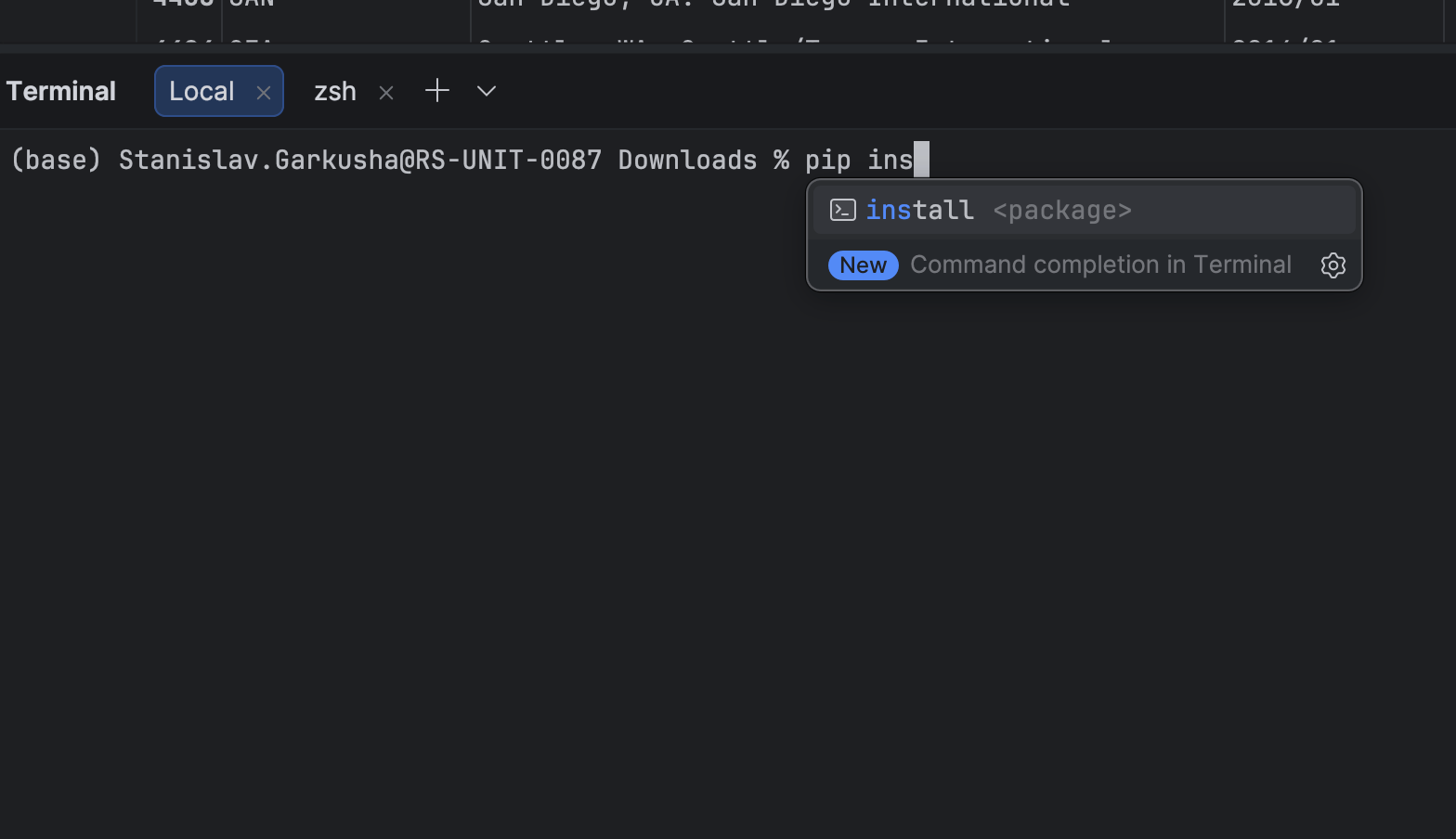
The integrated terminal now provides command and parameter suggestions as you type.
This helps you quickly discover available options when working with tools such as:
- Git
- Docker
- Custom CLI utilities
Terminal completion makes working with command-line tools inside the IDE faster and more convenient.
Editor caret animation
The editor now includes new caret animation modes designed to improve the typing experience.
The two available modes are:
Snappy
The caret quickly jumps to the new position and slows slightly as it settles, providing smooth movement while keeping the editor responsive.
Gliding
The caret moves smoothly across the screen, making large cursor jumps easier to follow visually.
To use these modes, open Settings | Editor | General | Appearance, enable Use smooth caret movement, and select your preferred animation mode.
We hope you enjoy exploring DataSpell 2026.1! If you encounter a bug or have a feature suggestion, please share it on our issue tracker.
Stay up to date on the latest DataSpell news and data analysis tips – subscribe to our blog and follow us on X.