JetBrains Academy
The place for learning and teaching computer science your way
Introducing the JetBrains Course Creators Program

Online programming education still has a major gap: students learn concepts through videos and browser-based exercises, but rarely get to code in the professional tools they’ll use in development jobs.
As AI changes how people learn programming and write code, practical developer skills are becoming even more important. Students need more than generated snippets – they need experience working in real development environments, understanding projects, debugging applications, and building software alongside AI tools. These are the skills they’ll be expected to use in internships and developer roles.
We’re launching the JetBrains Course Creators Program to help close that gap by bringing hands-on coding practice directly into JetBrains IDEs together with course creators and educators.
If you’re a programming course creator on platforms like Udemy, Coursera, LinkedIn Learning, Pluralsight, or your own website, you can now integrate hands-on practice directly into JetBrains IDEs. Your students won’t just watch and learn – they’ll actually code in professional tools used by developers worldwide.
What is the Course Creators Program?
A lot of online programming education still looks like this:
watch videos → take quizzes → finish the course
In most cases, hands-on practice happens in browsers or simplified environments. As a result, learners may understand concepts but feel lost when they open a real IDE for the first time. The Course Creators Program aims to close this gap and is designed for independent educators who want to take their courses beyond videos and quizzes.
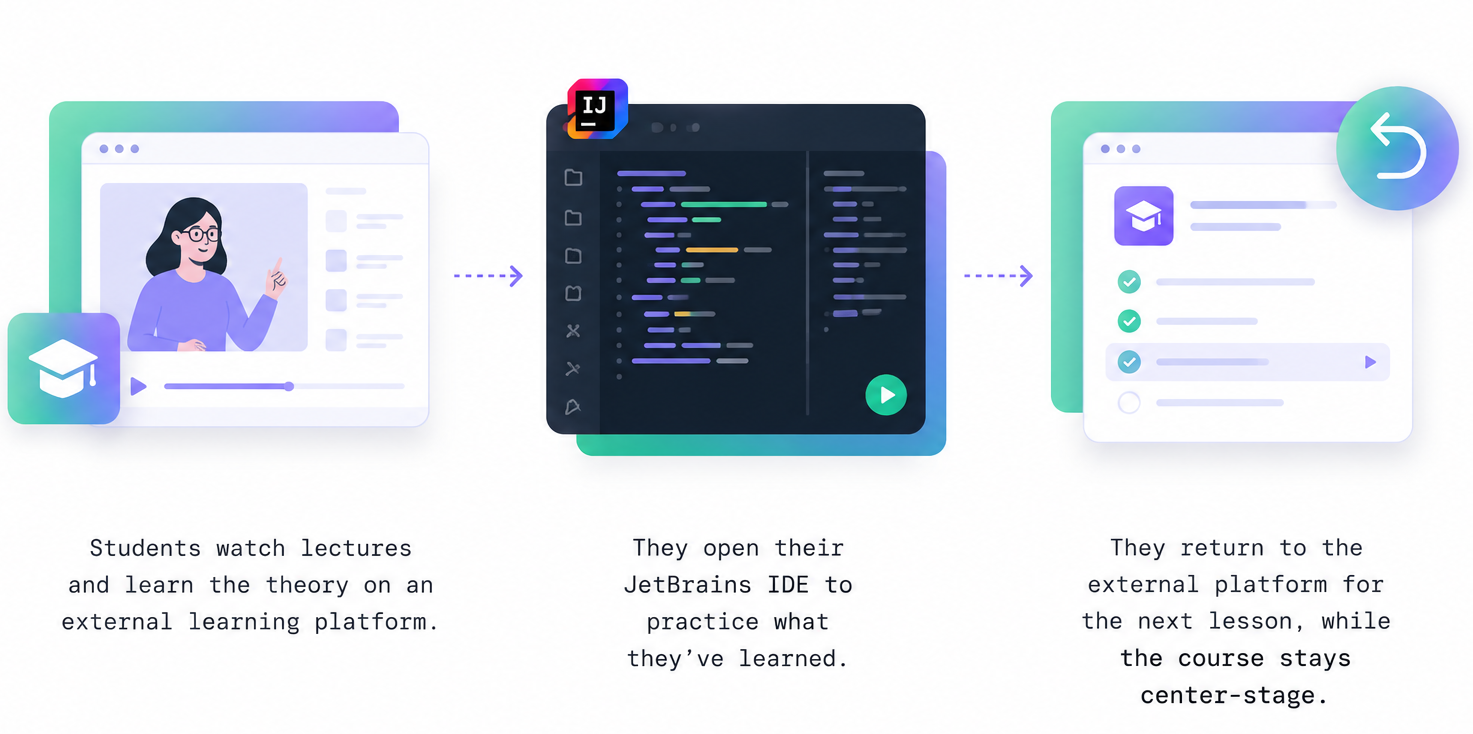
You don’t need to rebuild anything. We help you move the practical part of your course into JetBrains IDEs using the JetBrains Academy plugin, so learners can:
- Write real code.
- Run and debug programs.
- Build skills in a professional development environment.
Already teaching on Coursera?
We already support direct integration between Coursera courses and JetBrains IDEs. Students can open projects in the IDE with a single click – no additional setup required.
To help creators get started, we’ve also prepared a step-by-step integration guide. This guide explains how to connect your Coursera course with JetBrains IDEs using the Apps (LTI) feature – from creating the App to publishing coding exercises that sync progress automatically.
Who can participate?
You can join the program if you:
- Publish programming courses on Udemy, Coursera, LinkedIn Learning, Pluralsight, edX, or a similar platform.
- Run your own educational platform.
- Teach programming, software development, or related technical topics.
What are the benefits of joining?
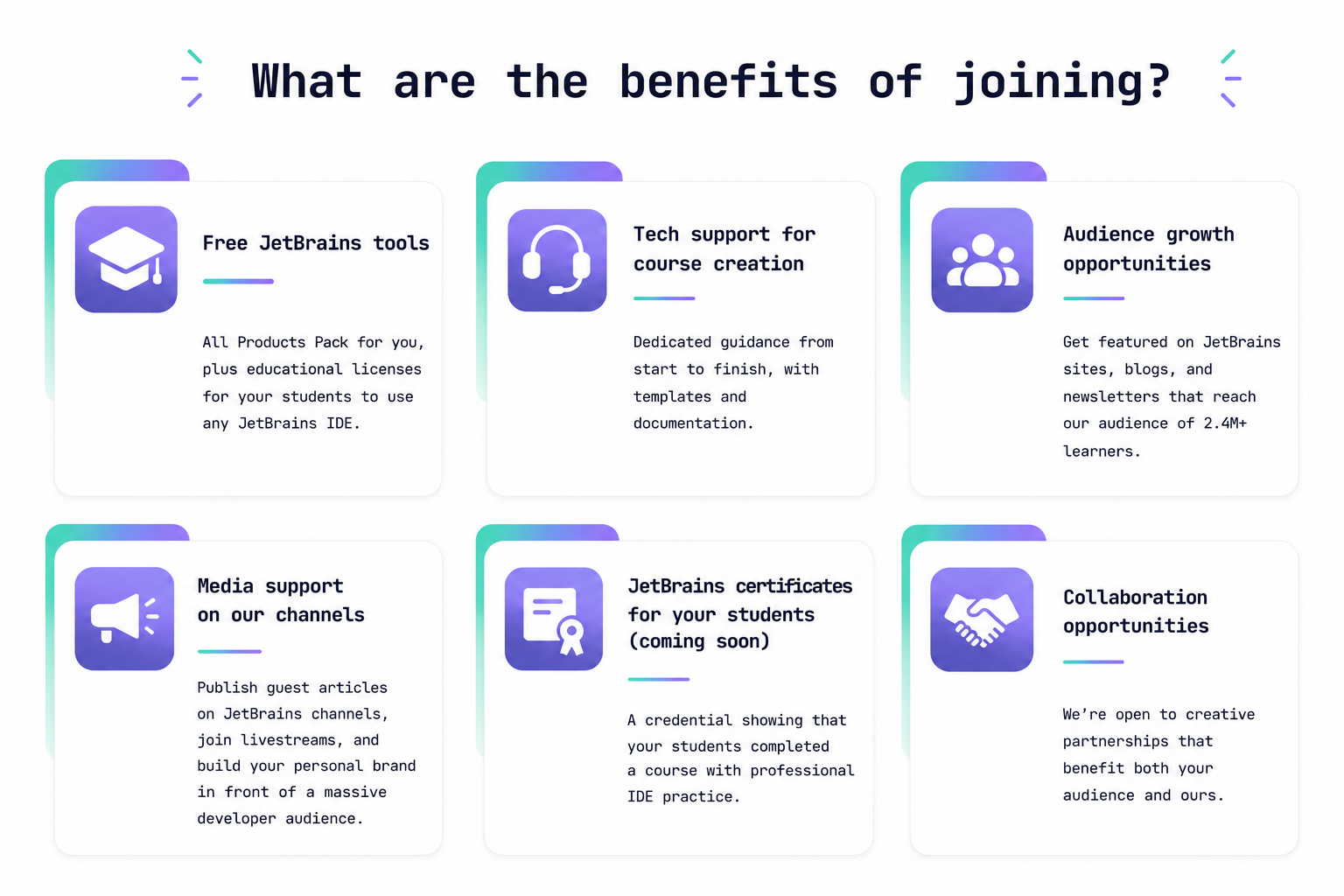
This program is more than just a technical integration. Our goal is to help course creators build a stronger hands-on learning experience while growing their audience and professional presence alongside JetBrains.
As part of the program, creators receive product access, technical guidance, promotional support, and collaboration opportunities designed to help bring professional coding workflows into online education.
How to apply
Getting started is simple:
- Apply to the program
Tell us about your course, audience, and the technologies you teach. - Integrate your course into JetBrains IDEs
Our team will help you bring the practical part of your course into the IDE.
No need to rebuild your entire course – just enhance the hands-on experience. - Start teaching with real coding exercises
Your students continue learning on your platform while practicing in professional development tools.
Most creators complete integration within 2–4 weeks.
Not ready for full integration? Let’s talk anyway
We know that integrating a course into JetBrains IDEs is a meaningful commitment. If you’re not there yet but still want to bring JetBrains tools to your students, we’re open to other forms of collaboration, too.
For example:
- Point your students to free JetBrains IDEs
Several JetBrains IDEs are available for free for non-commercial use – no student verification or application required. You can recommend them to your learners right away so they can follow your course in a professional IDE instead of a browser-based editor.
- Get educational license coupons for your students
If your course uses IDEs not covered by the free tier, we can provide educational license coupons for IntelliJ IDEA, PyCharm, and other JetBrains tools.
- Feature JetBrains tools in your content
If you already teach using JetBrains IDEs in your videos or course materials, we’d love to support that with tools, visibility, and resources.
For more information, reach out to us at education@jetbrains.com.
We believe programming education should feel closer to real development from day one.
Join the JetBrains Course Creators Program and help your students practice with the tools they’ll use in future jobs.
Your JetBrains Academy team