

AppCode 2021.3: акторы, редактор plist-файлов, улучшенная поддержка документации и многое другое

Всем привет!
Недавно вышел AppCode 2021.3, а значит, пора о нем рассказать.

Swift
Поддержка языка
В Swift появились акторы, а мы их подд… Хотя нет, а давайте в этот раз не ограничимся словом «поддержка», а коротенько, страниц на сорок, опишем, что значит поддержать новую конструкцию языка в IDE.
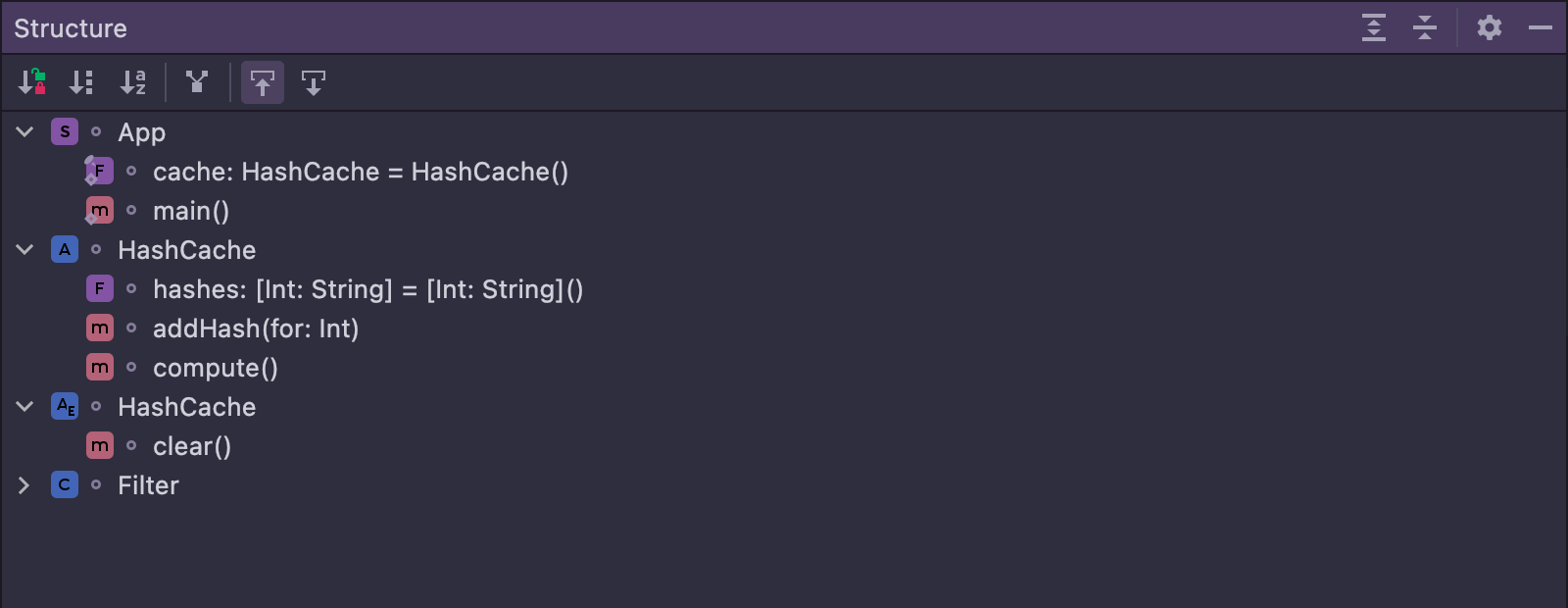
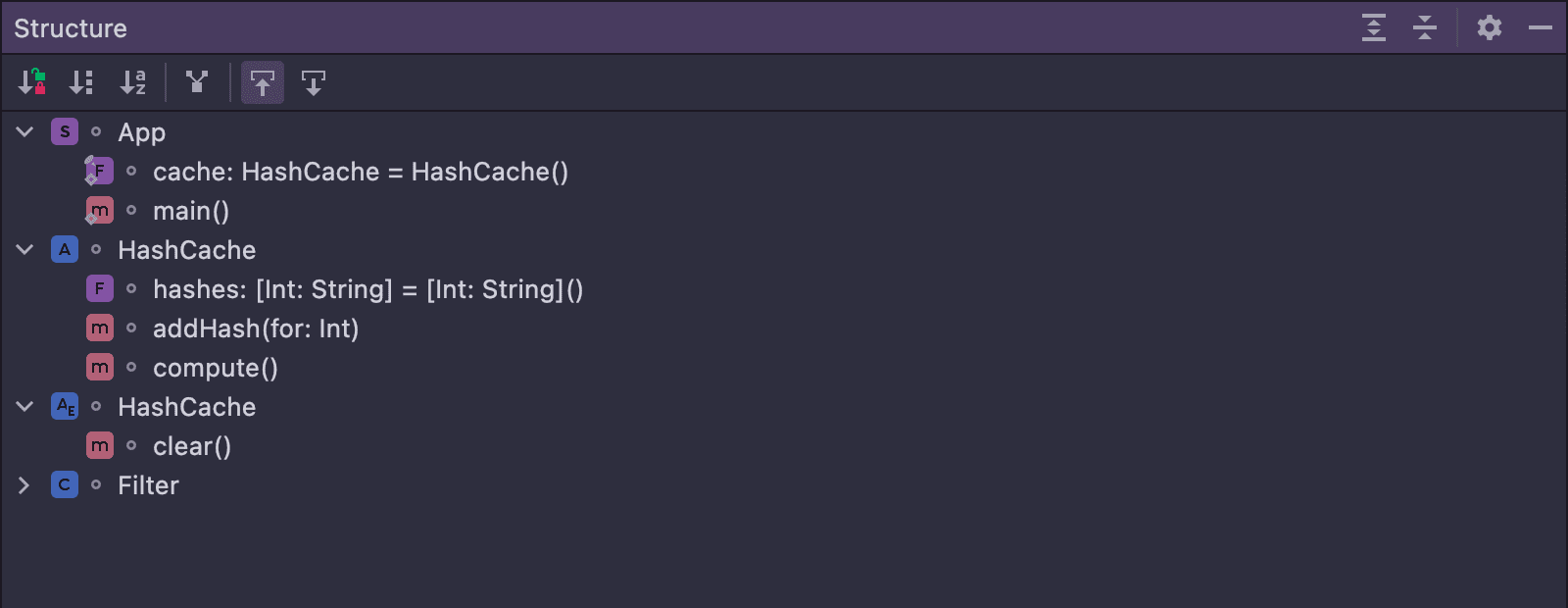
Для начала нужно все попарсить, добавить в дерево символов — тогда многое заработает автоматически (навигация, автодополнение, подсветка). Но это еще не все. Нужно поддержать отображение новой конструкции в окне Structure:
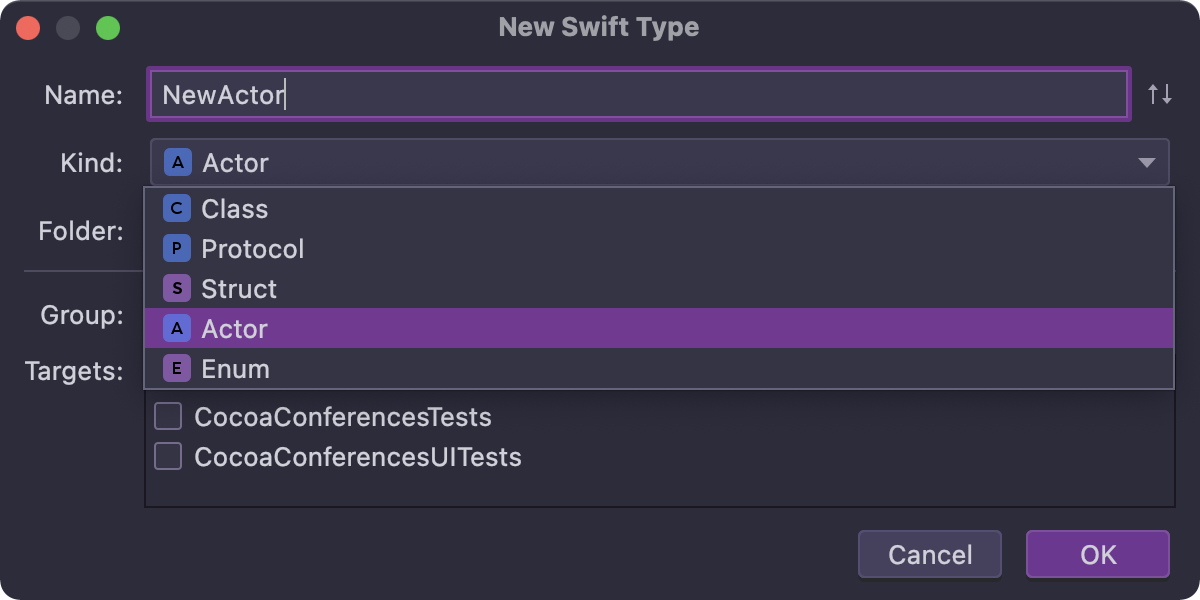
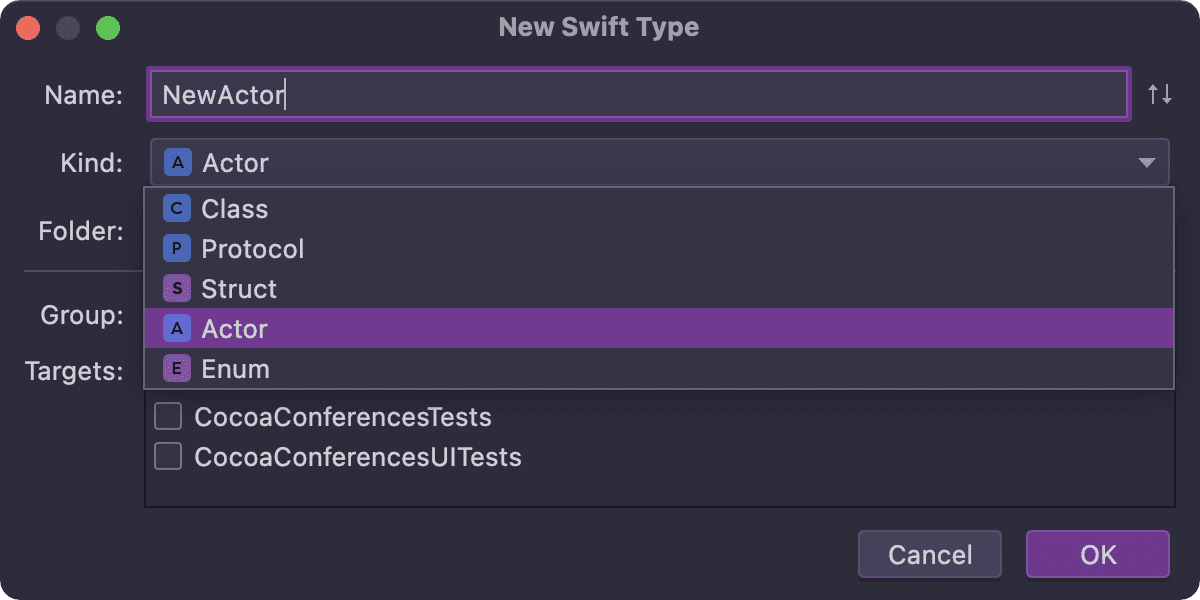
Добавить опцию в диалог создания нового типа:
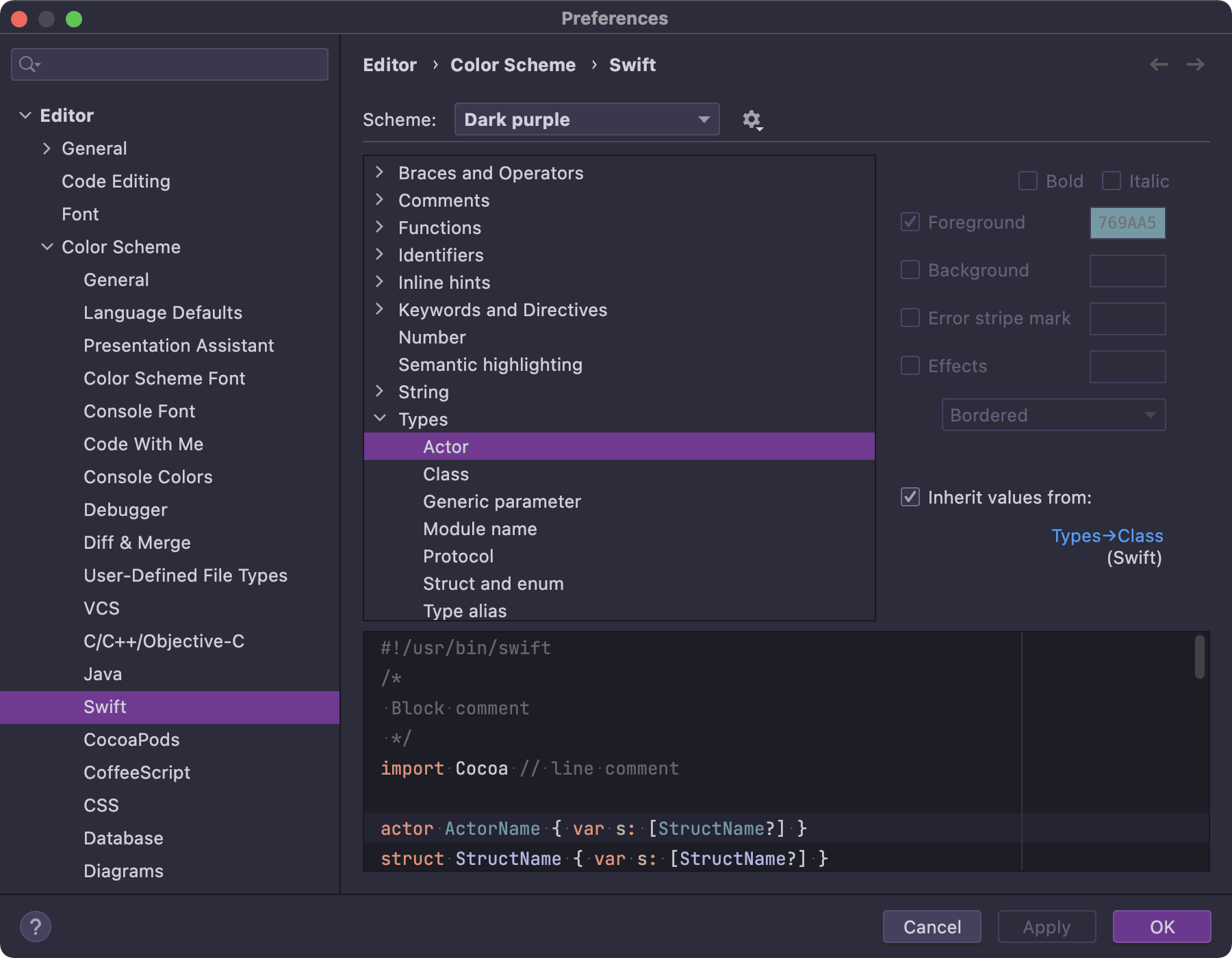
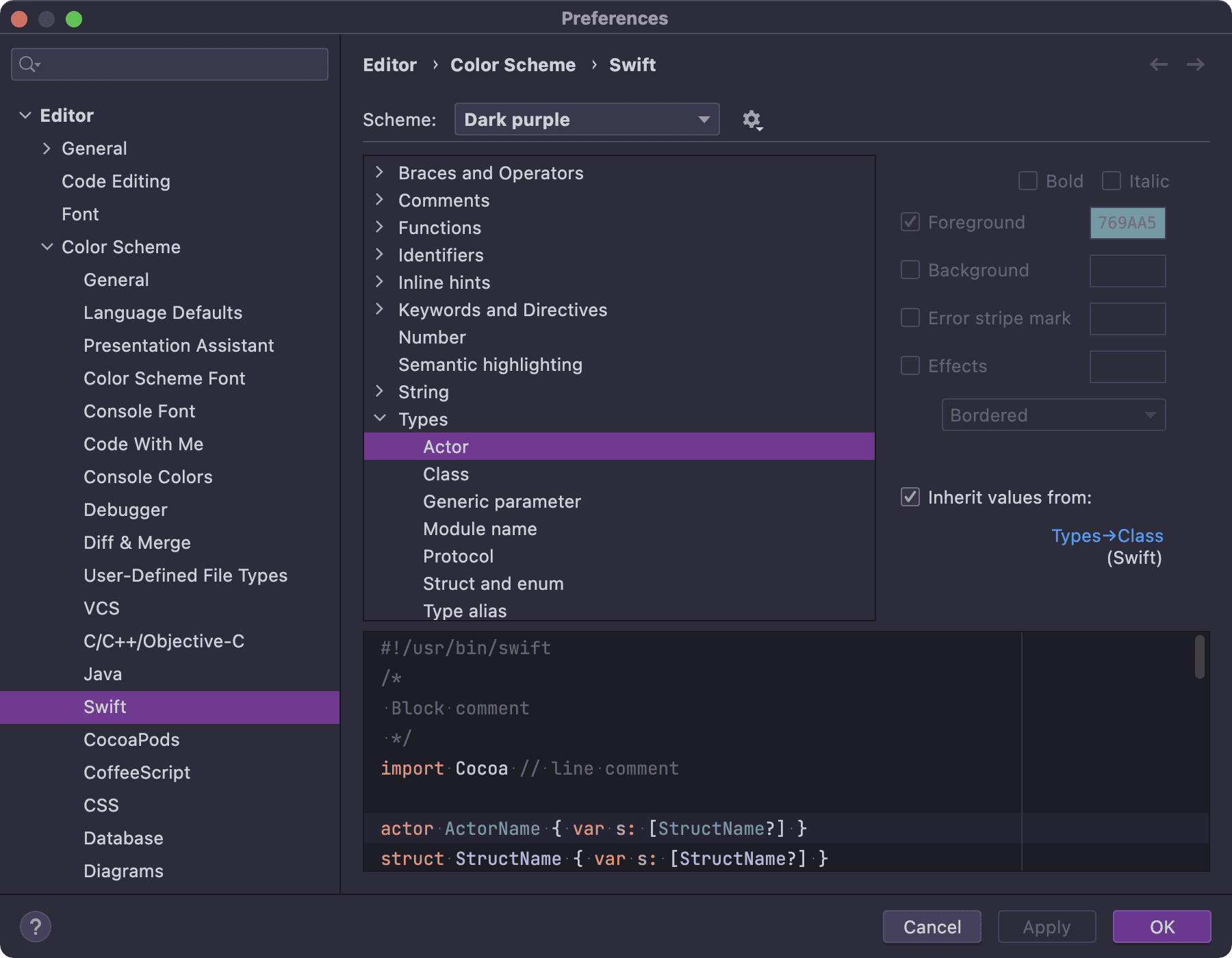
Добавить настройку в Code Style:
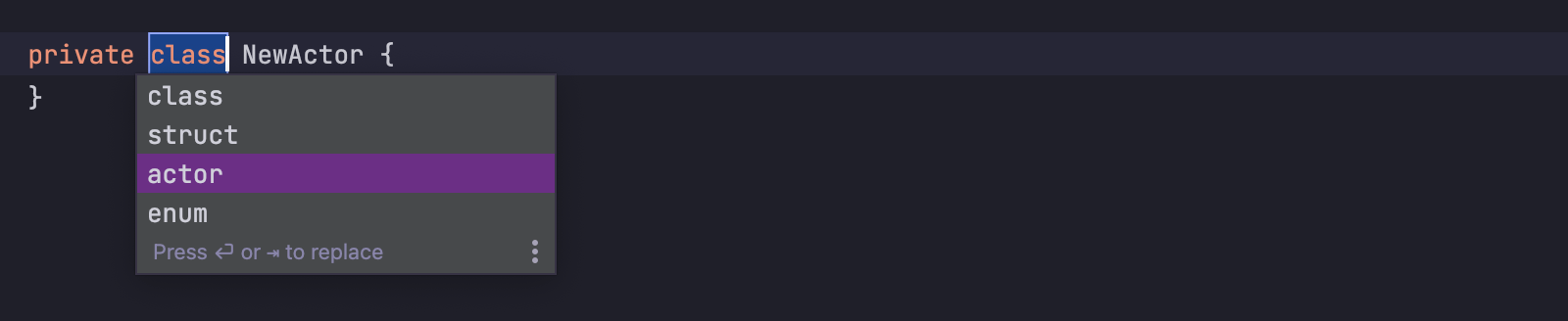
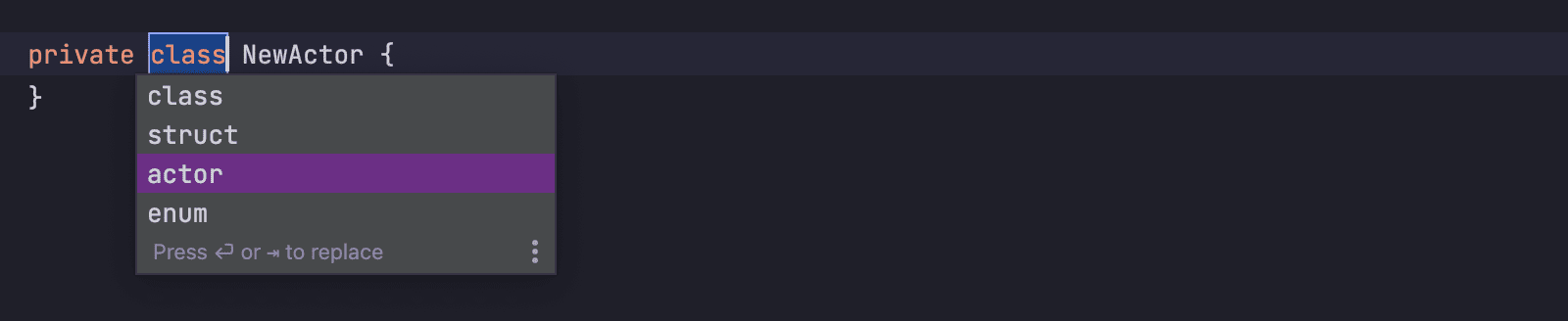
Обновить шаблон для Create from usage:
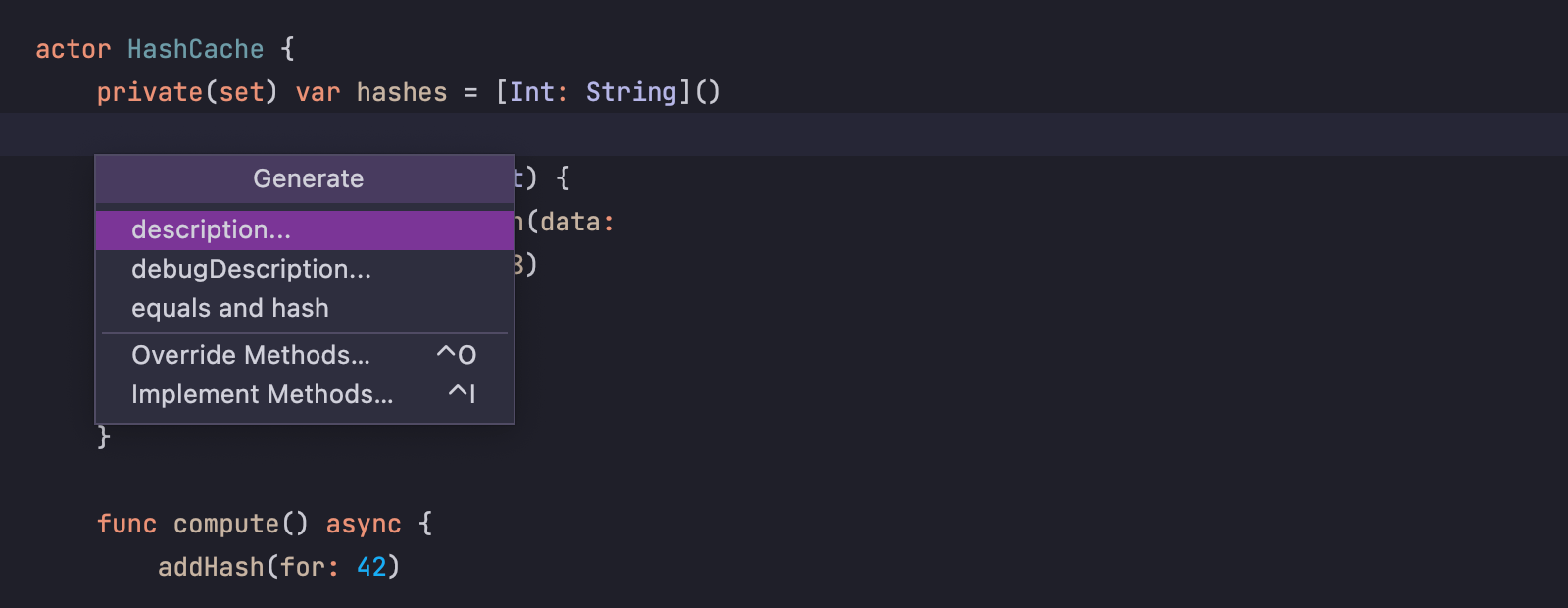
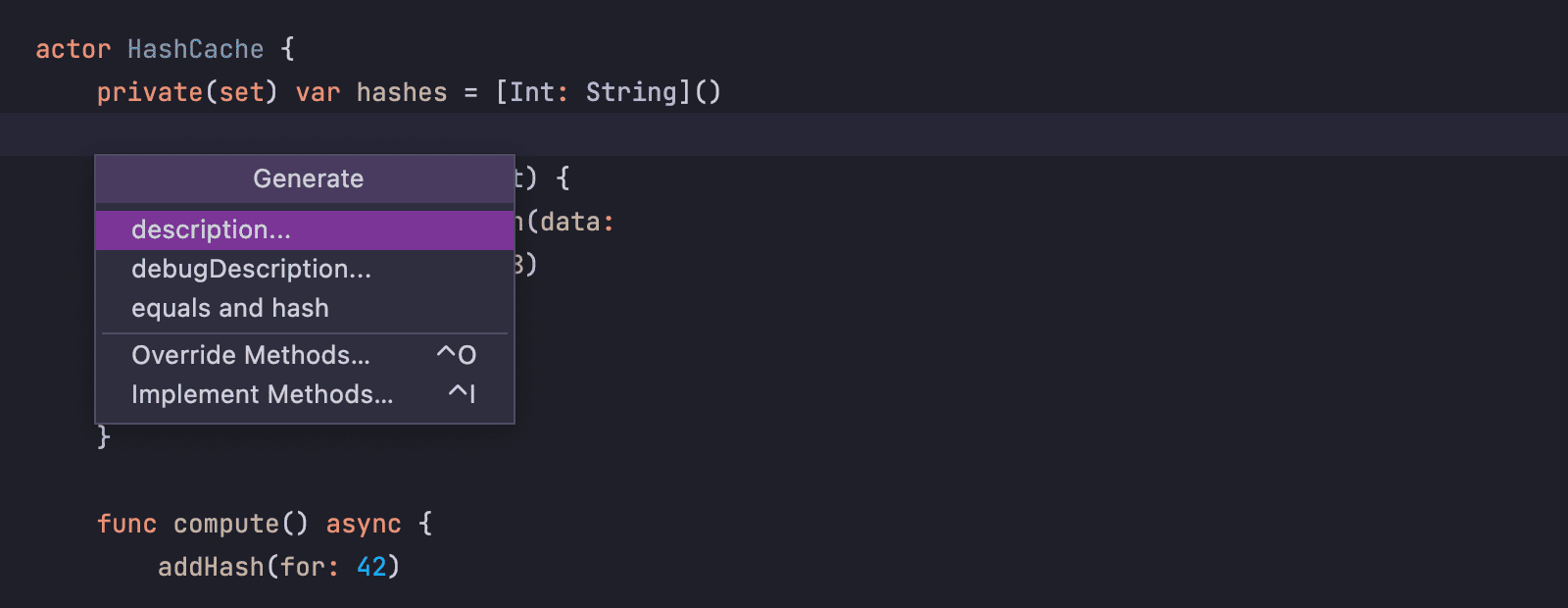
А еще нужна генерация стандартных свойств (description, hash и других):
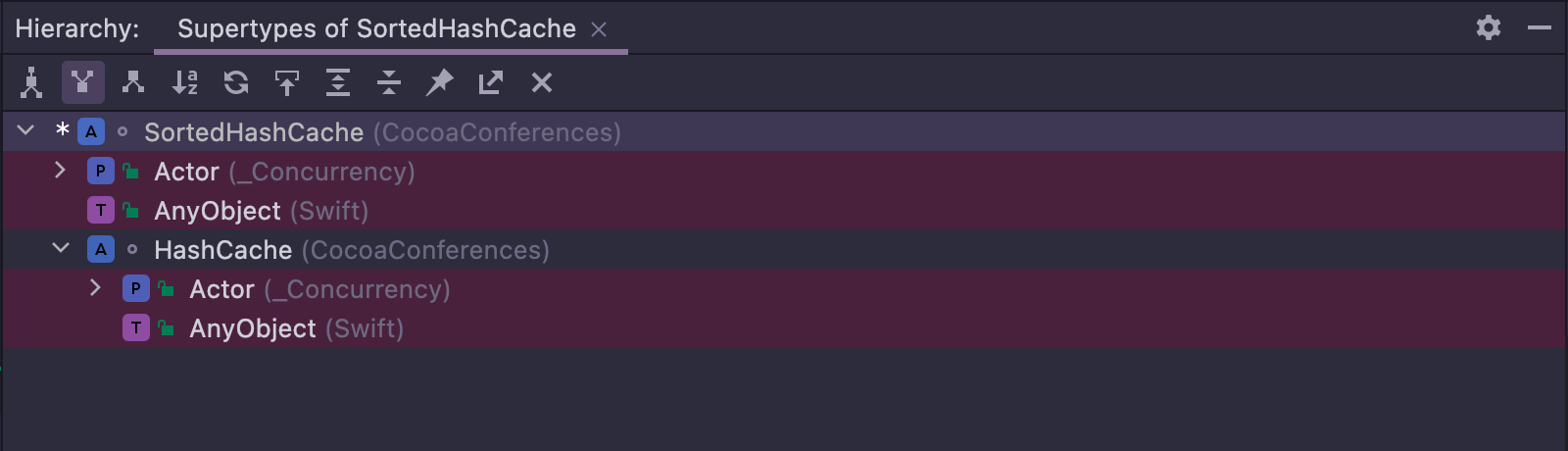
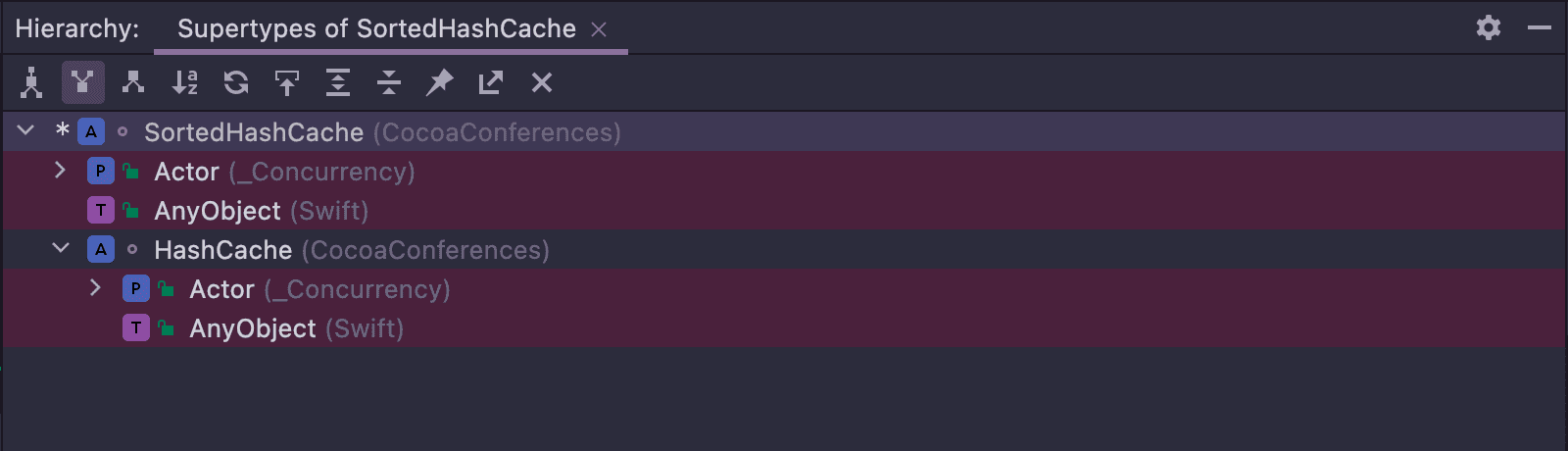
Наконец, акторы должны отображаться в окне иерархии типов:
Автодополнение
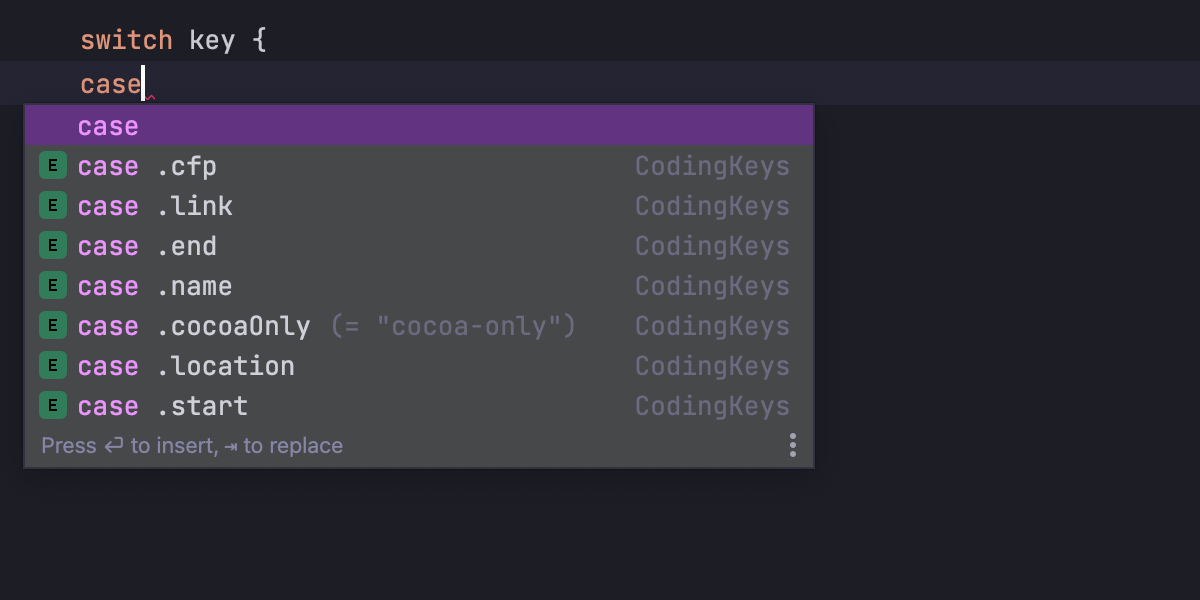
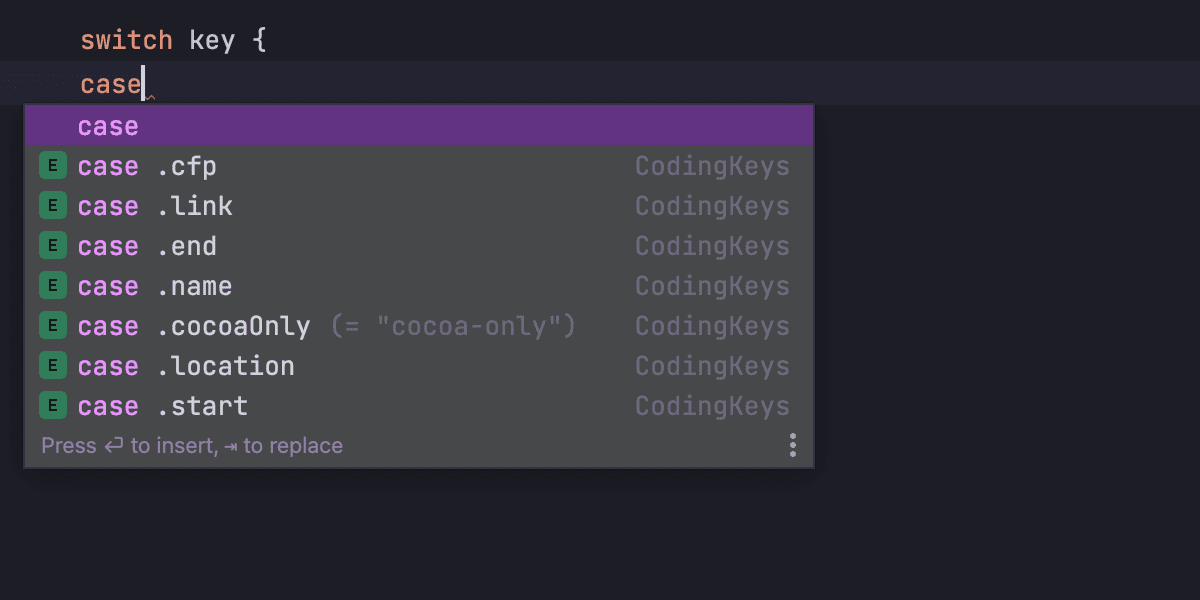
Теперь автодополнение позволяет вводить сразу несколько ключевых слов. Например, case внутри switch можно вставить сразу же с названием:
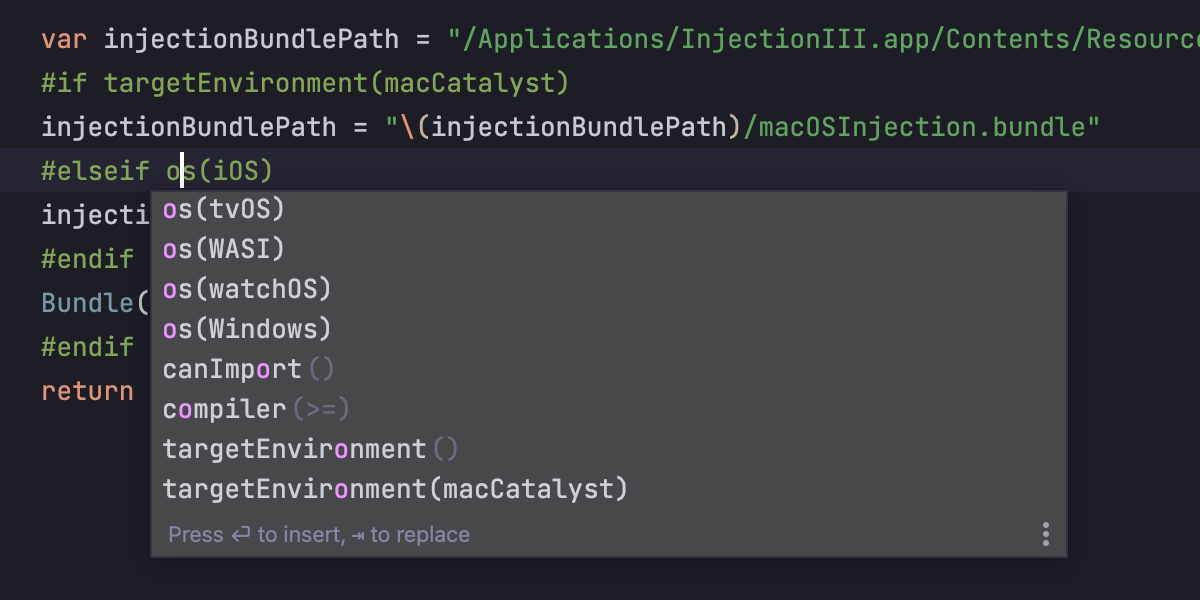
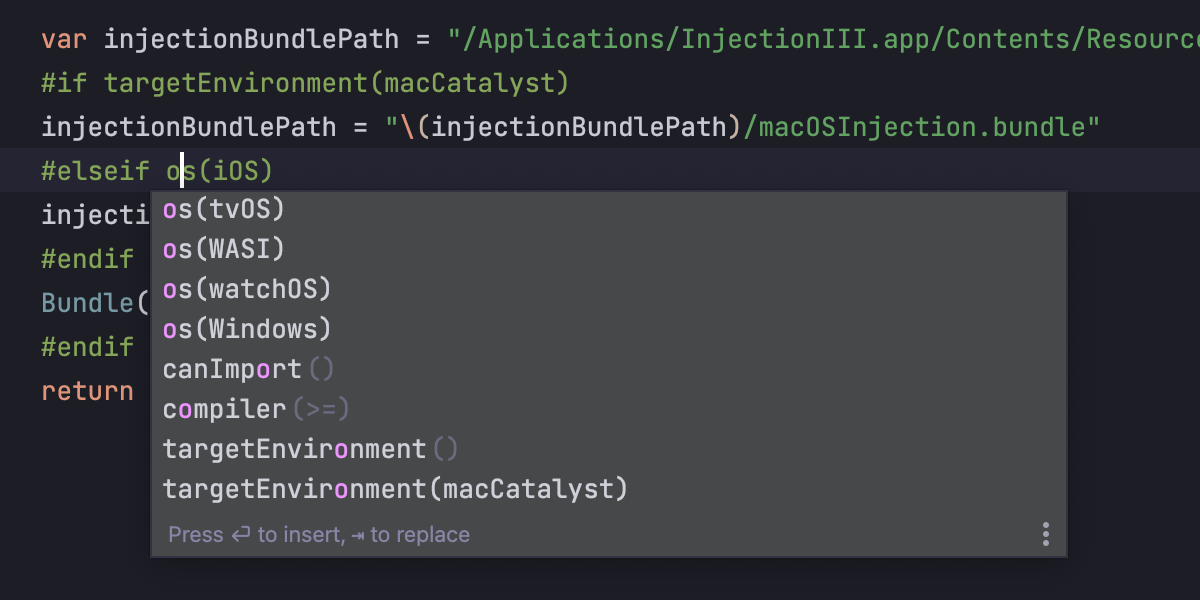
Условия компилятора отображаются как пустыми, так и предзаполненными:
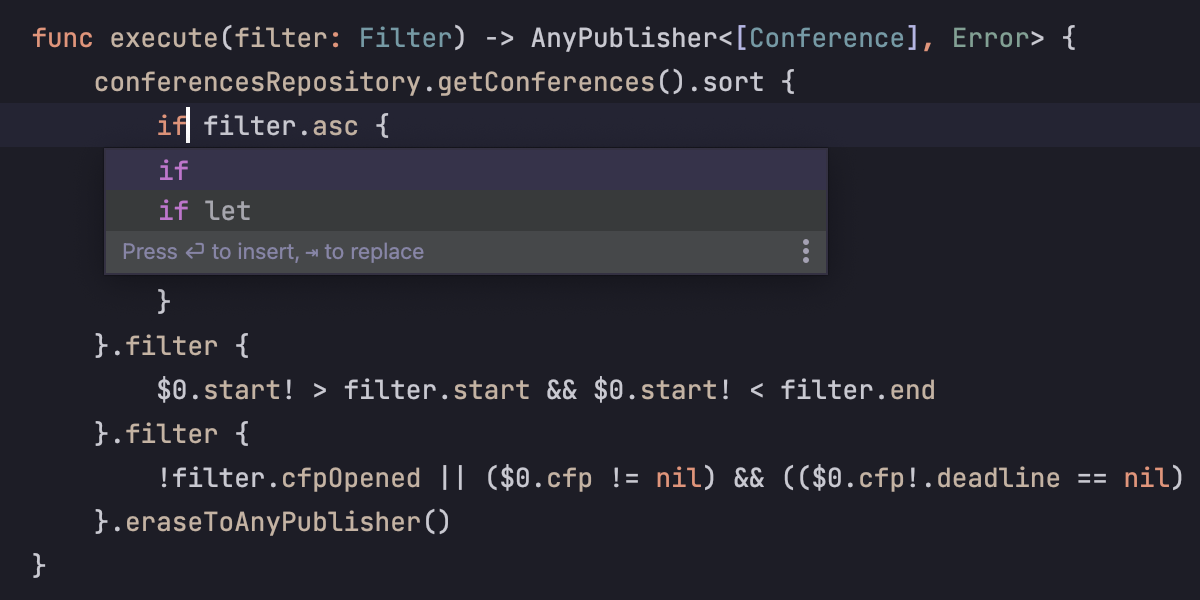
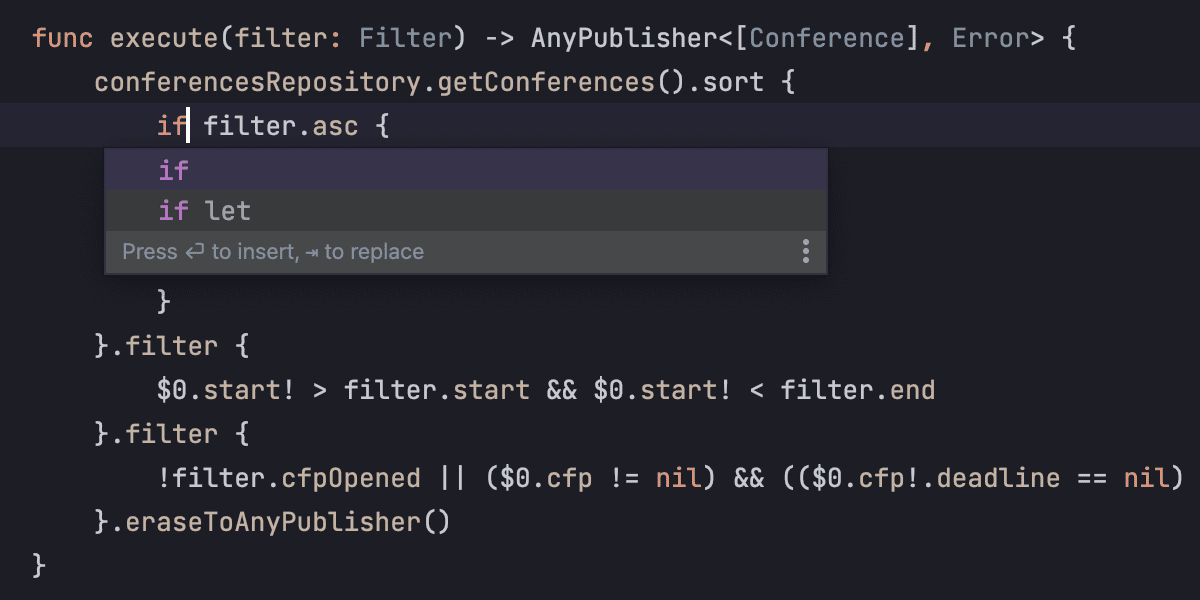
Ну, и помимо обычного if мы добавили еще if guard / if let:
Документация
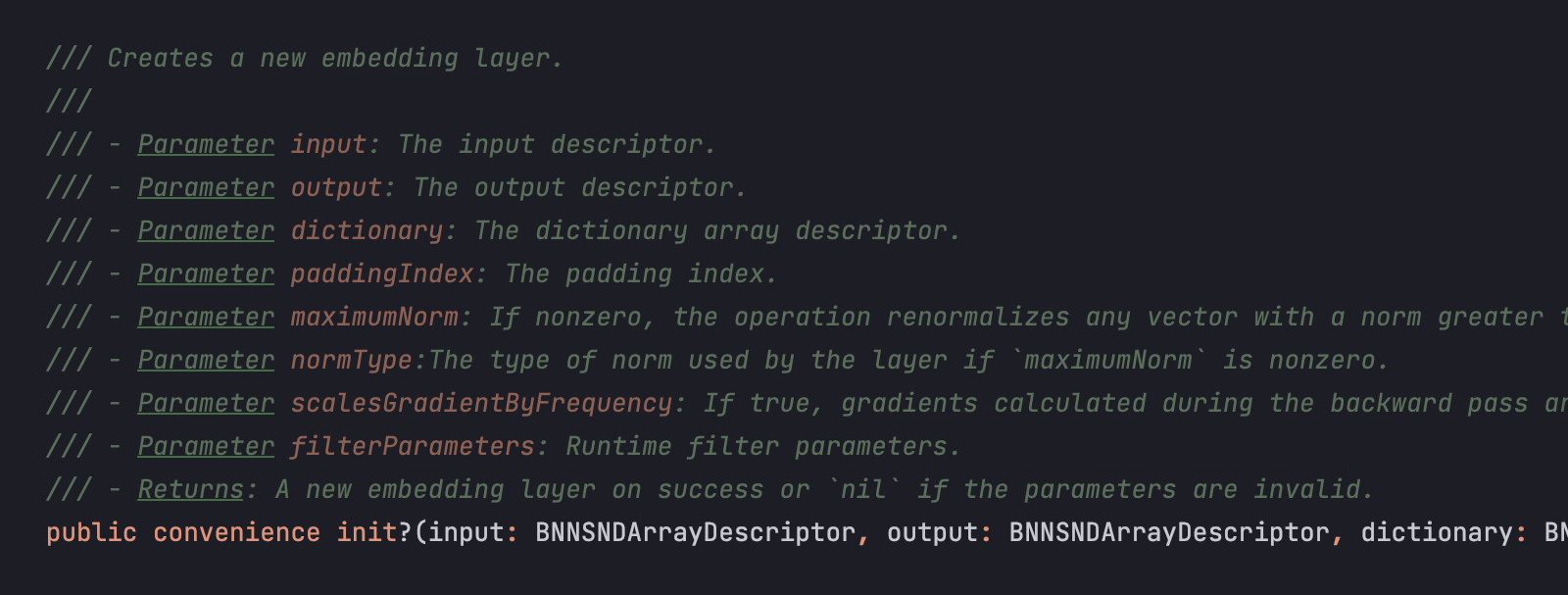
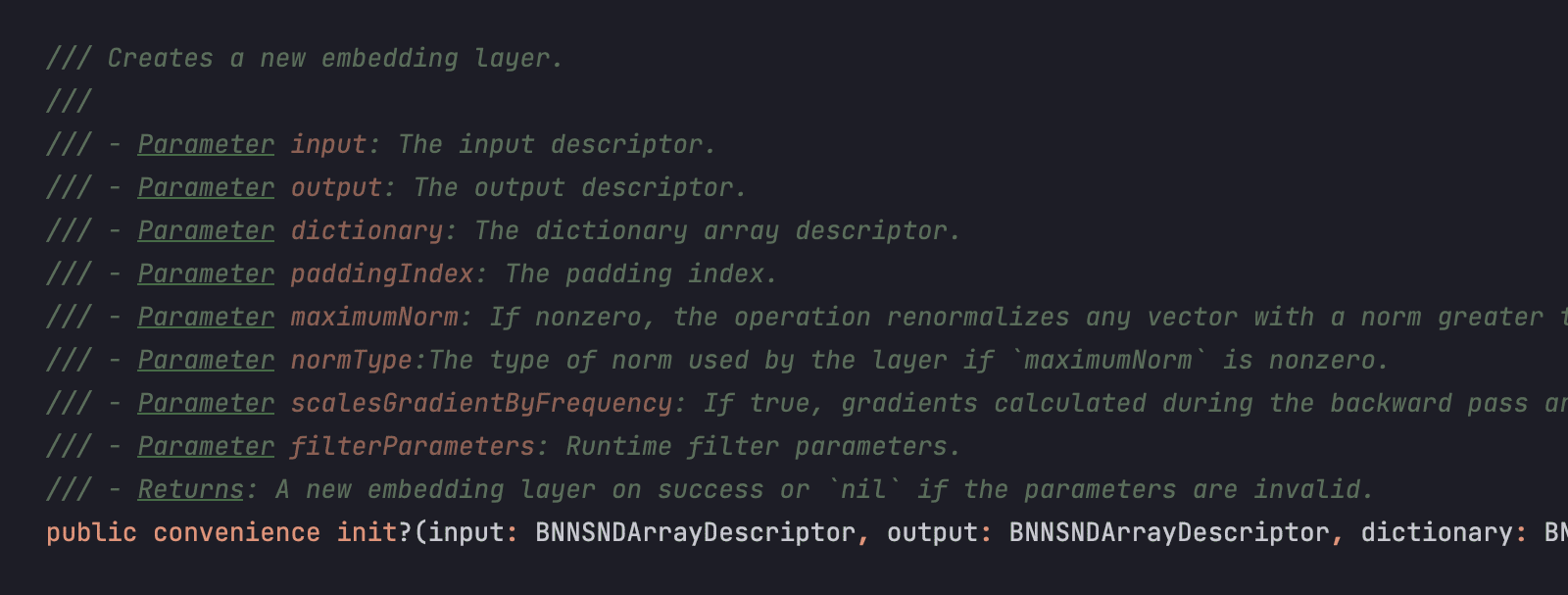
Да-да, мы наконец-то всё доделали. Теперь и параметры подсвечиваются:
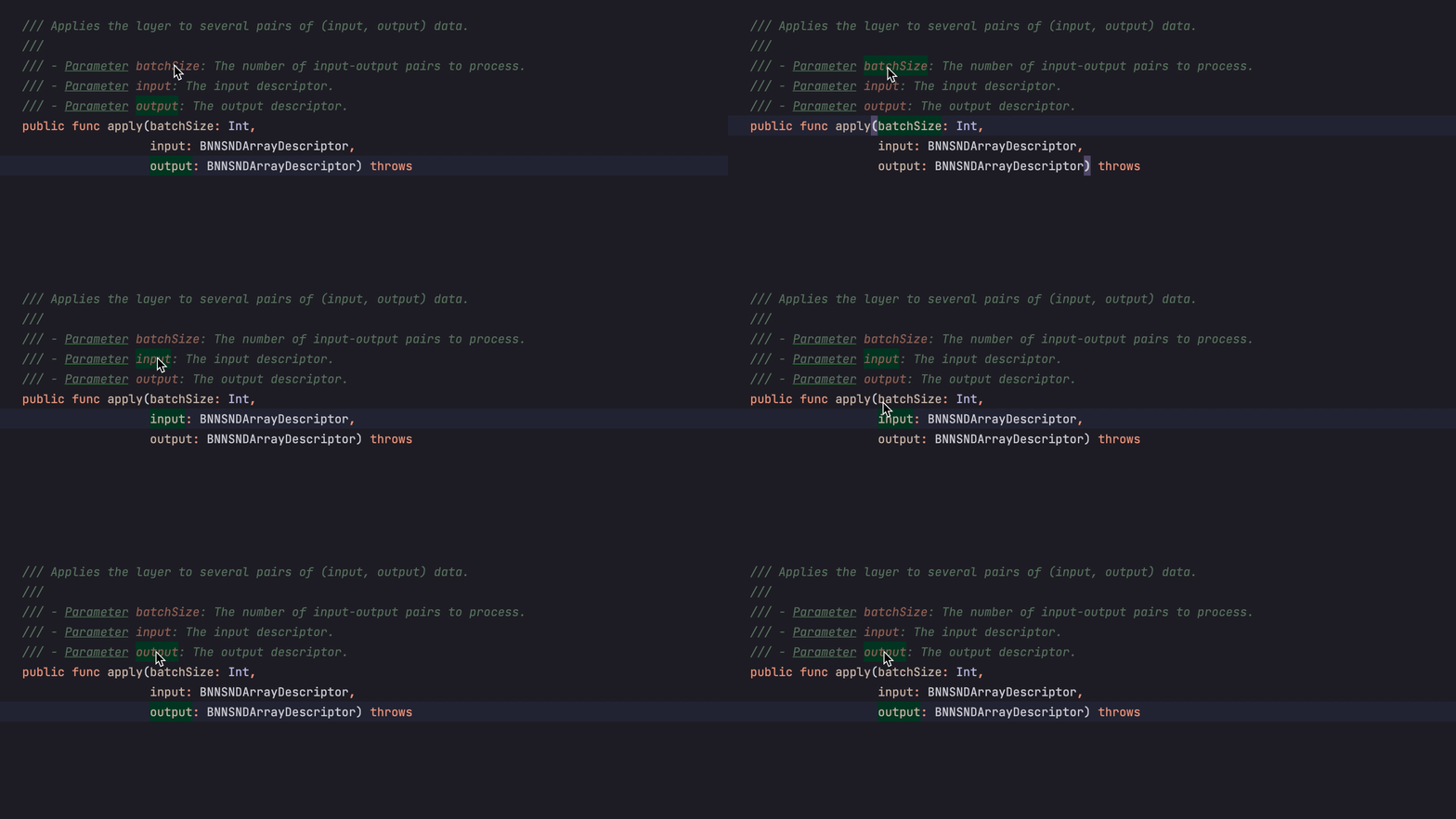
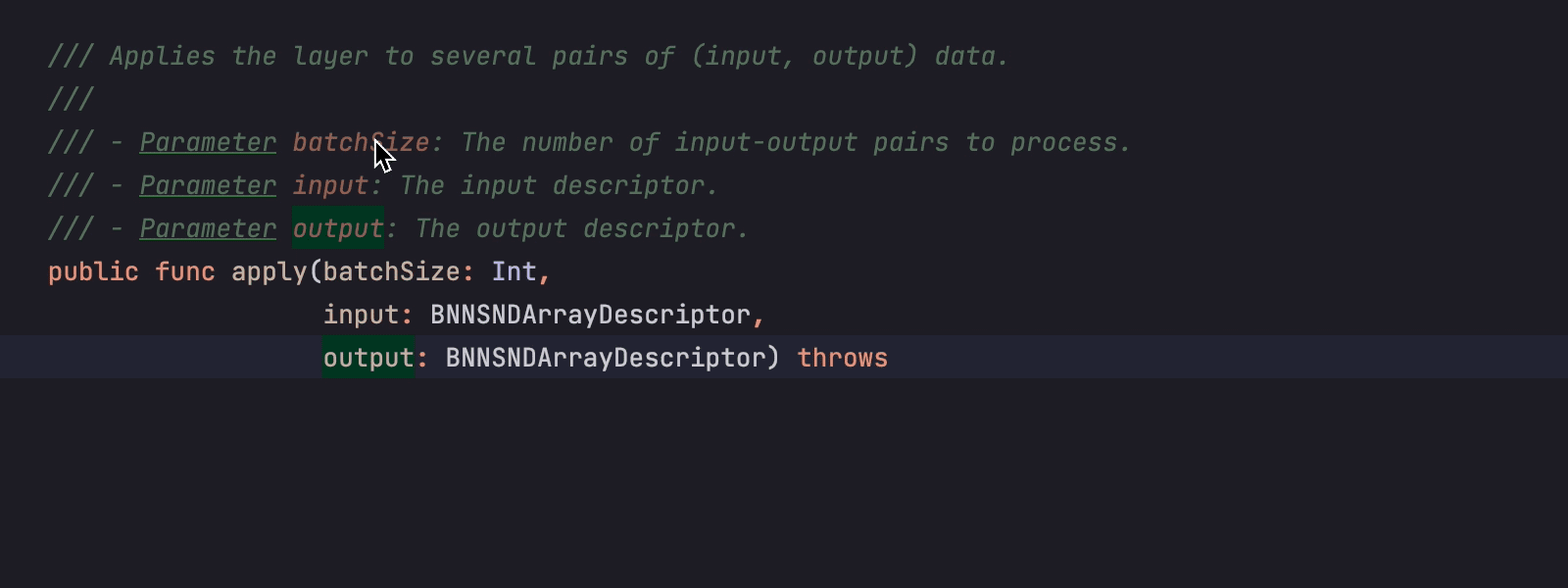
И навигация работает:
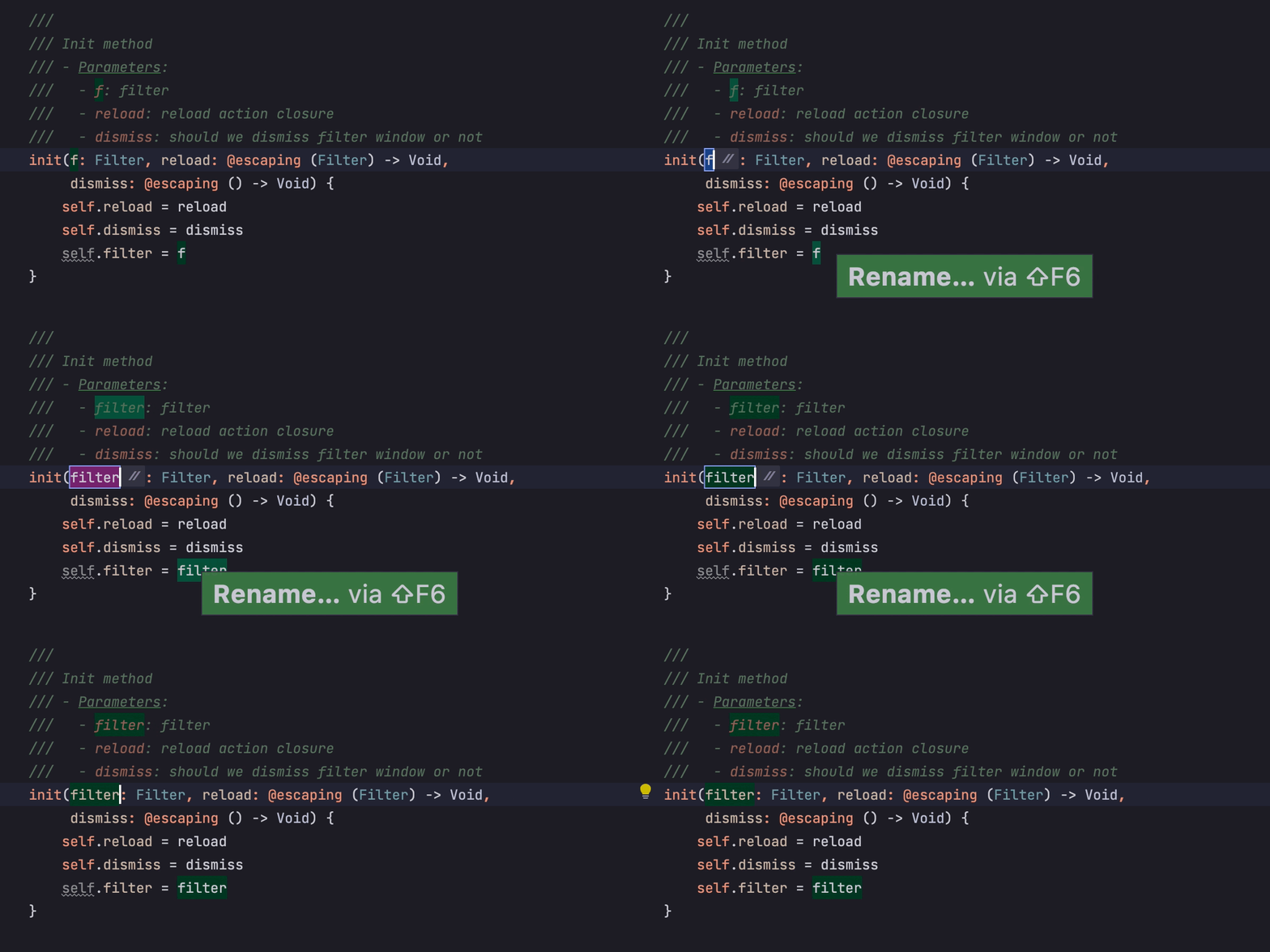
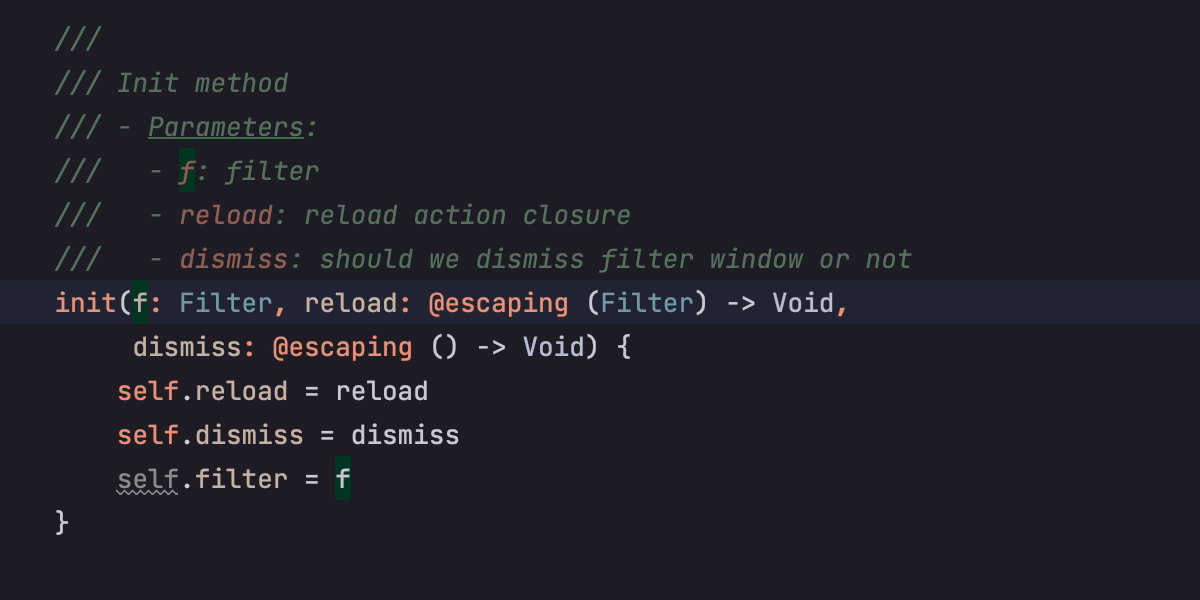
И комментарии обновляются после рефакторингов:
И режим Reader заработал:
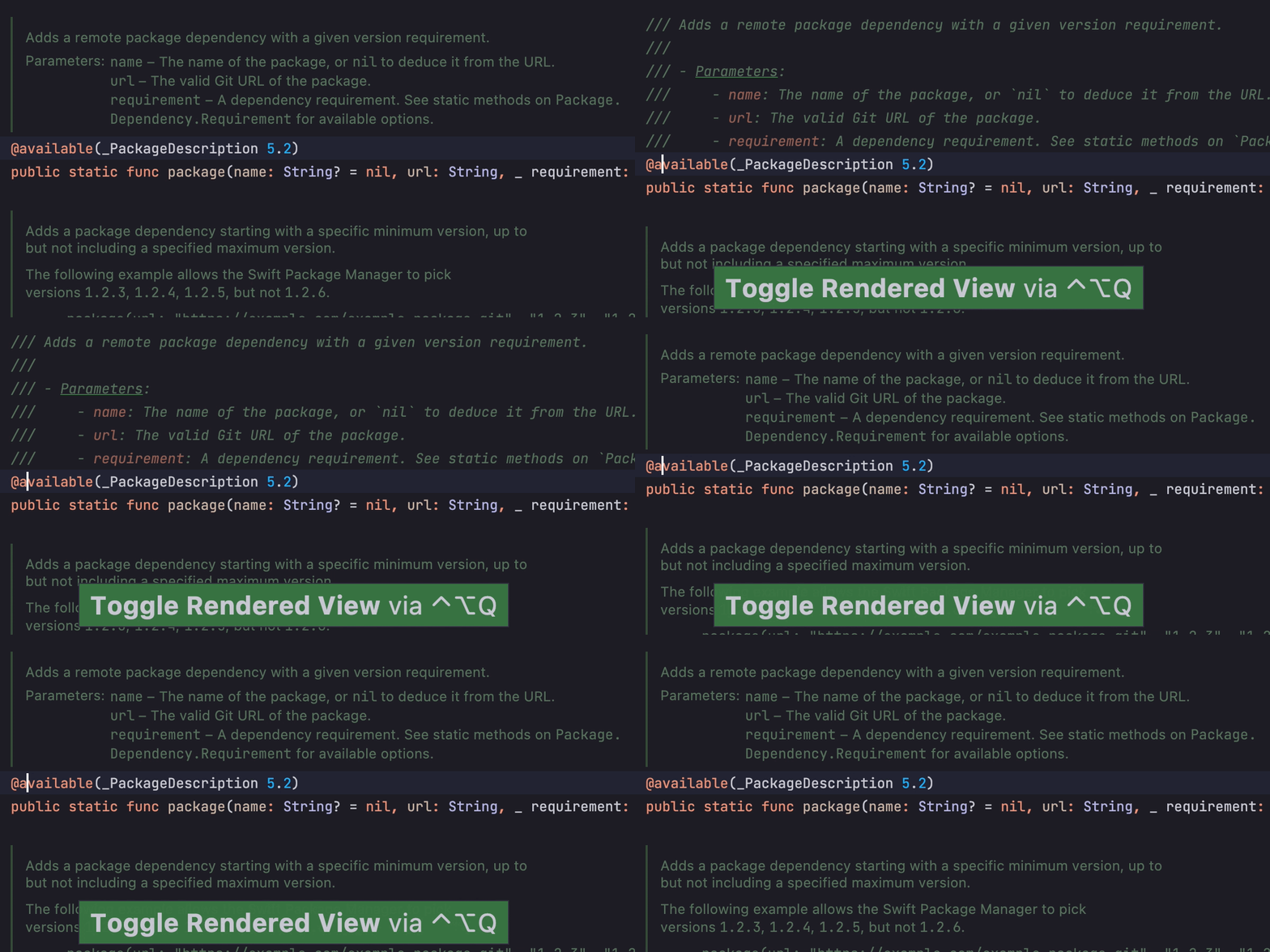
AppCode даже следит, обновляете ли вы документацию по мере написания кода:

Редактор plist-файлов
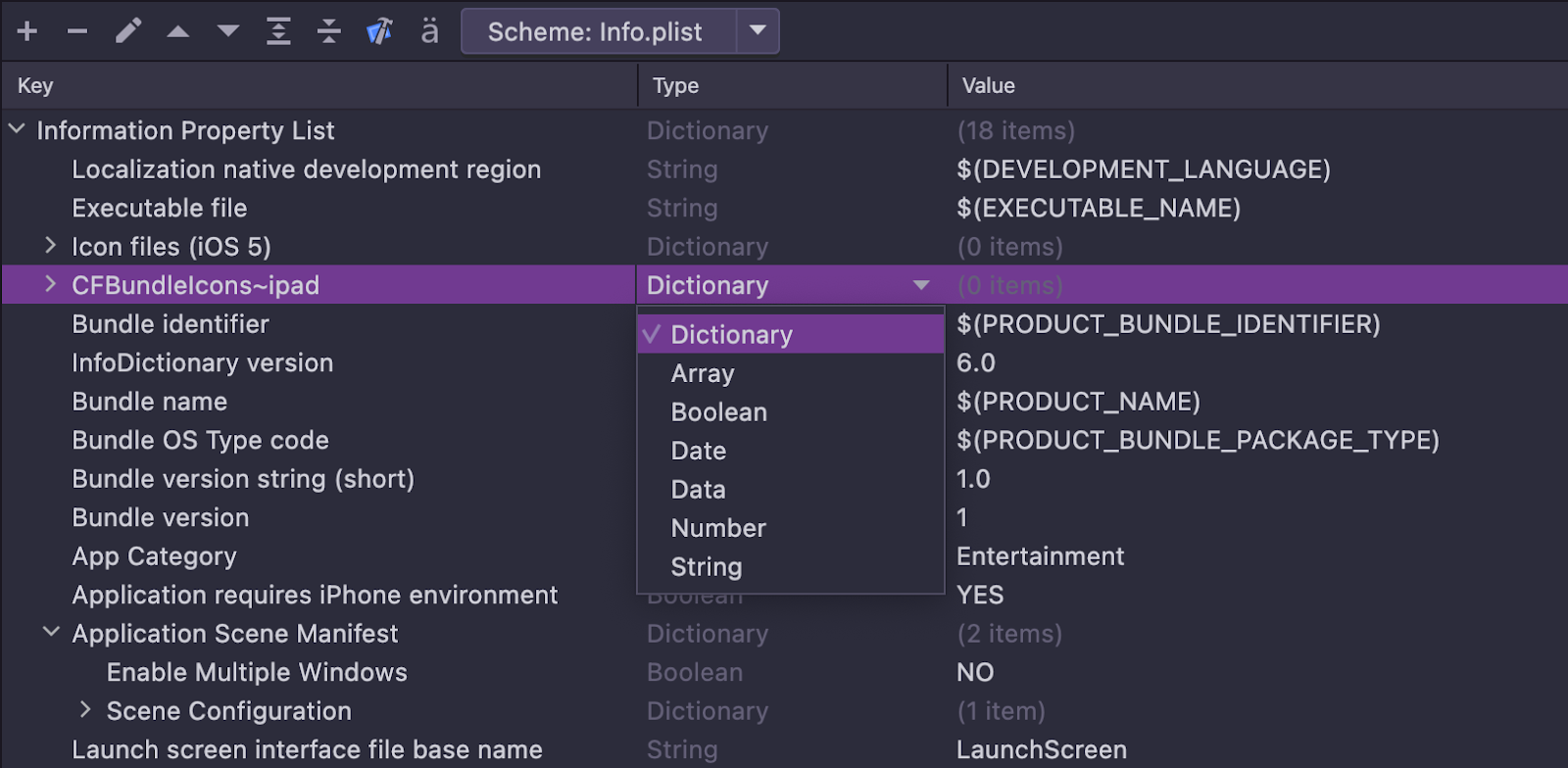
Теперь он есть, спасибо команде Rider за помощь:
Отладчик
Мы добавили поддержку точек останова для ошибок в Swift. Настроить их можно в меню Exception Breakpoints:

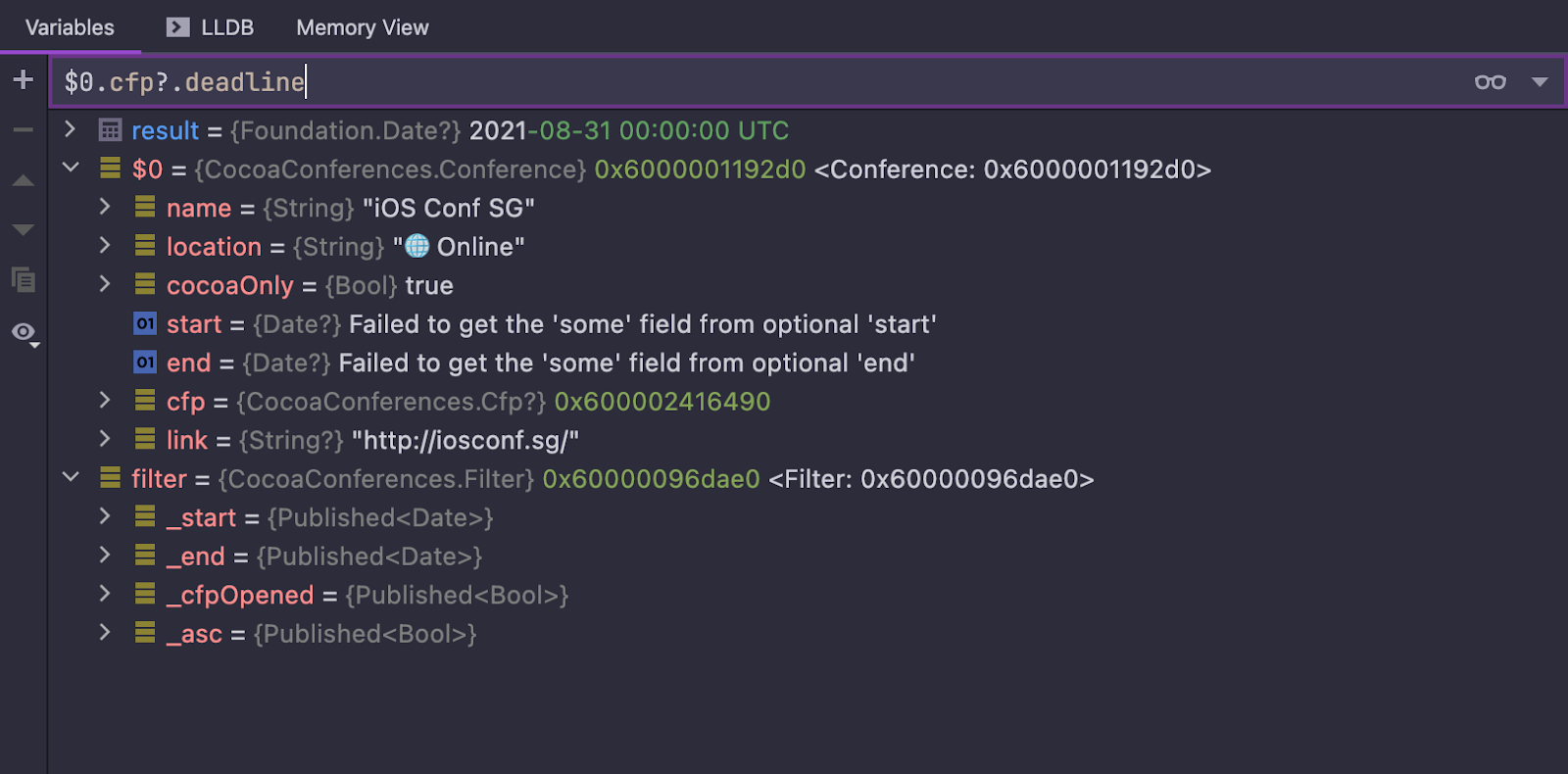
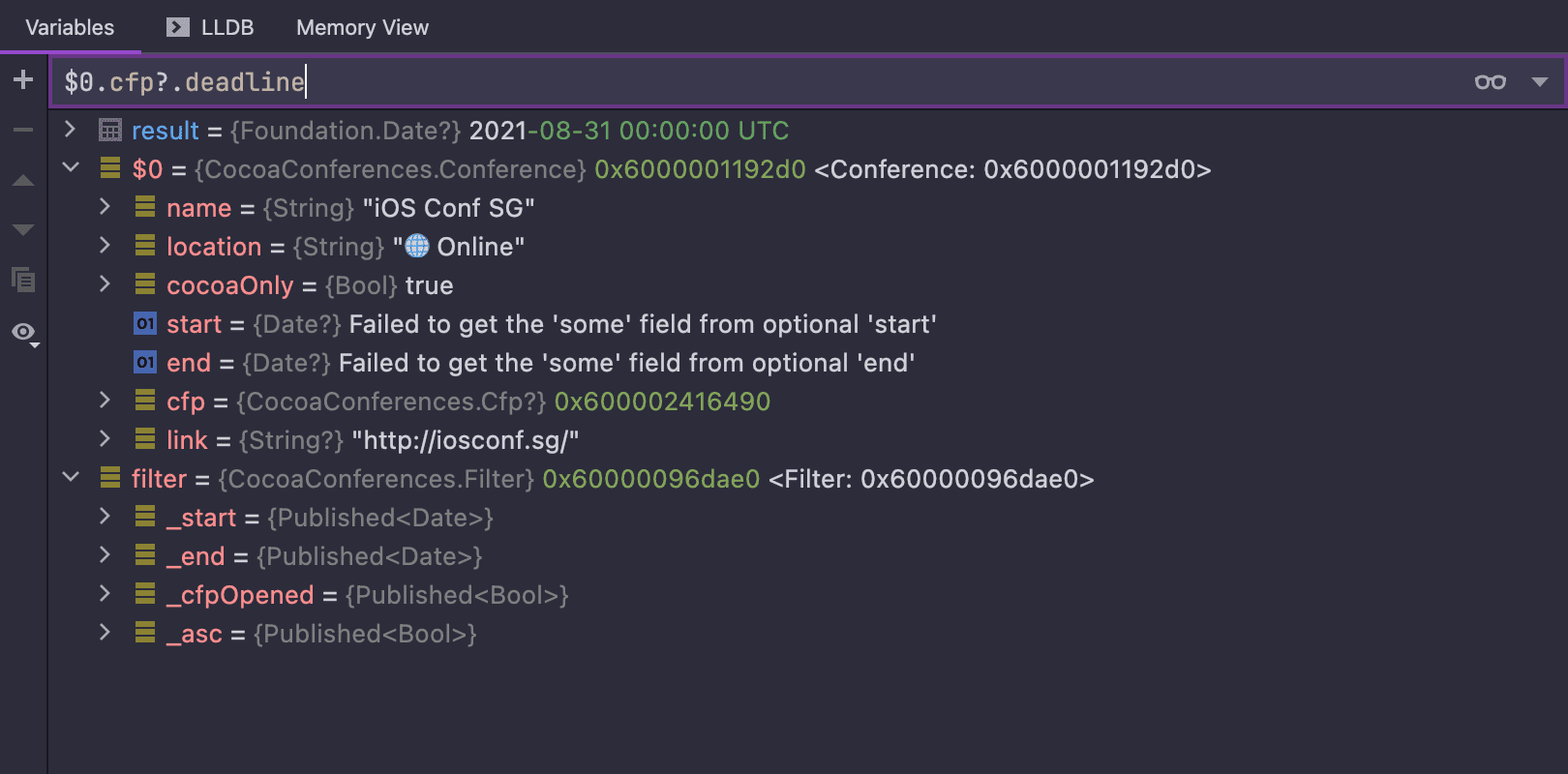
Еще теперь можно вычислить выражение прямо в окне отладчика:
Закладки
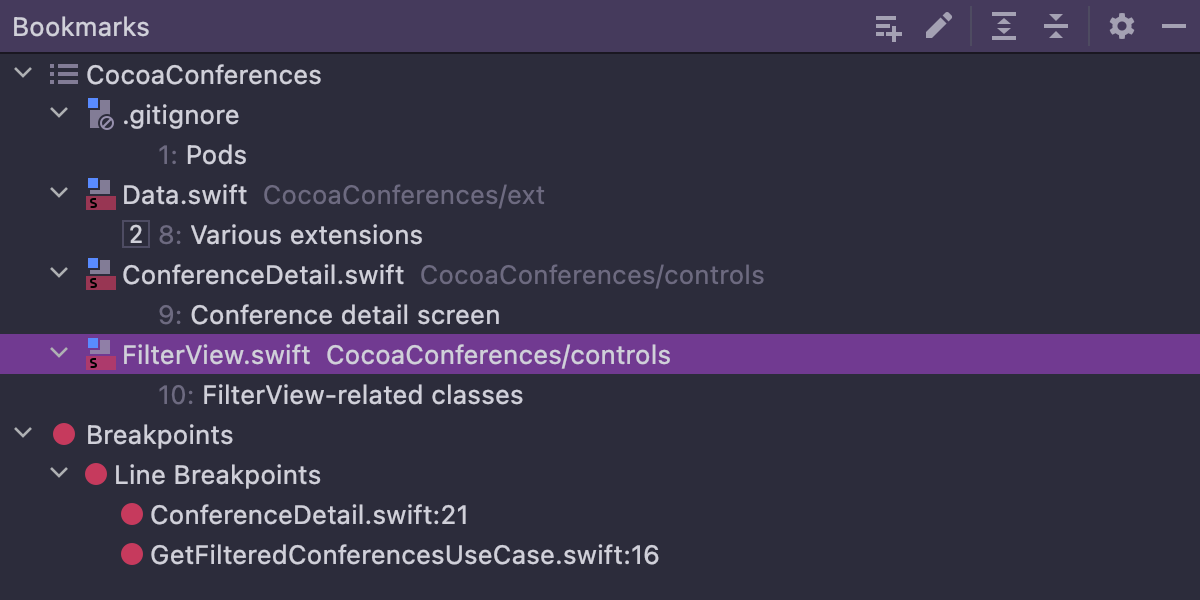
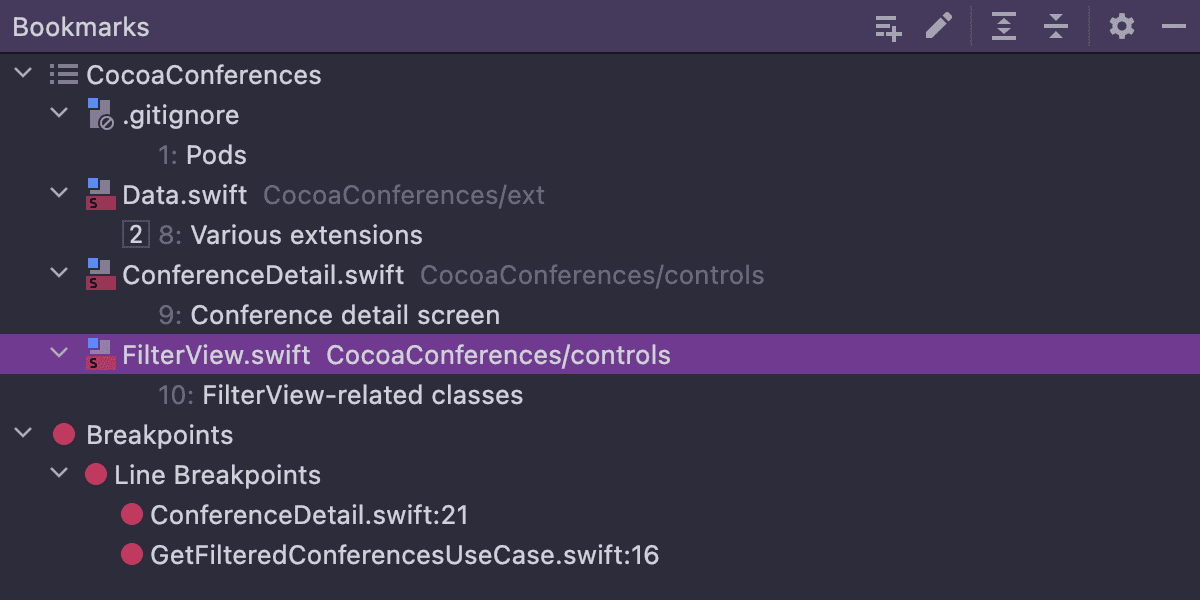
Мы выделили их в отдельное окно и сделали более удобную группировку:
Контроль версий
Теперь можно запушить только часть коммиттов с помощью Push All up to Here. Название действия говорящее, поэтому много мы о нем писать не будем.
На этом все. Подробнее обо всех новых возможностях можно почитать на нашем сайте, там же вы найдете бесплатную пробную версию на 30 дней. Как и всегда, будем рады поговорить на любые темы в комментариях!
Ваша команда AppCode
The Drive to Develop
Оригинал статьи опубликован на Habr.com.
Discover more





AppCode 2021.3: Swift Actors, Property List Editor, Improved Documentation Support, and More!

Hi everyone,
AppCode 2021.3 is here – let’s take a look at all the new features!
Swift
Language support
Actors have been added to Swift, and we now support this new language construction in the IDE. Let’s take a look at what it took to implement this improvement.
First of all, we needed to parse the new language constructions and add them to the symbol tree. After that, IDE features like navigation, completion, and highlighting could start working automatically. But there was still more to do! For example, we needed to tune the Structure view:
Add an option to the New File dialog:
Add Code Style preferences for actors:
And update the template for the Create from usage action:
We also needed to be able to generate standard properties like description, hash, and others:
Finally, hierarchy views needed to be able to show actors as well:
Code completion
Now in AppCode, a case inside a switch can be inserted immediately with the name:
We now show the compiler conditions both empty and pre-filled:
In addition to if, we’ve also added if guard and if let:
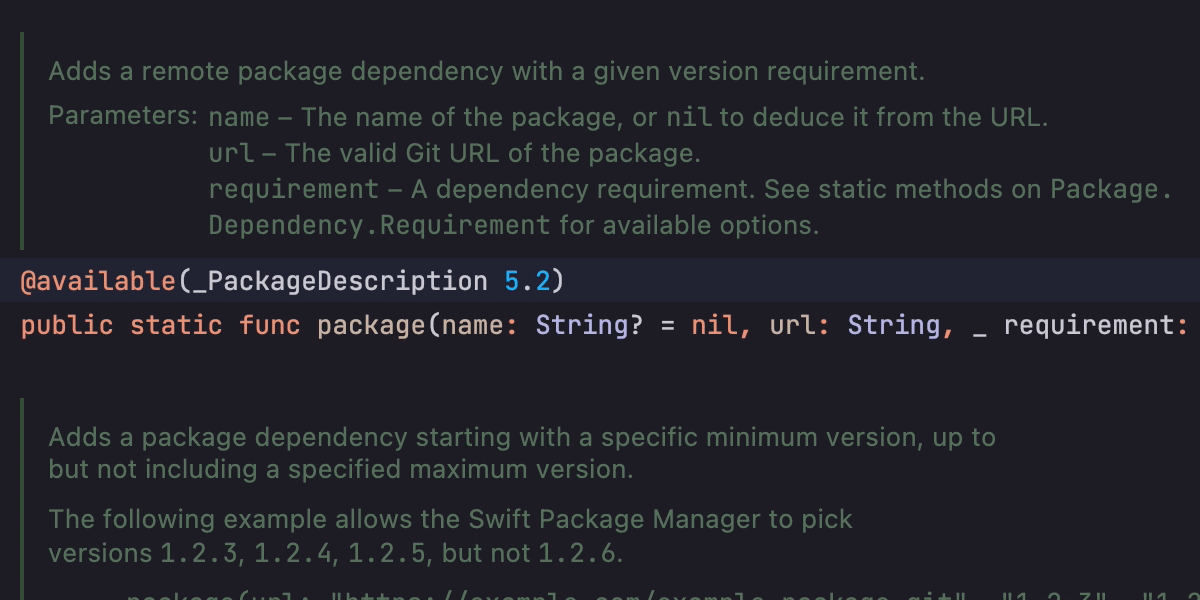
Documentation
We’ve finally implemented all the essential features! Highlighting for parameters now works:
Navigation works as well:
Documentation comments are updated after refactoring:
Reader mode works:
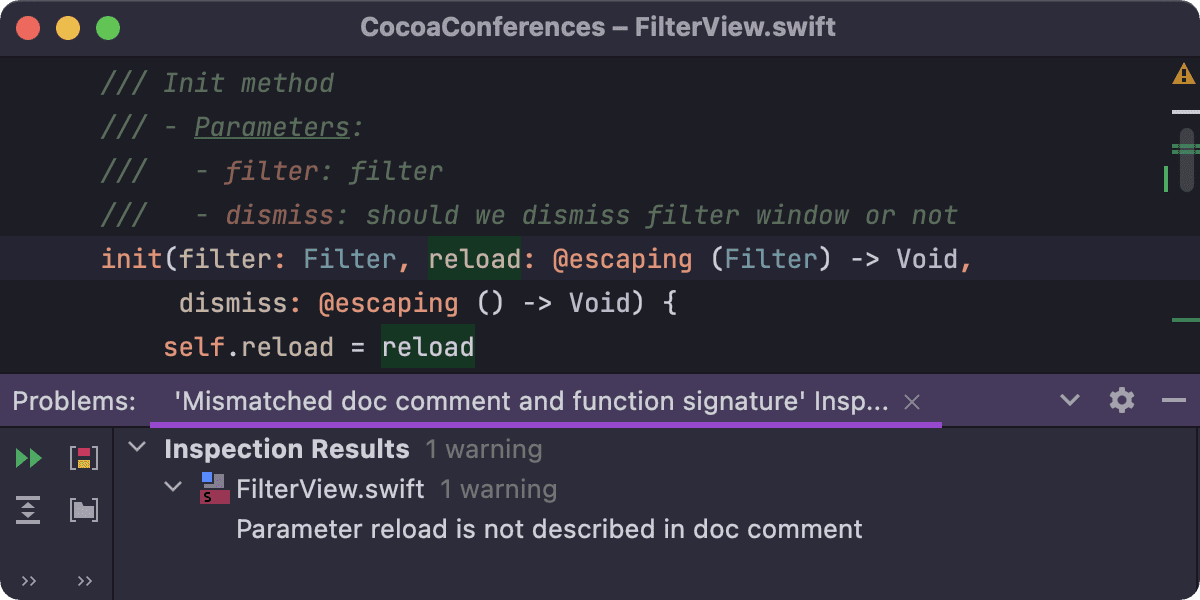
And even the inspection for undocumented parameters was added:
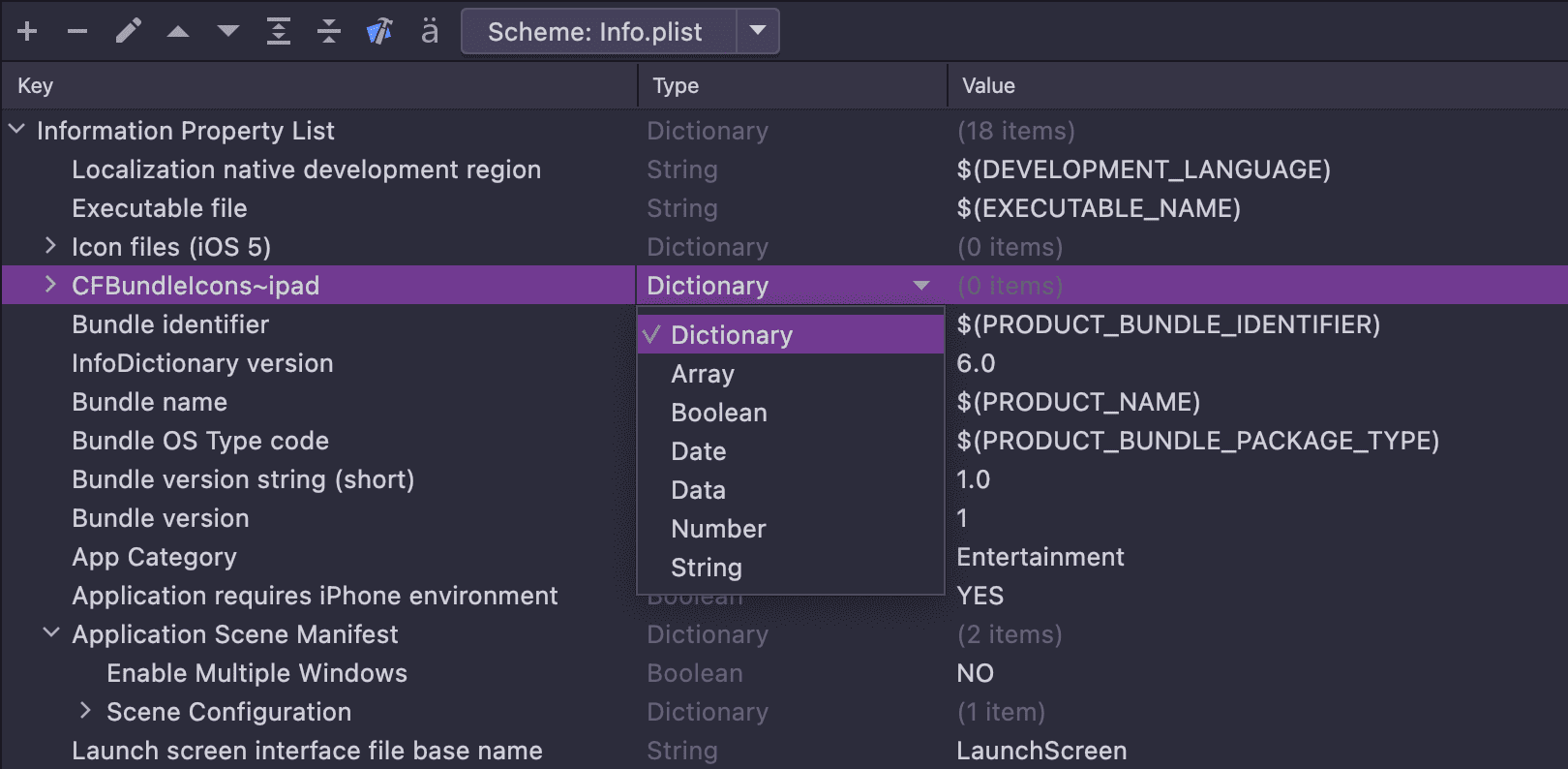
Property list editor
We now have a property list editor, thanks to help from the Rider team:
Debugger
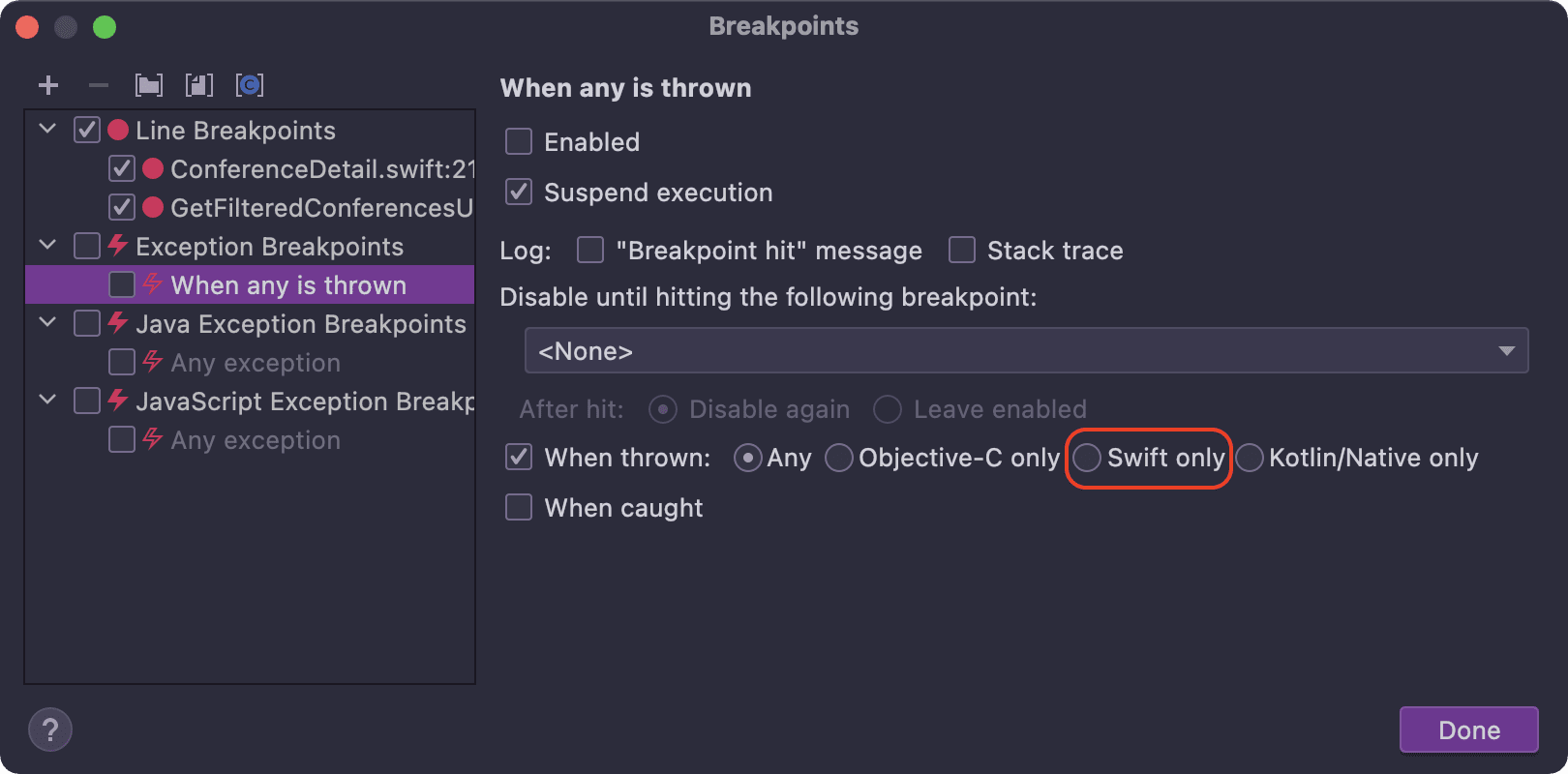
We’ve added support for Swift error breakpoints to the Exception Breakpoints preferences:
You can now evaluate code expressions right in the Debug tool window by using the Evaluate Expression field:
Bookmarks
Bookmarks have been moved to a separate tool window, and you can now group them in a custom list:
Version control
Now you can push only some commits using Push All up to Here. The name of the action is self-explanatory, so we won’t write a lot about it.
That’s it! Explore all the new features in detail on our website and start your free 30-day evaluation to see them in action for yourself!
Your AppCode team
JetBrains
The Drive to Develop