
PhpStorm 2026.1 is Now Out

Welcome to PhpStorm 2026.1! This release brings new PhpStorm MCP tools, new third-party agents inside your IDE, support for Git worktrees, and lots of other productivity-enhancing features for PHP and Laravel developers.

PhpStorm MCP tools
In PhpStorm 2025.2, we added an integrated MCP server for third-party coding agents like Claude Code, Windsurf, or Codex to access and use your IDE’s tools.
In 2026.1, we are extending the MCP server toolset with more PhpStorm features, including:
- Inspections and quick-fixes that enable agents to leverage PhpStorm’s powerful static analysis engine.
- IDE search capabilities, including PhpStorm’s structural search and semantic search for code patterns.
- Access to IDE actions so that you can delegate setup and customization of your IDE to your coding agent.
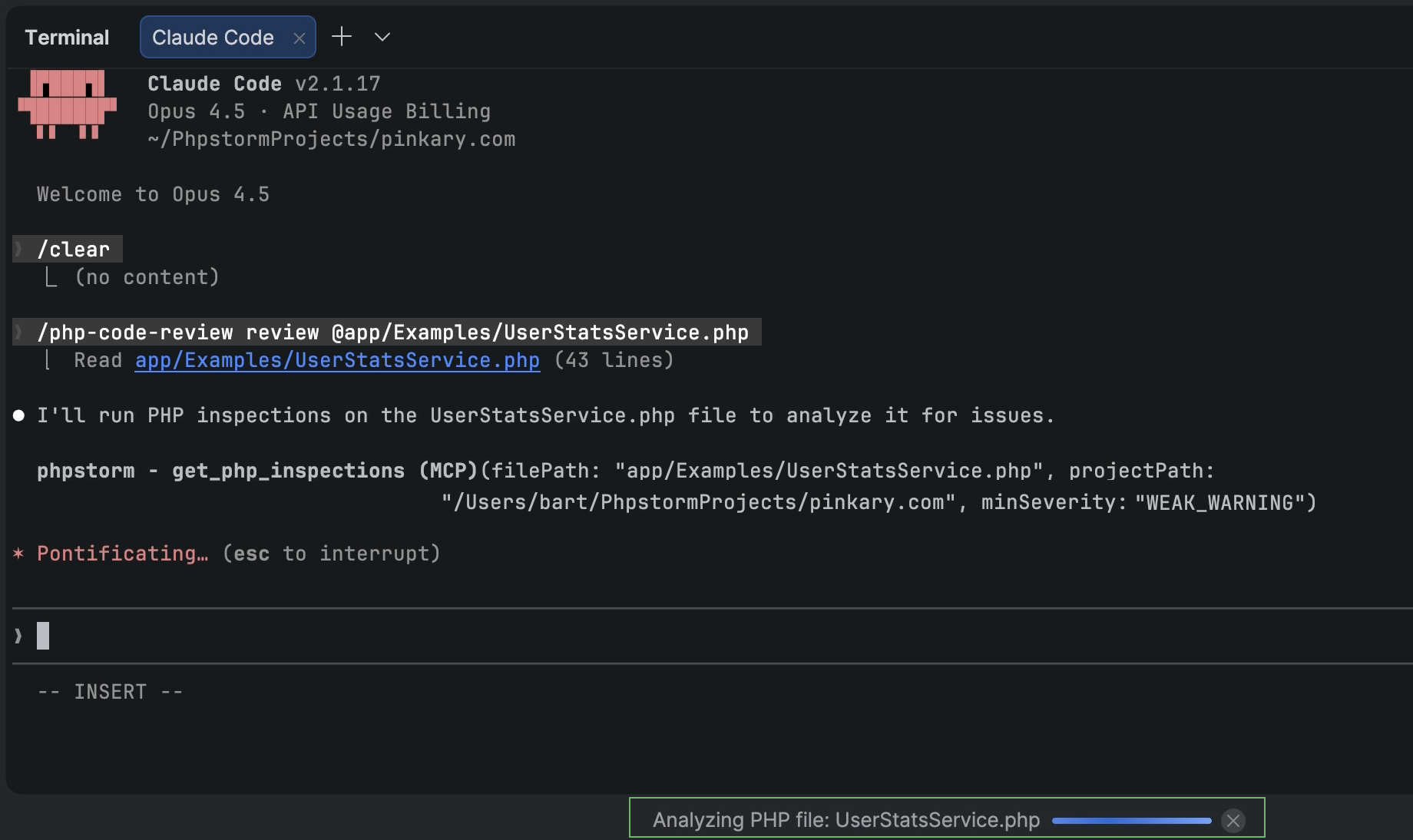
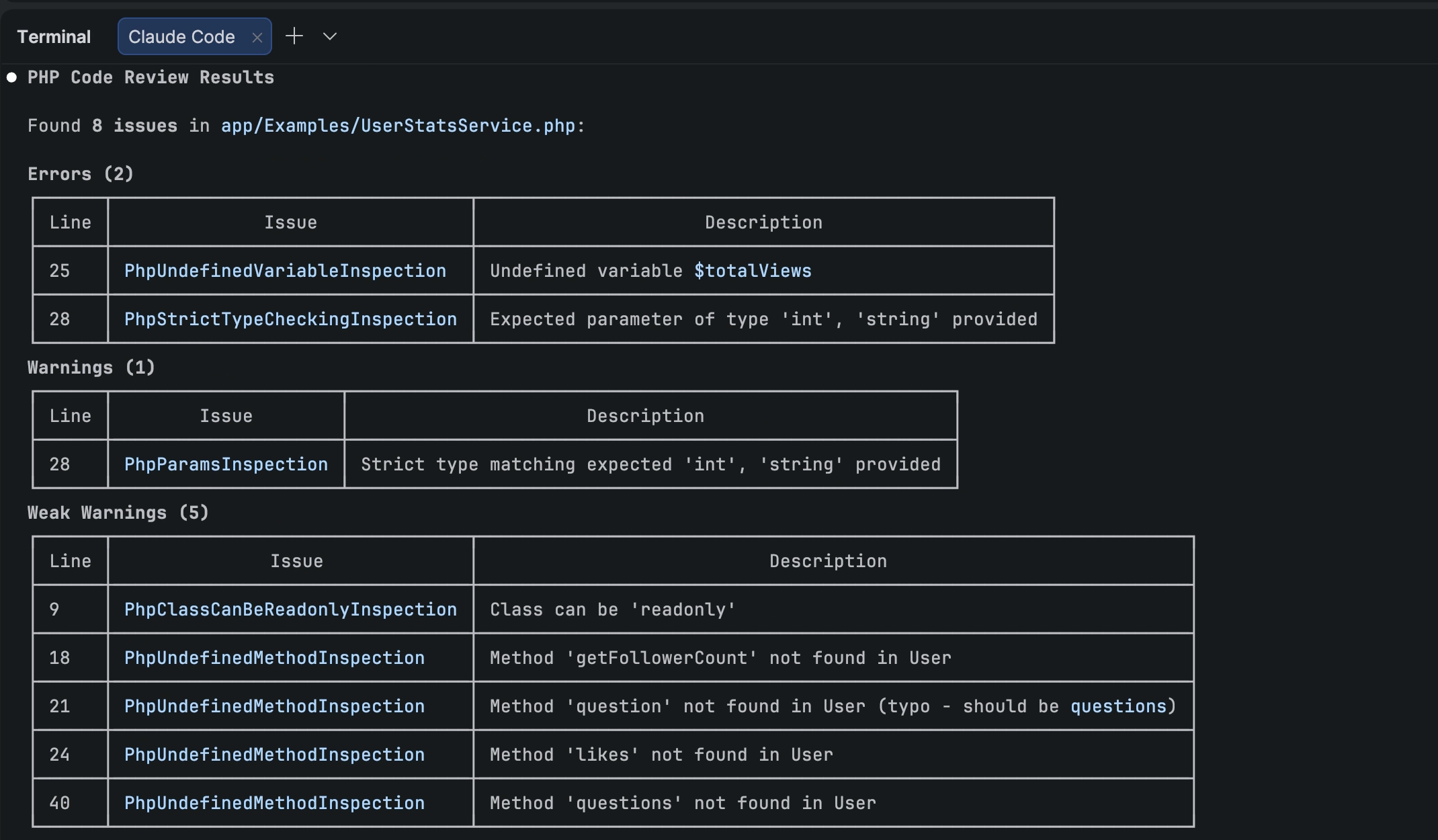
Furthermore, the PhpStorm plugin for Claude Code provides Claude Code with context and instructions for using PhpStorm MCP server tools. To add the plugin’s skills and hooks to your project, go to PhpStorm’s Settings | Tools | PHP Claude Skills.
Note: PhpStorm’s MCP server is disabled by default. To enable the server and configure integration with your coding agent, go to Settings | Tools | MCP Server.
AI
Third-party agents in PhpStorm
PhpStorm is evolving as an open platform that allows you to bring the AI tools of your choice into your professional development workflows.
In addition to Junie, Claude Agent, and most recently Codex, PhpStorm now lets you work with more AI agents directly in the AI chat. You can choose from agents such as GitHub Copilot, Cursor, and many others supported through the Agent Client Protocol.
Next edit suggestions
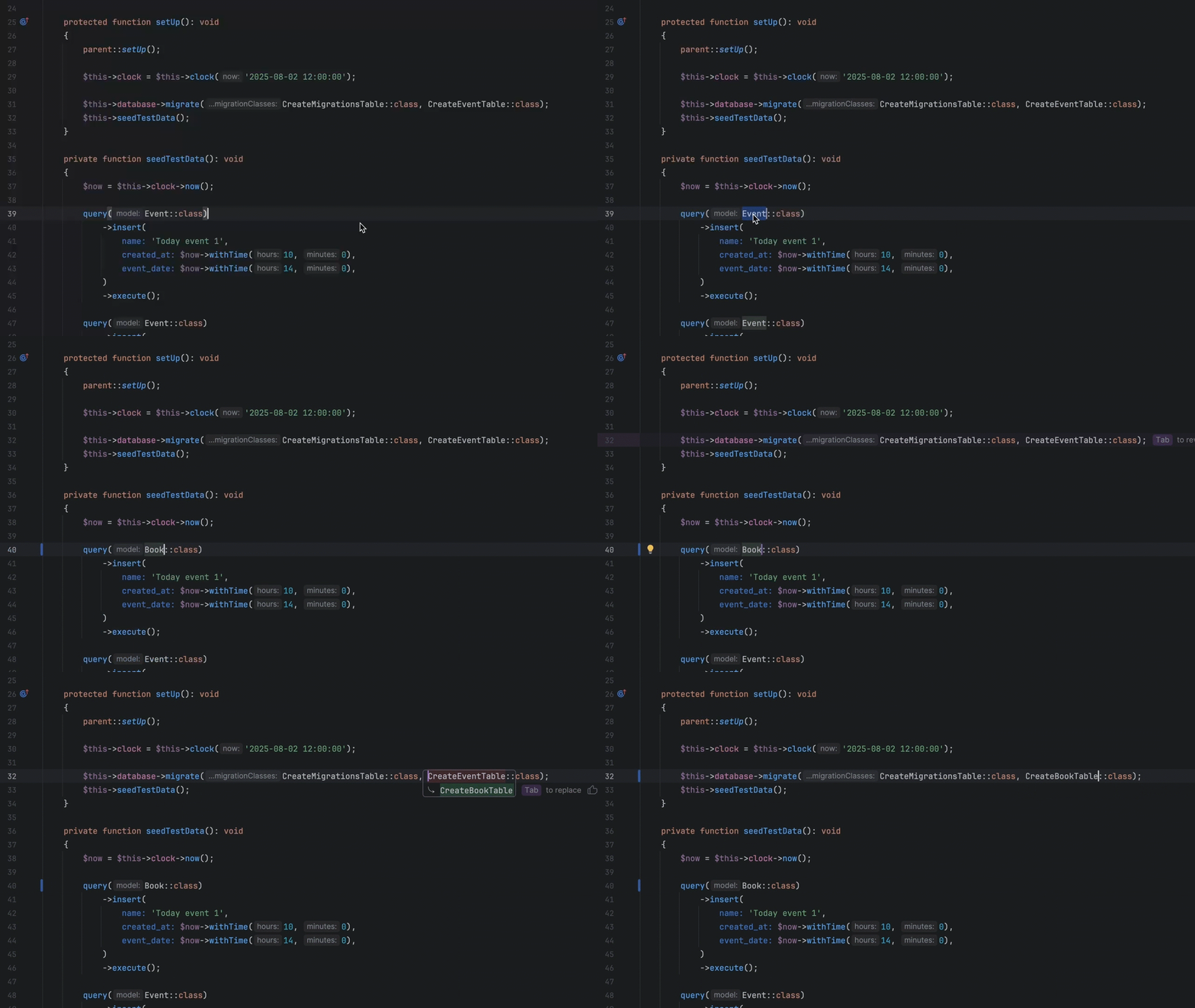
Next edit suggestions are now available without consuming AI quota of your JetBrains AI Pro, Ultimate, and Enterprise subscriptions. These suggestions go beyond traditional code completion for PHP. Instead of updating only what’s at your cursor, they intelligently apply related changes across the entire file, helping you keep your code consistent and up to date with minimal effort.
This natural evolution of code completion delivers a seamless Tab Tab experience that keeps you in the flow.
Junie CLI is now in Beta
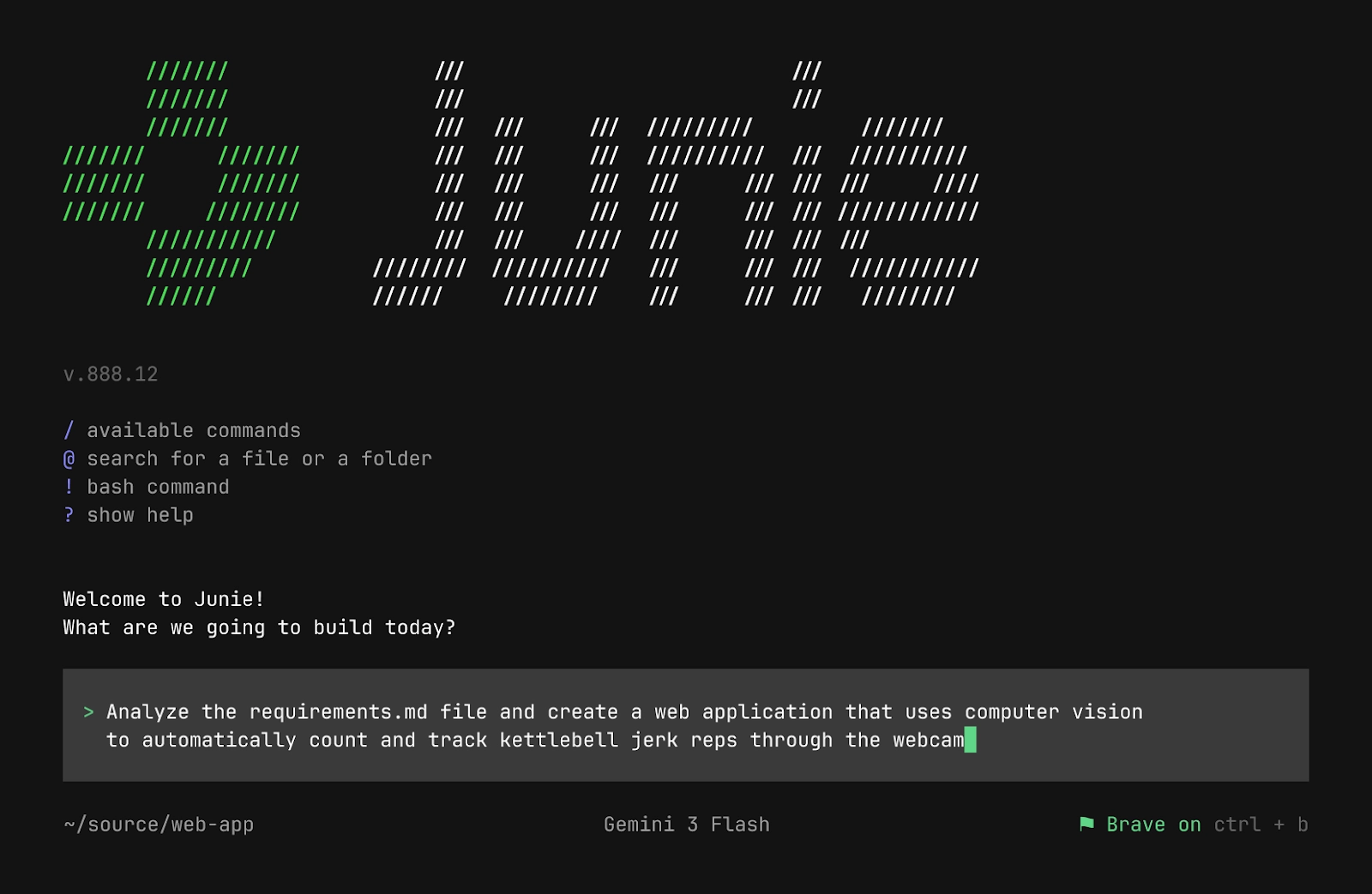
Junie CLI is JetBrains’ LLM-agnostic coding agent you can use directly from the terminal, inside any IDE, in CI/CD, and on GitHub or GitLab. Junie CLI comes with:
- Bring Your Own Key (BYOK) pricing, allowing you to use your own keys from model providers without additional charges.
- One-click migration from other agents such as Claude Code or Codex.
- Flexible customization through guidelines, custom agents and agent skills, commands, MCP, and more.
Read the full announcement in our blog post.
Project indexing optimization
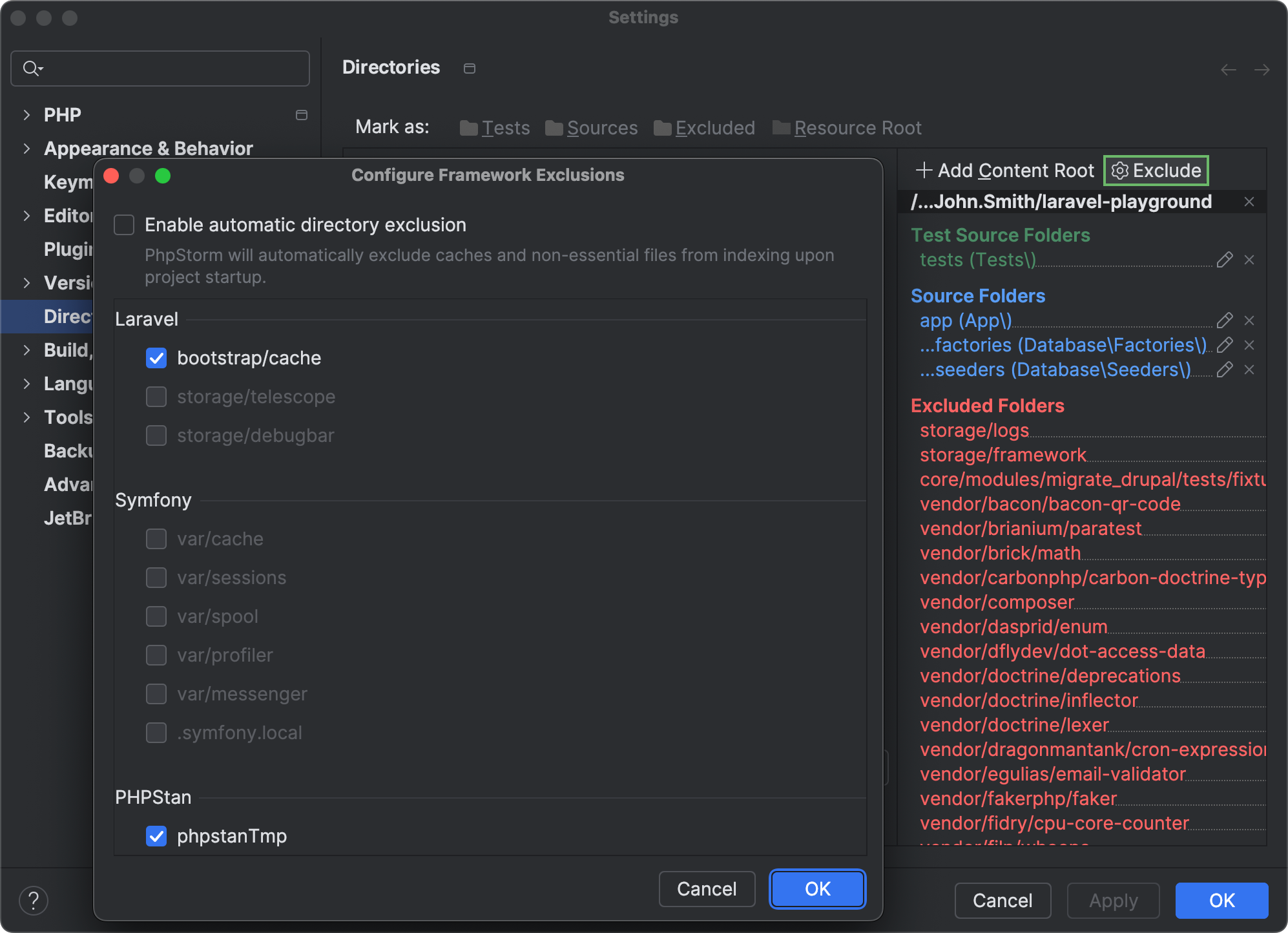
PhpStorm now automatically detects framework-specific directories that contain frequently changing generated, cached, or user-uploaded content and excludes such directories from project indexing.
The IDE skips excluded folders during search, parsing, and other operations. Reducing indexing overhead helps optimize the CPU usage and performance of your IDE.
If you want to re-enable indexing for any of the automatically excluded folders, you can do so in Settings | Directories by clicking Exclude and unselecting the checkboxes next to the directories you want to be indexed.
Generics support
The new release brings a number of improvements and bug fixes for PhpStorm’s type inference engine, including:
- Improved type inference for callable generic types. Now the IDE can infer both the input parameter type from a
callable(T)annotation and the callable template return type.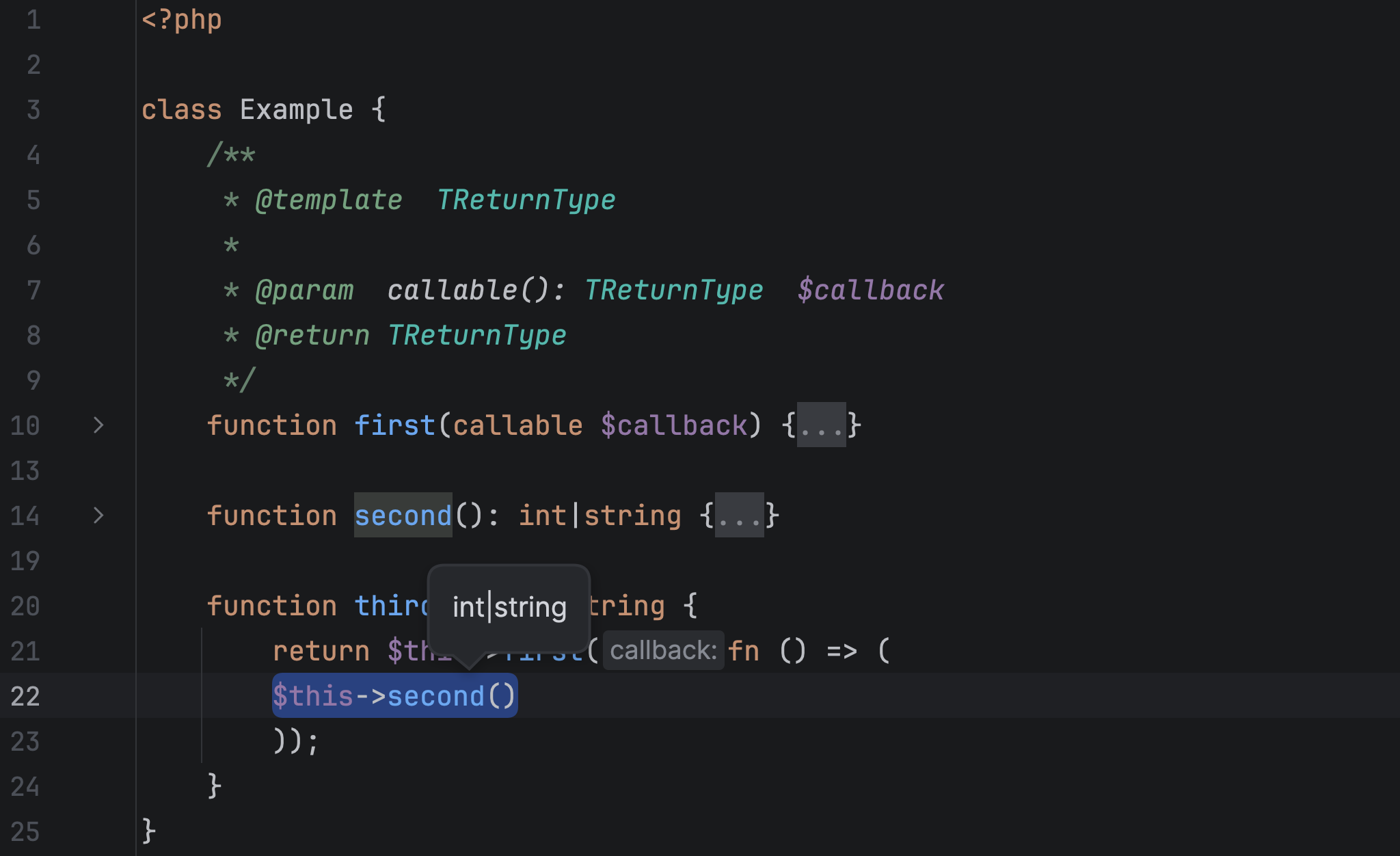
- Improved display for nested parameterized template types. PhpStorm 2026.1 displays parameter type (Ctrl + Shift+P) and quick documentation (F1) info with multiple layers of wrapping, such as
Wrapper<Wrapper<Wrapper<stdClass>>>.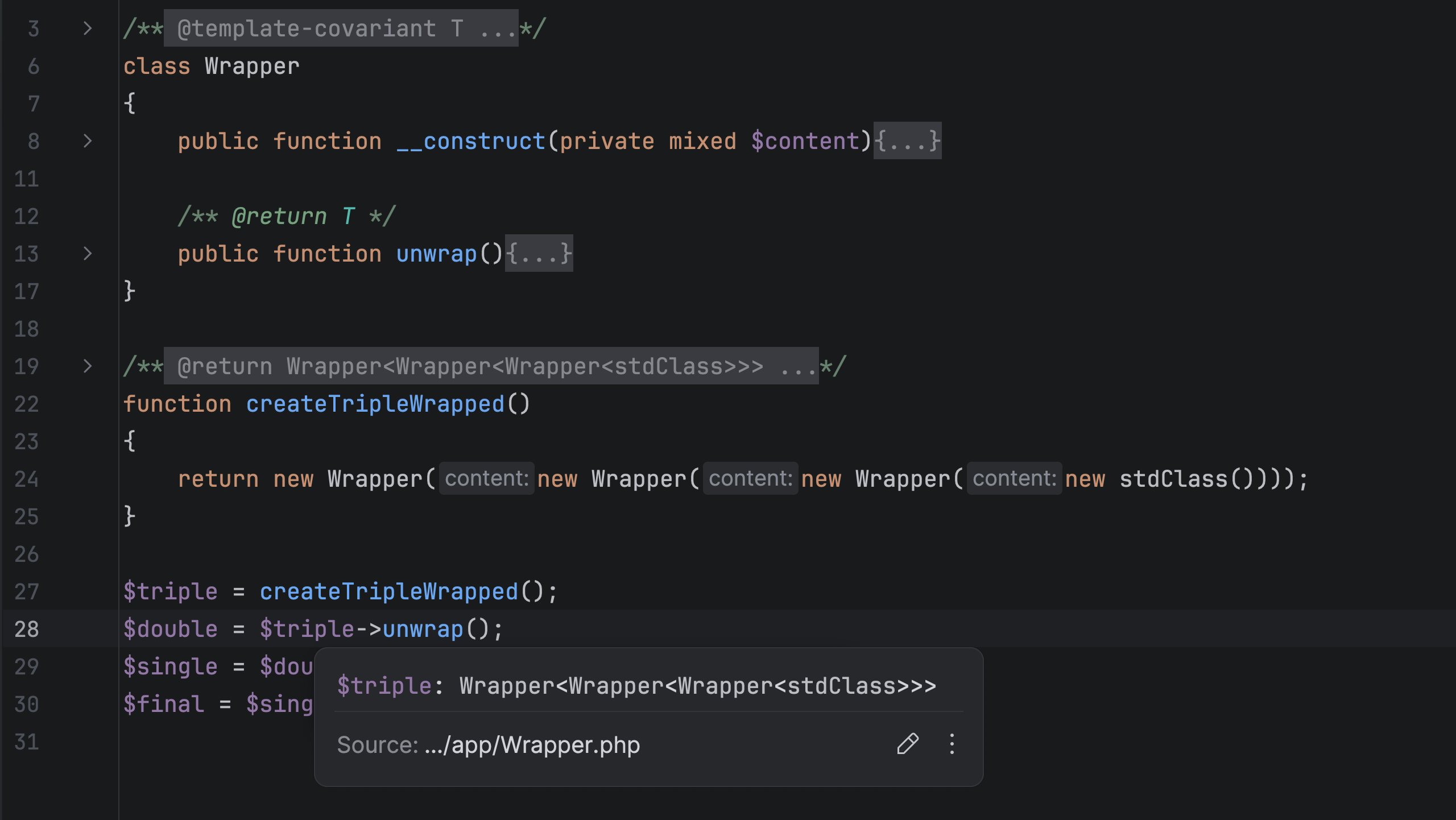
More quality-of-life improvements
Debugging non-PHP files
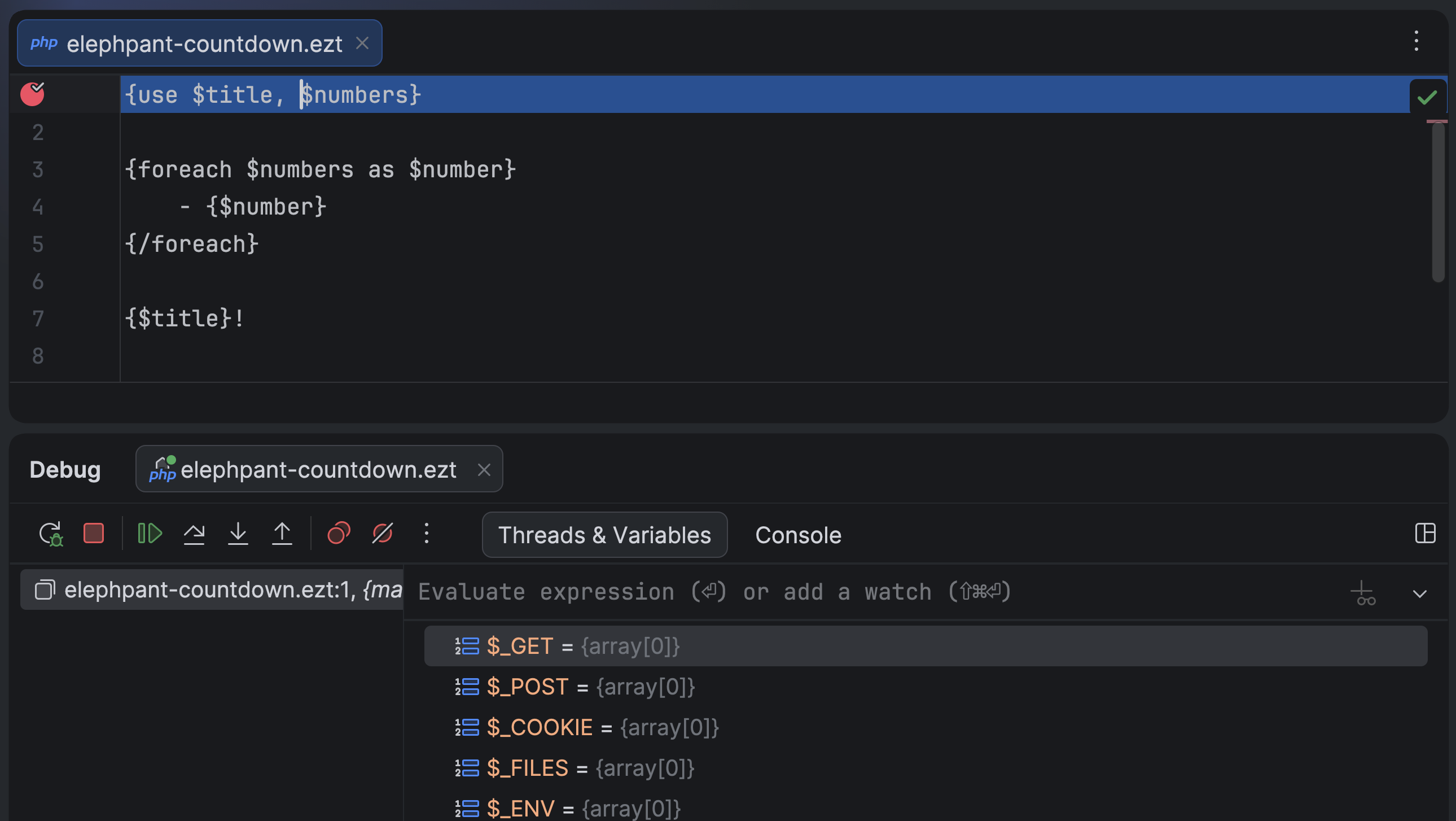
You can now set breakpoints in non-PHP files as soon as the file name pattern is associated with the PHP file type in the IDE settings. Together with native path mapping between templates and compiled PHP files introduced in Xdebug 3.5, this feature allows you to debug source template files of any format, including niche extensions like .ezt.
Improved Go to test navigation
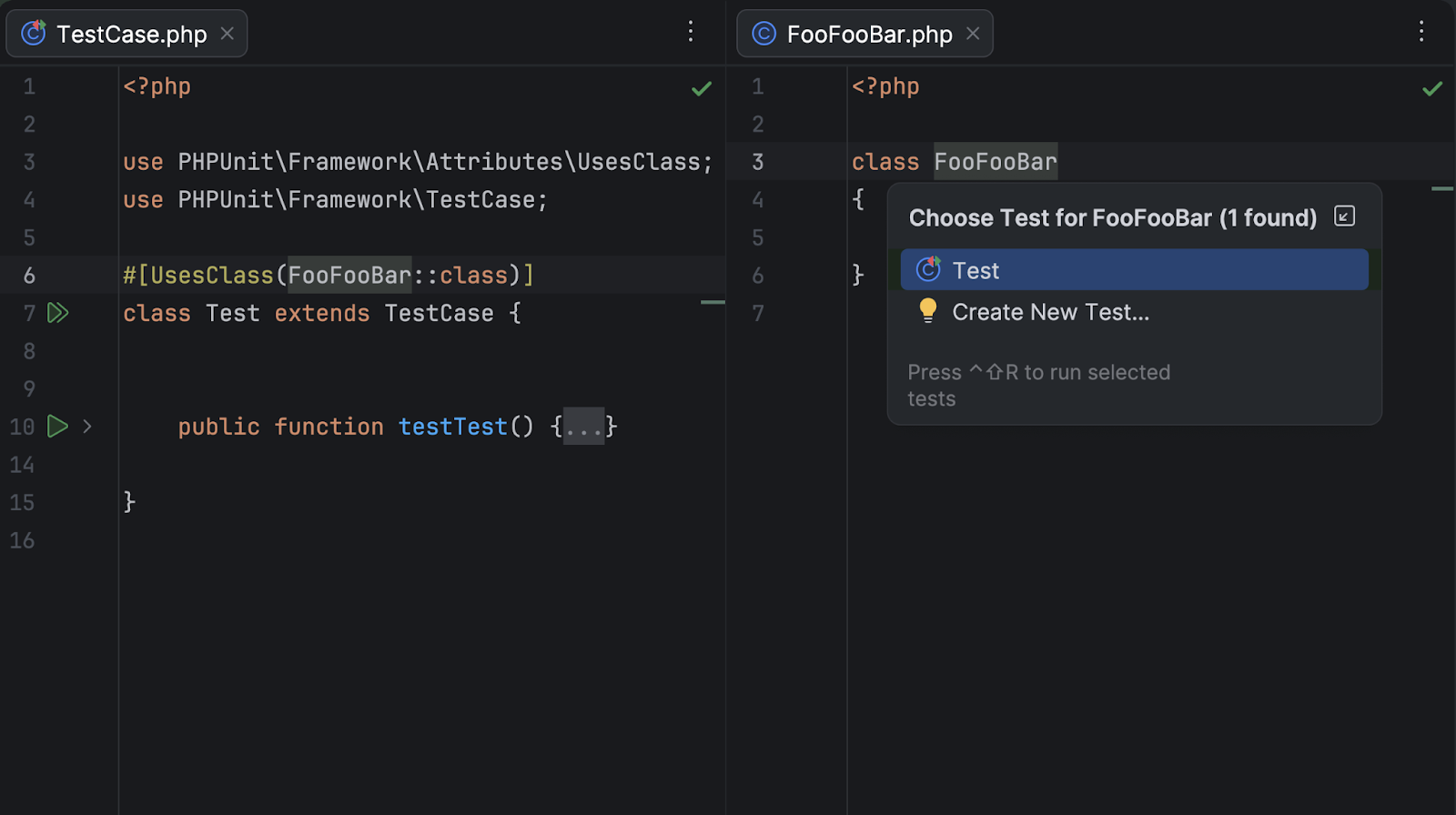
In PhpStorm 2026.1, we’ve improved Go to Test navigation for PHPUnit and Pest tests with the following enhancements:
- Navigation between PHPUnit tests that use a
#[UsesClass]or#[UsesMethod]attribute and the related class/method. - For Pest tests, you can now navigate from the Test Runner tab to the source test nested inside Pest describe blocks.
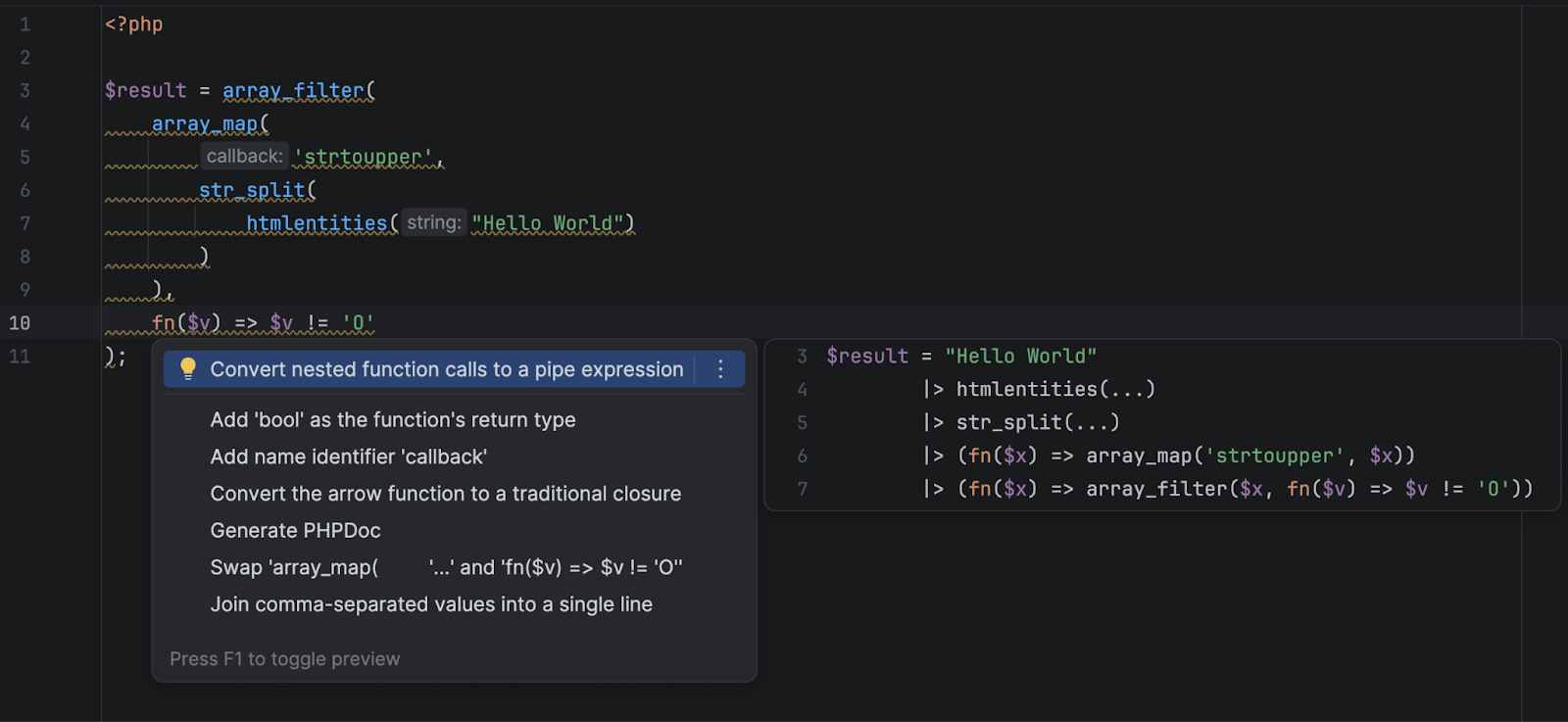
Convert to pipe operator quick-fix
PhpStorm now detects code elements where the PHP 8.5 pipe operator syntax can be used and suggests a quick-fix to convert such code into easier-to-read pipe operator chains.
Laravel
- Framework support: support for Laravel 13 and new versions of Livewire and Filament. Support for the new @hasStack and @includeIsolated Blade directives.
- New package support: Laravel Wayfinder, PHP Native, staudenmeir/laravel-cte and staudenmeir/laravel-adjacency-list packages.
- Eloquent enhancements: advanced #[Scope] methods support, optimized and more accurate Find Usages for scope, attribute and relation methods.
- UI and navigation: Blade view usages UI, better controller inlays, new Route Search UI, and routes to the Endpoints tool window.
- Productivity tweaks: a new Add Application Database action. Run Artisan commands in the Terminal tool window or via PHP interpreter.
- Laravel Idea MCP server shipped with the PhpStorm MCP server.
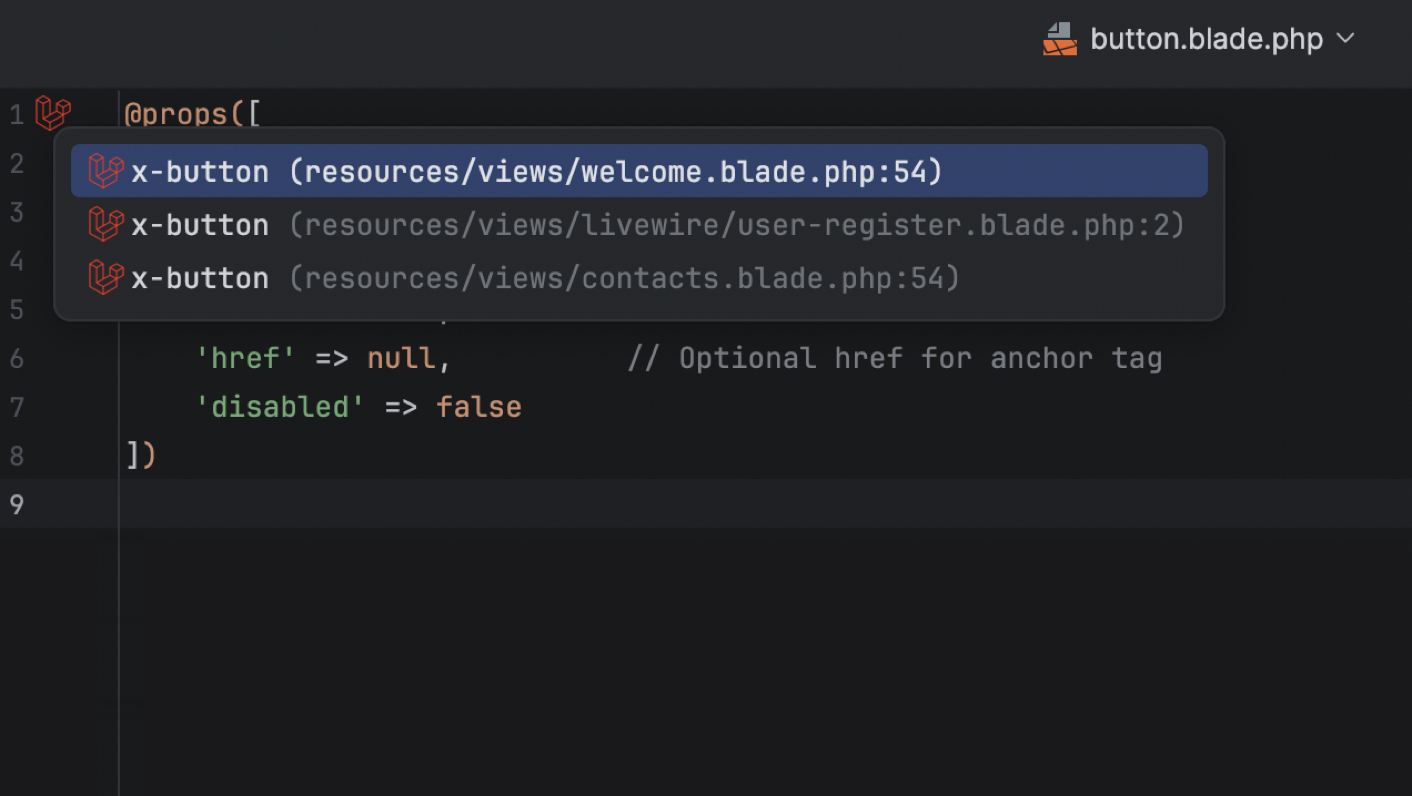
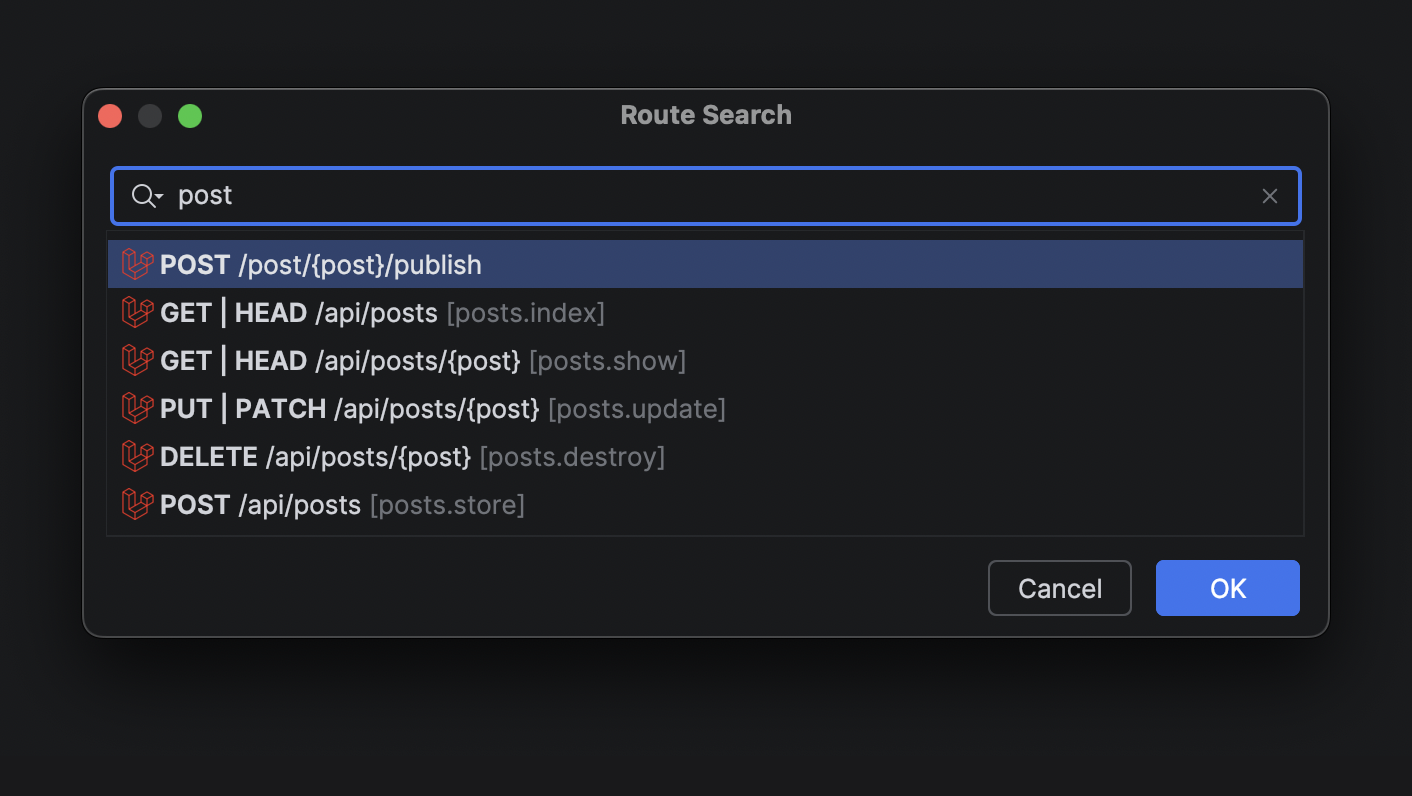
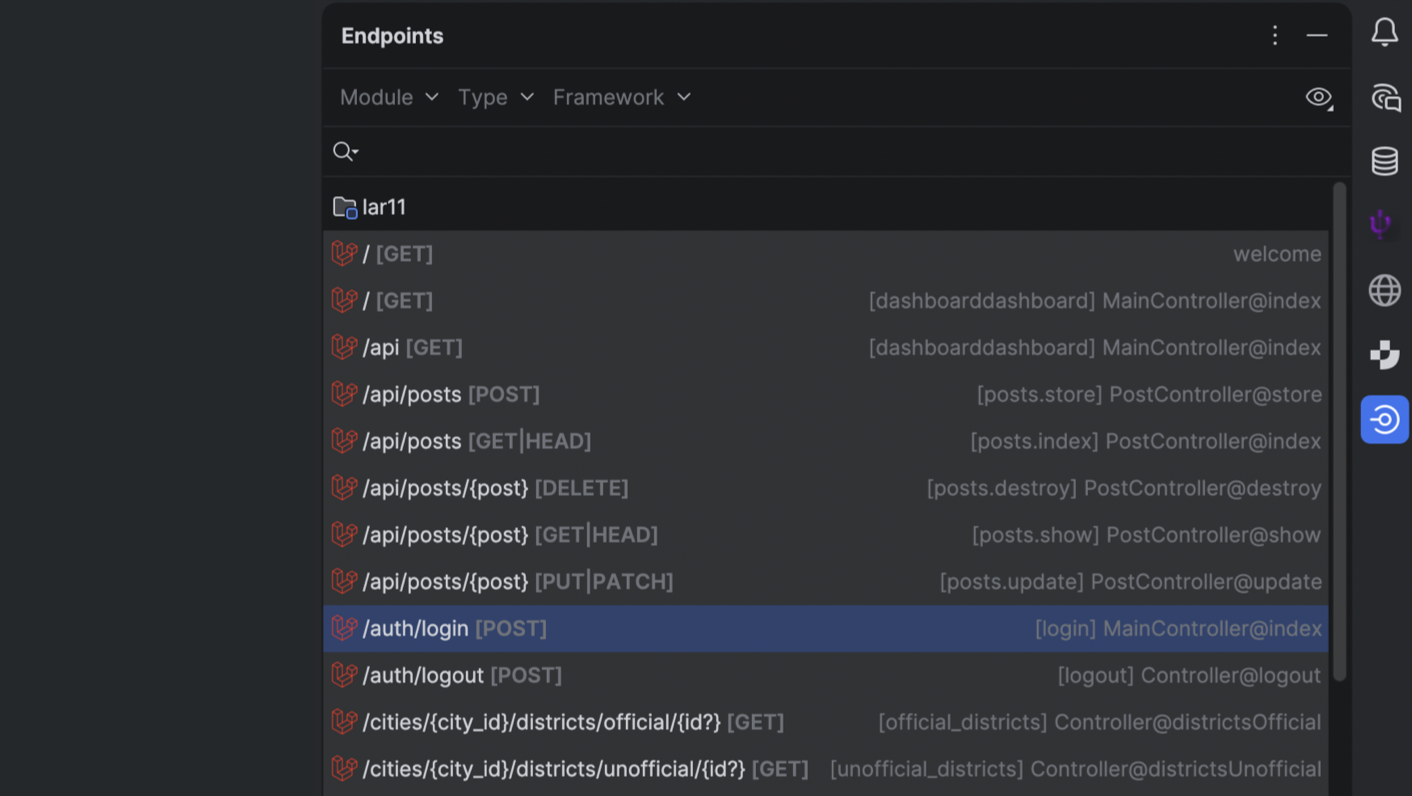
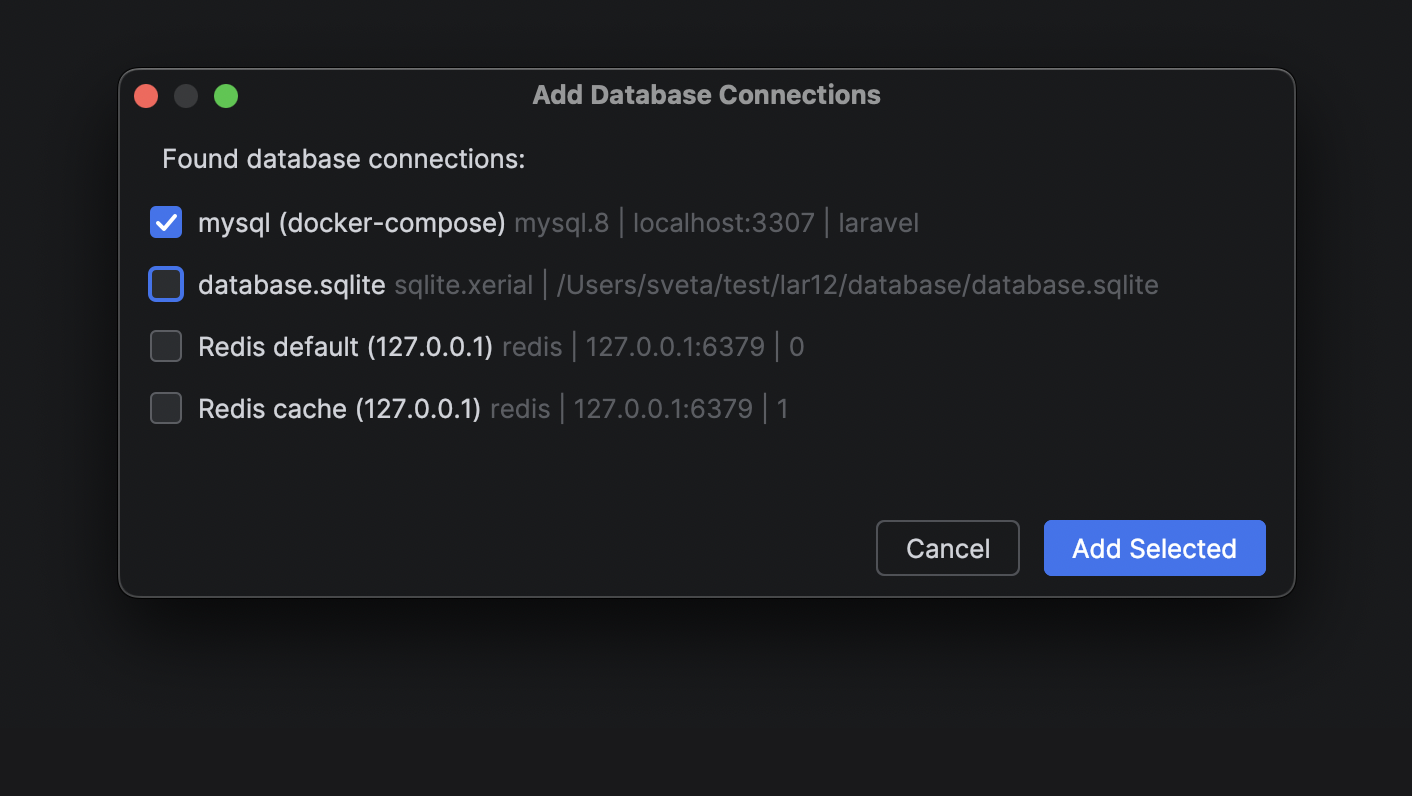
For the full list of updates, see Laravel Idea’s changelog.
Frontend
PhpStorm’s TypeScript support now uses the service-powered type engine (built on the TypeScript language service) by default, delivering more accurate type inference and lower CPU usage in large projects. The TypeScript support is further improved with better auto-import handling for path aliases and project references, as well as the integration of inlay hints from the TypeScript Go-based language server. JavaScript parsing now also correctly handles string-literal import / export specifiers.
Framework and styling support have been refined across the board:
- The IDE now highlights React’s new
use memoanduse no memodirectives. - The Vue integration uses the updated 3.1.8 version of
@vue/typescript-plugin. - Astro settings accept JSON-based configuration for language server integration.
- Modern CSS
color()functions and additional color spaces are supported in swatches and previews. - Angular 21.x template syntax is supported.
Databases
The AI chat integration for Codex and Claude Agent now offers full, native support for your connected databases. With that, you can now query, analyze, and modify your database state using natural language right from the IDE.
The same functionality is available for external agents via an MCP server.
Data source settings can now be stored in your JetBrains Account via data source templates. Especially nifty for All Products Pack users or anyone who uses multiple instances of JetBrains IDEs, this upgrade allows you to access data source templates and settings in every JetBrains IDE with database functionality.
Productivity-enhancing features
Editor caret and selection updates
We’re continuing to modernize our IDEs, and in this update, we’ve refreshed something you interact with constantly – the editor. Smooth caret animation and updated selection behavior provide improved comfort, a cleaner look, and a more enjoyable coding experience.
Work on multiple branches at once with Git Worktrees
With the evolution of AI agents, running multiple tasks in parallel has become a major time-saver, and this is precisely where Git worktrees are extremely handy. To support cutting-edge workflows for AI-boosted software development, PhpStorm now provides first-class support for Git worktrees. Create a separate worktree for an urgent hotfix, hand off another one to an AI agent, and keep working in your main branch – all at the same time, without interruption.
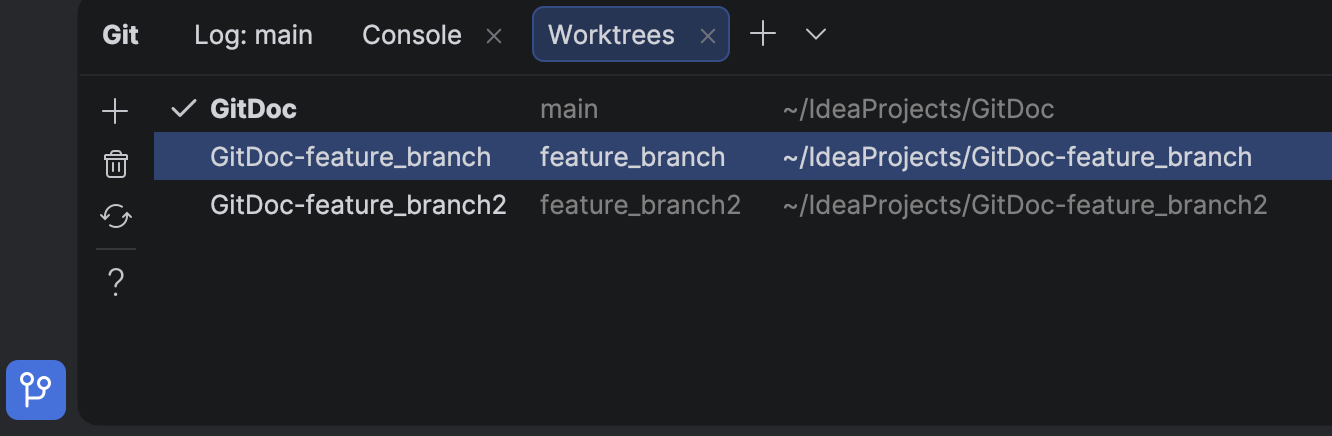
Even if you don’t use agents, worktrees will save you time on branch switching, especially in big projects.
Native Wayland support
IntelliJ-based IDEs now run natively on Wayland by default. This transition provides Linux professionals with ultimate comfort through sharper HiDPI and better input handling, and it paves the way for future enhancements like Vulkan support.
While Wayland provides benefits and serves as a foundation for future improvements, we prioritize reliability: The IDE will automatically fall back to X11 in unsupported environments to keep your workflow uninterrupted. Learn more.
Terminal completion
Stop memorizing commands. Start discovering them. In-terminal completion helps you instantly explore available subcommands and parameters as you type. Whether you’re working with complex CLI tools like Git, Docker, or kubectl or using your own custom scripts, this feature intelligently suggests valid options in real time.
Code With Me sunset
As we continue to evolve our IDEs and focus on the areas that deliver the most value to developers, we’ve decided to sunset Code With Me, our collaborative coding and pair programming service. Demand for this type of functionality has declined in recent years, and we’re prioritizing more modern workflows tailored to professional software development.
As of version 2026.1, Code With Me will be unbundled from all JetBrains IDEs. Instead, it will be available on JetBrains Marketplace as a separate plugin. 2026.1 will be the last IDE version to officially support Code With Me, as we gradually sunset the service.
Read the full announcement and sunset timeline in our blog post.