Qodana
The code quality platform for teams
SonarQube vs. Qodana: Which Code Quality Tool Is Right for Your Team?



If you’re researching SonarQube vs. Qodana, you’re likely evaluating static code analysis tools that can scale with modern development workflows.
With AI-assisted coding, fast CI/CD pipelines, and increasing compliance demands, choosing the right platform isn’t just about finding bugs. It’s about aligning code quality with your development philosophy.
In this guide, we’ll compare Qodana and SonarQube, examine their configuration models, CI/CD integration, and IDE workflows, and highlight why some teams are exploring SonarQube alternatives.
Both platforms perform static analysis and include auditing, compliance, and security capabilities – for example, both help enforce quality gates. However, each platform has noticeable differences in terms of setup, cost, and maintenance.
Qodana: CI-first and developer-centric
Qodana brings JetBrains IDE inspections directly into CI/CD pipelines. It’s designed around:
- Configuration as code.
- CI-native workflows.
- Version-controlled inspection profiles.
- Tight integration with the world’s most popular IDEs.
- DevOps-friendly quality enforcement.
For teams practicing GitOps and infrastructure as code, Qodana fits naturally into existing workflows.
SonarQube: Centralized governance and UI management
SonarQube positions itself as a centralized code quality platform offering:
- Organization-wide dashboards.
- UI-managed quality profiles and gates.
- Broad language coverage.
- Enterprise reporting.
It emphasizes centralized management rather than repository-level configuration.
This architectural difference is often the deciding factor in a SonarQube vs. Qodana evaluation.
SonarQube: Centralized governance and UI management
One of the most significant differences between Qodana and SonarQube is how rules and quality gates are managed.
With Qodana:
- Inspection profiles are stored in your repository.
- Rules are version-controlled in Git.
- Changes to quality configuration can be reviewed via pull requests.
- Configuration evolves alongside the codebase.
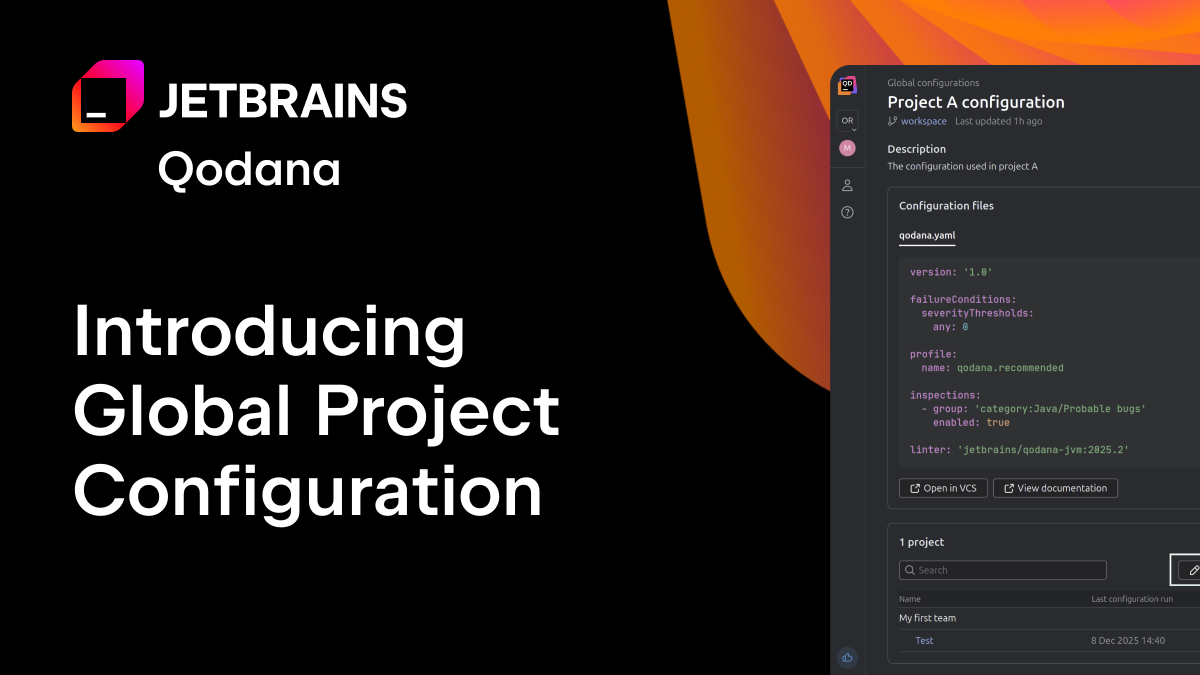
What’s more, Qodana’s new Global Project Configuration feature keeps configuration file-based. Teams can store shared inspection files in a central repository and distribute them across projects via Qodana Cloud, while still maintaining version control.
For DevOps-native teams, this provides transparency, traceability, and auditability.
SonarQube doesn’t natively support storing quality profiles or quality gates directly in source control.
Instead:
- Rules are configured in the SonarQube UI.
- Quality profiles are stored in the internal database.
- Core rule overrides are not version-controlled with your code.
- Configuration changes are managed centrally.
Although some project-level properties can be defined in sonar-project.properties, rule definitions themselves are not stored in the repository.
A feature request for configuration as code (via a sonar-config.yml file) was declined, with SonarSource emphasizing the benefits of centralized configuration.
For organizations prioritizing governance from a single control plane, this approach may be suitable. For teams seeking Git-native workflows, it may feel restrictive.
Free tier comparison
| Feature | Qodana Community | SonarQube Community Build | SonarQube Cloud Free Plan |
| Deployment | Self-hosted (Docker + Qodana CLI) | Self-hosted (Docker, Kubernetes, or from a ZIP file) | Cloud |
| Repository support | Public and private repositories | Public and private repositories | Unlimited public repositoriesPrivate repositories up to 50k LOC |
| IDE integration | JetBrains IDEs | SonarQube for IDE (JetBrains IDEs, VS Code, Eclipse) | SonarQube for IDE (JetBrains IDEs, VS Code, Eclipse) |
| Language support | 16+ languages | 21+ languages | ~30 languages |
| Pull request (PR) analysis | Can be supported via CI runs (depends on CI tool) | Not supported | Supported |
| Branch analysis | Not supported | Not supported | Supported |
| Security (SAST / secrets detection) | Not available | Most of the security features available in the commercial tier | Basic SAST and secrets detection |
| Merge / quality gates | Via CI configuration | Supported | Supported |
| License scanning | Not available (paid feature) | Not available | Not available |
| Cloud dashboard | Optional | Not available | Available |
| PR decorations (in UI) | Not available | Not available | Available |
| Security coverage | Not available | Limited | Basic |
| Recommended for | Small teams using JetBrains IDEs | Self-hosted teams wanting open-source coverage | Small cloud teams (limited, by LOC) |
When evaluating Qodana vs. SonarQube free tiers, key differences include:
- Deployment options (self-hosted vs. cloud).
- Private repository support.
- Pull request and branch analysis.
- Security scanning capabilities.
- IDE integration depth.
For example:
Qodana Community is self-hosted (Docker-ready) and supports private repositories. SonarQube Community Build is self-hosted.
SonarQube Free Cloud supports PR and branch analysis but limits private repositories to 50k LOC.
Security features vary significantly across licenses.
If you’re specifically searching for SonarQube alternatives due to pricing or private repository limits, these distinctions are critical.
IDE integration and experience
Developer workflow is a key factor when choosing a code quality platform.
Qodana and JetBrains IDEs
Qodana uses the same inspection engine that powers JetBrains IDEs such as IntelliJ IDEA, PyCharm, Rider, as well as VS Code, Cursor, and Visual Studio.
This provides:
- Consistency between your IDE and CI results.
- Reduced friction between local development and pipeline checks.
- Strong support for JetBrains-heavy teams.
- CI-driven quick-fix PR capabilities for paid tiers.
For teams already standardized on JetBrains tools, this tight alignment can significantly improve adoption and trust.

SonarQube and SonarQube for IDE
SonarQube integrates with IDEs through the SonarQube for IDE extension (available for JetBrains IDEs, VS Code, and Eclipse).
While effective, SonarQube for IDE operates as a plugin layer, and the CI engine remains separate from the IDE inspection engines. For some teams, this distinction is not critical. For others seeking identical inspection logic across local and CI environments, it’s a meaningful difference. SonarQube for IDE does its own on-the-fly analysis directly in the IDE. This has the advantage of providing instant results, but it can lead to inconsistencies with the IDE’s built-in inspections.
Security and AI-generated code
As AI-generated code increases, so does the need for automated guardrails.
Teams evaluating SonarQube alternatives often look for:
- Stronger CI enforcement.
- Security-focused inspections.
- Transparent rule management.
- Better DevOps integration.
Qodana’s CI-native approach helps enforce quality gates directly in pipelines. Paid tiers include modern security inspections, and configuration transparency simplifies audits.
SonarQube also offers security capabilities, and availability varies by edition and licensing tier.
CI/CD integration and quality gates
Both platforms support quality gates, but the implementation differs.
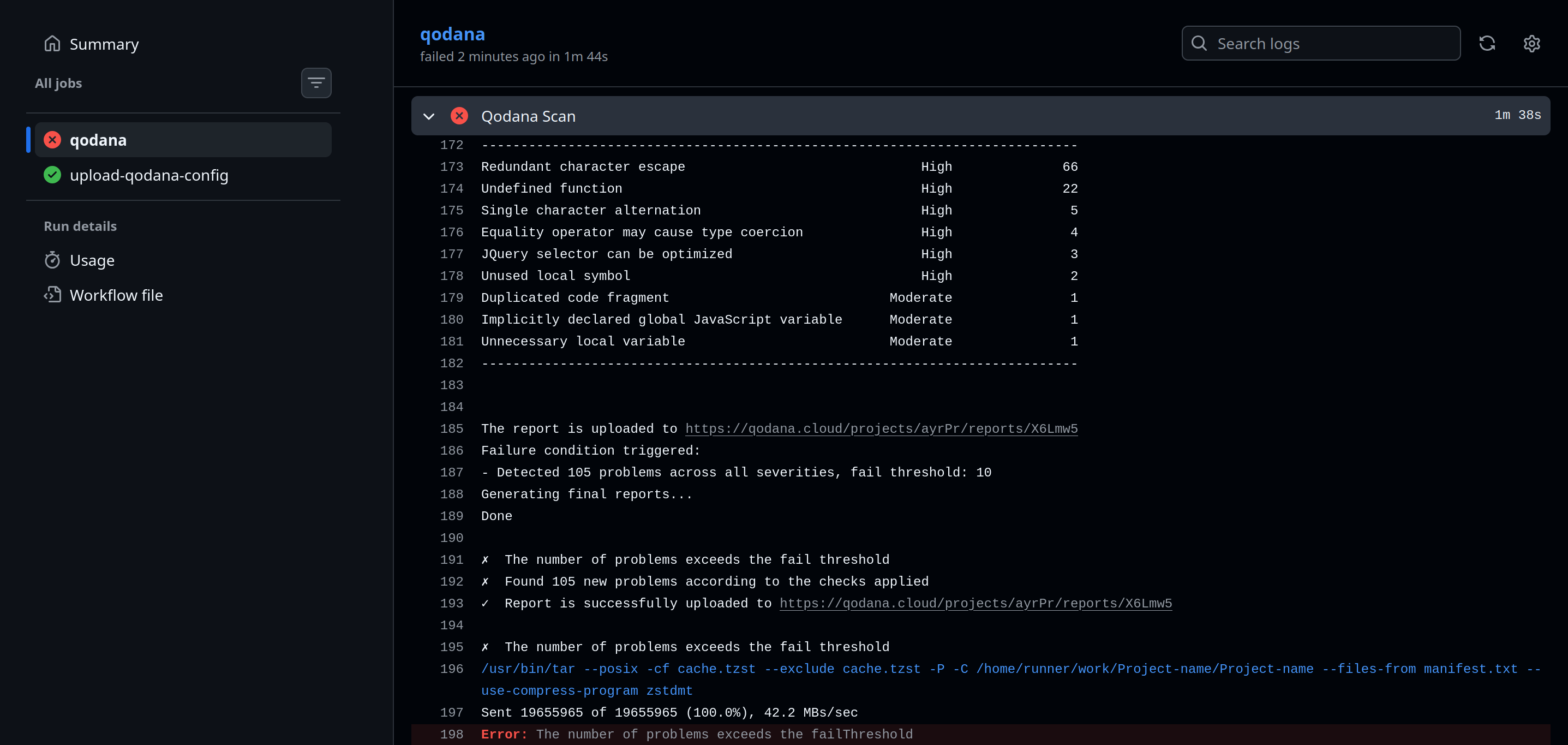
Qodana integrates gates via CI configuration, aligning with pipeline-driven workflows. SonarQube manages gates centrally within its UI and platform interface.
If your team prefers defining enforcement rules directly in pipeline configuration files, Qodana aligns naturally with that model. If you prefer central governance through a platform dashboard, SonarQube may be the better fit.
Paid plan comparison
| Feature | Qodana Ultimate (USD 5 per developer/month, annual, min. 3 contributors) | SonarQube Server (LOC‑based – significantly higher at scale) |
| Pricing model | Per active contributor, unlimited LOC | Per LOC limits |
| IDE integrations | JetBrains IDEs VS Code Visual Studio plugins | SonarQube for IDE plugins for JetBrains IDEs, VS Code, and Eclipse |
| Supported languages | 16 languages and frameworks, including JS/TS, Python, .NET, and Go | 34+ languages |
| CI/CD support | CI-agnostic integration via Docker CLI integration | Broad support PR and branch decoration |
| Branch and PR analysis | Branch and PR analysis with quick‑fix pull requests | Branch and PR decoration |
| Security analysis | Security inspections | Security vulnerability detection, hotspots, taint analysis |
| Quality gates | Quality gates in CI | Quality gates enforced via pipelines |
| Quick-fix support | Auto-fix PRs via Docker | Quick-fixes |
| Advanced reporting / dashboards | Advanced project- and organizational-level reporting | Basic dashboards and enterprise reports in higher tiers |
| Dependency / license scanning | Not available in this tier | No dependency license checks |
| Minimum team size | 3 contributors | None |
Paid tier 2
| Feature | Qodana Ultimate Plus | SonarCloud Enterprise Edition |
| Pricing | USD 15 per developer/month USD 180 per developer/yearUnlimited lines of analyzed code | Pricing not publicly available |
| Language support | 46+ frameworks16+ languagesCI integrations (CI-agnostic)IDE integrations | 40 languages and frameworks |
| Custom rules | FlexInspect* *Currently available for selected languages only | Custom Java inspections (complex to implement) |
| Security (SAST/SCA) | SAST* SBOM License audits Vulnerable dependency and API checks | Full SAST Secret detection Security standards (OWASP, PCI, CWE) |
| Code coverage | Native multi-language support | Native multi-language support |
| Historical data and Insights dashboard | Unlimited historical data Advanced project- and organizational-level reporting | Historical data Health and portfolio dashboards |
| Support | Around-the-clock JetBrains support via YouTrack Dedicated Qodana support Professional services for self-hosted clients | No commercial support included Premium support 24/7 for a fee |
| Compliance | SBOM License compliance audits Partial OWASP checks Security vulnerability checks | OWASP Dependency-Check License compliance and reporting |
| Developer experience | IDE integration with fast feedbackQuick-fix support automation options (non-AI)Proactive mitigation with vulnerability reportsBaseline workflowTaint analysis and MISRA checks for C++Signature sunburst UIOWASP and MISRA checks | AI-driven quick-fixes IDE integrationAutomation optionsVulnerability reportsNew code period workflow (similar to Baseline from Qodana)OWASP and MISRA checks |
| Quality gates | Builds fail if thresholds are exceeded Custom quality gates available | Builds fail if thresholds are exceeded Custom quality gates available |
At USD 5 per developer per month, Qodana Ultimate provides deep integration with JetBrains IDEs and TeamCity and CI-driven quick-fix PRs, making it a lightweight but powerful extension of existing developer workflows.
Qodana Ultimate Plus offers excellent value for money with a full range of features and functionality for teams, with pricing based on active contributors rather than lines of code.
SonarQube’s commercial tiers focus more heavily on enterprise portfolio management, compliance reporting, and expanded security scanning.
When to choose Qodana
Qodana may be the better choice if:
- Your existing code quality tool has become too expensive.
- Your team requires comprehensive support, no matter which license you have.
- Your team favors JetBrains IDEs or uses them in combination with VS Code, Cursor, or Visual Studio.
- You prefer configuration as code.
- You want Git-native rule management.
- You practice CI-first or GitOps development.
- You have a large codebase and don’t want to pay by LOC.
It’s particularly well-suited for fast-moving DevOps teams and AI-assisted development environments.
When to choose SonarQube
SonarQube might be the right fit if:
- You prioritize centralized governance (although Qodana is increasingly competitive here).
- You need very broad language coverage.
- You operate under a top-down quality management model.
It remains a mature and widely adopted platform in enterprise environments.
Final considerations
When it comes to SonarQube vs. Qodana, the real question in this comparison isn’t just about features – it’s about what works for your team.
Do you want quality rules version-controlled in Git? Or centrally managed in a UI?
Do you prioritize IDE ↔ CI consistency and governance dashboards? Or variety in your team’s tech stack?
As development accelerates with AI-generated code and automated pipelines, many teams are reassessing traditional tools and exploring more DevOps-native solutions.
For JetBrains-centric and CI-driven organizations, Qodana offers a modern, developer-first approach.
For enterprises prioritizing centralized governance and broad coverage, SonarQube remains a strong contender.
From the community
Subscribe to Qodana Blog updates