Qodana
The code quality platform for teams
How To Fix Common TypeScript Issues With Qodana

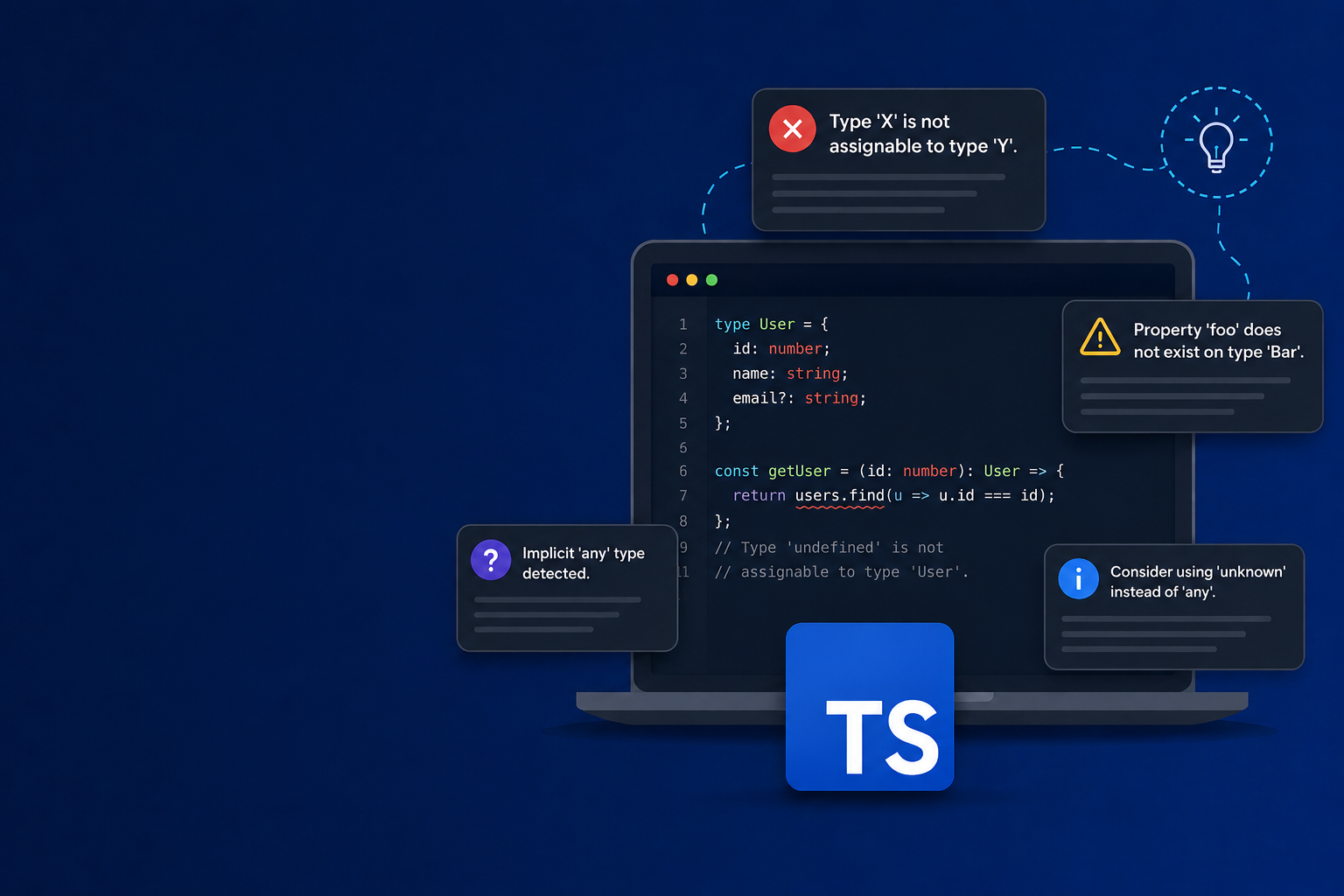
Most TypeScript projects already run ESLint with @typescript-eslint. That covers a lot, including explicit any, floating promises, non-null assertions, and more. If your linting setup is solid, you’re catching the obvious issues in the editor before code review.
ESLint works primarily at the file level – its core lints one file at a time. Where it starts to struggle is cross-file analysis, which is possible, but each category requires its own extra setup:
- Flagging an export that’s never imported anywhere means traversing the whole dependency graph, which requires a separate plugin.
- Catching an any that leaks bad assumptions into distant files takes type-aware linting, which needs type information from the TypeScript compiler (turned on separately).
- Spotting two components that reimplement the same logic means comparing files against each other, so a standalone tool is needed.
That’s the gap Qodana closes: It runs whole-project analysis by default, instead of only after extra configuration.
Here are four TypeScript issues worth addressing, organized by what ESLint handles well and where it runs out of scope.
Implicit any spreading through your codebase
ESLint’s no-explicit-any catches places where you write any, but it doesn’t track what happens when any enters your codebase from external sources, such as from response.json(), a third-party library without types, or an untyped import. Once an any from an untyped boundary enters your code, it propagates silently through property accesses and function calls. typescript-eslint’s no-unsafe-assignment, no-unsafe-member-access, and no-unsafe-return do catch these cases, but only under type-aware linting, which is opt-in and adds the cost of a full type-check to every lint run.
// api/client.ts
export async function fetchUser(id: string) {
const res = await fetch(`/api/users/${id}`);
return res.json(); // inferred: Promise<any>
}

// components/UserCard.tsx
const user = await fetchUser(id);
return user.profile.name; // no error — crashes if profile is undefined
In the code above, res.json() returns Promise<any> in the standard lib, and fetchUser has no return annotation, so the any becomes its inferred return type. As a result, everything downstream is untyped: The compiler accepts any property name and any method call, and the bug surfaces at runtime.
Qodana, by contrast, tracks how any flows through the program across files. When an any-typed value reaches a code path where a specific shape is assumed, Qodana flags the discrepancy, even if that happens several function calls away from where the any entered the codebase.
Solution: Type the boundary – the point where untyped data enters your code:
// api/client.ts
interface UserResponse {
profile: { name: string };
}

export async function fetchUser(id: string): Promise<UserResponse> {
const res = await fetch(`/api/users/${id}`);
return res.json();
}

// components/UserCard.tsx — unchanged
const user = await fetchUser(id);
return user.profile.name; // now checked against UserResponse
The annotation isn’t a runtime check – an any still slides into UserResponse unnoticed, but typing it at the boundary contains the any. It stops spreading there, and every downstream use is checked against the declared shape. For example, reading a field that isn’t on UserResponse becomes a compile error.
Non-null assertions used as shortcuts
ESLint’s no-non-null-assertion treats every ! operator uniformly, yet it’s not part of the recommended config. Because it’s bundled in the strict preset and not configurable, enabling it on an existing codebase produced a flood of findings. Those findings conflate dangerous shortcuts with valid patterns (like ! used after an explicit runtime null check). This generates friction, often leading teams to disable the rule, and the unsafe usages go unwatched.
function renderUser(user: User | null) {
  return `Hello, ${user!.name}`; // crashes at runtime if user is null
}

const button = document.querySelector(".submit-btn");
button!.addEventListener("click", handleSubmit); // crashes if element doesn't exist
Both snippets above compile without errors but crash when their assumptions fail. In both examples, ! is used to silence a type error – a flawed but common practice – but that hides the root cause instead of addressing it.
Solution: The correct approach is to handle the null case:
function renderUser(user: User | null) {
  if (!user) return "Guest";
  return `Hello, ${user.name}`;
}

const button = document.querySelector(".submit-btn");
if (!button) {
  throw new Error("Submit button not found");
}
button.addEventListener("click", handleSubmit);
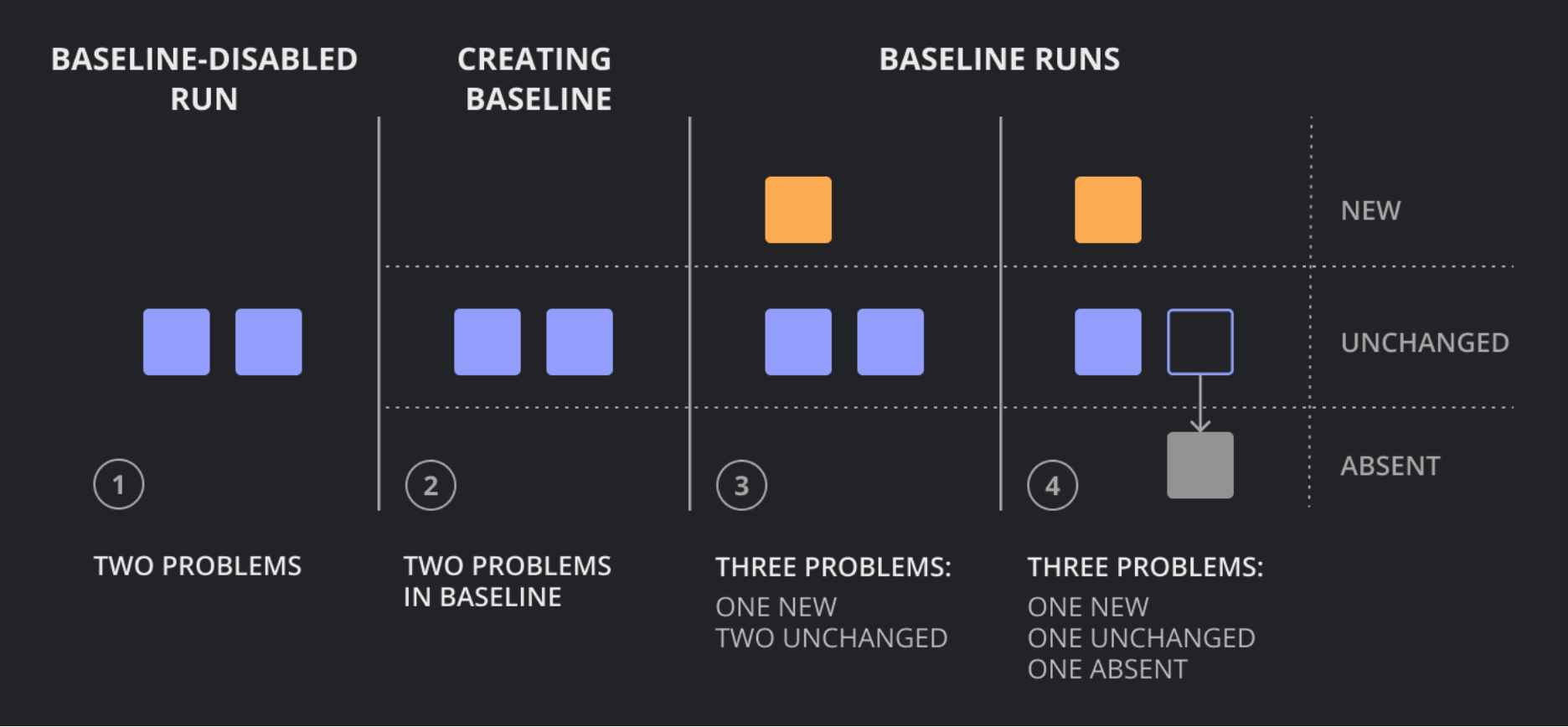
After you fix the examples by handling the null cases, you can safely ensure the rule without being overwhelmed by legacy violations. Qodana runs your ESLint config in the same analysis pass. When you enable no-non-null-assertion, its findings land in the same report as everything else, under one baseline. The existing violations go into the snapshot and stop blocking CI, and only new ones get flagged. This lets you turn the rule on once and surface only new, actionable issues instead of a wall of historical findings.
Floating promises
ESLint’s @typescript-eslint/no-floating-promises is effective, but it lives in the recommended-type-checked config, not the plain recommended preset. In projects using the plain preset, the rule doesn’t run at all – no error, no warning, nothing to notice. Enabling it requires typed linting, which adds the overhead of a full type-check to every lint run.
Consider this code:
async function onSubmit(data: FormData) {
  saveToDatabase(data); // Promise<void>, not awaited
  router.push("/success"); // runs before save completes
}
Both TypeScript and the compiler accept this without complaint. Calling an async function without await is valid syntax, and the returned Promise is discarded. But the code is still wrong in practice: The user sees the success page before the save completes, and any database error is silently swallowed.
Solution:
async function onSubmit(data: FormData) {
try {
await saveToDatabase(data);
router.push("/success");
} catch (error) {
showError("Could not save. Please try again.");
}
}
Adding await fixes the ordering so the success page waits for the save. But await alone isn’t the whole fix: If the save rejects and the rejection is not handled, the error can escape onSubmit and go uncaught because a form handler’s return value is discarded. That misuse is covered by another rule, no-misused-promises, which ships in the same type-checked preset. The try/catch in the snippet is what turns a silent failure into a visible one.
Qodana flags floating promises with its own WebStorm engine, performing type-aware analysis across the whole project by default. There’s no separate ESLint type-checked setup to configure and no tsconfig coverage to keep in sync. A file either gets analyzed or it doesn’t, and floating‑promise findings appear in the same report so you can act on them consistently.
Duplicated code across files
ESLint doesn’t have native duplication detection. Standalone tools like jscpd can find copied blocks, but they live outside of your linting pipeline. That means separate setup, separate maintenance, and another thing to remember. The practical result is that logic copied between components or utility files accumulates unnoticed.
Example:
// components/UserCard.tsx
function formatUserName(user: User): string {
if (!user.firstName && !user.lastName) return "Anonymous";
const parts = [user.firstName, user.lastName].filter(Boolean);
const name = parts.join(" ");
if (user.title) return `${user.title} ${name}`;
if (user.suffix) return `${name}, ${user.suffix}`;
return name;
}

// components/UserBadge.tsx
function getDisplayName(user: User): string {
if (!user.firstName && !user.lastName) return "Anonymous";
const parts = [user.firstName, user.lastName].filter(Boolean);
const name = parts.join(" ");
if (user.title) return `${user.title} ${name}`;
if (user.suffix) return `${name}, ${user.suffix}`;
return name;
}
This is not merely a style issue. Duplicated logic means bug fixes must be applied in multiple places, and when they aren’t, behavior silently diverges between the two copies.
Solution: Qodana detects duplicated code across files in the same analysis pass that runs your other checks. Copied blocks show up in the same report as your lint findings, so they’re harder to deprioritize than results from a separate tool nobody remembers to run. This integration reduces friction and helps ensure that duplicated logic will be noticed and consolidated.
Setting up Qodana for your TypeScript project
Every type of issue we’ve described surfaces in Qodana’s default profile for JavaScript and TypeScript – no per-inspection setup, no separate tools to wire in. Here is a minimal qodana.yaml to get you started:
  version: "1.0"
  linter: jetbrains/qodana-js:2026.1
  bootstrap: npm ci
  profile:
    name: qodana.recommended
  failThreshold: 0
  exclude:
    - name: All
      paths:
        - dist
        - node_modules
If the first run surfaces hundreds of existing issues, don’t let that block CI adoption. Qodana’s baseline feature captures the current state of the project in a qodana.sarif.json file. Commit it, and from that point on, CI only fails on newly introduced problems. The existing backlog stays visible in the report, but it doesn’t block every PR while you work through it.
Are you ready to fix common TypeScript issues with Qodana?
Try Qodana and let us know what you think.
We’d like to extend a special thank-you to Qodana developer Lev Liadov for his contribution to this guide.