Qodana
The code quality platform for teams
Software Quality Assurance Tools and Tips for Developers


Testing applications before release alone is no longer enough when it comes to quality assurance for modern software development. It needs a more dynamic approach that makes QA a part of the ongoing process.
According to the 2025 Stack Overflow Developer Survey, 84% of developers use or plan to use AI tools in their development process. This increasing use of AI-generated code means tighter, more frequent quality reviews are essential.
The emergence of techniques like shift-left analysis is also advancing modern software development by moving quality checks earlier in the software development lifecycle (SDLC). Today, software quality assurance involves integrating checks at every stage to ensure reliability and high standards.
Various automation and software quality assurance tools make this possible. But they can’t do it alone. You also need to understand and implement effective techniques to identify issues earlier and reduce risks and associated costs.
Here, we explore the importance of software quality assurance, the tools you can use at each touchpoint, and best practices to build quality into every aspect of your development lifecycle.
Table of Contents
What is software quality assurance?
Software quality assurance (SQA) is an ongoing process of checks that ensures operational requirements and standards are met throughout the SDLC. These are fundamental to ensure the final product works, is safe, and complies with any company and industry standards.
SQA aims to detect, remove, and prevent defects by catching them early, before they slip through to production. Modern SQA uses a proactive approach to verify that all functional, performance, and reliability requirements are met. It differs from traditional quality control (QC), which is product-oriented and more reactive, often only testing the software before its release.
By identifying and eliminating bugs early, SQA enables faster releases and better security while lowering technical debt.
Automation and AI in SQA
Automation and the use of AI for SQA are becoming more prevalent to speed up the process and free up resources to dedicate towards other priorities. However, full automation (particularly AI-driven automation) introduces risks due to its use of training data and the potential for errors slipping through. A balance of automated and manual code review to validate outputs remains important to ensure good quality assurance.
Why software quality assurance tools are so important
Manual quality assurance still has its place. But alone, it can no longer keep pace with how software is built. Release cycles in modern SDLC have moved from months to days, and modern CI/CD pipelines mean code often moves from commit to production with minimal human intervention.
Modern SQA tools are designed to keep up with these faster development cycles. As codebases become more complex with sprawling dependencies, microservices, and third-party integrations, SQA tools help identify hidden defects that human reviewers could easily miss.
Overlooking these potential issues can lead to software errors and huge financial costs. According to the Consortium for Information & Software Quality (CISQ), poor software quality costs the US at least $2.41 trillion annually. The shift-left philosophy of catching issues as code is written tackles this.
SQA alleviating modern development pressures
Various SQA tools directly address several modern development pressures, including:
- Static analyzers, which catch bugs and security flaws before code merges.
- Automated test frameworks, which verify behavior continuously.
- Performance and coverage tools, which flag regressions early.
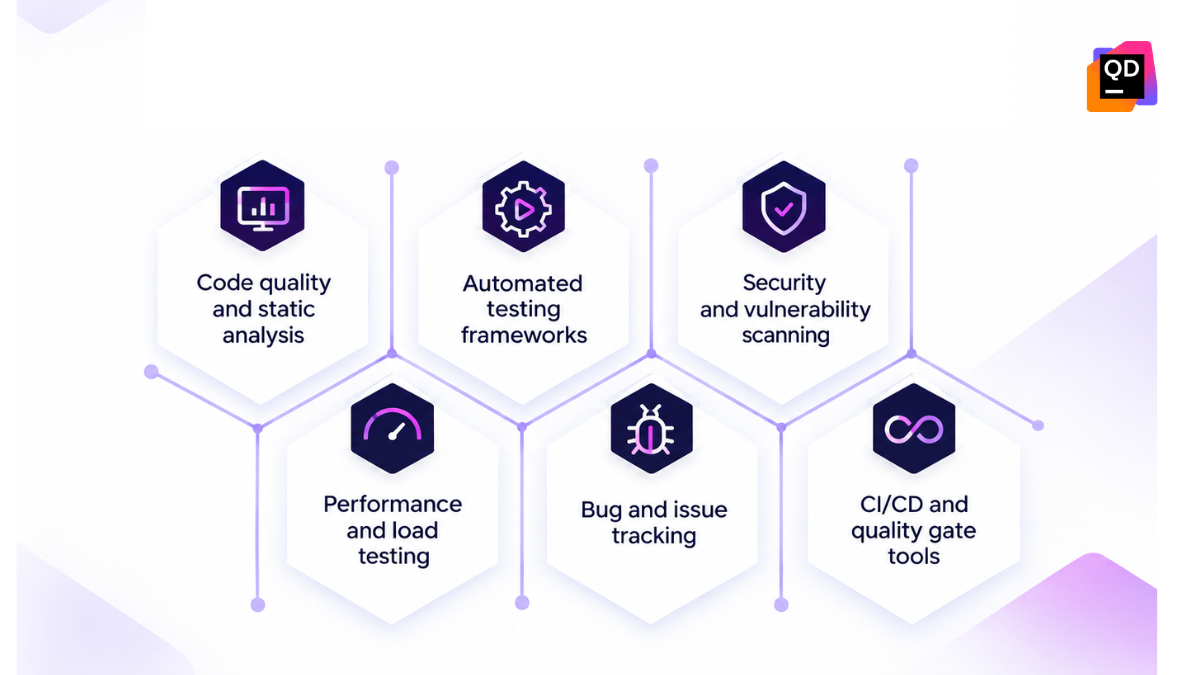
No one tool covers every aspect of quality assurance throughout the SDLC, so it’s vital to use a layered toolkit to address different quality concerns and ensure your SQA process is as tight as possible.
The different stages of software quality assurance
Continuous quality assurance is embedded throughout the development process, with quality checks running at every stage rather than just at the final testing phase. Traditional models treat QA as a gate before release, so defects are often discovered after significant work has been built on top of flawed code, causing costly delays to release.
Finding and fixing a bug just before production is far more expensive and disruptive than catching it early. Distributing quality assurance checks across the SDLC helps developers identify problems closer to their source, enabling faster refactoring and avoiding a pile-up of issues that may delay release and reduce customer satisfaction.
Certain tools suit specific stages of SQA as the goals and requirements of each differ.
| SDLC stage | QA goal | QA tools |
| Planning and requirements | Define clear and testable requirements | Requirements management tools (RMTs) Static requirement linters |
| Design | Validate architecture and identify design flaws before coding | Modelling toolsDesign review checklists |
| Development | Write clean, secure, and maintainable code | Static analyzersLintersIDE-integrated code inspections |
| Build and integration | Ensure components work together and catch errors early | CI pipelinesAutomated unit/integration test frameworks |
| Testing | Test and verify functionality, performance, and security | Automated test suitesLoad testing toolsSecurity scanners |
| Deployment | Confirm stability in production-like conditions | Deployment verification toolsCanary/rollout monitoring |
| Maintenance | Detect issues post-release and provide ongoing improvements | APM toolsLog analysisError tracking platforms |
Essential software quality assurance tools
Using quality assurance tools involves matching a suitable tool to specific testing processes. This is important as static analysis, performance testing, security scanning, and functional testing surface different issues.
Let’s take a look at some of the essential software quality assurance tools to use for each process.
1. Static code analysis
Static code analysis examines source code without execution. It scans the code during development for bugs, security vulnerabilities, and violations of coding standards. Operating directly on the code means it flags issues as they’re written, often inside the IDE. This shifts left and saves time compared to waiting for a test run or code review to surface them.
Developers avoid discovering a null pointer risk or an SQL injection vulnerability during integration testing or production. Fixes are cheaper and easier while context is fresh. Static analysis also enforces consistency across a codebase and team. Style violations, unused variables, and overly complex functions are caught that a human review may miss.
Qodana is a static code analysis and quality assurance tool that complements, rather than replaces, other types of testing. It eliminates many preventable defects during development, achieving high-quality standards throughout the SDLC.
2. Unit testing
Unit testing is a foundation of strong software quality assurance, even with the increasing use of AI and automation. It delivers stability through early error detection to help create maintainable code, testing individual components and functions in isolation to verify each unit performs as expected.
These are common examples of unit testing tools for QA:
- JUnit is the default Java unit testing standard.
- Jest offers strong performance for JavaScript and TypeScript development.
- PyTest is a testing framework in Python.
- NUnit is flexible and reliable for C sharp and .NET teams.
3. Integration testing
Integration testing tools validate how various components, services, and APIs interact. This identifies errors in data flow and communication that affect functionality so they can be addressed to ensure quality.
Validating integration is important in distributed architectures and microservices. Component interactions here can commonly cause issues, so checking interactions operate as expected ensures high-quality levels.
Examples of integration testing tools include Postman, which specializes in API integration testing with the ability to create and execute API tests. Soap UI also provides comprehensive SOAP and REST support, ideal for enterprise web services and complex service integrations.
4. Functional and UI testing
Functional and end-to-end testing tools simulate real user interactions such as clicking buttons, filling forms, and navigating between pages. They verify an application’s behavior from the user’s perspective and across entire workflows. This goes beyond just the code level to catch issues that only appear when components interact in a live environment.
Automated browser testing is a core for functional and UI testing. It’s particularly important for regression testing, where teams must confirm that new changes don’t break existing functionality.
Tools like Playwright, Cypress, and Selenium let teams script user journeys once and run them repeatedly across browsers and releases. This transforms previously tedious manual click-throughs into fast, repeatable, and reliable QA checks.
5. Performance testing
Validate how an application behaves under expected and unexpected traffic levels with performance testing tools. They reveal quality issues, including bottlenecks, memory leaks, and slow queries under pressure, to address bugs so they don’t reach real users.
This provides assurance that it can handle stress scenarios, beyond simply confirming that features work. It measures how response times hold up as load increases, whether the system recovers from traffic spikes, and where infrastructure limits appear.
Tools like JMeter, LoadRunner, and k6 test performance by simulating realistic traffic patterns, from steady baseline load to sudden surges. JMeter suits complex, protocol-diverse test plans, while k6 offers a developer-friendly, scriptable approach for CI/CD pipeline integration and continuous performance validation.
6. Security testing
Security is integral to software quality assurance and reflects the high costs of late-stage vulnerabilities.
Several types of security testing tools can combine to cover different angles:
- Static application security testing (SAST) analyzes source code for known vulnerability patterns.
- Software composition analysis (SCA) and dependency scanning check third-party libraries for common vulnerabilities and exposures (CVEs).
- Dynamic application security testing (DAST) probes running applications for exploitable weaknesses.
- Secret detection catches accidentally committed credentials or API keys.
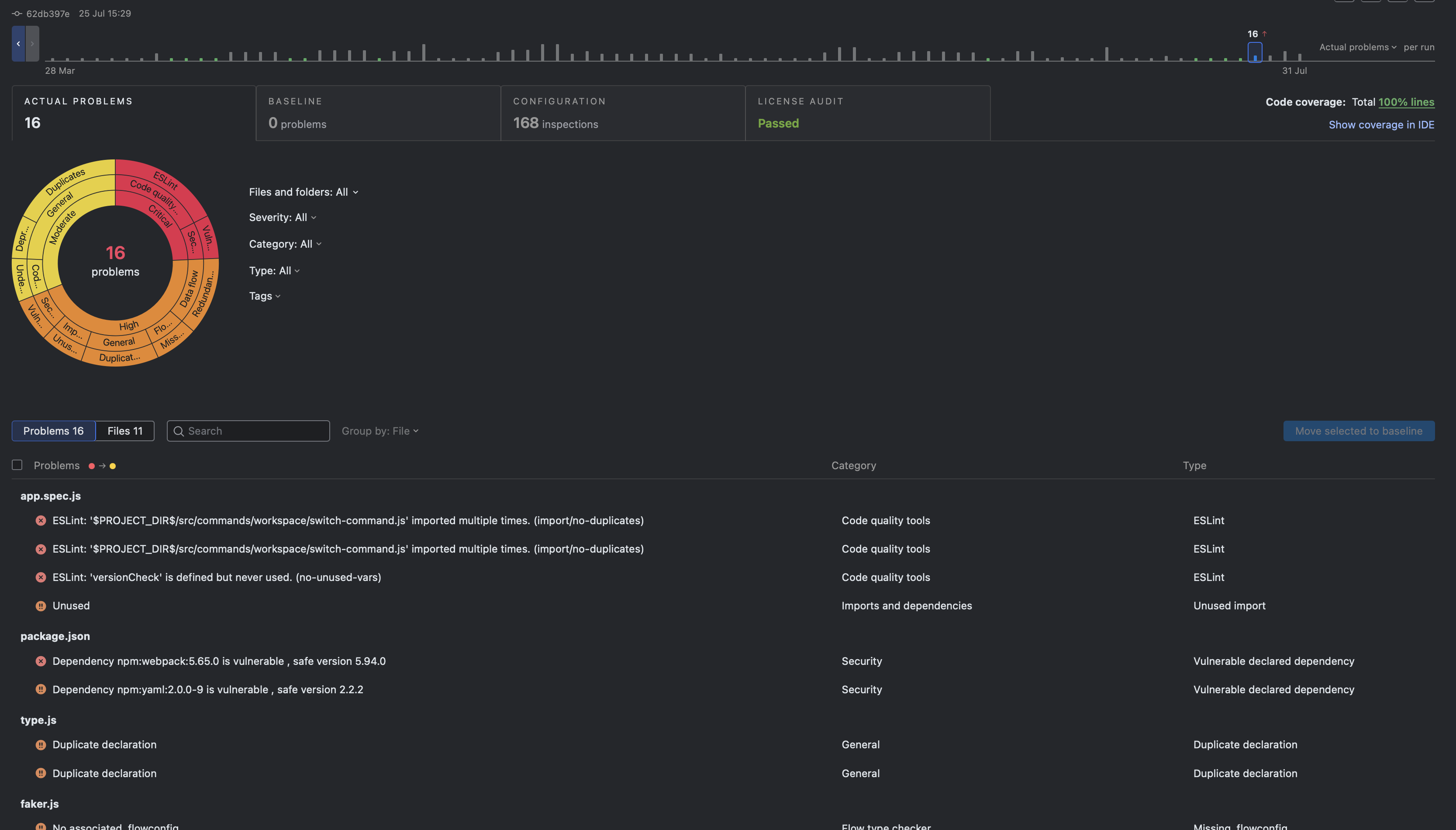
Security testing tools like Qodana move these checks directly into the development workflow. It surfaces vulnerabilities alongside code quality issues during development rather than in a separate, later security review. This reinforces a shift-left approach across the security testing landscape.
How to choose the right software quality assurance tools
Determining the most suitable quality assurance tools depends on your development process and specific business requirements. The most effective strategies combine multiple QA testing tools for comprehensive coverage, rather than relying on just one.
The main factors to consider when comparing and selecting software quality assurance tools are:
- CI/CD integration: A good QA tool should plug directly into your existing CI/CD pipeline. This enables automatic checks on every commit or build with no manual triggering required.
- Language support: You need a QA tool that fully supports your codebase’s programming languages and frameworks to avoid incomplete or inaccurate analysis.
- Automation: Choose tools that automate repetitive testing tasks, reduce manual effort, and enable faster and more consistent feedback throughout development.
- Scalability: Your tools must support growing codebases, test volumes, and bigger teams with no negative performance or usability impact.
- Reporting: A QA tool must deliver clear and actionable reporting to help developers understand issues and prioritize fixes.
- Security: The tool itself must follow strong security practices and identify vulnerabilities within your code or dependencies.
Best practices for building quality into your development workflow
Choosing effective tools is essential, but you must implement them properly to ensure quality at every stage. Whatever tools you use, apply these techniques to build reliable quality assurance into your development workflow:
- Shift left: Move quality checks early in development, preferable at the point of writing code. This catches defects when they’re cheapest and easiest to fix. Context is fresh and it avoids expensive and reputation-damaging post-production repairs.
- Automate repetitive quality checks. Routine manual checks are prone to human error and hard to scale. Automating them frees up time and resources, so your team can focus on complex, exploratory testing that requires and benefits from human judgment.
- Integrate testing into CI/CD pipelines. Run quality checks automatically on every commit or build, not as a separate manual step. Keep feedback fast and prevent issues from accumulating unnoticed.
- Monitor technical debt. Track code complexity, duplication, and test coverage trends across releases. This helps identify and address quality regressions early.
- Treat security as integral. Include security scanning and vulnerability checks in your regular QA process rather than treating them as an afterthought. Address vulnerabilities as they arise, don’t reserve them for a pre-release audit.
Build a complete software quality assurance strategy with Qodana
Software quality assurance spans the entire SDLC. It’s not just a final testing action. Combining different tools to address various quality needs at each stage is a modern requirement that reflects today’s demands for speed, complexity, and continuous integration.
Automating static code analysis in development pipelines with tools like Qodana strengthens QA. Surface bugs and vulnerabilities as code is written to ensure high-quality development and reliable performance.
What is software quality assurance?
Software quality assurance (SQA) is the ongoing process of ensuring software meets defined quality, reliability, security, and operational standards throughout the software development lifecycle. Unlike traditional quality control, which tends to focus on finding problems in the finished product, SQA aims to prevent and detect defects throughout development.
What are software quality assurance tools?
Software quality assurance tools help development teams automate and manage activities that improve software quality throughout the SDLC. They include static code analysis tools, unit and integration testing frameworks, functional testing tools, performance testing tools, security scanners, and CI/CD quality controls.
What are the main types of software quality assurance tools?
Common software quality assurance tools include:
Static code analysis tools
Unit testing frameworks
Integration testing tools
Functional and UI testing tools
Performance testing tools
Security testing tools, including SAST, SCA, DAST, and secret detection
Each addresses a different aspect of software quality, so organisations typically combine multiple tools rather than relying on a single solution
How does CI/CD improve software quality assurance?
Integrating QA tools into CI/CD allows quality and security checks to run automatically when code changes. This creates faster feedback for developers, helps prevent issues from accumulating, and makes quality assurance a continuous part of development rather than a separate activity before release.
How does AI-generated code affect software quality assurance?
AI can increase the amount of code developers produce, making scalable and automated quality controls increasingly important. AI can also assist with QA activities, but AI-generated output still needs appropriate validation. Combining automated analysis and testing with human review helps teams maintain quality as development becomes increasingly AI-assisted.