RustRover 2026.1: Professional Testing With Native cargo-nextest Integration

In this release, we are focusing even more on improving the everyday developer experience by refining the core workflows and adding native cargo-nextest support directly in the IDE. Running tests in large Rust workspaces can be slow with the default test runner. Many teams rely on Nextest for faster, more scalable execution, but until now, that meant leaving the IDE and switching to the terminal. You can now run and monitor Nextest sessions with full progress reporting and structured results in the Test tool window, without leaving your usual workflow.
The standard Rust testing setup
Rust provides a robust, built-in framework for writing and running tests, as described in The Rust Programming Language. This ecosystem centers around the #[test] attribute, which identifies functions as test cases. Developers typically execute these tests using the cargo test command.
This standard setup handles unit tests (next to the code they test), integration tests (in a separate tests/ directory), and even documentation tests within comments. When cargo-test runs, it compiles a test binary for the crate and executes all functions marked with the #[test] attribute, then reports whether they passed or failed.
Testing in RustRover
RustRover’s testing integration is designed to mirror this experience within a visual environment. It parses your code for test functions and modules, adding gutter icons next to them for quick execution.
When you run a test, RustRover uses the standard Test Runner UI. It translates the output from cargo-test into a structured tree view in the Run or Debug tool window, so that you can inspect results more easily. Filter results, jump to failed tests, view output logs per test case, and restart failed tests with a single click, all within the IDE context. You can read more in our documentation.
The benefits of cargo-nextest
While the standard cargo-test works well for many projects, it can start to show scalability issues in large, complex workspaces. Nextest is an alternative test runner for Cargo, built specifically to address these bottlenecks and provide a faster, more robust testing experience.
“When I started building cargo-nextest, the goal was to make testing in large Rust workspaces faster and more reliable. Seeing it integrated natively into RustRover means a lot to me; I’m thrilled developers can now benefit from nextest’s feature set without leaving their IDE. Thanks to the JetBrains team for the thoughtful integration and for supporting the project!”

The key benefits of switching to cargo-nextest include:
- Significantly faster execution. Nextest uses a different model: it executes tests in parallel using a process-based model and schedules them across all available CPU cores. This can make tests up to 3x faster than cargo test, especially in massive workspaces where the standard runner’s overhead becomes significant.
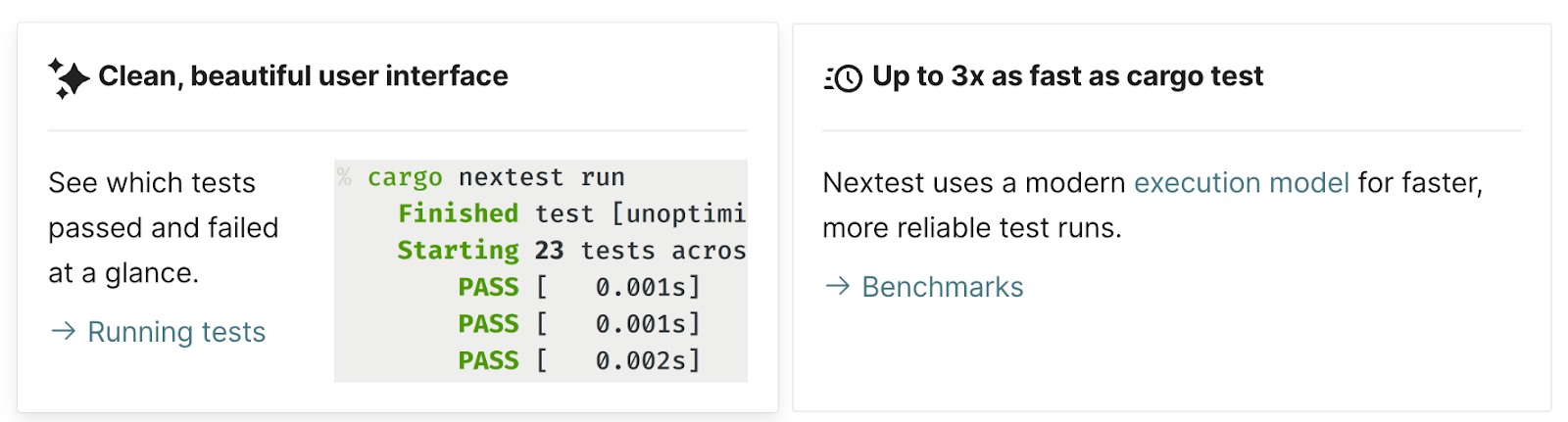
- Identify flaky tests. Nextest includes powerful, built-in support for retrying failed tests. This helps to identify and mitigate flaky tests (tests that fail intermittently) without halting the entire suite.
- Pre-compiled test binaries. It separates the process into distinct build and run phases. This allows test binaries to be pre-compiled, for example, in CI, and then executed across multiple machines or environments.
- Actionable output. Nextest provides structured, color-coded output designed to highlight the critical information. It simplifies failure analysis by grouping retries and providing summary statistics.
How cargo-nextest is implemented in RustRover
With the 2026.1 release, we have integrated cargo-nextest directly into RustRover’s existing testing infrastructure. The goal was to bring the speed and flexibility of Nextest without changing the workflow users already know.
Seamless integration
The integration works by adapting RustRover’s test runner to communicate with the cargo-nextest CLI instead of cargo-test. Here is how it works in RustRover:
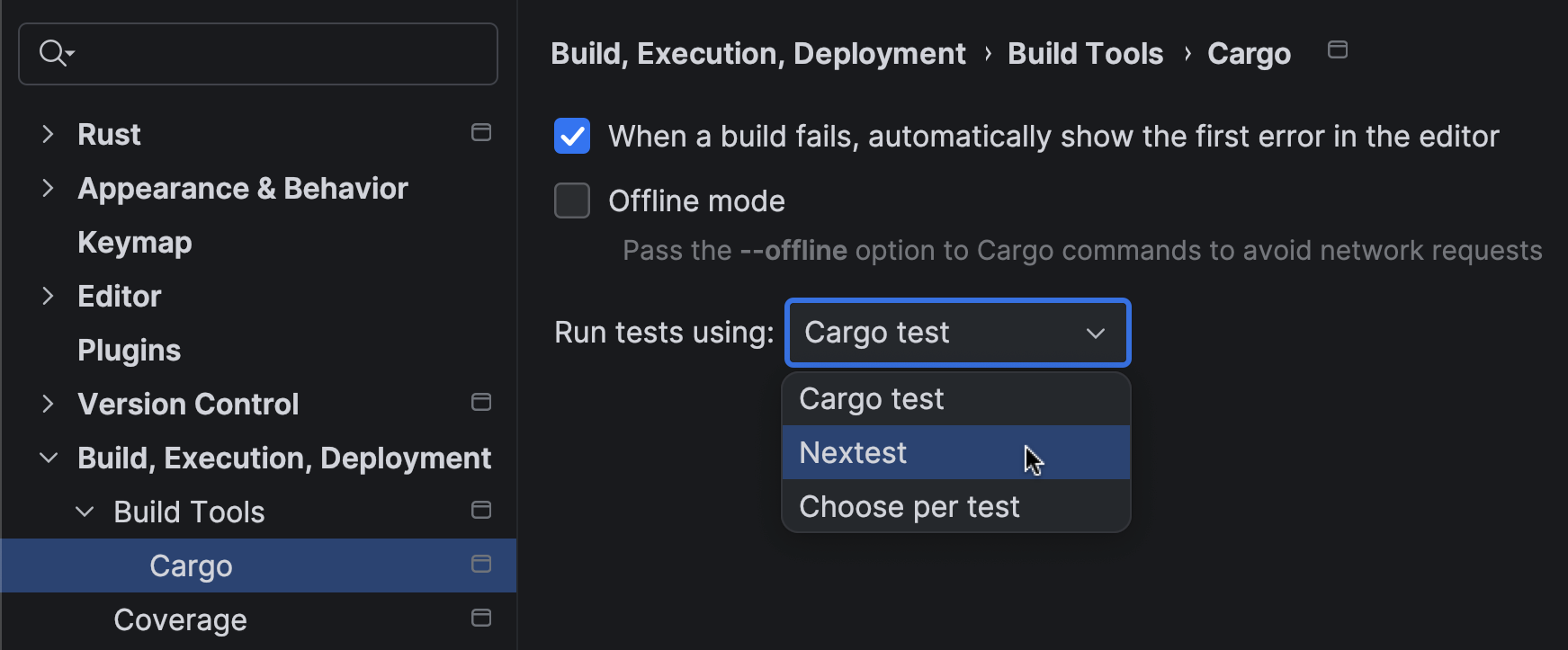
- You can now select Nextest as the preferred runner in your Run/Debug Configuration. RustRover automatically detects if cargo-nextest is installed in your environment and offers it as an option.
- The same gutter icons and context menu actions (
Run 'test::name') that work for standard tests will now invoke cargo-nextest, as long as it is configured as your runner.
- We have also mapped Nextest’s specialized output onto RustRover’s standard Test Runner UI. This means you get the performance benefits of Nextest while keeping the hierarchical tree view, failure filtering, and integrated output logs that make debugging efficient.
Progress reporting
We’ve also focused on making full use of Nextest’s detailed progress reporting. As your test suite runs, the Test tool window updates in real time, showing the status of each test (queued, running, passed, failed, or retried). The visual feedback is smooth and immediate, so you can always see the state of your test run without switching context.
By bringing native cargo-nextest support into RustRover, we want to provide a development environment that scales with your projects. Large Rust workspaces demand performance, and this integration ensures you use the best-in-class tools without compromising the productivity of your IDE workflow.
A special note of gratitude
Finally, we want to thank Rain, the author of cargo-nextest. Their work has significantly improved the developer experience in the Rust ecosystem by making the testing process faster and more reliable. If cargo-nextest has become an essential part of your workflow, we encourage you to support the project. You can contribute to its continued development by sponsoring the project.