100 Exercises to Learn Rust, Updated

100 Exercises to Learn Rust is our adaptation of Mainmatter’s course of the same name, written by Luca Palmieri, Principal Engineering Consultant at Mainmatter, and it has just received its biggest update since we released it a year ago. Palmieri has been writing Rust since 2018, first at TrueLayer and then at AWS, and he wrote Zero to Production in Rust. Mainmatter also delivers this material directly, as an instructor-led workshop for teams. Our version is a JetBrains Academy course that opens inside RustRover. The course is free, and RustRover is free for non-commercial use.
In the sections below, we cover what the course is, what has changed in this update, what the “fast track” for the course looks like, and how to get the most out of AI assistance throughout your experience.
What the course is about
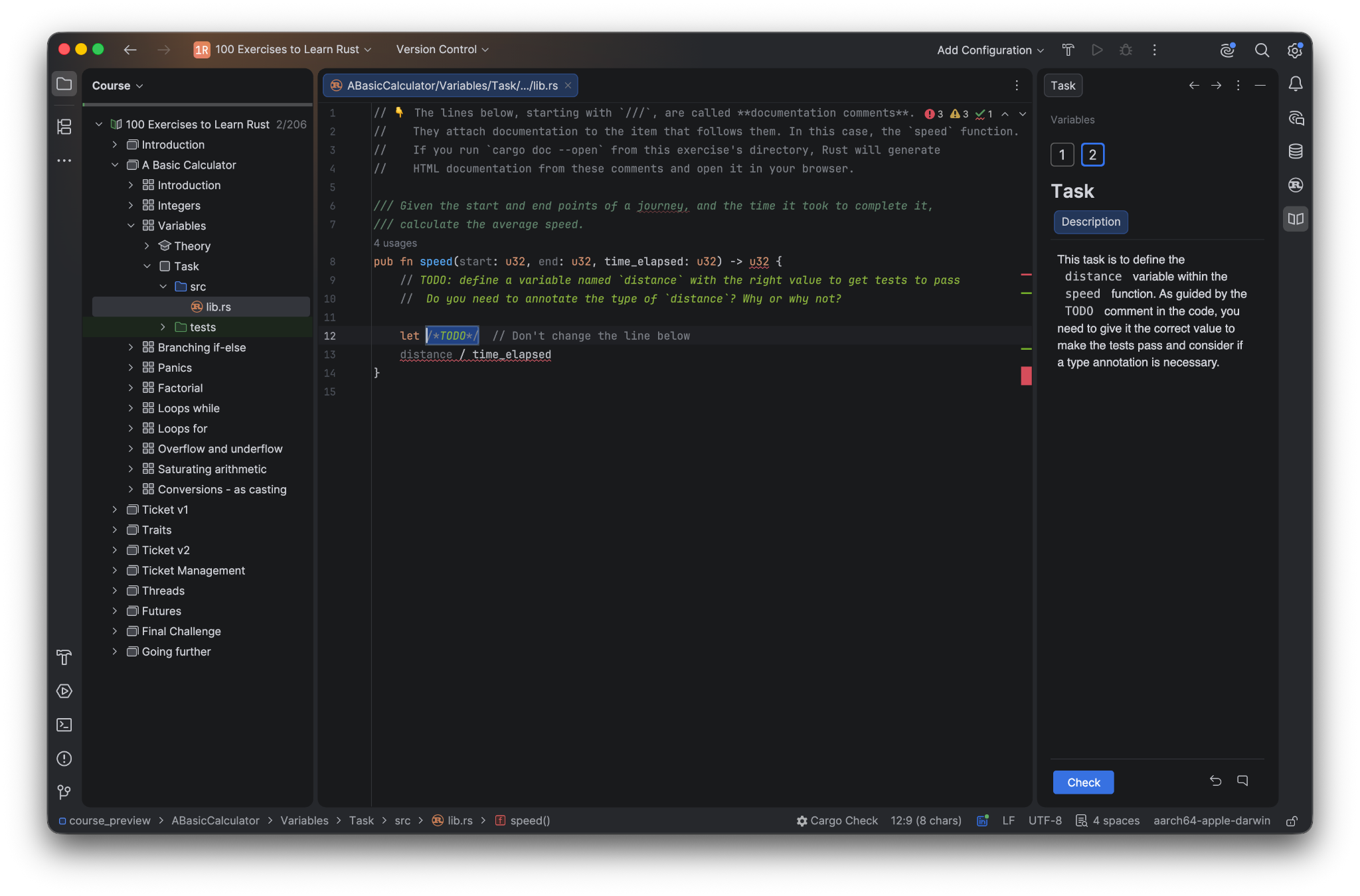
The course teaches Rust through exercises rather than explanations. Each lesson is a short piece of theory followed by a real Rust crate with a test suite attached. Most lessons start with a todo!() and ask you to fill it in.
The majority of the exercises share the same theme: a ticket management system. It starts as a struct with a title, a description, and a status, and ends up serving tickets to multiple threads over an asynchronous REST API. Concepts are introduced as the project needs them, for example Result and enum for errors when validation can fail, HashMap when tickets need to be looked up by ID, or Arc and Mutex when multiple clients access the store at once. And if an important concept doesn’t fit the ticket management system theme, it is introduced with an appropriate self-contained exercise.
The course assumes fluency in at least one other programming language, but no systems background or prior experience managing memory manually. Over eight chapters, it covers ownership and borrowing, traits, enums and pattern matching, error handling, collections and iterators, lifetimes, threads and channels, and futures. The course culminates in a final challenge, where theory is set aside in favor of a single, comprehensive exercise that tests your mastery of the preceding eight chapters.
Our adaptation removes setup. There’s nothing to clone, no branch to check out, and no workshop runner to install. You open the course in RustRover, and the first task is already there with tests attached and a button that runs them in place.
What’s new in this update
A rebuilt introduction. The course now opens with five short lessons: what you’re going to build, a quick tour of the interface, two minutes of IDE setup, an FAQ, and then your first Rust code. You know what you’re in for before you write anything.
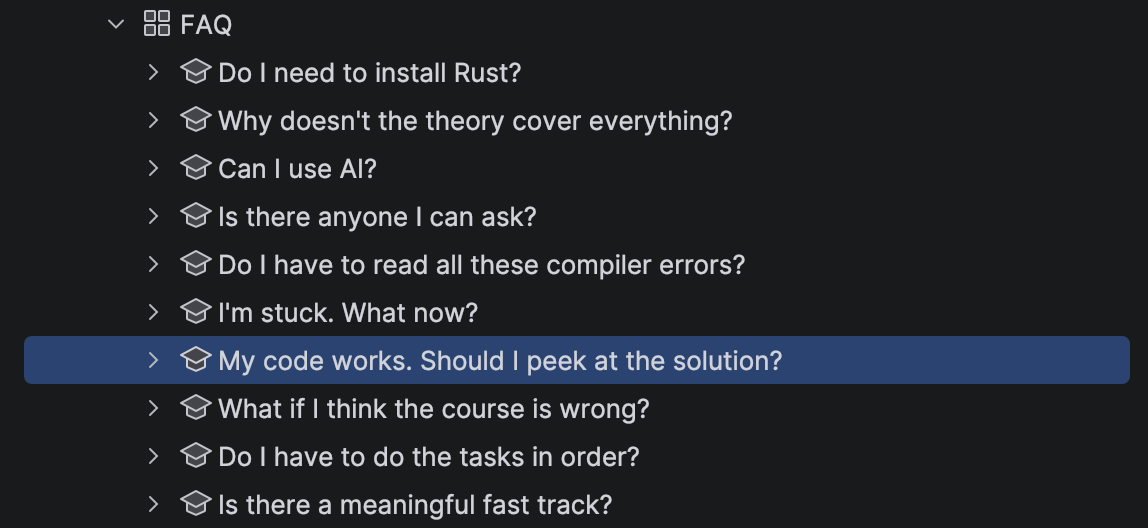
An FAQ with ten answers. Some of the questions come straight from the learners, while others are just our advice in disguise.
The final challenge. All parts of the course contribute to one project: a ticket management system. At the end of the course, your final challenge will be to turn it into an asynchronous REST API. You’ll edit the Cargo.toml file and choose the dependencies yourself. It’s the one part of the course where you’ll be designing something with real crates, roughly the same way you would at work.
A requests.http file specifies the API. It sends the requests your server should handle and states the responses it expects, and you run it against your own server from inside the editor. It checks your API’s behavior, not your Rust code, so every implementation decision is yours, and you can still tell whether it works. The task description also contains a sequence of hints, from a small nudge to a full explanation, that you can use as much or as little of as you need.
All tests are visible. Every task shows the assertions that are used to check your answer, so you’ll know exactly what’s expected instead of guessing.
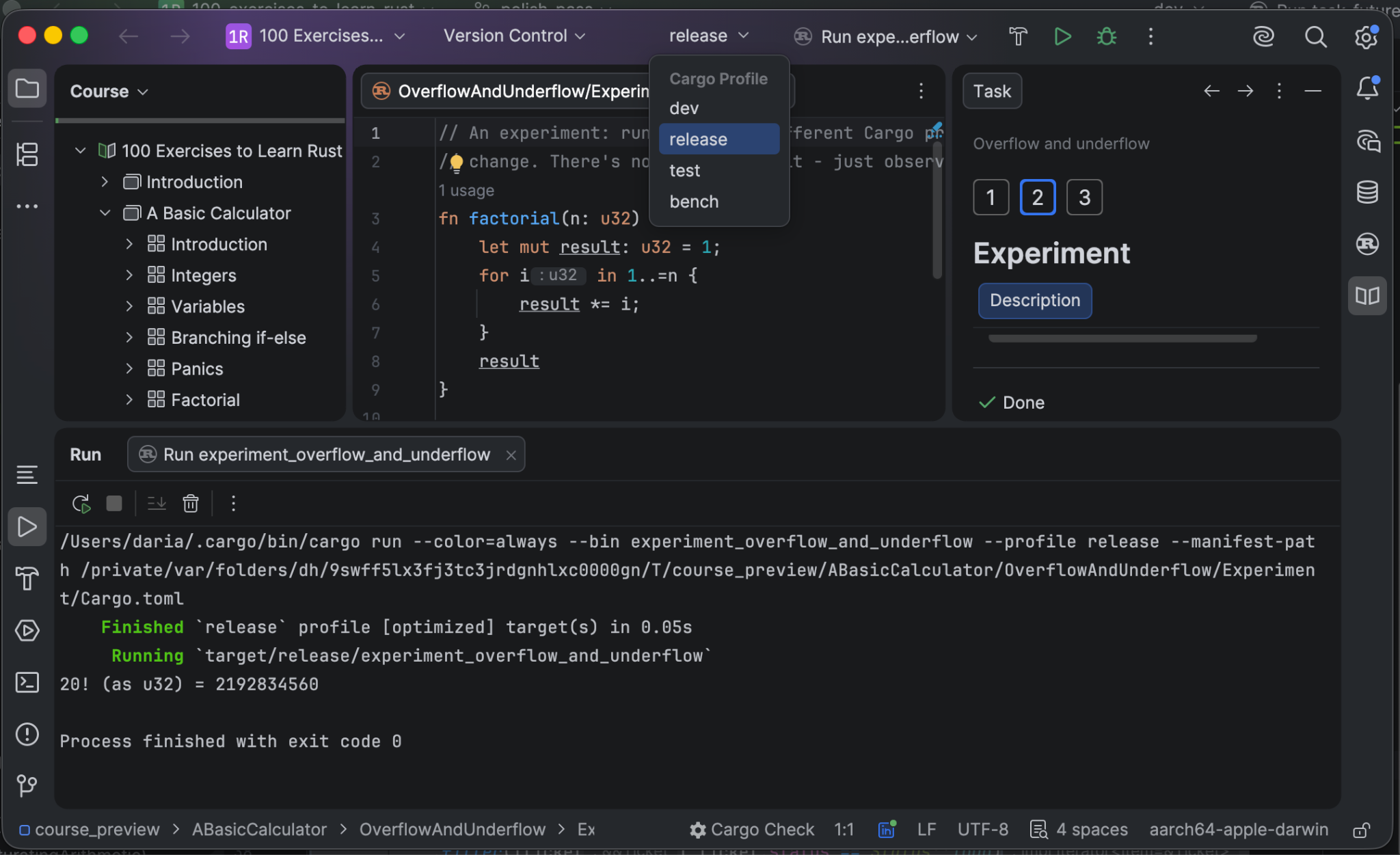
An experiment with dev and release profiles. In the arithmetic chapter, you compile the same overflowing code under both the dev and release Cargo profiles and watch the behavior change. Built with the dev profile, the program panics on overflow, while it wraps silently when built with the release profile. Most courses merely describe this in one sentence, but here you get to see it happen.
In a hurry? Start at the end
You don’t have to work front to back (and the FAQ says this explicitly). If you’ve written Rust before, or if you’d simply rather tackle one real program than be walked through a hundred small ones, you can skip straight to the final challenge.
The final challenge ties together everything the course covers: the ticket model, enums and error handling, the collection work, shared state and locking, and the whole async chapter by definition. You’ll quickly see which of those areas you need to revisit, because gaps in your understanding will surface as you build the API. You can hop back into those specific parts of the course with concrete questions – and you’ll get much more out of them as a result.
It’s also the quickest way to find out what it’s like to use RustRover for real-world projects.
Getting the most out of AI
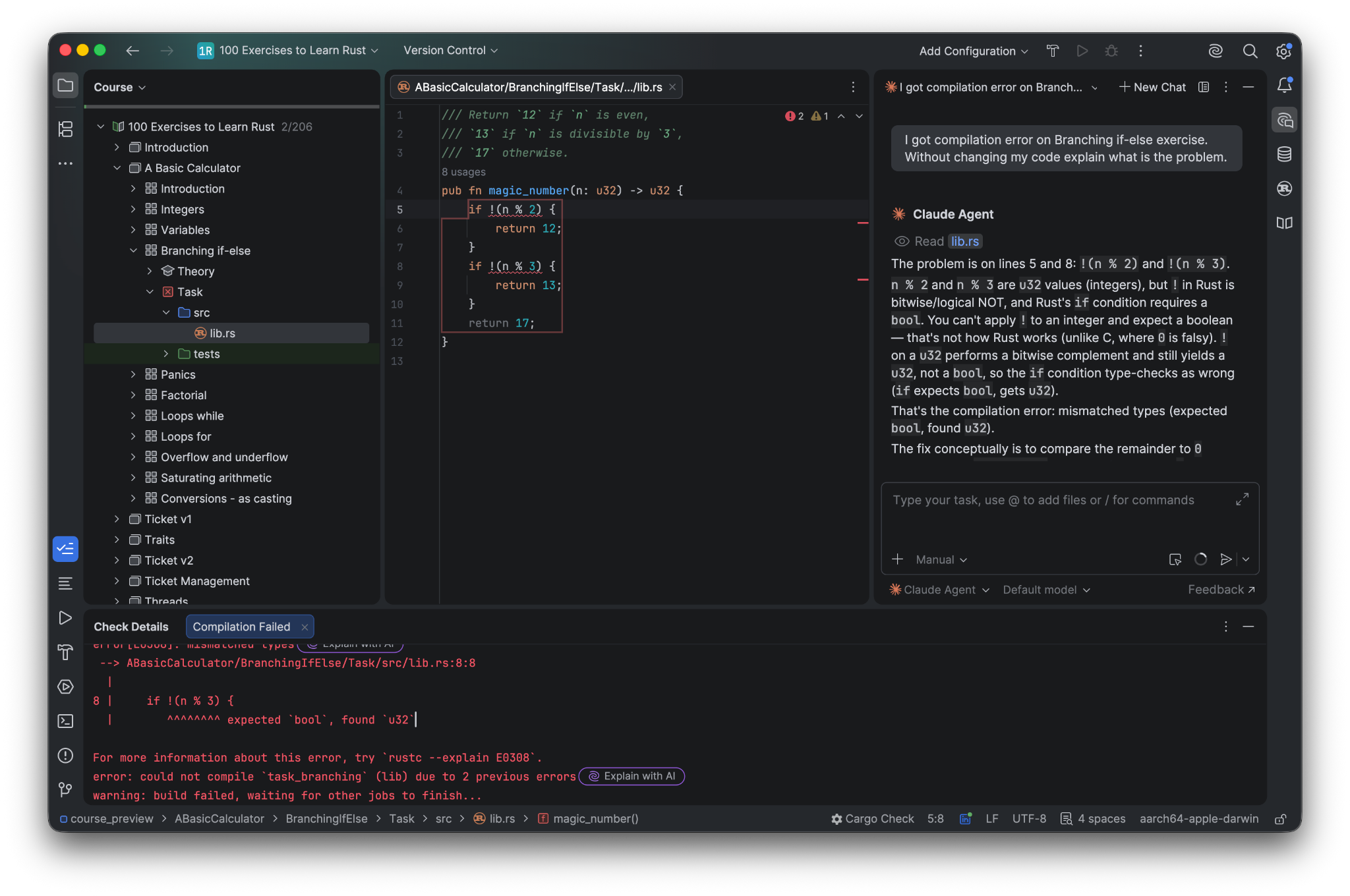
You can easily access AI through the built-in chat. It’s best to use AI for explanations rather than asking it to write code for you. A couple of good habits to be in: Always add explicit instructions not to change your code. And when the compiler rejects your code, paste the error into the AI chat and ask it to walk you through what’s wrong instead of asking for the fix.
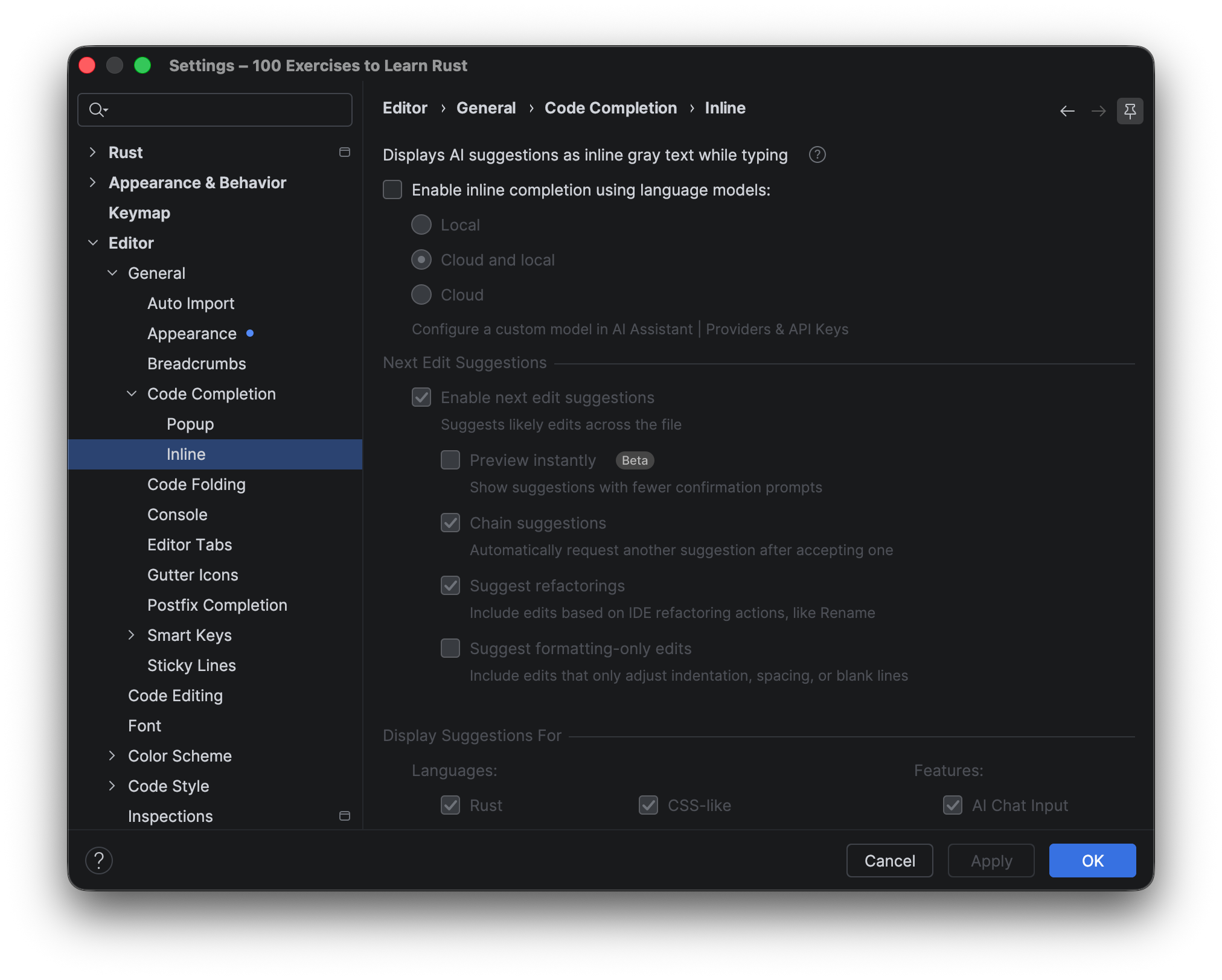
While you are working on the course, however, you should turn AI code completion off. The exercises are short and well represented in training data, so a completion tool will often finish them before you’ve even read the task. This defeats the purpose of having these tasks in the first place: It’s about getting stuck and working out a solution on your own. The Set up your IDE lesson will show you how to switch off AI code completion.
Getting started
The course is free, RustRover is free for non-commercial use, and there’s nothing to clone.
- Download and install RustRover. If you don’t have a Rust toolchain yet, the IDE will fetch one for you.
- Turn on the educational features. On the Welcome screen, switch to the Learn tab, find the Learn to program widget, and click Enable Access. This will install and activate the JetBrains Academy plugin.
- Select the course.
- On the Learn tab, click Get Started and choose 100 Exercises to Learn Rust.
- Once the JetBrains Academy plugin is installed, you can find all the courses under File | Learn and Teach | Browse Courses.
The adaptation is open source, so if something looks wrong to you, say so. Issues and pull requests are welcome on GitHub.