WebStorm 2025.3: Enhanced Monorepo Support, Framework Improvements, Vitest 4 Support, Multiple Agents in AI Assistant, Remote Debugging, and More

WebStorm 2025.3 is now available!
After months of development, this release brings a host of new features and improvements. Highlights include:
- Service‑powered type engine gradual enablement for more accurate TypeScript type evaluation.
- Enhanced module resolution and monorepo support, with improved handling of pnpm and Nx workspaces.
- Upgraded AI Assistant with Claude Agent and Junie integration in a single chat.
- Remote debugging for JavaScript projects in WSL, Docker, and dev containers, including the ability to launch a browser on your local machine during remote sessions.
- Webref‑aligned CSS syntax update, bringing support for the latest specs and adding new math functions like
round(),rem(), andmod(). - Unified JavaScript Runtime settings page that consolidates Node.js, Bun, and Deno configuration.
- Vitest 4 support, enabling the correct discovery and execution of tests written for the latest Vitest version.
This release also includes numerous fixes and quality‑of‑life enhancements for TypeScript, Angular, Vue, Astro, Prettier, and more.
You can update to WebStorm 2025.3 via the Toolbox App or download it directly from our website. We can’t wait for you to try it. Please let us know what you think – your feedback helps make WebStorm better with each release. Happy coding!
Key improvements
TypeScript
Service‑powered type engine
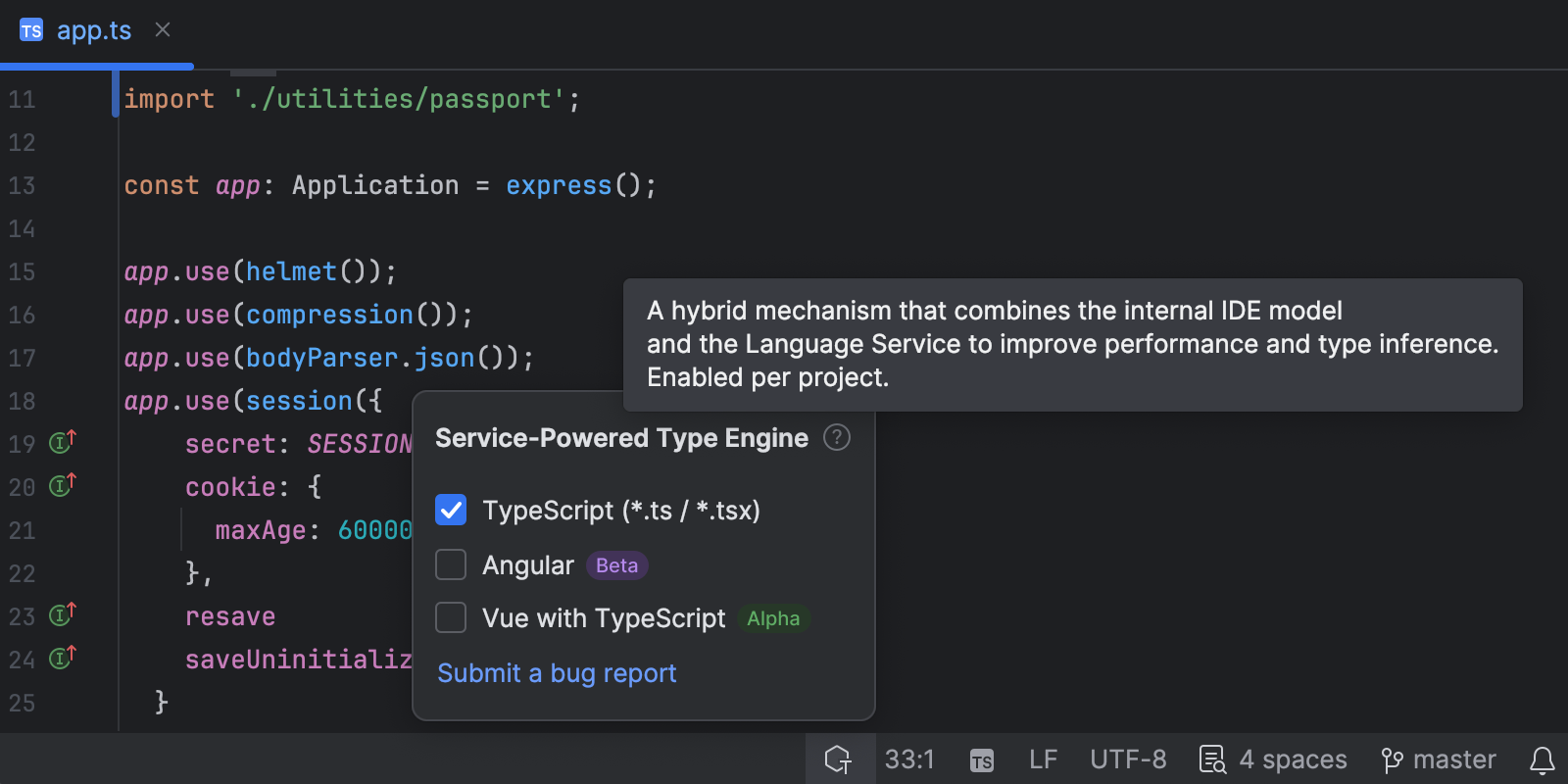
The experimental type engine introduced via the WebStorm@next program now has an official name: the service‑powered type engine. This engine delegates type evaluation to the TypeScript language service instead of WebStorm’s internal type resolver. It generally reduces CPU usage, improves performance in many scenarios, and ensures better compatibility with native TypeScript behavior.
Starting from 2025.3, this engine will be enabled gradually for a subset of WebStorm users. Other JetBrains IDEs remain unchanged, so their TypeScript experience is not affected. A status bar widget indicates the engine status, and you can also submit bug reports from this widget.
Better module resolution and monorepo support
WebStorm 2025.3 uses the customConditions property in tsconfig.json and “development” conditions in exports fields to support build‑free editing (see the Node.js documentation). This means auto‑imports, Go to Definition, and Find Usages work without building output directories. The automatic import mechanism has also been improved for pnpm symlinked packages. To ensure TypeScript correctly detects workspace packages, we suggest using explicit exports entries and moduleResolution:"nodenext" (WEB-74887).
Detecting out‑of‑memory errors in the TypeScript service
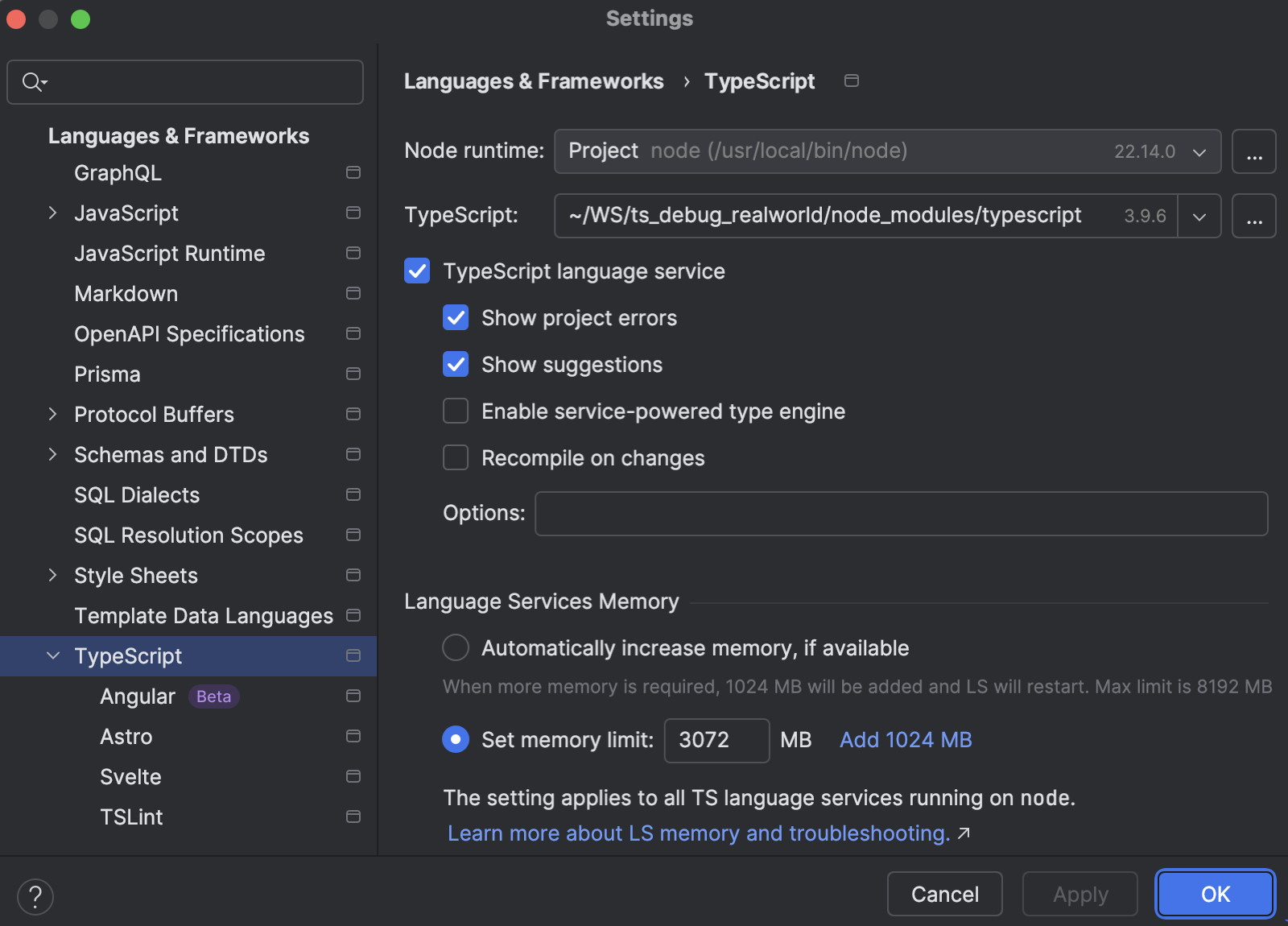
Large TypeScript projects can occasionally trigger out‑of‑memory (OOM) errors in the TypeScript language service. To help you diagnose and resolve these issues, WebStorm now monitors stderr output for specific OOM messages and presents a notification suggesting that you increase the service’s heap size.
File extension handling and .mts support
Several long‑standing issues with module extensions have been resolved. A fix in WebStorm 2025.2.3 and 2025.3 prevents .mjs files from replacing .mts in auto‑imports. There is also a proposal to honor TypeScript 5.0’s allowImportingTsExtensions flag via Code Style | TypeScript | Use file extension = “Auto”. With this configuration, .ts or .js will be chosen automatically based on your moduleResolution setting and whether allowImportingTsExtensions is true (WEB-60748).
AI Assistant: Junie and Claude Agent integration
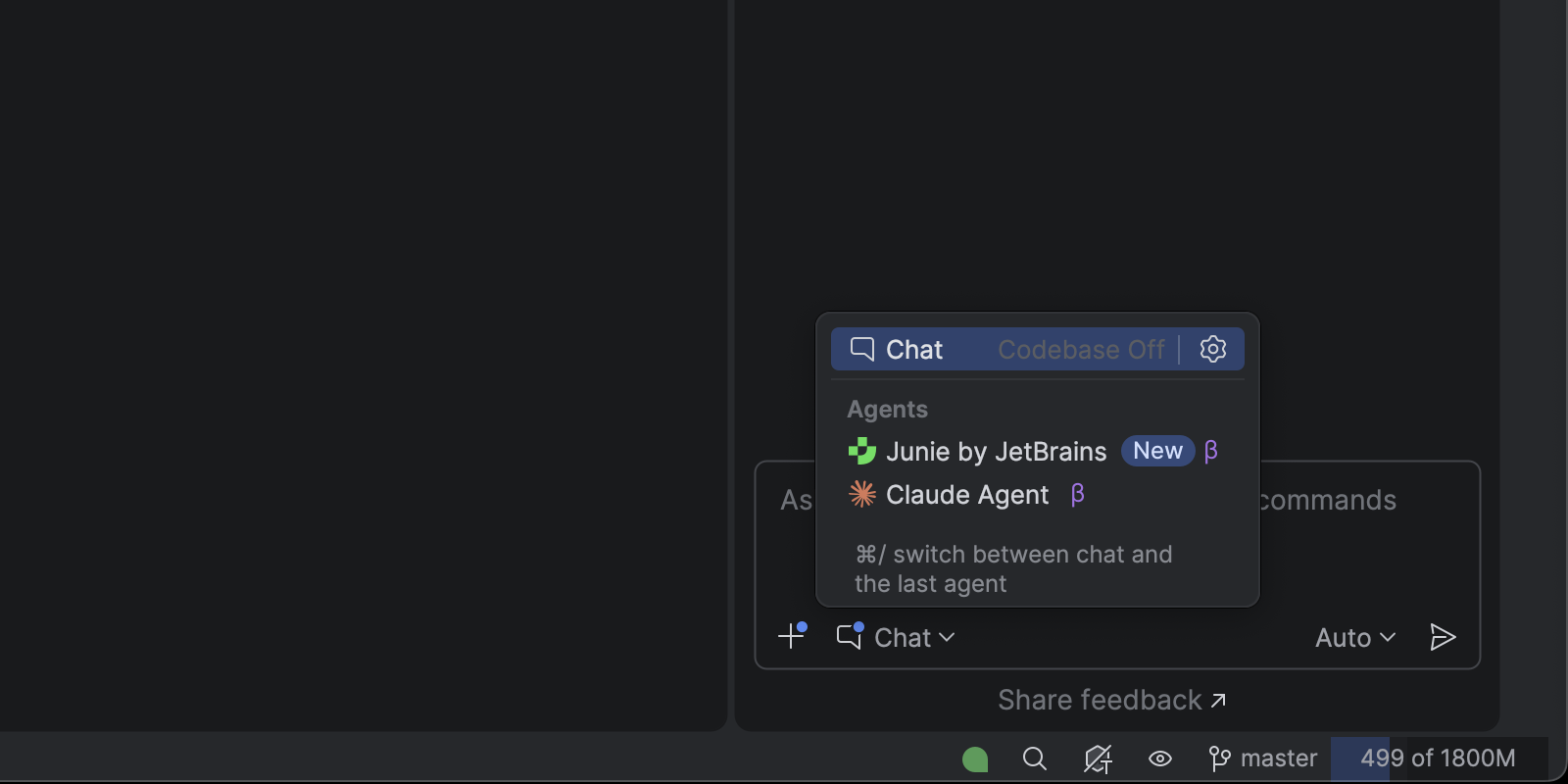
In this release, Claude Agent is now available natively inside the JetBrains AI Assistant chat interface! Agents have full access to IDE capabilities via the JetBrains MCP server.
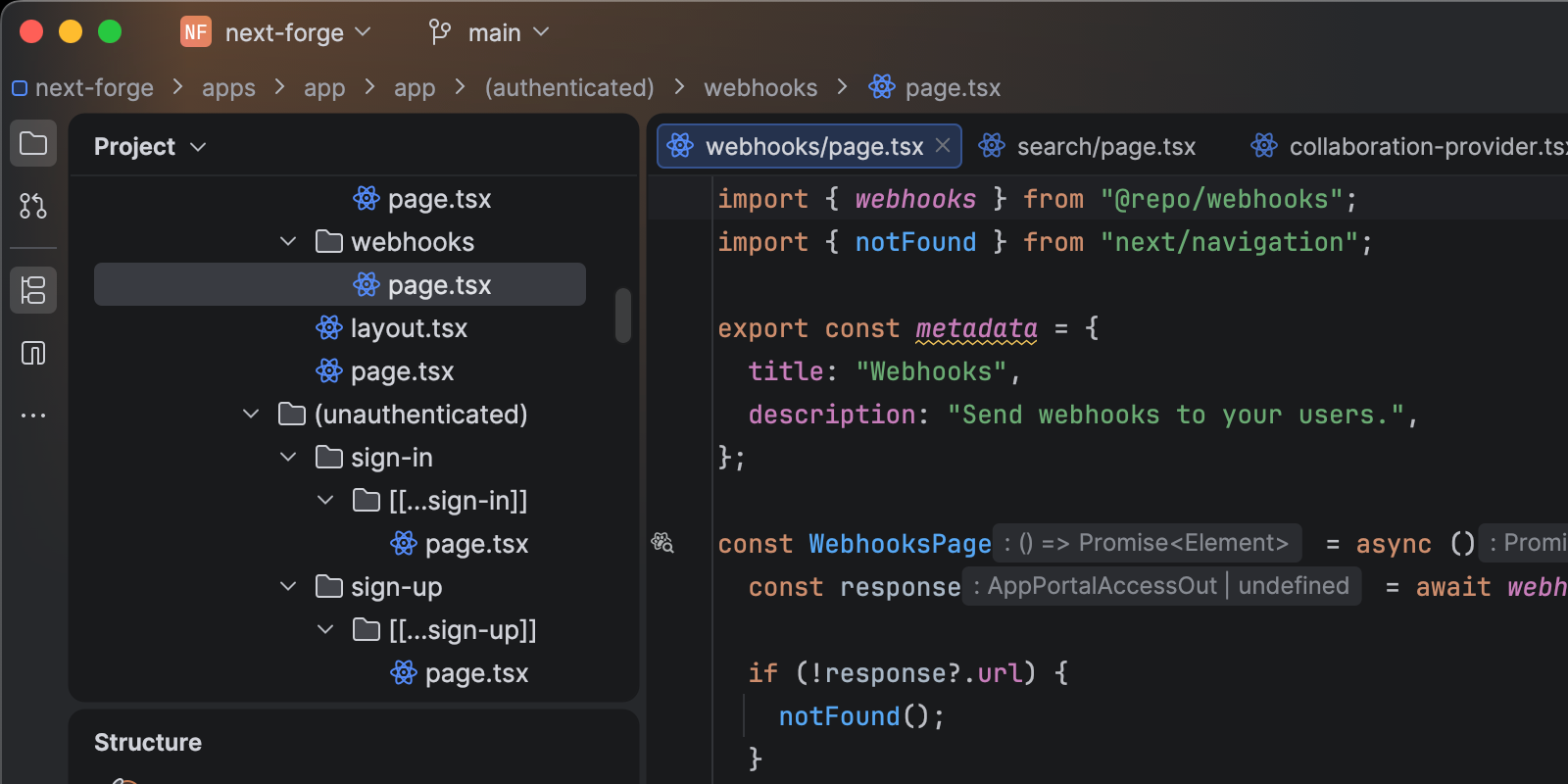
New default look: The Islands theme
The Islands theme is now the default look in WebStorm and other JetBrains IDEs. Designed to help you stay focused and code with ease, it features instantly recognizable tabs, enhanced in-editor contrast, distinct separation between work areas, and rounded corners. This update is purely visual, so all functionality remains unchanged.
Debugging JavaScript projects in remote environments
You can now use WebStorm’s built-in JavaScript debugger when developing remotely with WSL, Docker, or other remote setups.
For frontend projects, the IDE launches a browser on your client machine that connects back to the remote environment, allowing you to set breakpoints and step through your code with the same workflow you use locally. WebStorm 2025.3 includes support for JavaScript debug and npm run configurations. We’re actively gathering feedback to guide further improvements.
Angular
- Angular 20.2
asaliases inelse ifblocks – WebStorm now understands the new syntax introduced in Angular 20.2, allowing aliases in@else ifconditions. Available in WebStorm 2025.3, this fix will also be backported to 2025.2.3. - Support for Angular 20.1’s binary assignment operators (
+=and-=) in template bindings is now available in WebStorm 2025.2.1 and 2025.3 (WEB‑73861).
Vue
- Initial Vapor mode support – Vue 3.6 introduced Vapor mode, a lightweight compiler that eliminates the runtime. WebStorm 2025.3 adds initial support for this, including:
- Recognition of the new
createVaporAppfactory function – directives registered in the application are treated as Vapor directives. - The New Vue Component wizard can now generate Vapor components that use either
<script vapor>or<script setup vapor>. - Directives declared in a component’s
scriptsection or registered via an application or plugin are recognised – global directives are partially supported.
- Recognition of the new
- Composition and two‑script blocks – WebStorm now supports multiple
<script>blocks in single file components. - Plugin‑registered directives – Vue 3 directives registered through plugins are now recognized. WebStorm 2025.3 adds support for both plugin forms (function and object with
install). Directives are collected when the plugin is registered usingapp.use(myPluginWithDirectives), but not when the plugin is invoked as a function (WEB-52800). - Global components and global directives – We’ve fixed the issue where global components declared in the
GlobalComponentsinterface were not resolved. Our fix adds support for.d.tsfiles in thetypesfield ofcompilerOptionsand makes the.d.tsextension optional. Additionally, WebStorm 2025.3 implements support for theGlobalDirectivesinterface, for example, Vuetify’svVuetifyClickOutside.
CSS
WebStorm 2025.3 includes a major CSS syntax data update based on synchronization with WebRef. This generic solution brings the latest specification data into the IDE, ensuring modern and accurate CSS support.
This includes support for math functions round(), rem(), and mod(), as well as color-related features like color(), conic-gradient(), and others. If you encounter issues or have suggestions, please comment on the umbrella issue.
Vitest
Vitest 4 introduced breaking changes to its reporter API, which previously caused WebStorm to show No tests found errors for Vitest 4 suites. The integration has been updated to work with the new API and is available in the 2025.3 release.
Astro
Fixes to the Astro parser remove false errors when using expressions inside HTML tags and eliminate incorrect highlighting of truthy tags (WEB-60565, WEB-69032).
These changes make Astro templates behave correctly in the IDE. In parallel, the team is working on a broader update to align WebStorm’s Astro support with the official Astro Language Server for even better compatibility in a future release.
Prettier
The new Prettier language status widget indicates whether the current file is handled by Prettier, displays any formatting errors on save, and provides a Go to Configuration File action for quick access to your .prettierrc or equivalent configuration files.
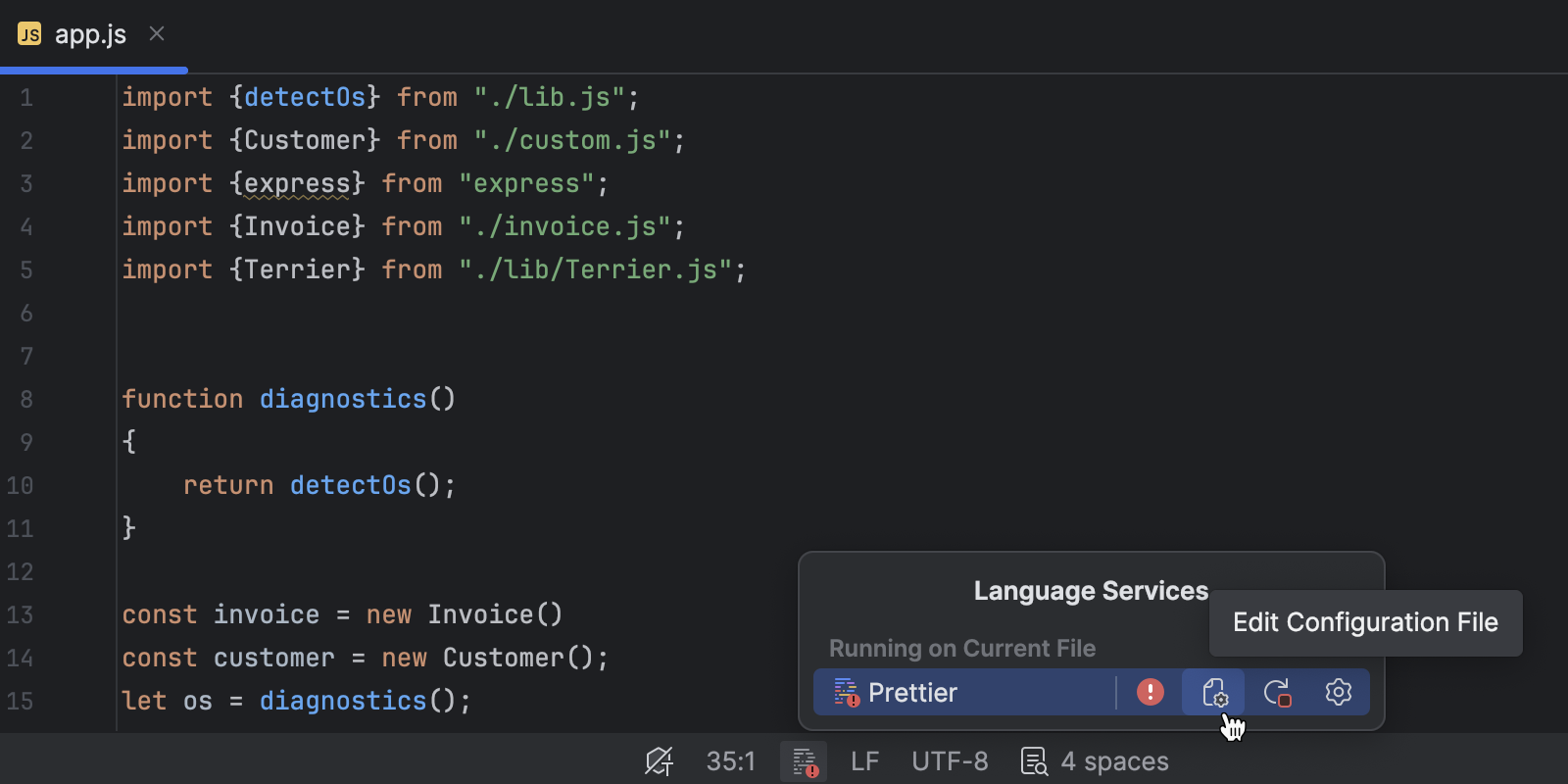
WebStorm can now automatically run Prettier when you paste code, ensuring that pasted snippets immediately conform to your project’s Prettier configuration. You can enable or disable this behaviour in the Code Style settings.
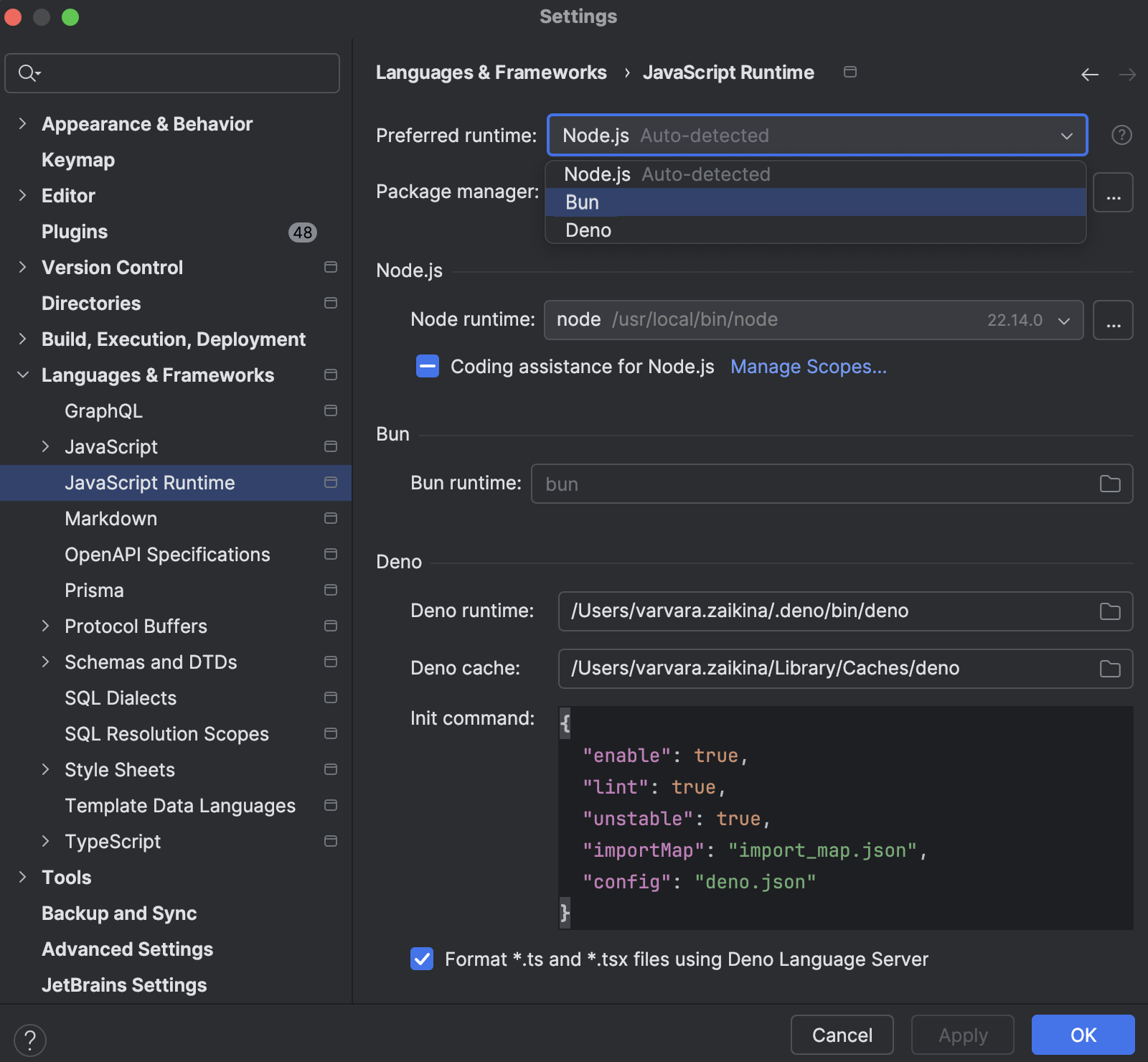
Unified JavaScript Runtime settings page
WebStorm 2025.3 introduces a unified JavaScript Runtime settings page that consolidates Node.js, Bun, and Deno configuration. From this single page, you can configure interpreters for all supported runtimes and select the appropriate one for .js or .ts run configurations. Please keep in mind that Node.js is still used for the TypeScript and language servers (WEB‑73571).
If you’d like a list of everything included in WebStorm 2025.3, please check out the release notes. As always, please share your feedback with us and report any issues you find to our issue tracker.
The WebStorm team