WebStorm 2026.1: Service-powered TypeScript Engine, Junie, Claude Agent, and Codex in the AI chat, Framework Updates, and More

WebStorm 2026.1 is now available!
This release focuses on the everyday web development workflows where IDE support matters most, helping you stay productive in large TypeScript projects, making it easy to keep up with frameworks that evolve quickly, and bringing AI tools into the IDE so you don’t have to switch contexts.
The highlights of this release include:
AI-powered development
- Junie, Claude Agent, and Codex available directly in the AI chat
- ACP Registry for discovering and installing agents
- Next edit suggestions
Better TypeScript support
- Service-powered TypeScript engine enabled by default
- Alignment with TypeScript 6
- String-literal
import/exportsupport
Frameworks and technologies
- Highlighting for new React directives
- Angular 21 template syntax
- Vue TypeScript integration updates
- Astro language server configuration
- Svelte generics support
- Support for modern CSS color spaces
This release also includes numerous fixes and quality-of-life improvements to the support for TypeScript, React, Angular, Vue, Astro, Prettier, and more.
Want a guided tour of WebStorm 2026.1? Check out our livestream for a detailed walkthrough of the biggest updates in this release.
You can update to WebStorm 2026.1 via the Toolbox App or download it directly from our website.
Highlights
AI
Junie, Claude Agent, and Codex available directly in the AI chat
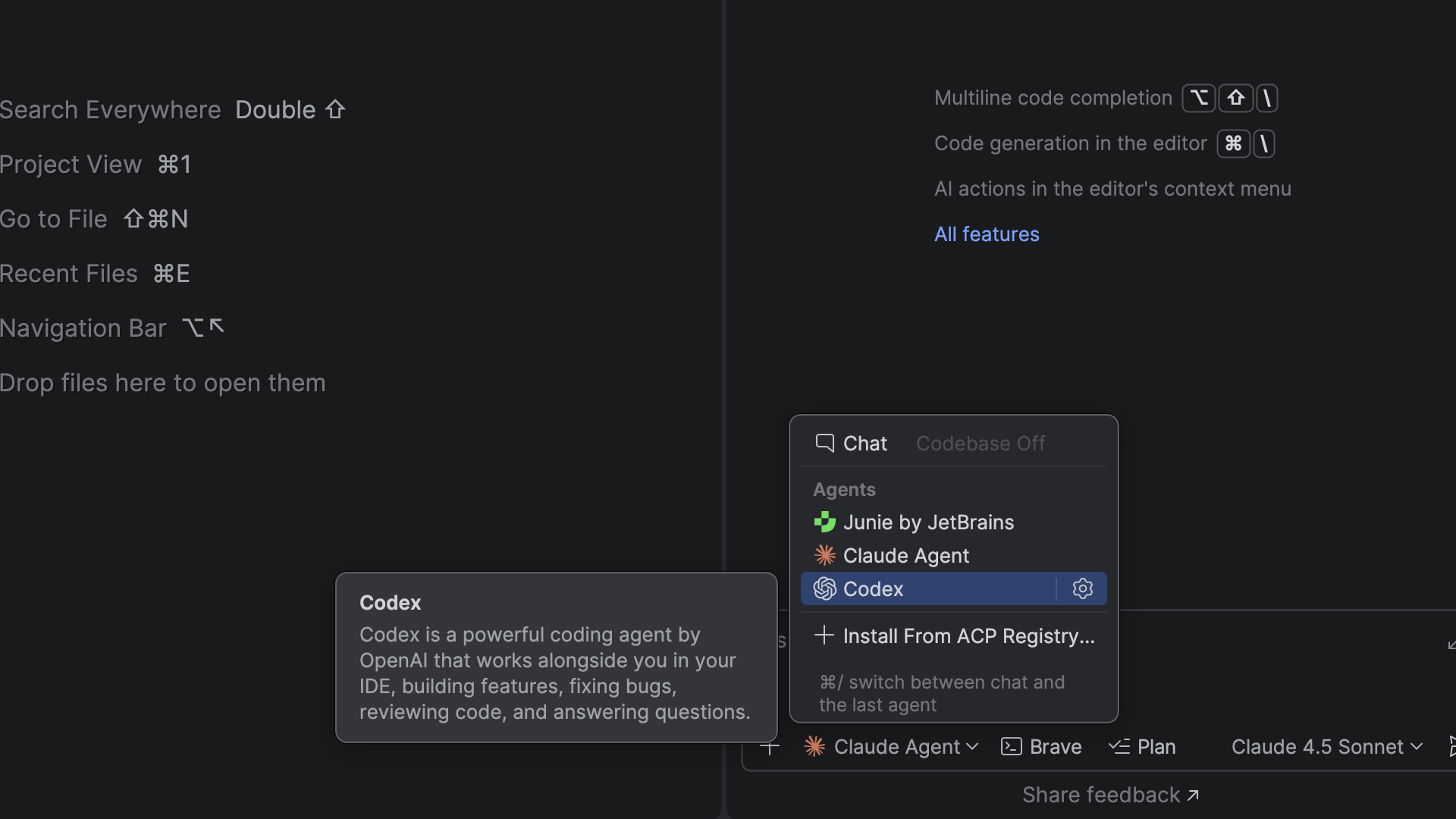
Different AI tools are good at different tasks, but switching between them can break your flow. In addition to Junie, Claude Agent, and most recently Codex, you can now choose from more agents in the AI chat, including Cursor, GitHub Copilot, and dozens of external agents supported via the Agent Client Protocol.
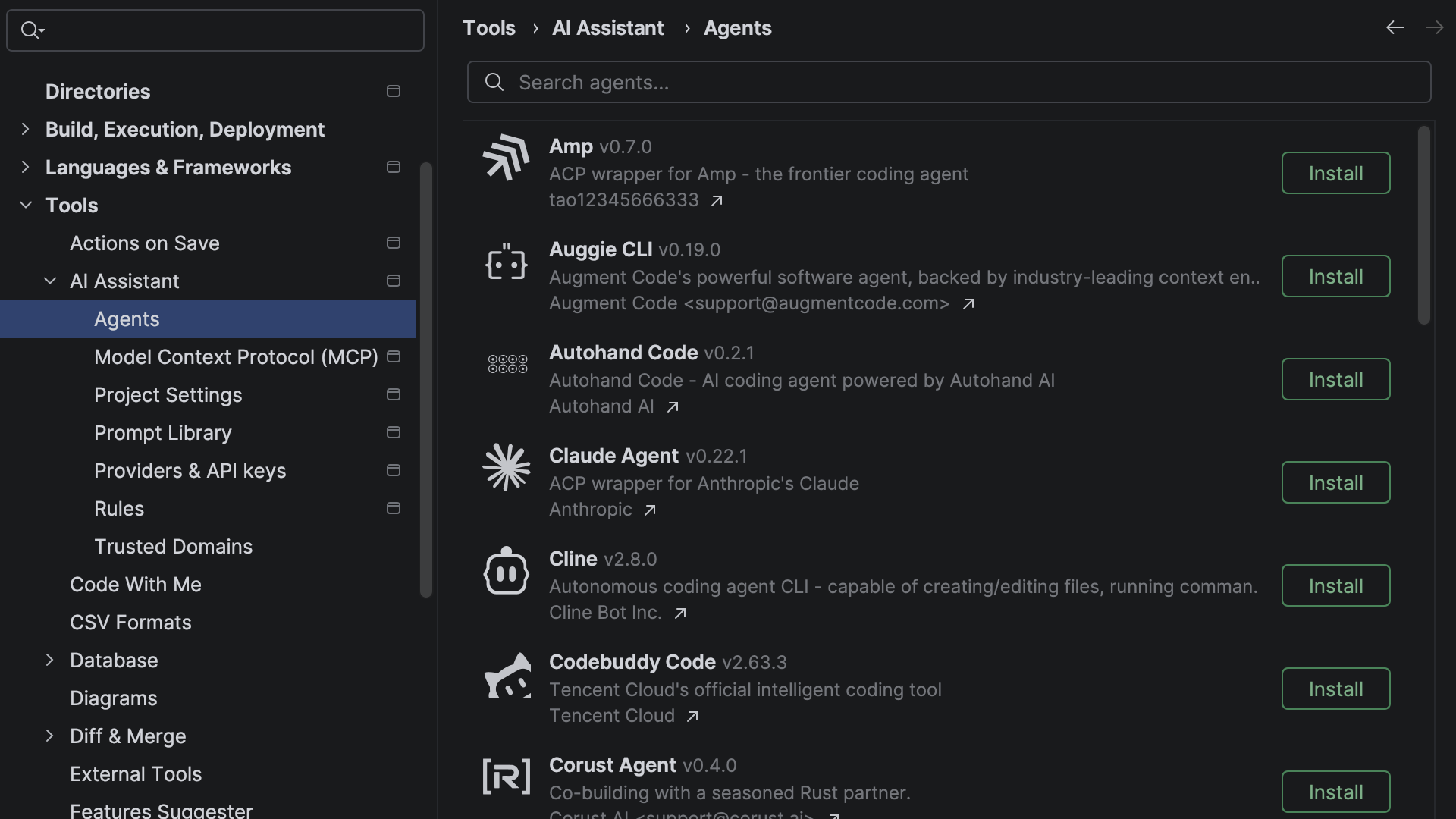
With the new ACP Registry, you can discover available agents and install them in just one click.
Next edit suggestions
Next edit suggestions are now available without consuming the AI quota of your JetBrains AI Pro, Ultimate, and Enterprise subscriptions. These suggestions go beyond traditional code completion for JavaScript, TypeScript, HTML, and CSS. Instead of updating only what’s at your cursor, they intelligently apply related changes across the entire file, helping you keep your code consistent and up to date with minimal effort.
This natural evolution of code completion delivers a seamless Tab Tab experience that keeps you in the flow.
TypeScript
More accurate and responsive TypeScript support
Large TypeScript codebases put constant pressure on the editor. WebStorm now uses the service-powered TypeScript engine by default, improving correctness while reducing CPU usage in large projects. That keeps navigation, inspections, and refactorings more responsive in everyday work.
Furthermore, if you use the TypeScript Go-based language server, WebStorm now also shows its inlay hints directly in the editor (WEB-75982).
TypeScript 6 support
Compiler defaults shape how a project behaves, so the editor needs to stay aligned with them. WebStorm 2026.1 follows the TypeScript 6 changes affecting the default types value (WEB-75541) and rootDir (WEB-75865). It also starts the process of bringing TypeScript config handling into alignment with the direction of TypeScript 7’s changes to baseUrl (WEB-76504).
String-literal import and export specifiers
WebStorm now understands string-literal names in import and export specifiers, so parsing, highlighting, navigation, and refactoring all work as expected for this standards-compliant syntax (WEB-72912, WEB-76597).
Example:
export { a as "a-b" };
import { "a-b" as a } from "./file.js";
Frameworks and technologies
Support for new React directives
Directive-based behavior is becoming more common in React, and you need to be able to spot it easily when reading a component. WebStorm now highlights the use memo and use no memo directives alongside use client and use server (WEB-75595).
Support for modern Angular template syntax
Angular templates keep getting more expressive, and the IDE’s support needs to keep pace. WebStorm 2026.1 adds support for arrow functions (WEB-76240), the instanceof operator (WEB-76528), regular expressions (WEB-75718), and spread syntax (WEB-76241) in Angular 21.x templates.
Updated Vue TypeScript integration
Reliable support in .vue files depends on staying in sync with the Vue TypeScript toolchain. WebStorm now uses @vue/typescript-plugin 3.1.8 ensuring compatibility with the latest features (WEB-75948).
Configurable Astro language server
Some Astro projects need more control over language server behavior than the defaults can provide. WebStorm now lets you pass your JSON configuration to the Astro language server directly from the IDE (WEB-75717).
Improved Svelte support
Working with typed Svelte components is easier when the IDE understands the framework-specific typing model. WebStorm now supports the generics attribute in <script> tags, enabling usage search, navigation to declarations, use of the Rename refactoring for type parameters, and the parsing of TypeScript constructs in the attribute value.
The IDE now also reports common problems relating to this feature, offers support for the @attach directive, and includes updates to the bundled svelte-language-server and typescript-svelte-plugin packages.
Modern CSS color support
Modern CSS color features are useful only if the editor can validate and preview them properly. WebStorm now supports the color() function in swatches and recognizes additional predefined CSS color spaces (WEB-76615).
That means newer color formats get proper previews and validation in the editor.
Editor and tooling improvements
Productivity
Native Wayland support
WebStorm now runs natively on Wayland by default. This transition provides Linux professionals with ultimate comfort through sharper HiDPI and better input handling, and it paves the way for future enhancements like Vulkan support.
While Wayland provides benefits and serves as a foundation for future improvements, we prioritize reliability: The IDE will automatically fall back to X11 in unsupported environments to keep your workflow uninterrupted. Learn more.
In-terminal completion
Stop memorizing commands. Start discovering them. In-terminal completion helps you instantly explore available subcommands and parameters as you type. Whether you’re working with complex CLI tools like Git, Docker, or kubectl or using your own custom scripts, this feature intelligently suggests valid options in real time.
Previously introduced for Bash and Zsh shells, it is now also available in PowerShell.
Sunsetting of Code With Me
As we continue to evolve our IDEs and focus on the areas that deliver the most value to developers, we’ve decided to sunset Code With Me, our collaborative coding and pair programming service. Demand for this type of functionality has declined in recent years, and we’re prioritizing more modern workflows tailored to professional software development.
As of version 2026.1, Code With Me will be unbundled from all JetBrains IDEs. Instead, it will be available on JetBrains Marketplace as a separate plugin. 2026.1 will be the last IDE version to officially support Code With Me, as we gradually sunset the service.
Read the full announcement and sunset timeline in our blog post.
Final words
WebStorm 2026.1 focuses on the places where the IDE’s quality most affects your everyday work, ensuring type checking stays responsive, framework support keeps up with the ecosystem, and your workflows let you stay in the editor instead of switching tools. For the complete list of changes, see the full release notes.
If you try the latest version in a real project, let us know what you like and where you run into trouble. Your feedback is what shapes the next release.