
RubyMine 2025.3: Multi-Agent AI Chat, Rails-Aware MCP Server, Faster Multi-Module Projects Startup, and More

RubyMine 2025.3 is out!
This blog post briefly goes over the highlights of the latest release. For a detailed description, check out our What’s New page.
You can get the new build from our website or via the free Toolbox App.

AI Assistant
Multi-agent experience: Junie and Claude Agent
With the addition of Claude Agent, the first third-party AI agent fully integrated into JetBrains IDEs, your development workflow becomes more flexible and powerful.
Both Claude Agent and Junie are now accessible from the same chat interface, allowing you to seamlessly switch between them and get the right kind of assistance for every task, whether it’s code generation, debugging, or architecture guidance.
(You can keep using Junie in a separate tool window if you prefer.)

Transparent AI quota tracking
Keeping track of your AI usage is now easier than ever. RubyMine shows your remaining AI Credits, renewal dates, and top-up options directly in the IDE. When your credits run out, you can top up instantly without leaving RubyMine.
This makes managing AI resources more convenient and gives you full visibility over your usage.

Ruby and Rails
Smarter autocomplete for constants
Autocompletion now supports fuzzy searching across namespaces. Type parts of a class or module name – even nested ones – and RubyMine will suggest the right constants. For example, typing FoBa will bring up Foo::Bar.
For more precise suggestions, fuzzy completion can be disabled in Settings.

Accurate type navigation for global variables
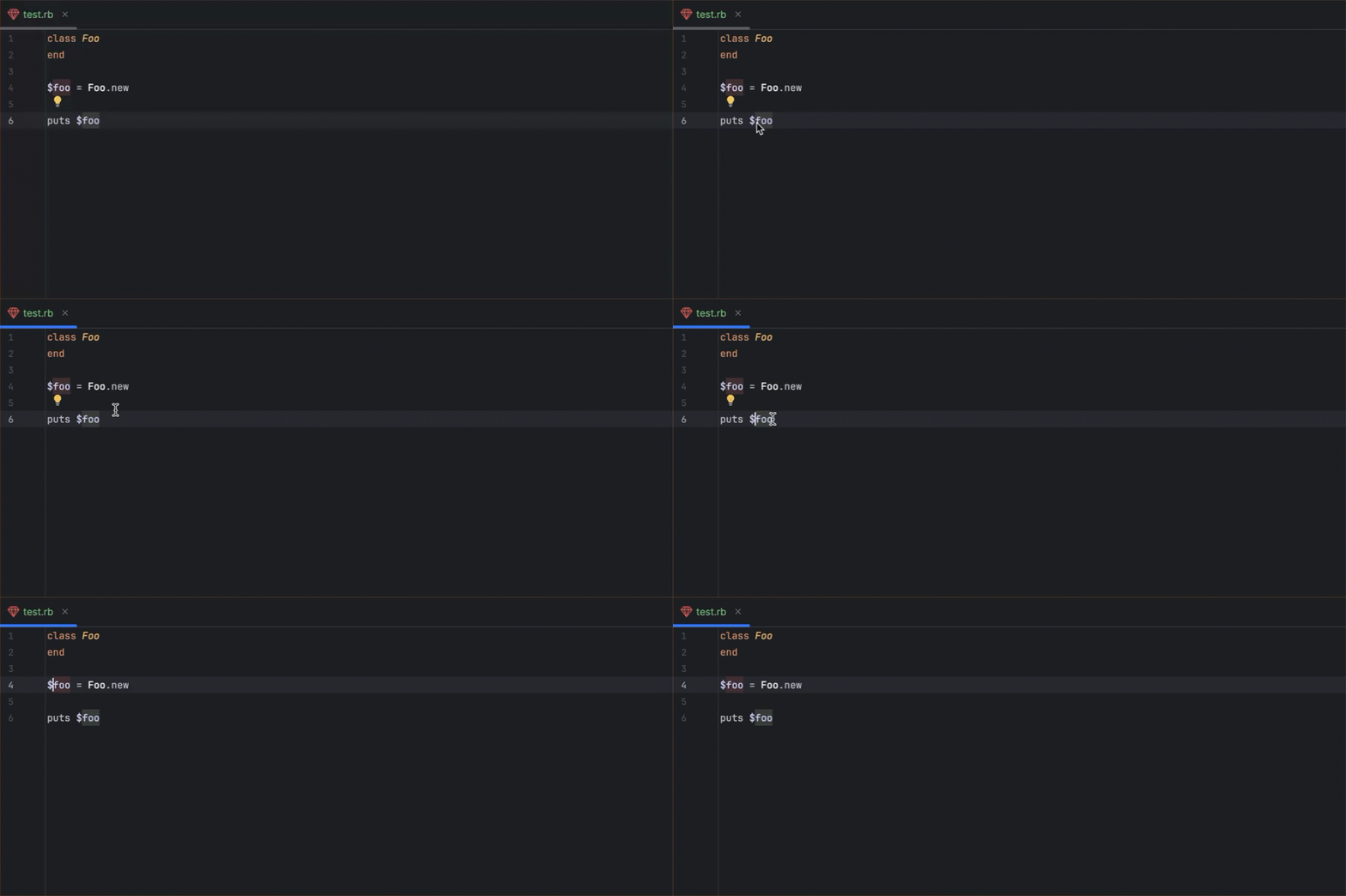
Go to Type Declaration now works correctly for all global variables, making it easier to explore and understand your code.
Full Unicode regex support
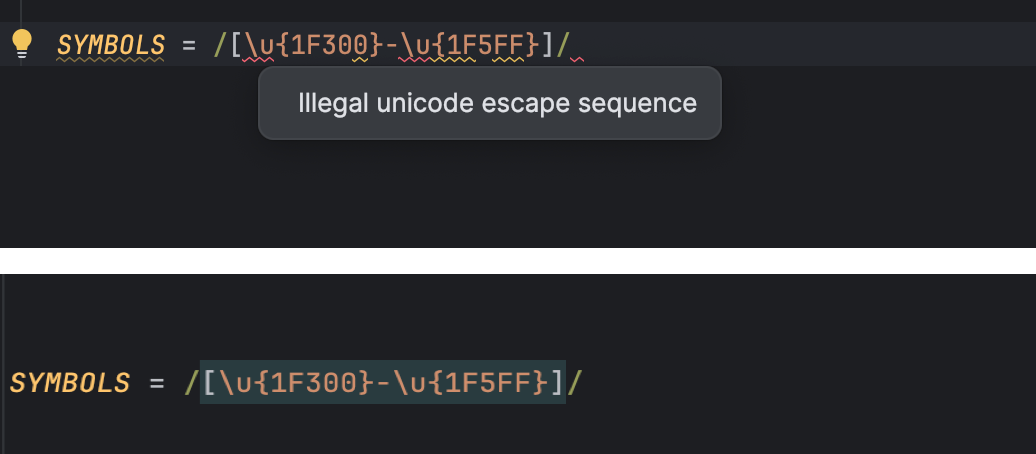
RubyMine no longer flags valid regex patterns with errors. You can now use Ruby’s extended Unicode syntax, including emojis and other characters, without any false warnings.
Rails Project view sunset
Starting with RubyMine 2025.3, the Rails Project view has been removed. Modern Rails applications have grown too complex for a dedicated Project view to work reliably across all projects. Usage of this feature was also low.
The most useful parts of the Rails Project view, such as enhanced navigation and visibility of model attributes, will be reimplemented in a way that benefits all RubyMine users.
Bundler
Console-based installation
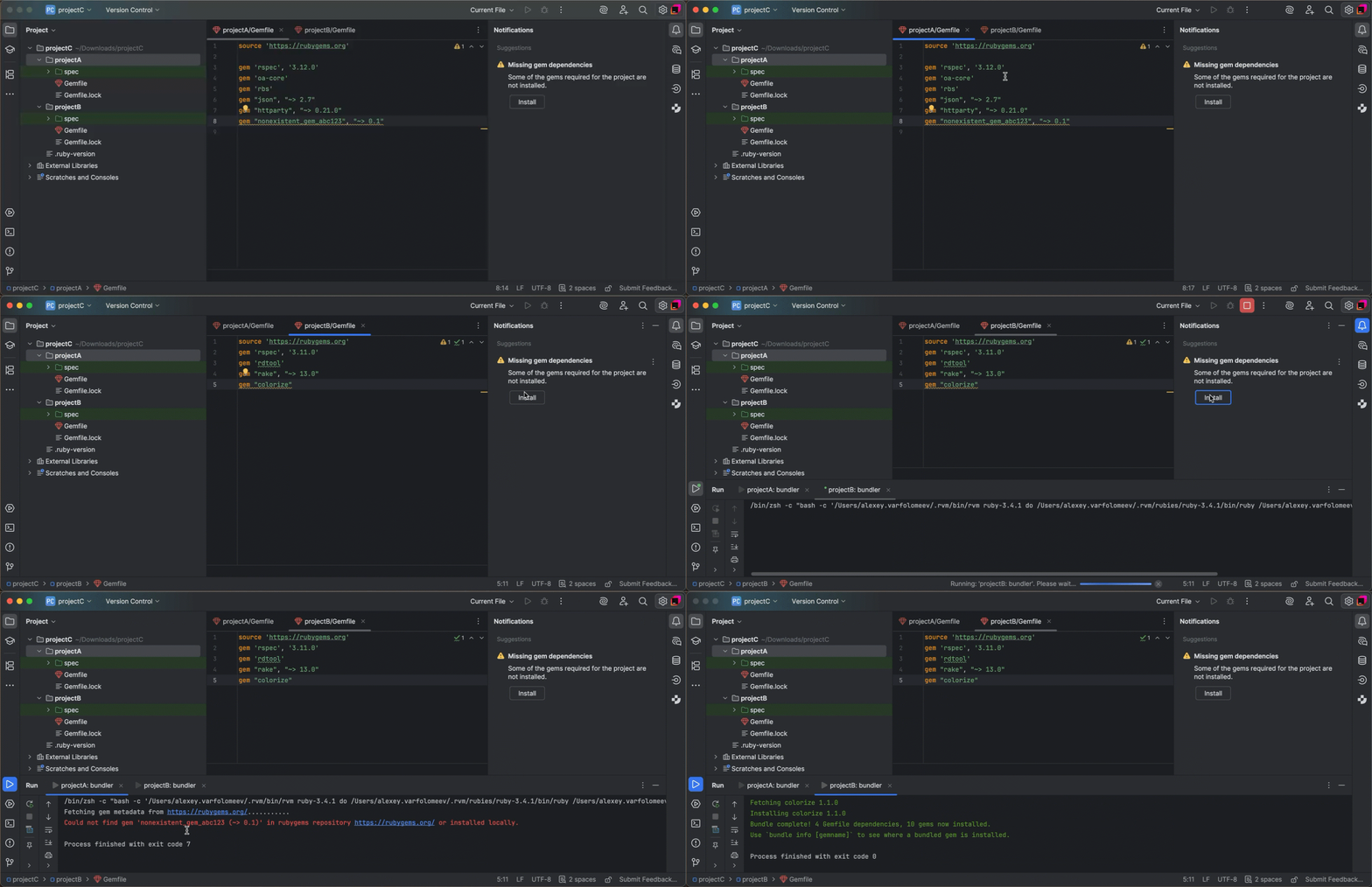
Bundler is now installed via the Run tool window instead of a modal dialog. RubyMine automatically installs the version your project requires, making setup smoother and preventing permission errors.

Seamless gem installation in multi-module projects
If gem installation fails for one module, RubyMine continues installing gems for the remaining modules. Each failed module keeps its own error log on a separate tab, so you can inspect issues without interrupting the process.
Code insight
Cleaner autocomplete after ::
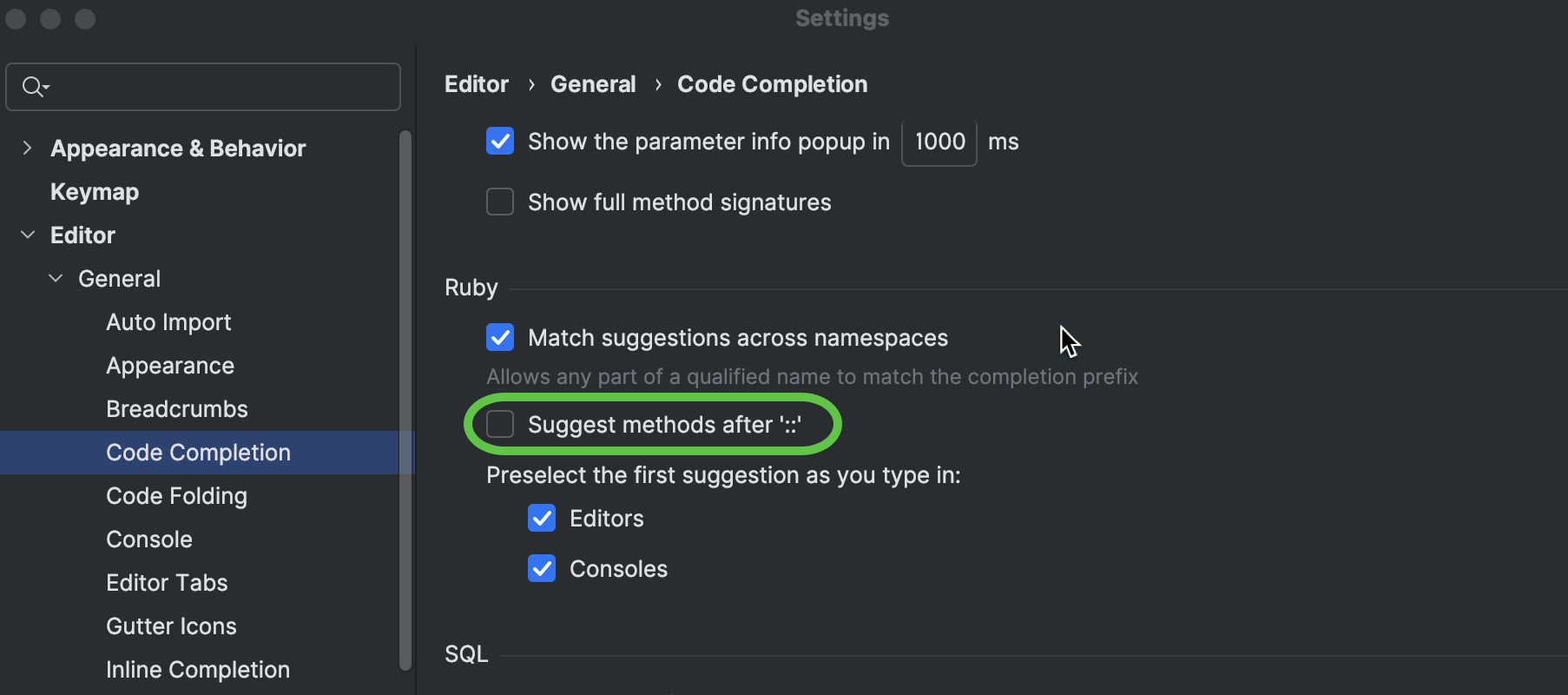
Autocompletion of singleton methods after :: is now disabled by default. Typing String:: will show only classes, modules, and constants, reducing clutter while preserving accurate navigation.
This option can be re-enabled in Settings if you prefer.
Rails-aware MCP server
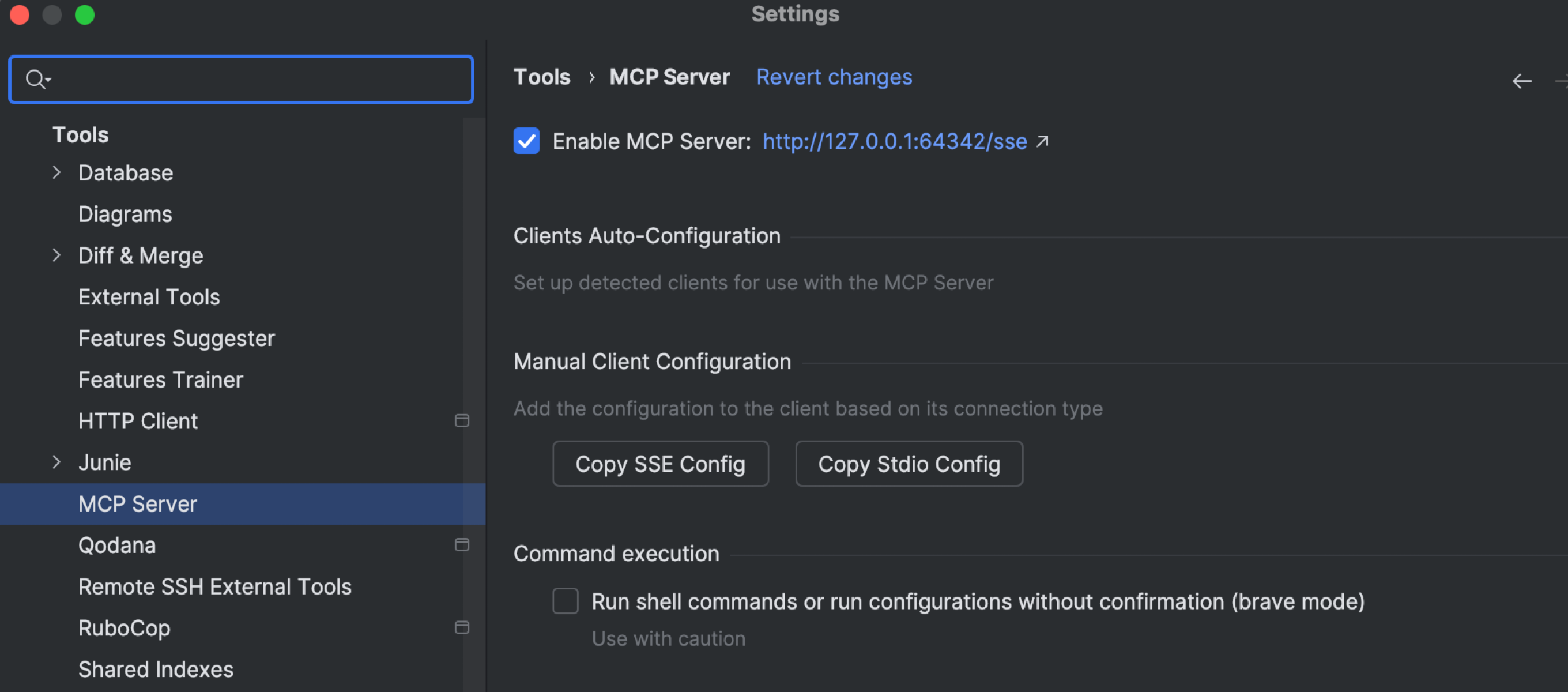
The MCP server now includes Rails-specific tools. It automatically recognizes Rails code and project structure, making AI-assisted exploration faster and more reliable. The server comes preconfigured for AI Assistant but can also be used for external clients.
Multi-module project performance
Accurate gem resolution
RubyMine now restricts code navigation, completion, and symbol resolution to the current module and its dependencies. This eliminates distractions from unrelated modules, making code insight precise and focused.
Faster startup for multi-module projects
Startup for multi-module projects has been optimized. Each module is processed only once, progress bars are consolidated, and unnecessary background tasks have been removed, reducing clutter and notifications when opening large projects.
Data collection
The detailed data collection option in JetBrains IDEs, initially announced earlier this year, has been delayed to version 2025.3.1, as we are still working to incorporate your feedback. Among other things, we’re improving safeguards and streamlining the opt-out process for non-commercial users. If you want the full scoop, check out the blog post.
Stay in touch
Follow RubyMine on X to stay up to date on all the latest features.
We invite you to share your thoughts in the comments below. You can also suggest and vote for new features in our issue tracker.
Happy developing!
The RubyMine team