JetBrains AI
Supercharge your tools with AI-powered features inside many JetBrains products
Enhanced AI Management and Analytics for Organizations

Today, we’re introducing the JetBrains Console, which provides enhanced AI management and analytics for organizations, including new capabilities to manage, observe, and control AI usage and costs across teams.
AI is no longer an experiment for most development teams. It’s becoming part of the core toolchain. As usage increases, so does the need for clarity. Leaders need to understand how AI is used, how it affects day-to-day work, and how to manage it responsibly in an organization.
As a first step, these new capabilities are designed to provide that clarity, with governance and observability built in from the start. We will continue to further develop AI governance functionalities to provide even greater transparency.
Centralized AI governance across teams
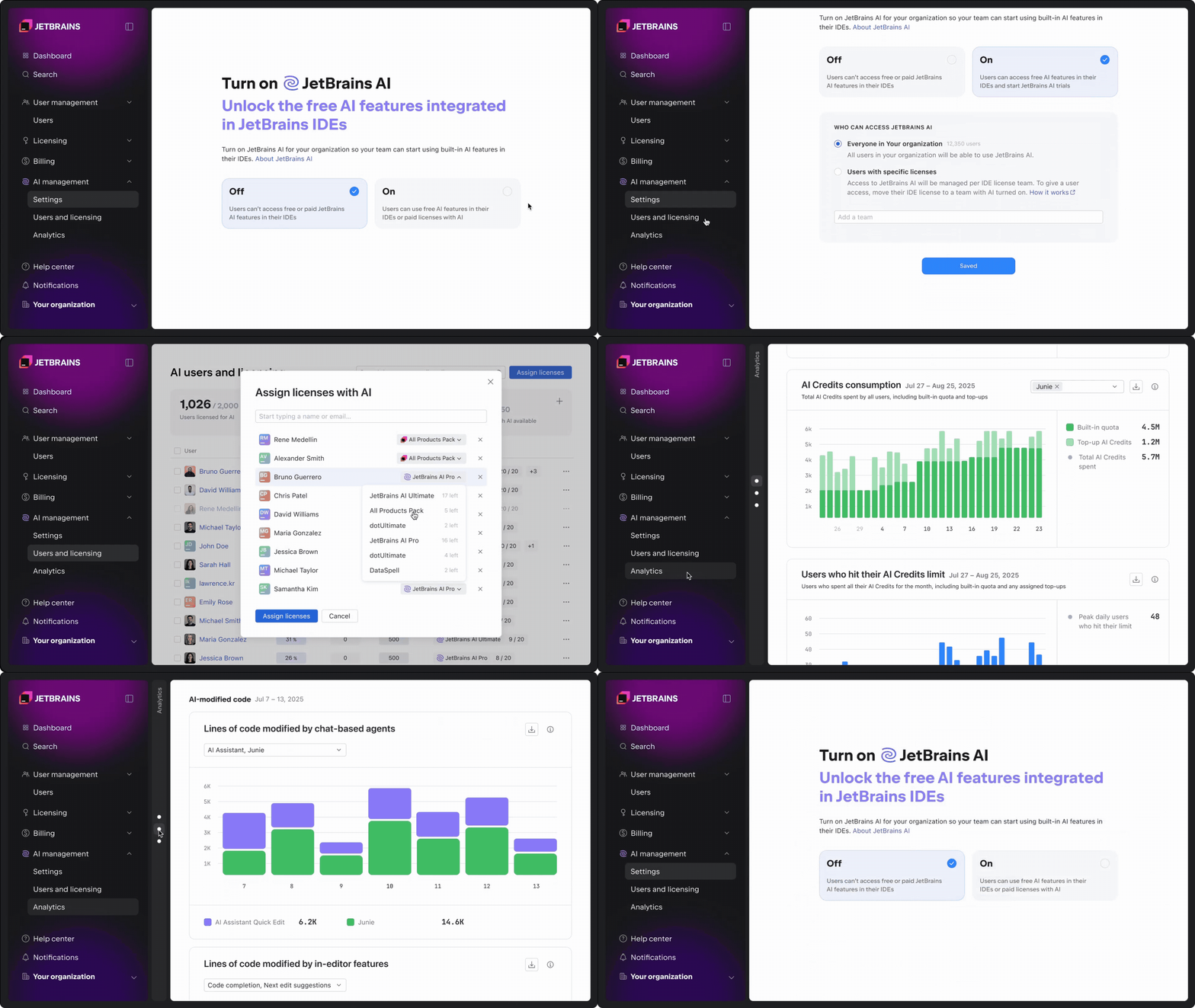
Organizations can now use the JetBrains Console to manage AI usage and costs at the company or team level. In the AI settings section, you can:
- Enable AI on the organization or team level.
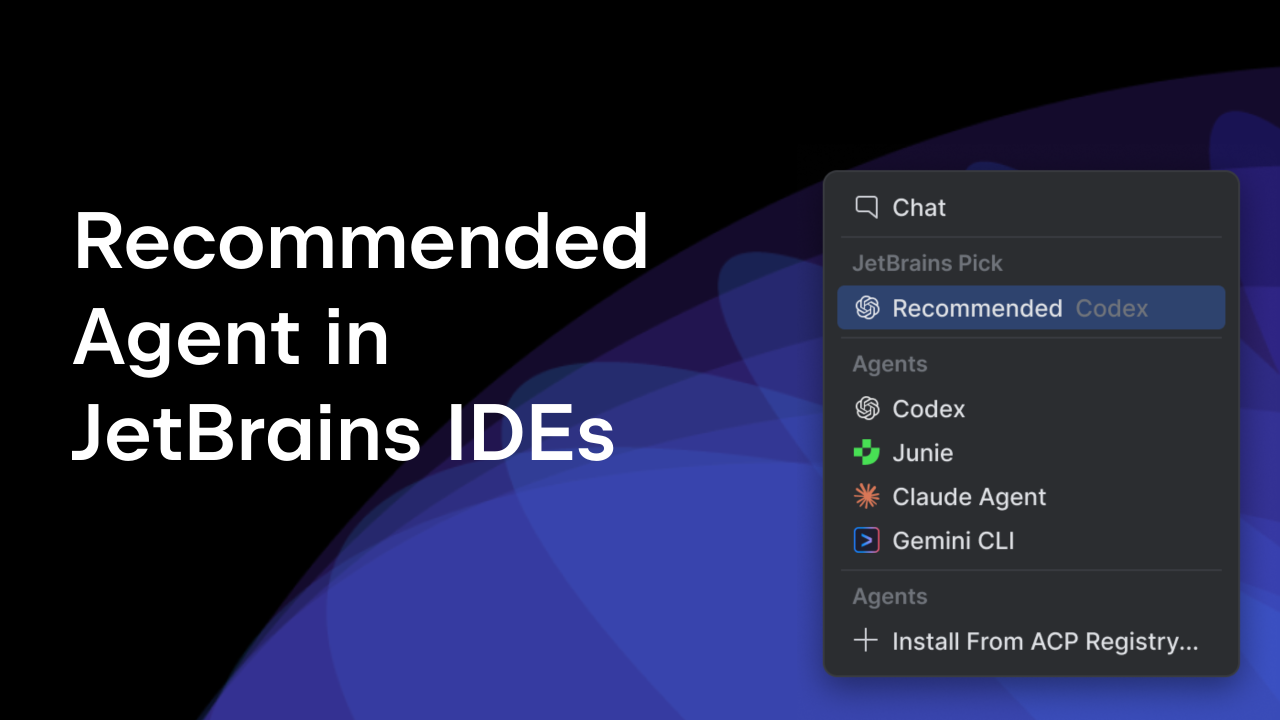
- Control access to AI tools and agents, including Junie, Claude Agent, and OpenAI Codex.
- Manage a shared pool of AI Credits.
- Set default and per-user credit limits.
- Configure data collection options.
Once enabled, AI capabilities are available directly inside developers’ JetBrains IDEs, with no additional setup or workflow changes required. This makes it possible to roll out AI incrementally and avoid ungoverned usage.
Managing AI Credits and licenses
As AI usage grows, visibility into licenses and consumption becomes critical.
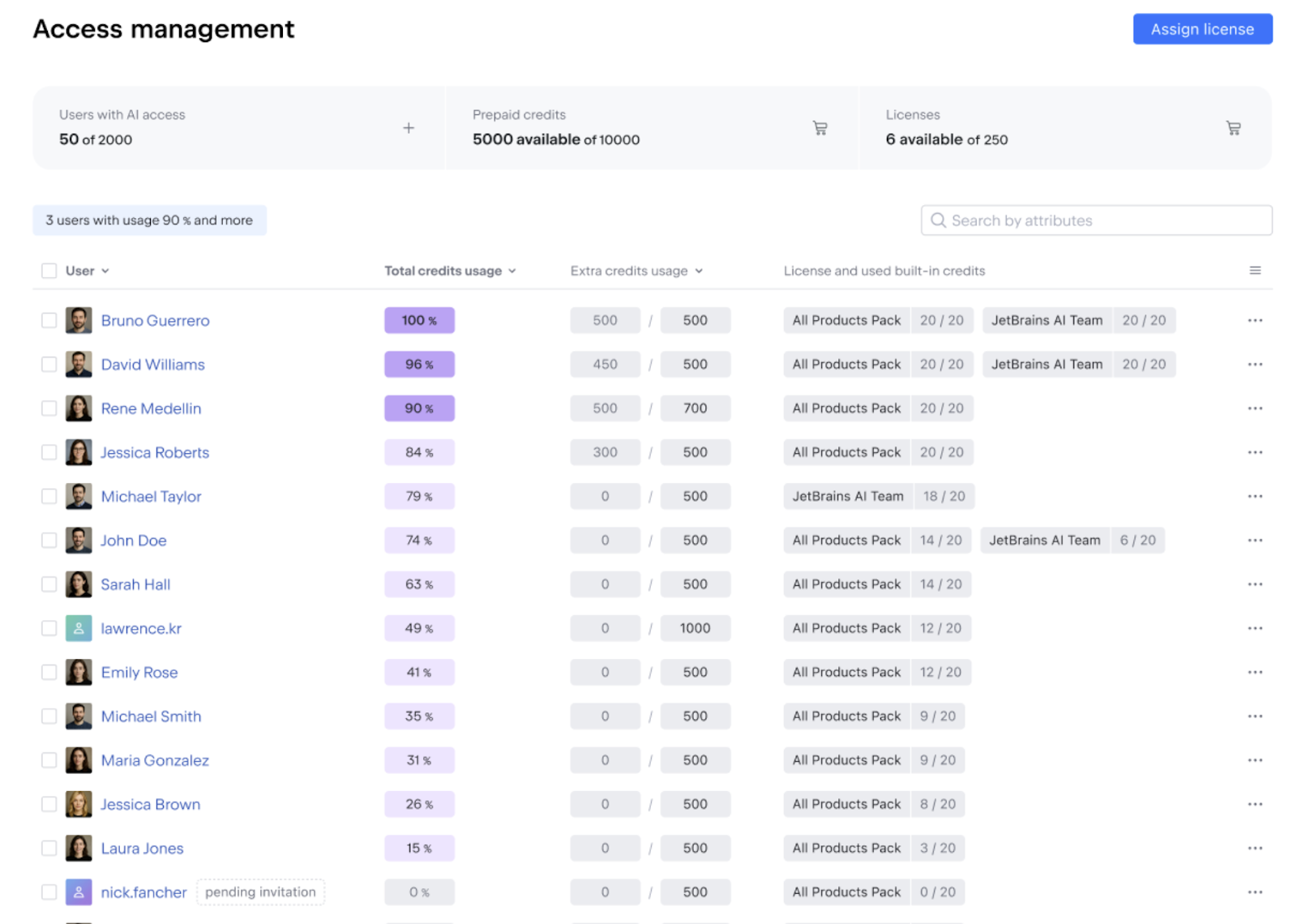
The Users and licensing tab in the AI management section provides a single view of:
- License availability and assignment throughout the organization.
- Included AI Credit usage.
- Remaining top-up credits.
Admins can assign licenses that include AI Credits, such as AI Pro, AI Ultimate, All Products Pack, and dotUltimate, to individual users. Access can be granted or restricted as needed, with changes taking effect immediately.
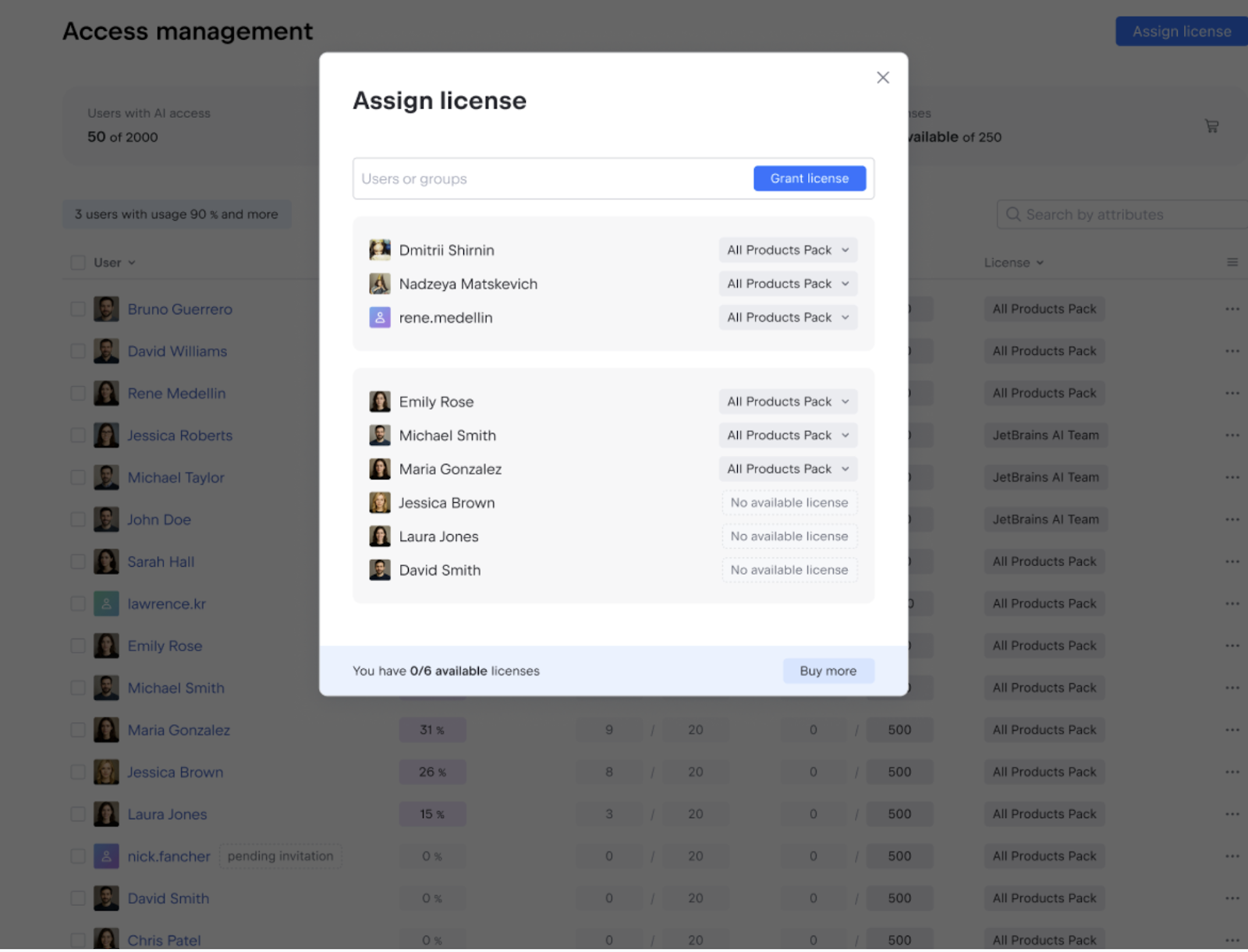
For teams or individuals with higher usage needs, additional AI Credit limits can be configured per user or applied in bulk. This allows organizations to support power AI users without removing default values in the company.
Observability into AI usage and adoption
AI adoption rarely looks the same across teams. Some developers integrate it deeply into their workflow, while others use it occasionally or not at all.
The console provides clear visibility into how AI is used throughout the organization, helping you understand adoption patterns and plan budgets better.
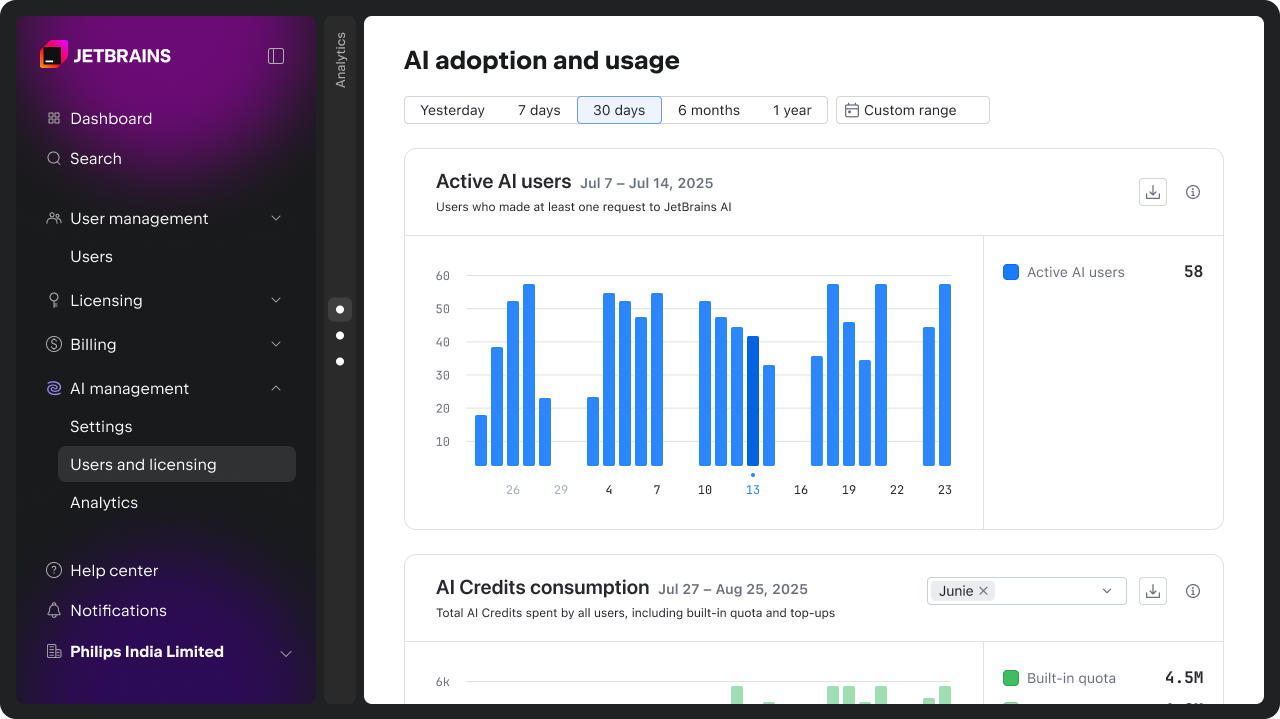
Track AI adoption and engagement over time
The Active AI users chart shows how many developers actively use AI, making it easier to understand adoption trends and engagement levels across teams. You can find more details on how we calculate these metrics here.
Monitor AI Credit consumption
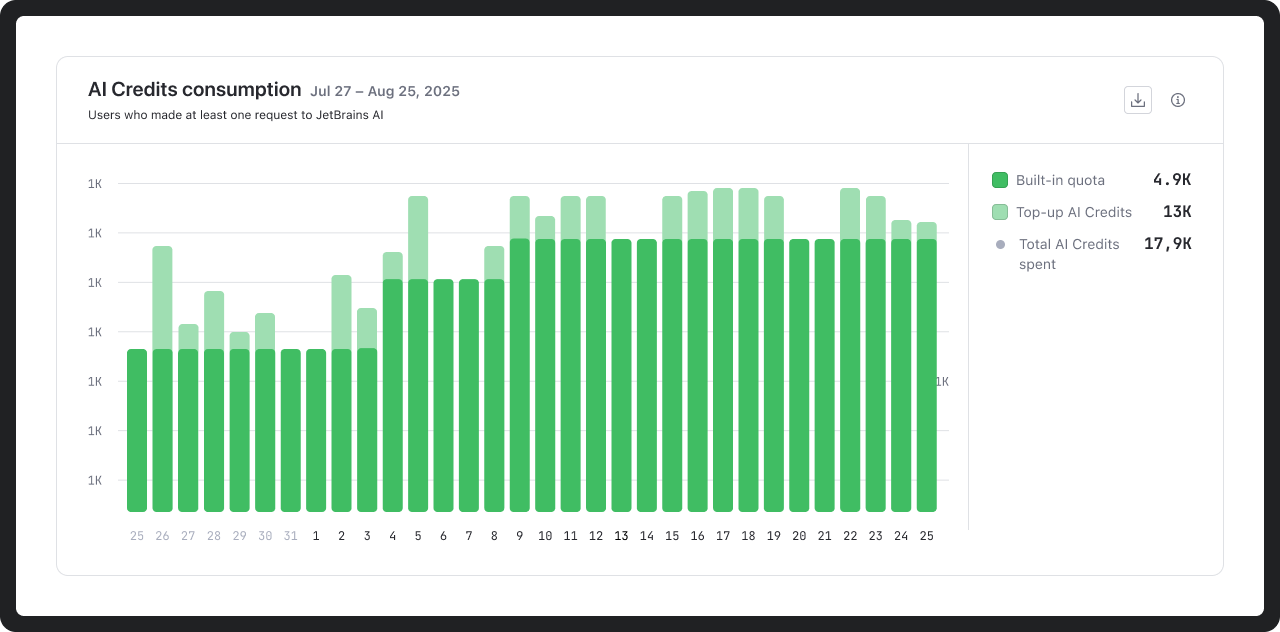
AI Credit usage can be analyzed over any time period, both for credits included in your AI license and top-up credits. This data supports more informed planning around budgets and usage limits.
Spot when developers reach their AI Credit limits
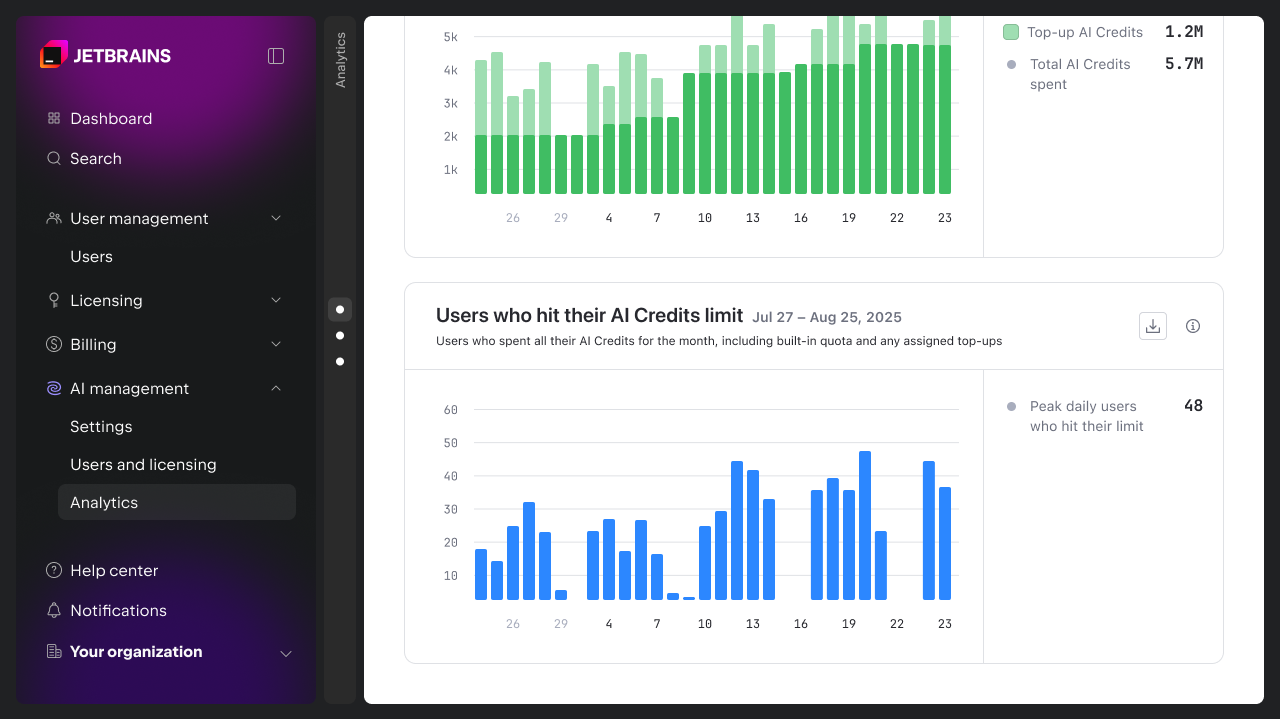
The console also shows how frequently users reach their monthly AI Credit limits. This makes it easier to identify friction points and adjust limits where needed, whether at the team or individual level.
Understanding how AI influences development work
Beyond usage and cost, the console provides early insights into how AI is used and received by developers. The AI activity and impact charts are intended to support comparison and informed decisions.
In upcoming releases, we will introduce more advanced metrics and API access to help organizations assess the impact of AI on engineering and business outcomes.
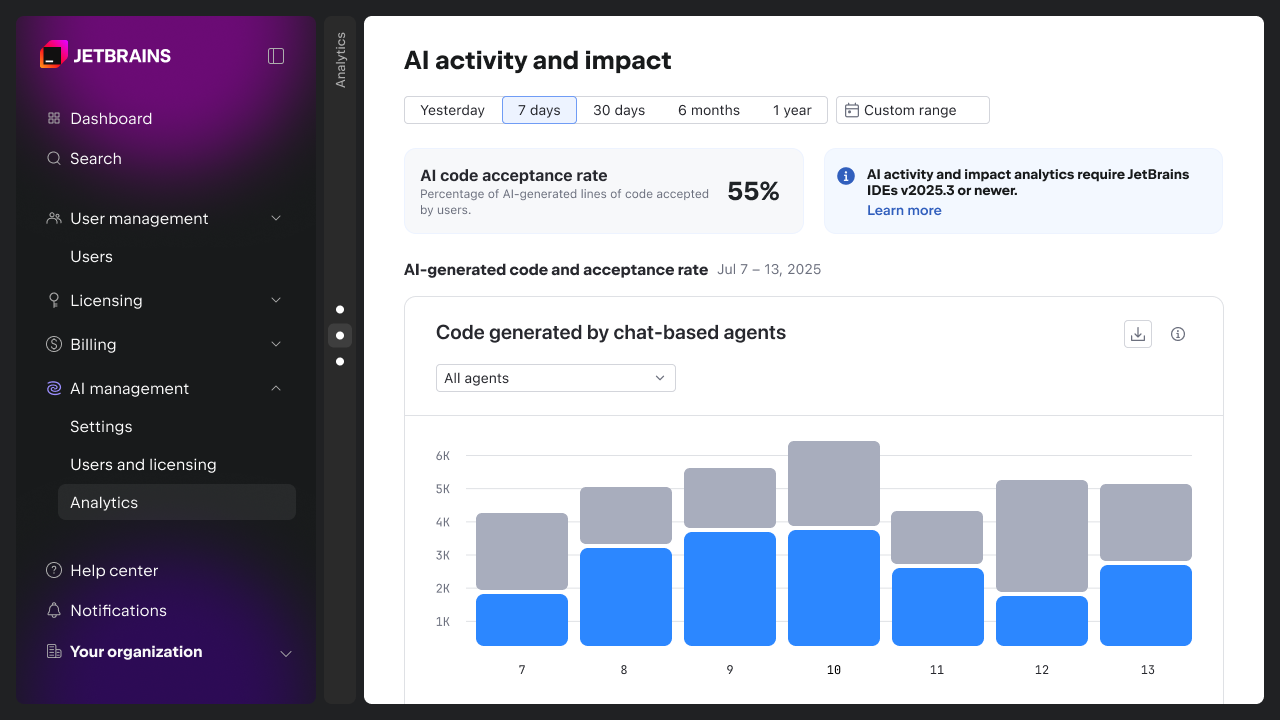
Acceptance of AI-generated code
The AI-generated code and acceptance rate charts show how often AI-generated code is accepted by developers and act as indicators of quality and relevance.
You can use this data to compare the tools or agents you have integrated into AI Assistant (Junie, Claude Code, OpenAI Codex, and others that will be supported in the future). This helps you identify where suggestions consistently fall short of expectations and decide where configuration, enablement, or tool choice should be revisited.
You can find more details on how we calculate these metrics here.
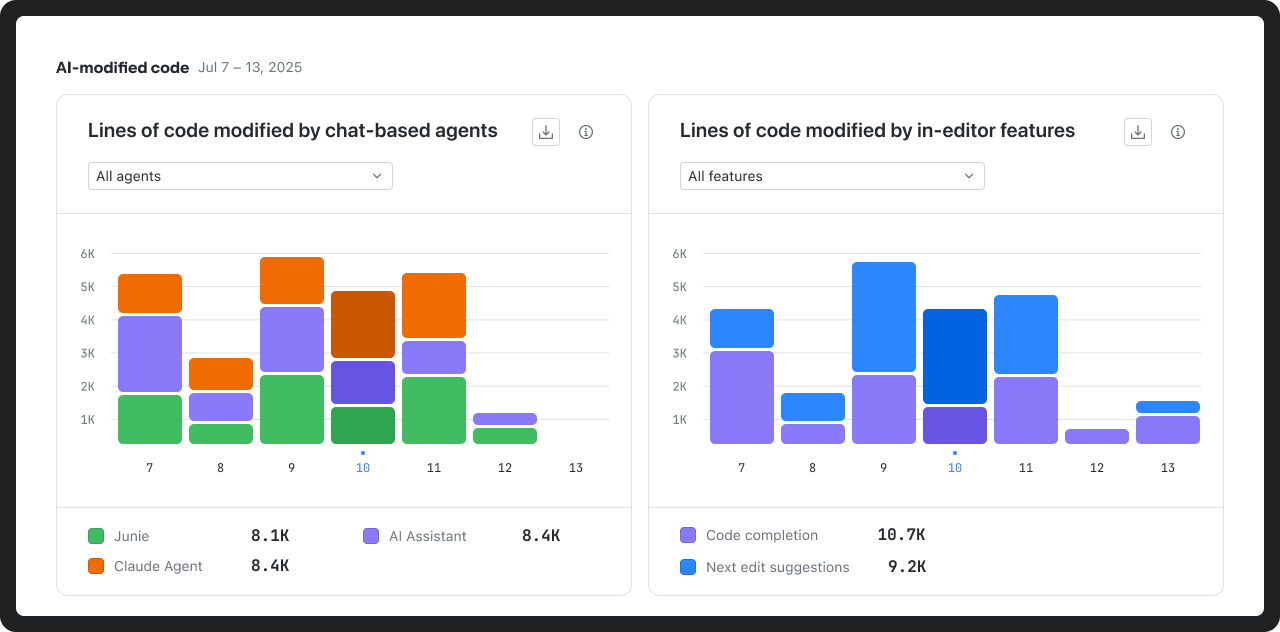
AI-modified code
The AI-modified code charts highlight the relative footprint of different AI tools and features within the codebase.
This helps teams understand exactly where AI is making meaningful contributions to development.
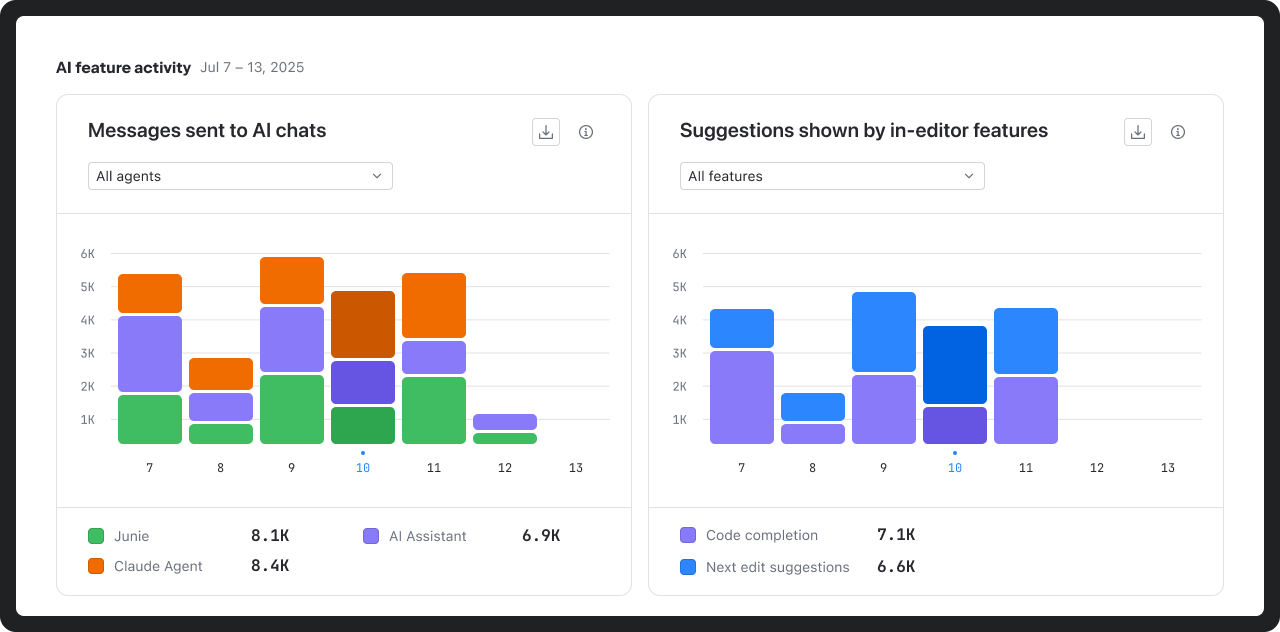
AI feature activity
The AI feature activity chart shows how developers interact with AI inside the IDE, including chat usage and suggestion volume.
These insights help distinguish experimentation from sustained use and identify mismatches between enabled capabilities and actual developer behavior.
Get started
AI management and analytics are now available at no additional cost to all commercial customers with AI licenses via the JetBrains Console. Access is role-based, allowing organizations to define who can manage AI settings, view usage and adoption data, and assign licenses.
To get started, open the AI management section in the JetBrains Console. For more details, refer to the documentation or visit the AI for Business page.
We’re working to further enhance AI management and governance capabilities for organizations. Upcoming features include:
- Centralized Bring Your Own Key (BYOK) management for AI providers.
- MCP management for your organization.
- Centralized codebase indexing (RAG).
- AI guardrails and AI audit.
- More advanced usage analytics dashboards and API access.
Want to stay updated on what’s next? Subscribe to the JetBrains AI newsletter below.