JetBrains AI
Supercharge your tools with AI-powered features inside many JetBrains products
ACP Agent Registry Is Live: Find and Connect AI Coding Agents in Your JetBrains IDE

AI coding agents are multiplying fast. Some of the most common ones include Gemini CLI, Claude Code, Auggie, OpenCode, and Copilot, and more are being released every day. Each comes with its own unique strengths, specific setups, and varying levels of editor support. Keeping track of what’s out there, let alone getting it running in your IDE, hasn’t been easy.
Well, until now, that is.
Together with Zed (Zed’s announcement), we’ve launched the official ACP Agent Registry: a directory of AI coding agents, integrated directly into JetBrains IDEs and Zed. Browse what’s available, click Install, and start working right away. This beta release is just the beginning.
What is the ACP (and why does it matter)?
The Agent Client Protocol is an open standard that lets any AI coding agent work in any supporting editor. Think of it like the Language Server Protocol, but for AI agents. The LSP lets any editor support any language through a shared standard. The ACP does the same for coding agents. You only need to implement it once, and then it will work in your JetBrains IDE, Zed, or any other editor that supports the protocol.
This means you get to pick your preferred agent and editor, and they will then work together seamlessly – no vendor lock-in and no waiting for someone to build a specific integration.
ACP has been, since we started integrating it to Mistral Vibe, a real joy to use: thoughtfully designed from the ground up, community-driven, and evolving rapidly. We’ve found it not only simplifies integration, but also fits our focus on open and flexible tools. It’s really great to see a standard that puts developer choice first.
Michel Thomazo, Software Engineer @ Mistral AI
What the registry adds
The ACP made agent interoperability technically possible. The registry makes it convenient.
Instead of manually configuring agents, you can now:
- Discover agents that fit your workflow
- Install with a single click, no config files required
- Switch between agents based on the task at hand
- Stay current as agents release new versions
What’s in the registry?
At launch, you’ll find a wide array of different agents:
|
Agent |
Description |
|
Auggie CLI |
Full-featured coding assistant optimized for large-scale refactors |
|
Factory Droid |
Specialized agent for automated code generation workflows |
|
Gemini CLI |
Google’s agent with deep codebase understanding and multimodal capabilities |
|
GitHub Copilot |
GitHub’s AI pair programmer, now available via the ACP |
|
Mistral Vibe |
Lightweight, fast agent built on Mistral’s models |
|
OpenCode |
Community-driven, fully open-source agent |
|
Qwen Code |
Alibaba’s coding agent with strong multilingual support |
Innovation in software agents is moving at an unbelievable pace. The Agent Registry and ACP makes it simple for developers to use the best agents in their favorite tools.
Chris Kelly, Product @ Augment Code
Why would you want multiple agents?
In general, it’s less about having multiple agents than about enabling you to pick and choose the ones that work well in your workflow. Different agents come with different benefits. Some provide a more attractive pricing structure for your business, some provide a user experience that you simply enjoy more than others’, and some embody the ideas of open-source development that just resonate with you.
The Agent Client Protocol registry lets you experiment freely. Try a few, see what clicks for your workflow, and then keep the ones that help. You’re not locked into a single vendor’s vision of what AI-assisted development should look like.
We’re excited to support the ACP Agent Registry as a step toward a more open agent ecosystem where Droids can integrate seamlessly across all IDEs.
Francesca LaBianca, VP of Operations @ Factory
How to use it
In any JetBrains IDE (2025.3.2+) with JetBrains AI (253.30387.147):
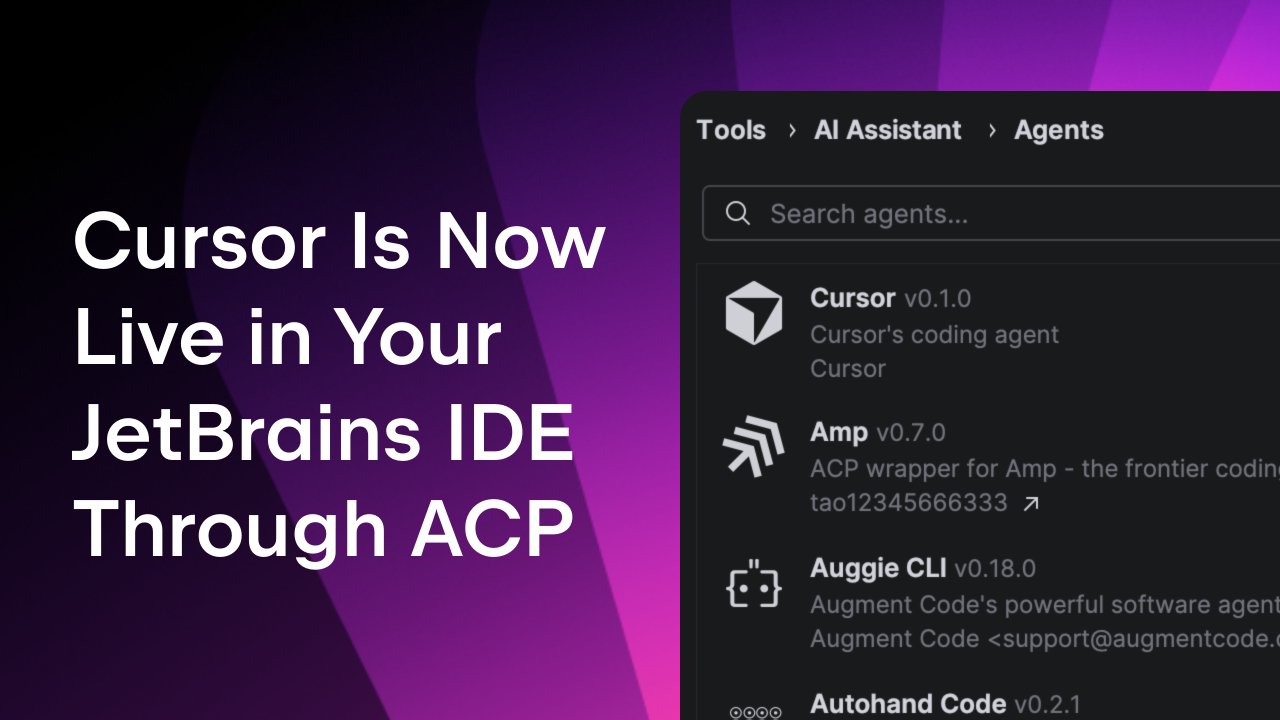
- Open Settings | Tools | AI Assistant | Agents or select “Install From ACP Registry…” in the agent picker menu
- Find an agent that interests you
- Click Install
That’s it. The agent is configured and ready to use in the AI Chat tool window.Quick note: agents typically come with their own subscription. That’s between you and them. You won’t need a JetBrains AI subscription to use ACP agents.
Want to try something concrete? Install OpenCode, open a project, and ask it to explain an unfamiliar module. OpenCode also lets you swap between different LLMs, so you can experiment with what works best for you.
If you prefer manual configuration, that option is still there, too. Just edit the acp.json directly. This is useful for agents that aren’t in the registry yet or for custom setups.
What this means
For developers: More choice and zero lock-in. Use any agent you want in the IDE you love.
For agent builders: Instant distribution to millions of JetBrains and Zed users. Implement the ACP once and reach everyone.
For the ecosystem: Competition on quality, not on who controls the integration. The best agents win because they’re the best, not because they have exclusive deals.
We’re building this openly with Zed because we believe AI-assisted development shouldn’t be locked inside any single vendor’s ecosystem. Developers deserve to pick their tools freely.
The registry is one more step toward that future.
For agent builders: Get listed
If you’re building an ACP-compatible agent, the registry is now the fastest way to reach developers across JetBrains IDEs and Zed.
To list your agent:
Head to the ACP Registry repository and check out the CONTRIBUTING.md for the full submission process and metadata requirements. Please note that, for now, we are only featuring agents that support Agent Auth or Terminal Auth. Full details of requirements and conditions can be found here.
This is an open registry. If you’re building an ACP-compatible agent, you’re welcome to submit it. The registry exists to serve the ecosystem, not to gatekeep it
Try it today
The ACP Registry is available now in JetBrains IDE versions 2025.3 and later. Update your IDE and the JetBrains AI plugin, open Settings, and start exploring.
Have feedback? Found a bug? The registry repo is open for issues and PRs. And if you’re building something interesting with ACP, we’d love to hear about it!