DataGrip 2025.3: Connection to Cloud Providers, Introspection Levels for Amazon Redshift, and More!

DataGrip 2025.3, the final major update of the year, is here! Let’s take a look at what it has to offer.
Connectivity
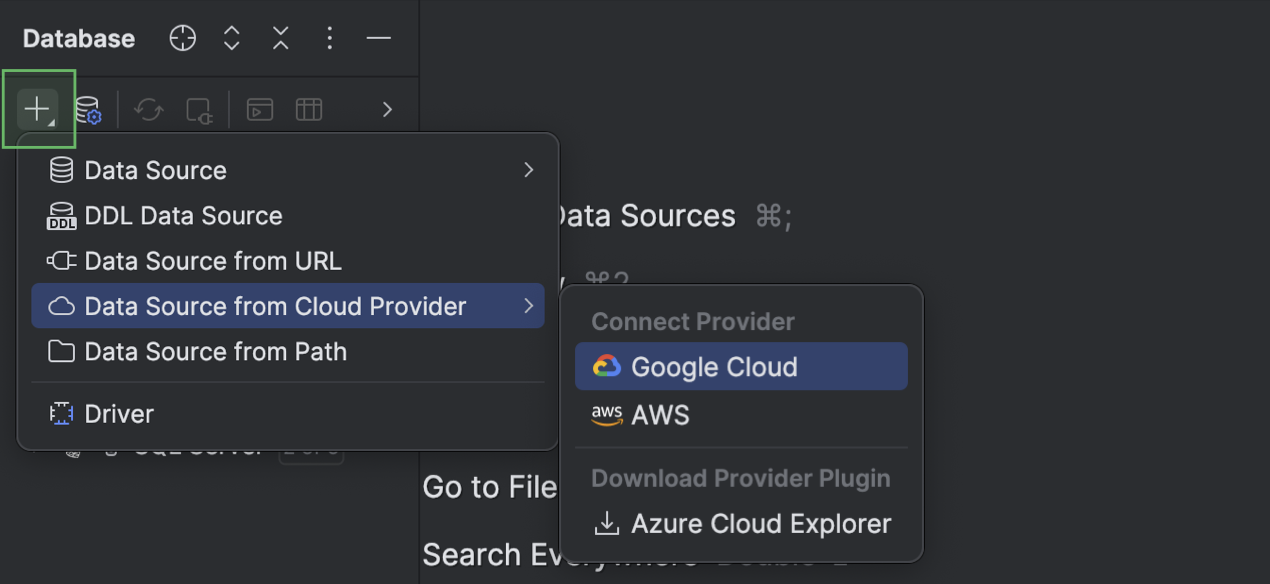
You can now connect to your AWS, Google Cloud, or Azure cloud account, browse the databases stored in it, and then create a data source for any of them. DataGrip keeps your cloud account connection configuration in the Data Sources and Drivers dialog.
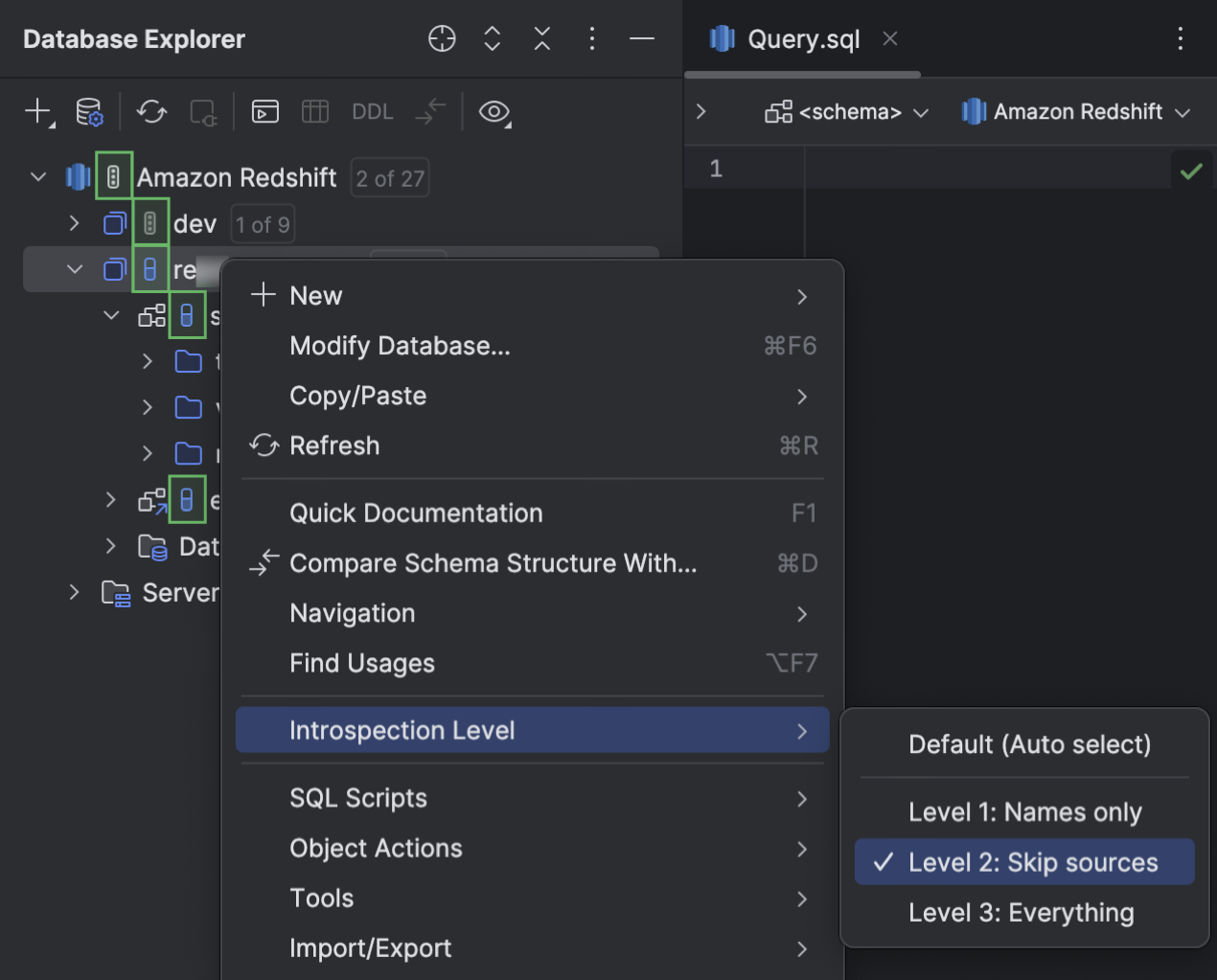
We’ve made the introspection levels feature available for Amazon Redshift databases. It allows DataGrip to automatically adjust the amount of loaded metadata based on the database size.
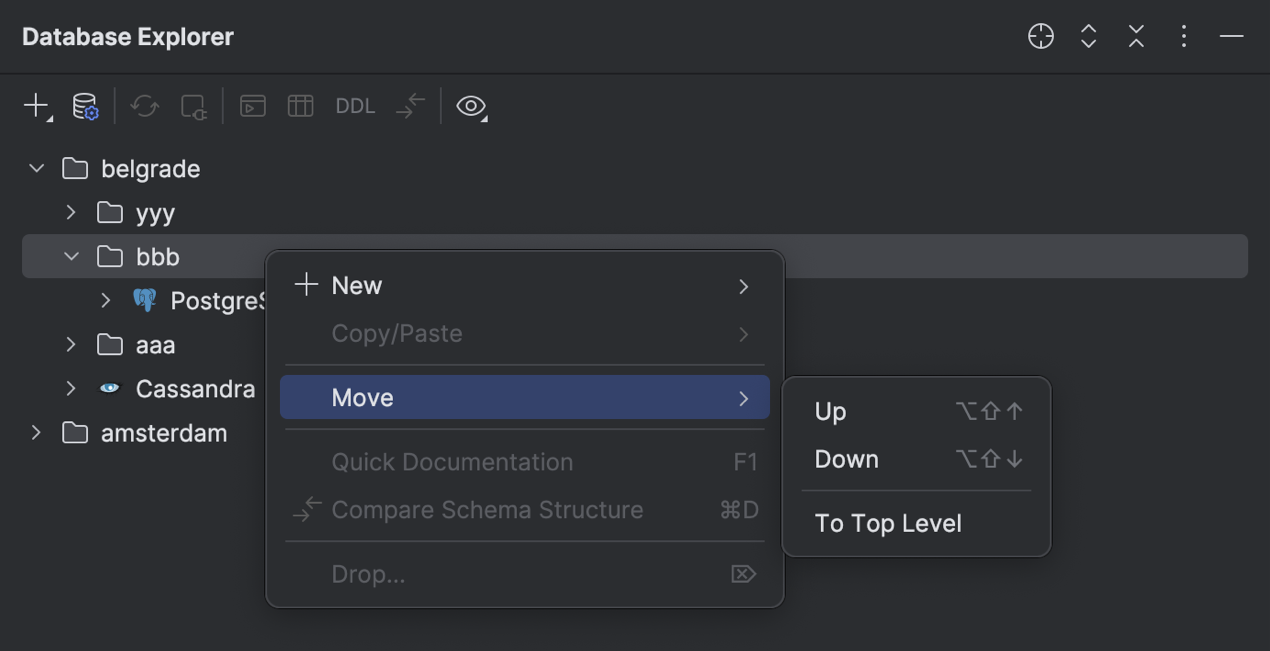
Folders in the database explorer
We’ve redesigned the folders in the database explorer so that you can rearrange them in any way that works for you. You can now also create empty folders. Pre-existing folders from the previous version are automatically converted to the new configuration. The configuration of the folders is stored in .idea/db-forest-config.xml.
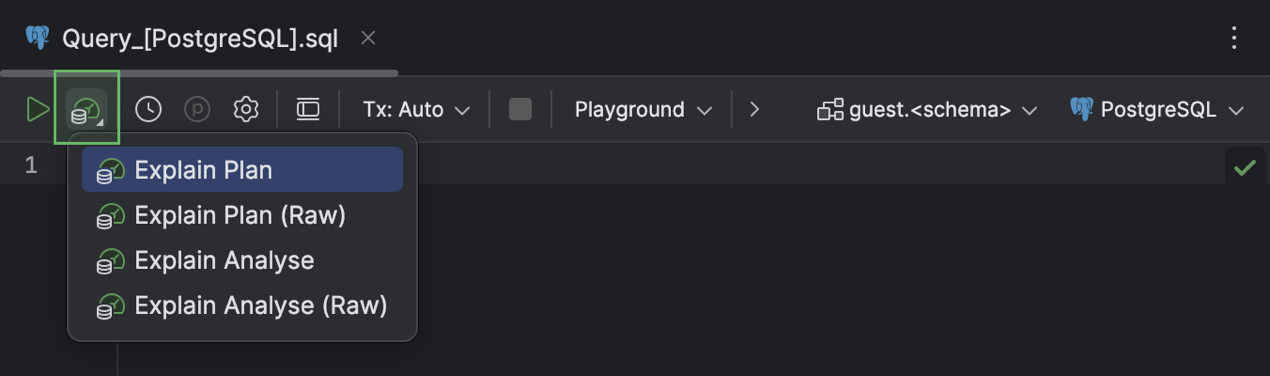
Explain Plan
The Explain Plan actions are more accessible now. You can invoke any of them using the Explain Plan button on the code editor toolbar.
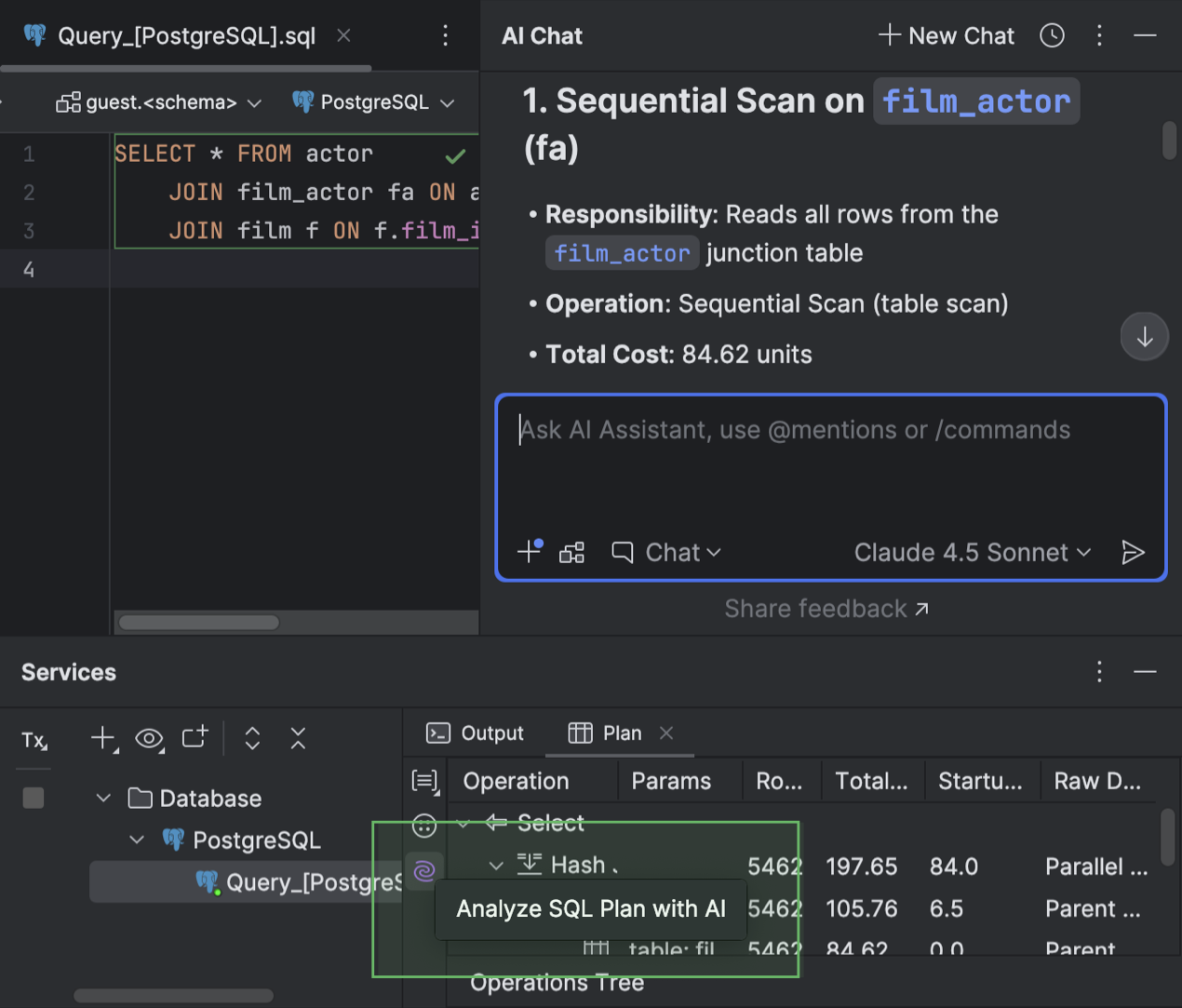
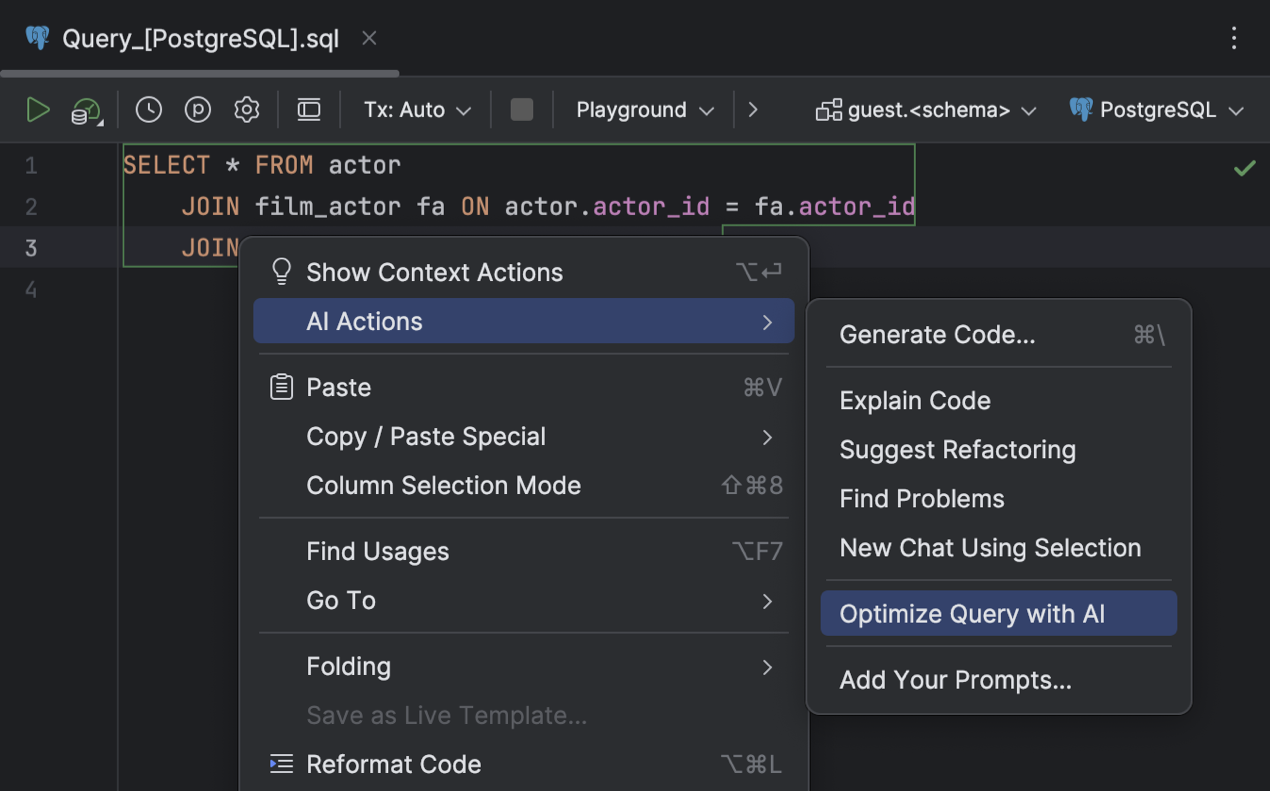
For a query execution plan, AI Assistant can explain it to you and also suggest optimizations using the new AI-based explanation and optimization features. Explanations and suggestions are provided in the chat, where you can also ask any additional questions you might have about the plan.
Code editor
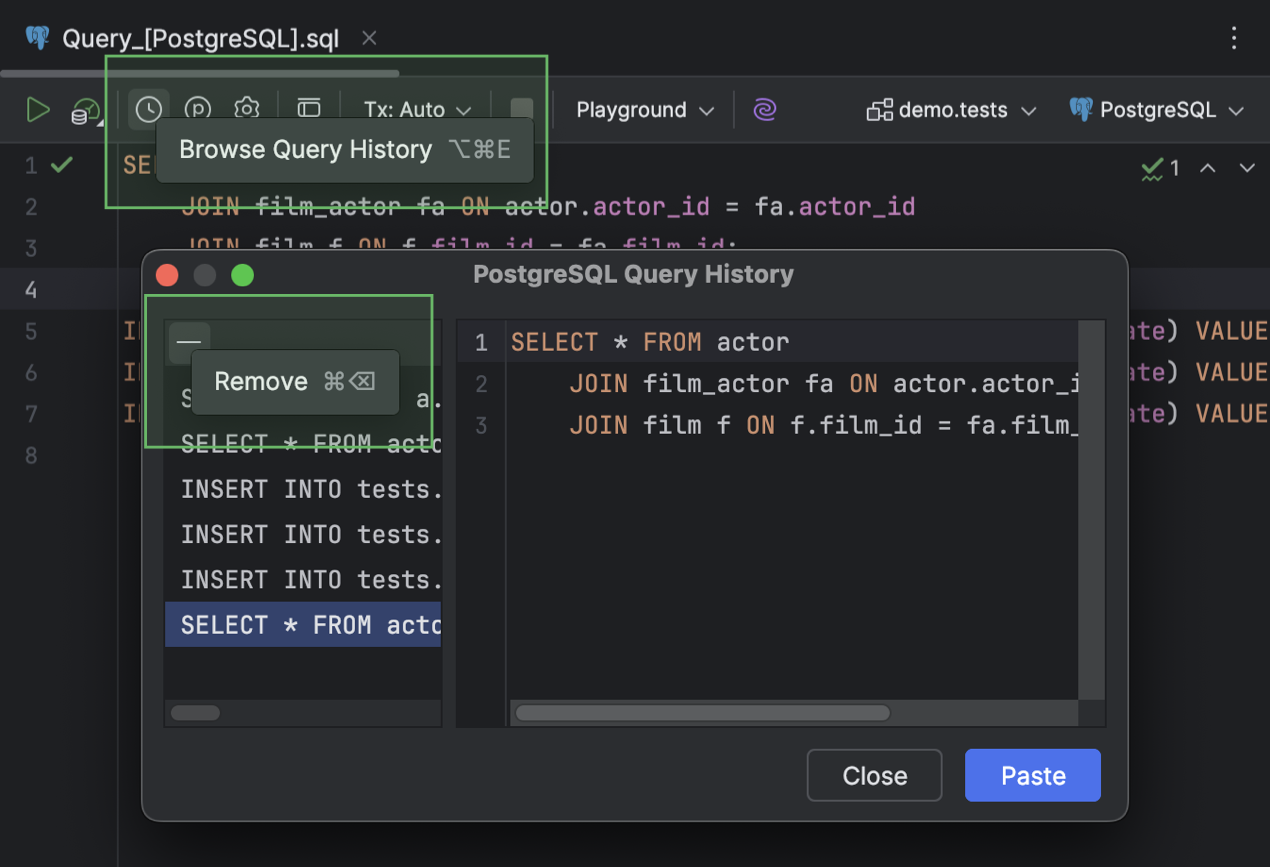
DataGrip keeps track of the queries you run in files. The Query History dialog that stores them can be opened in any code editor tab if the file has an attached data source. Now, you can remove any record from the record list in this dialog.
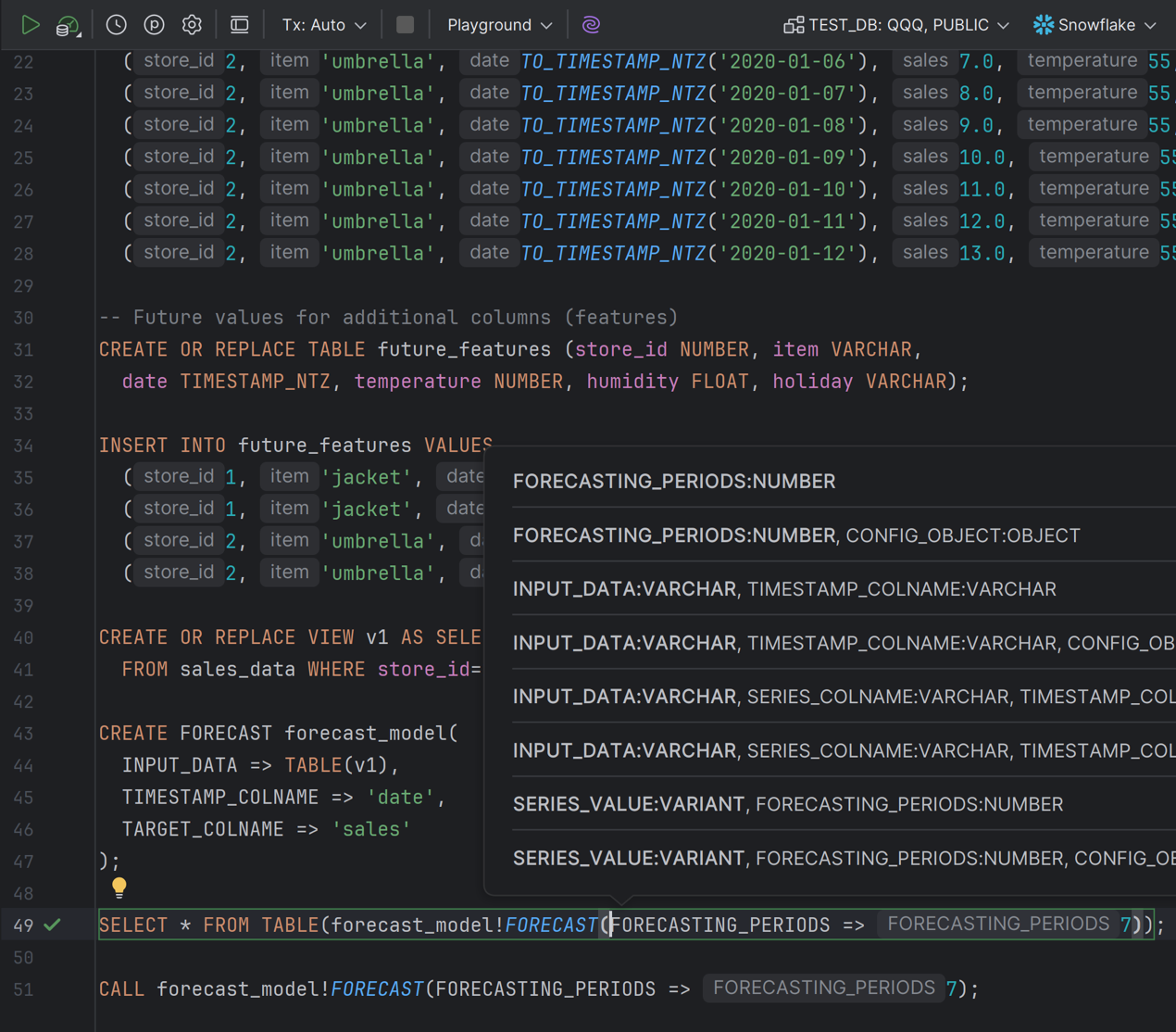
Snowflake database functionality now offers support for сlasses, including introspection as well as DDL and method call syntax.
Working with data
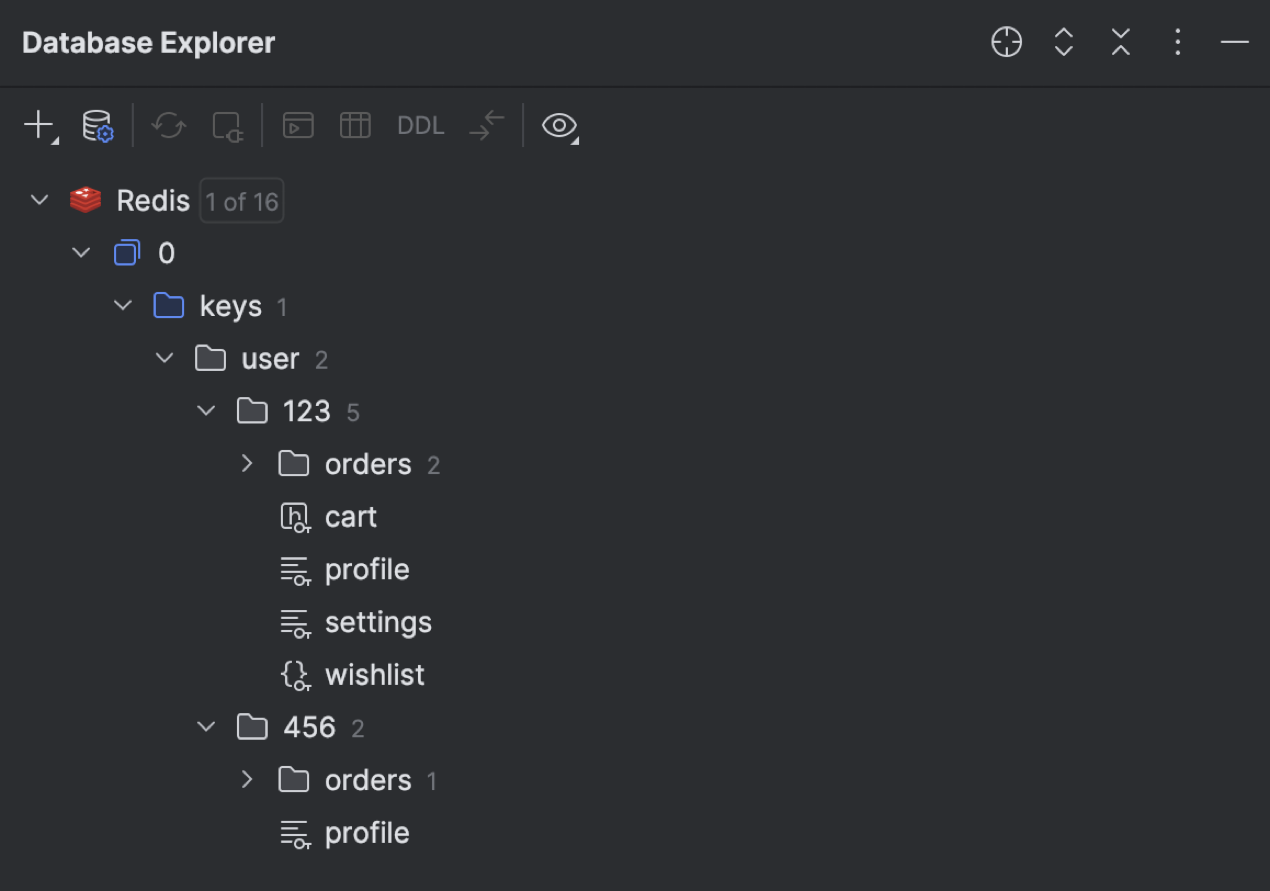
The database explorer now displays hierarchical Redis keys properly, in accordance with a key separator that you can specify in the data source settings. For instance, keys with names like user::<segment_01>::<segment_02>, where :: is a separator, have views like the following:
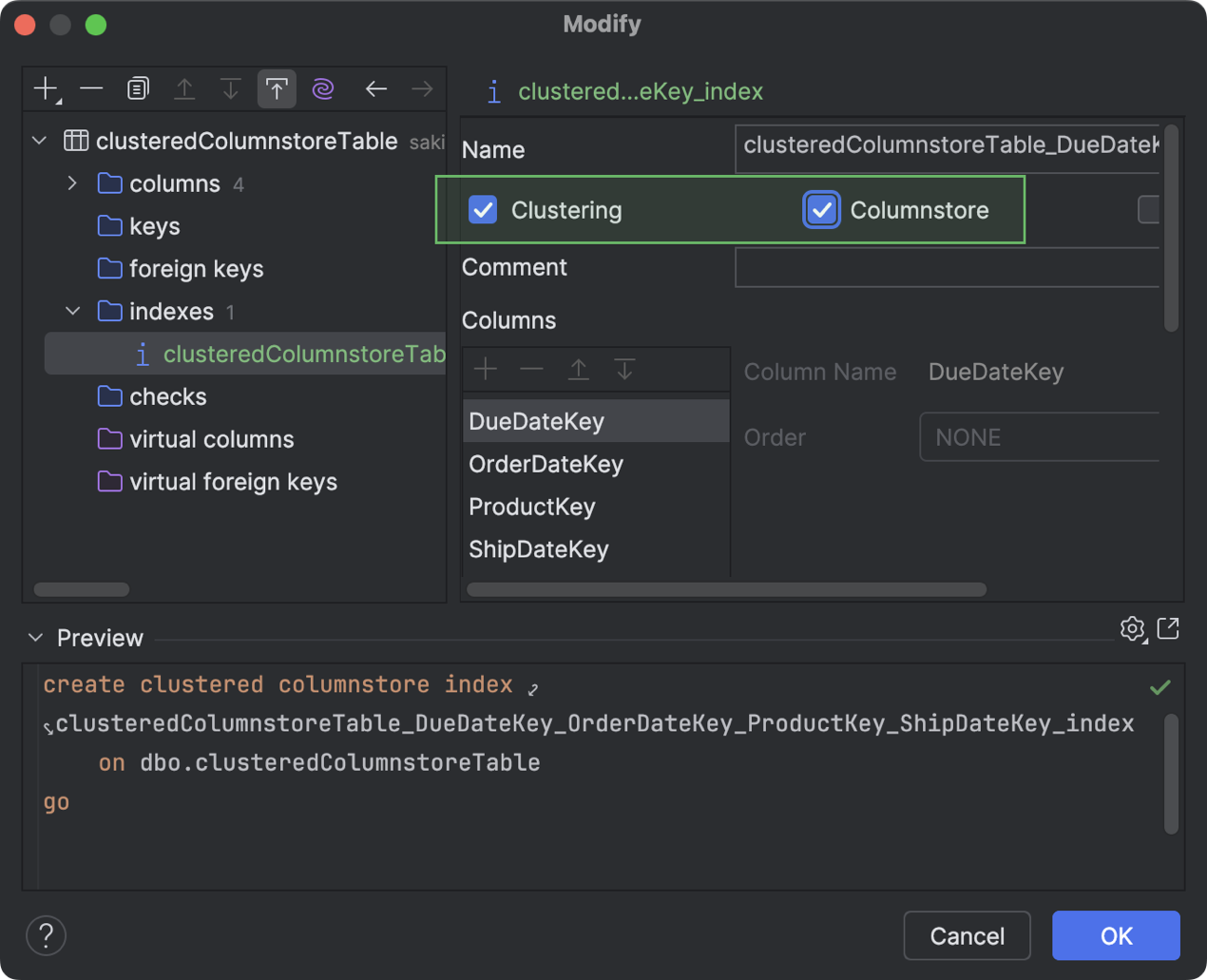
For Microsoft SQL Server, we’ve introduced support for clustered and nonclustered columnstore indexes, as well as the VECTOR and JSON data types. You can work with them in the Create and Modify dialogs. The data types are also available in code completion suggestions, and they are highlighted properly in the code editor.
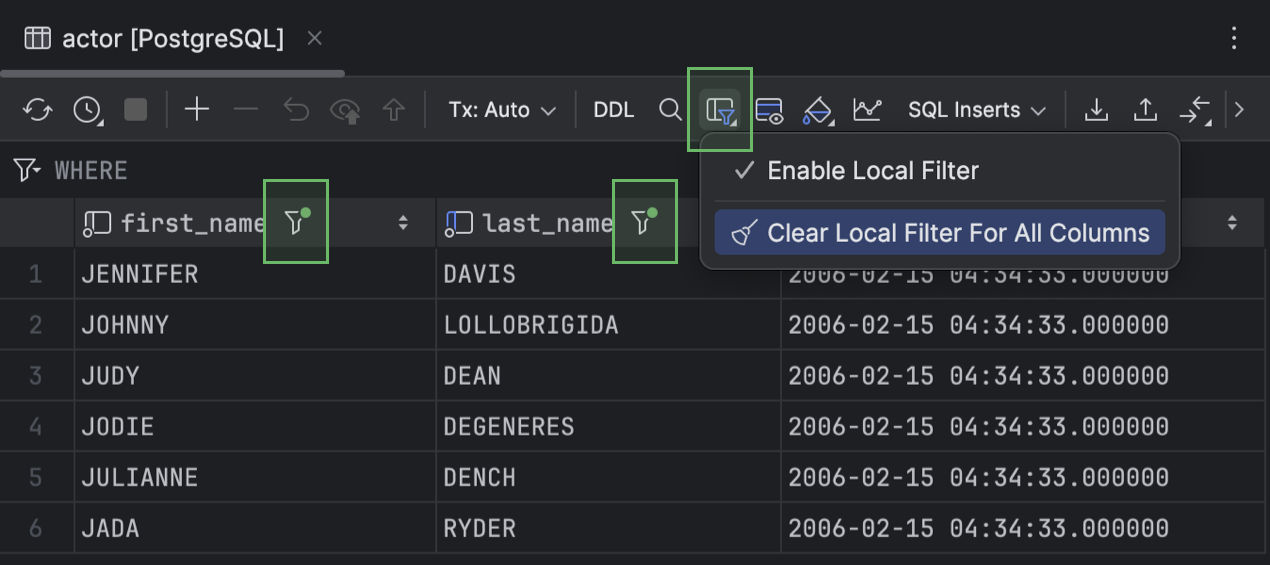
We’ve made it easier to access the action that clears local filters for a grid. In the latest version of DataGrip, to clear the local filter for all columns, click Table Result Local Filter on the data editor toolbar and then click Clear Local Filter For All Columns.
UI and UX improvements
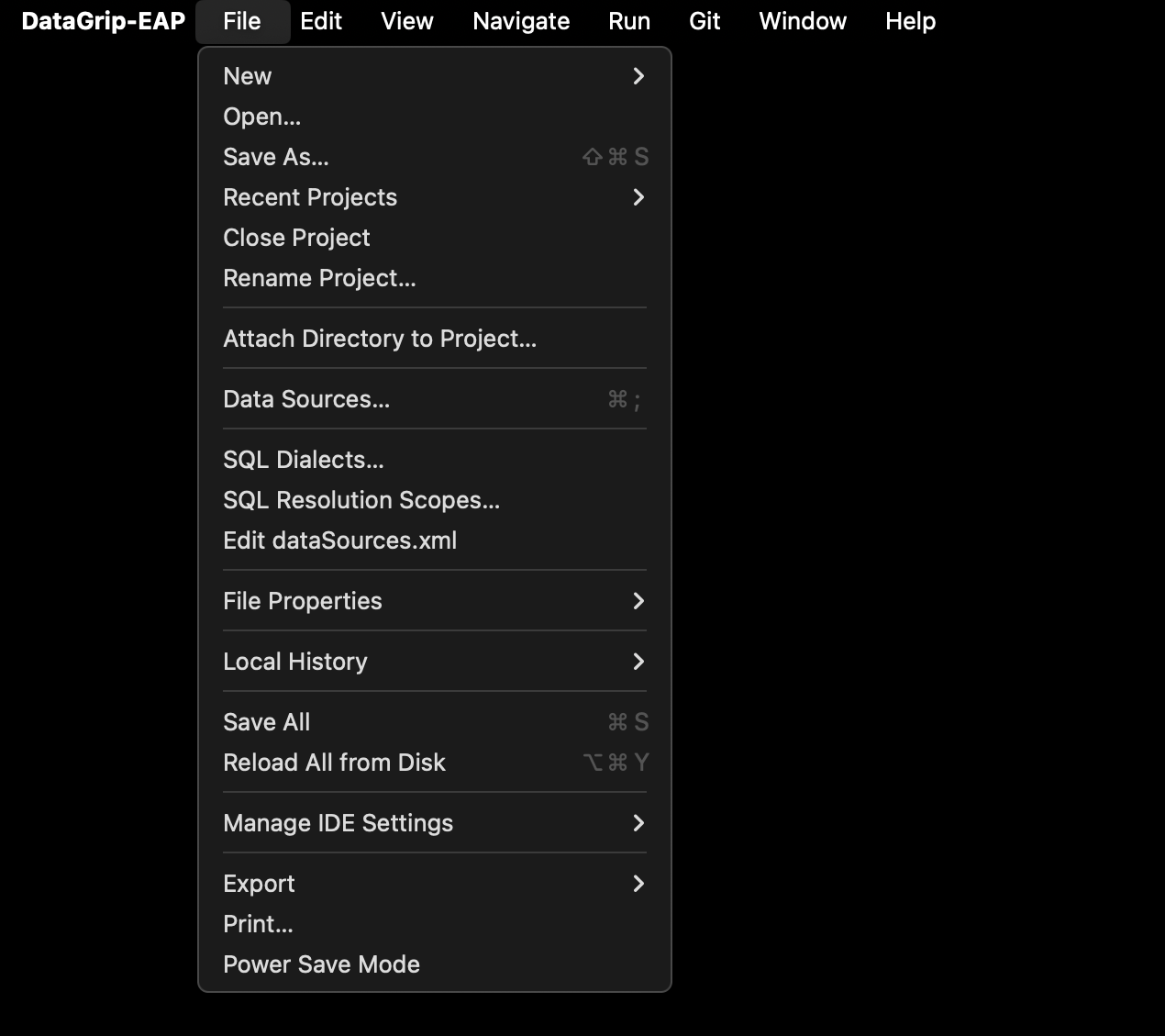
With the redesigned main menu, it is easier to find the most useful actions. We have restructured each section of the menu and cleared out some of the clutter.
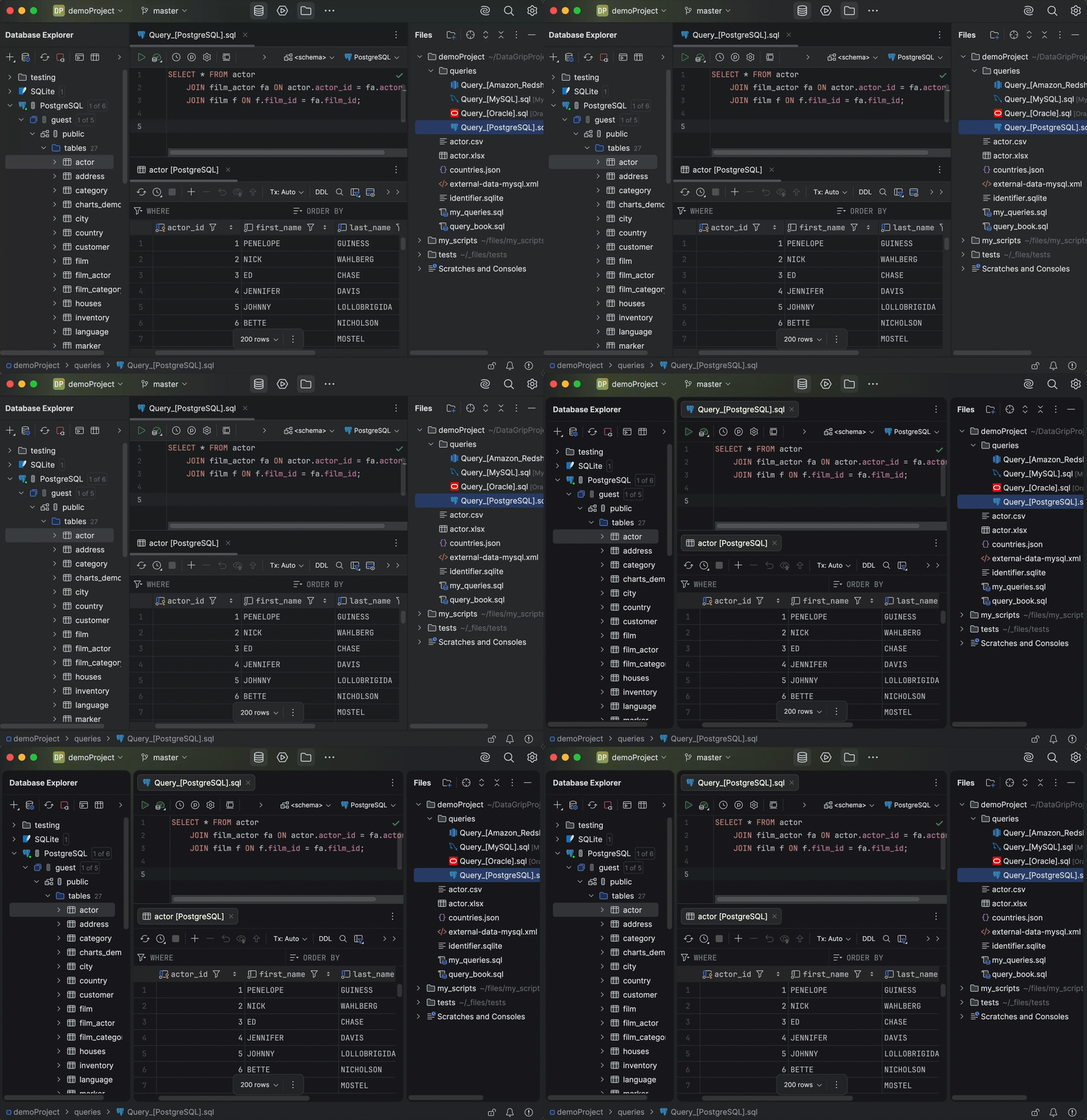
Additionally, the Islands interface theme introduced earlier this year is now the default theme.
If you’re interested in upgrading to DataGrip 2025.3, or if you have any questions or suggestions, here are a few links you might find useful:
- Download DataGrip 2025.3.
- Visit our What’s New page for the full list of improvements.
- Contact us on X.
- Report any bugs to our issue tracker.
The DataGrip team