

IntelliJ IDEA
IntelliJ IDEA – the Leading IDE for Professional Development in Java and Kotlin
参与 JetBrains IDE 的新版 UI 预览

-
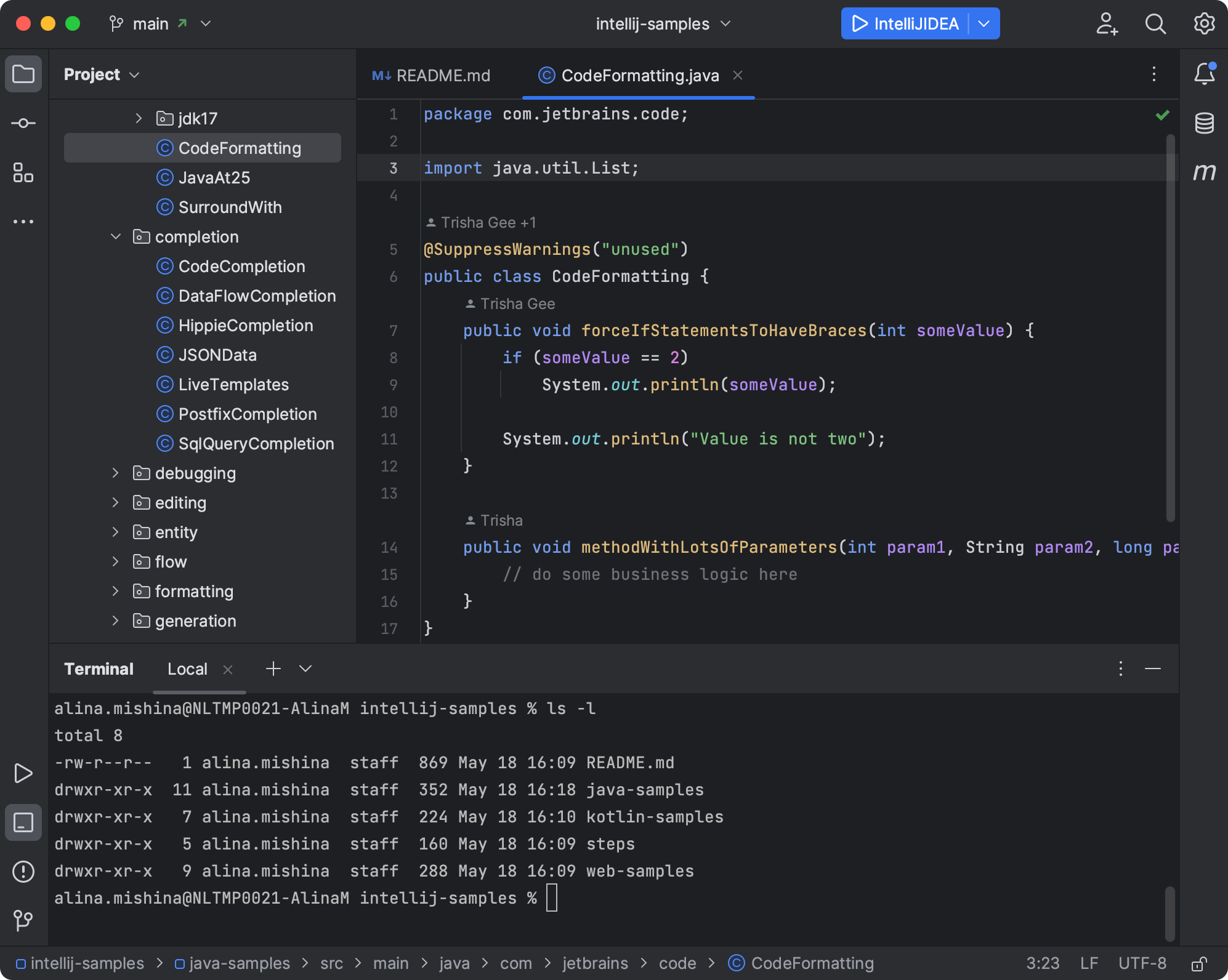
包含新的 VCS、项目和运行微件的简化主工具栏。
-
新的工具窗口布局。
-
新的浅色和深色主题。
-
更新的图标集。


Subscribe to IntelliJ IDEA Blog updates
Discover more


Take Part in the New UI Preview for Your JetBrains IDE

Update: The beta version of the new UI is available to all users in the 2022.3 release. Go to Settings | Appearance & Behavior | New UI to enable it.
Last year IntelliJ IDEA celebrated its 20th birthday. Over these past 20 years, we’ve been evolving all aspects of our product, including its user interface and usability. However, many aspects of our UI have changed relatively little during that time, primarily because we wanted to keep the UI familiar for the millions of existing users of our IDEs. Meanwhile, the UI trends in the industry have evolved, and many of our new users tell us that the UI appears heavyweight and dated. This is a problem we can’t address without major changes. Therefore, we made the bold decision to look at the UI with fresh eyes and completely reimagine the way IntelliJ IDEA and related IDEs should look and feel in this day and age.
Our goals were to reduce visual complexity, provide easy access to essential features, and progressively disclose complex functionality as needed – resulting in a look-and-feel that we believe is clean, modern, and powerful.
The key changes in the new UI are:
- Simplified main toolbar with new VCS, Project, and Run widgets.
- New tool windows layout.
- New Light and Dark color themes.
- Updated icon set.
We’ve also published a more detailed list of changes and known issues.
While Fleet is a new product representing our attempt to rebuild the entire IDE from scratch, the new UI is a redesign of the existing JetBrains IDE product line. We’ve changed the look and feel and some of the UX aspects of the main IDE window, while all the code-centric features and integrations work exactly as before. The new UI is intended to be fully compatible with all IntelliJ plugins (theme plugins may need to be updated).
The new UI is a huge undertaking which affects the day-to-day work of all of our users. Because of that, we’re taking a gradual, feedback-driven approach to rolling it out. Right now we’re starting a preview program, where a limited number of users will get access to early preview builds of the new UI and the option to share feedback directly with the design and development team. Later this year, we’ll let everyone try the new UI, and next year we plan to make it the default – first for new users and then for everyone else. The new UI will eventually be available in all IntelliJ-based products, but it’s possible that the rollout for some of the products will be delayed.
While we are still iterating on the refinement and polishing of the new UI (based on the insightful feedback we expect to get from our users), we plan to keep both the old and new UI for at least a year after the new UI becomes the default. We’re also ready to revise the rollout timeframe based on the feedback we receive if it turns out that we need to do more design work in certain areas.