TeamCity
Powerful CI/CD for DevOps-centric teams
CloudBees vs TeamCity: Enterprise CI/CD Beyond Jenkins

Many organizations adopt Jenkins because it’s flexible and widely supported. Over time, however, that flexibility often turns into operational overhead: maintaining plugins, debugging pipelines, and coordinating upgrades across teams.
CloudBees CI and JetBrains TeamCity represent two different ways of addressing this problem.
CloudBees CI builds on Jenkins, adding enterprise-grade governance, centralized management, and commercial support. It’s a natural step for organizations that want to keep their existing Jenkins investments while improving control and scalability.
TeamCity takes a different approach. Instead of extending Jenkins, it provides a CI/CD platform with most capabilities built in, from pipeline modeling to test reporting, reducing reliance on plugins and simplifying long-term maintenance.
This comparison focuses on how these platforms differ in practice for enterprise teams.
Platform foundations
| CloudBees CI | TeamCity | |
|---|---|---|
| Architecture | Jenkins-based (managed controllers) | Purpose-built CI/CD platform |
| Configuration model | Jenkinsfile (Groovy) + UI | Kotlin DSL + UI |
| Plugin dependency | High | Low |
| Governance | Centralized enterprise controls | Built-in roles and project-level permissions |
CloudBees CI extends Jenkins by introducing features such as centralized controller management, role-based access control (RBAC), and pipeline governance. It allows teams to continue using Jenkins pipelines while improving visibility and compliance.
TeamCity provides many of these capabilities out of the box. Build chains, artifact handling, test reporting, and pipeline configuration are native features rather than plugin-based extensions. This leads to more predictable behavior and fewer compatibility issues over time.
Setup and configuration
CloudBees CI is typically deployed as a set of managed Jenkins controllers. While this model enables isolation and scaling, it also inherits Jenkins complexity: plugin selection, version compatibility, and pipeline scripting remain ongoing concerns.
TeamCity uses a server-and-agent architecture. Initial setup is straightforward, and most teams can start running builds without assembling a plugin stack. Configuration can be managed via the UI or defined programmatically using Kotlin DSL, which allows pipelines to be versioned and reviewed like application code.
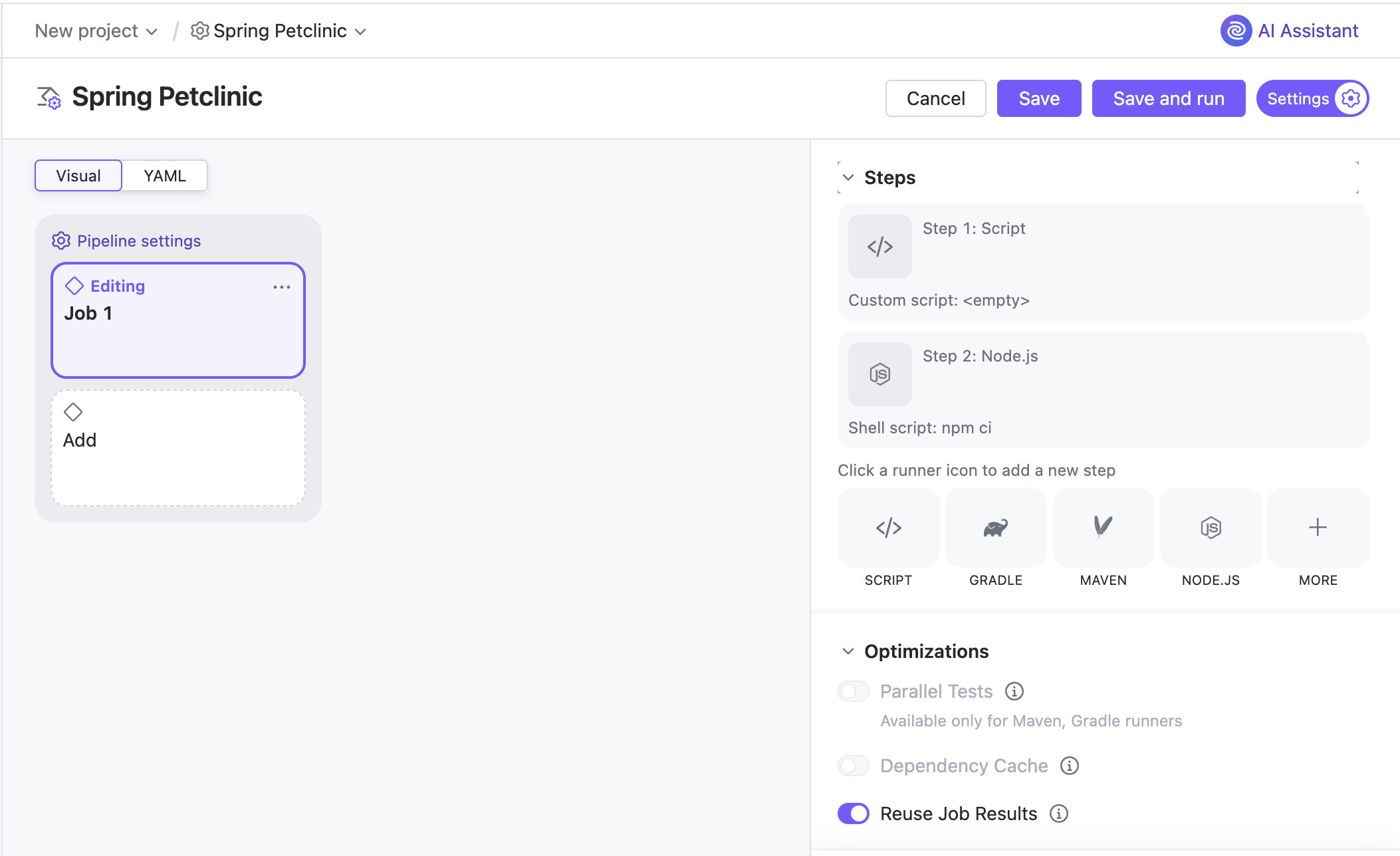
Key difference:
- CloudBees preserves Jenkins flexibility, along with its configuration complexity
- TeamCity emphasizes consistency and predictability through built-in features and typed configuration
Pipeline modelling and developer experience
In CloudBees CI, pipelines are defined using Jenkinsfile (Groovy). This provides flexibility but can become difficult to maintain as pipelines grow in size and complexity. Debugging pipeline logic and ensuring consistency across teams often requires additional tooling and governance.
TeamCity models pipelines through build chains, which explicitly define dependencies between build steps. This makes pipeline structure visible and easier to reason about. Using Kotlin DSL, teams can define pipelines in a statically typed language with IDE support, improving maintainability and reducing errors.
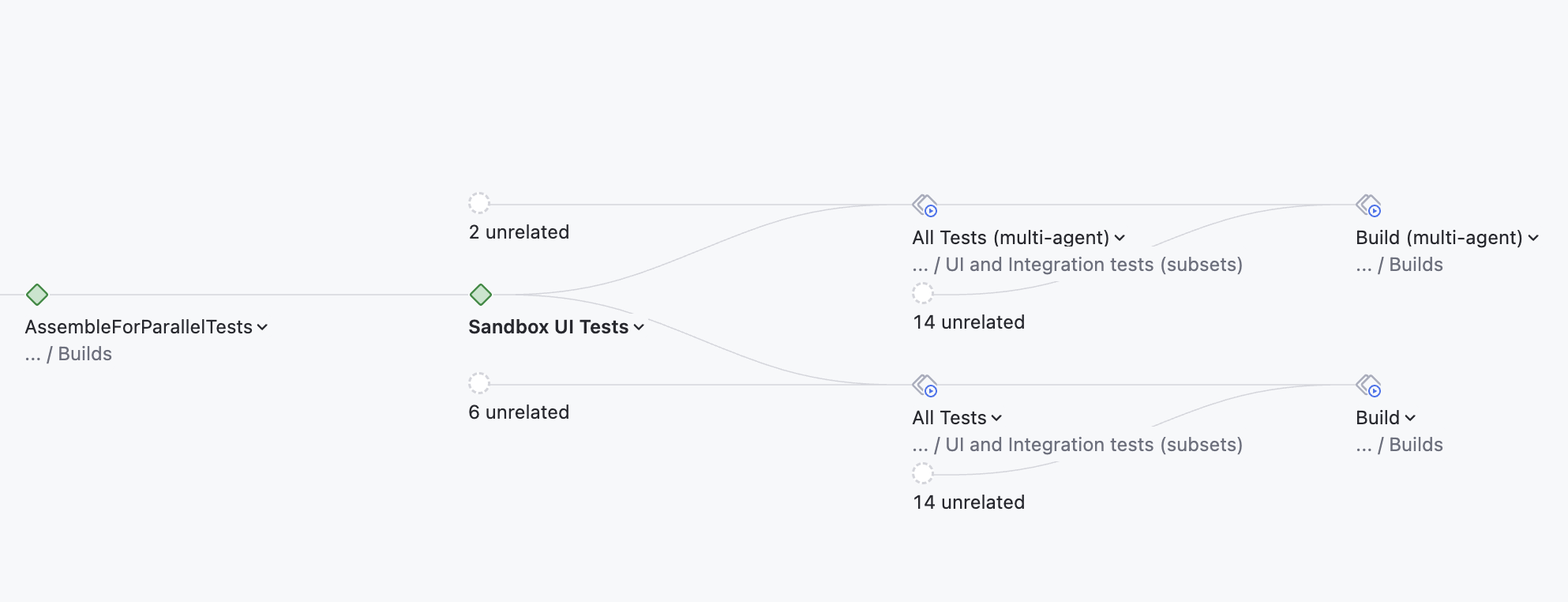
What this means in practice:
- Jenkins-based pipelines prioritize flexibility but can become harder to manage at scale.
- TeamCity pipelines are easier to standardize and review across teams.
Scalability and infrastructure
CloudBees CI is often deployed in large, distributed environments and is commonly used with Kubernetes for dynamic agent provisioning. Its multi-controller architecture allows organizations to isolate workloads and scale horizontally.
TeamCity scales through distributed build agents and agent pools. It supports dynamic agent provisioning in cloud environments and allows teams to control resource allocation through queues and priorities.
Both platforms can scale to enterprise workloads, but the operational model differs:
- CloudBees requires managing multiple Jenkins controllers and their lifecycle
- TeamCity centralizes orchestration while distributing execution across agents
Integration ecosystem
CloudBees benefits from the extensive Jenkins plugin ecosystem, which covers a wide range of tools and integrations. This flexibility is a major advantage, especially for organizations with highly customized workflows.
However, plugins also introduce variability. They are developed independently, may have inconsistent quality, and can break during upgrades.
TeamCity includes many commonly needed integrations and CI features natively, reducing the need for external plugins. Additional integrations are available, but the platform does not rely on them for core functionality.
Trade-off:
- CloudBees: maximum flexibility, higher maintenance risk
- TeamCity: fewer moving parts, more predictable behavior
Security and governance
CloudBees CI provides strong enterprise governance features, including RBAC, policy enforcement, and centralized visibility across controllers. These capabilities are designed for organizations with strict compliance requirements.
TeamCity also offers enterprise-grade security, including role-based permissions, project-level access control, audit logs, secure parameter handling, and integration with external authentication providers.
The key difference is not capability but implementation:
- CloudBees layers governance on top of Jenkins
- TeamCity includes governance as part of the core system
Maintenance and operational overhead
One of the most important differences between the two platforms is how much effort is required to keep the system running.
In CloudBees CI, teams still need to manage Jenkins plugins, pipeline scripts, and controller upgrades. While CloudBees adds tooling to simplify this, the underlying complexity remains.
TeamCity reduces this overhead by providing built-in functionality for most CI/CD needs. Fewer plugins mean fewer compatibility issues and less time spent troubleshooting pipeline failures caused by environment drift.
For many enterprises, this translates directly into engineering time saved.
Pricing considerations
CloudBees CI pricing is typically customized for enterprise deployments and depends on factors such as scale, infrastructure, and support requirements.
TeamCity offers both self-managed and cloud options, with pricing based on usage (such as the number of build agents). This can make costs more predictable, especially for growing teams.
When to choose each platform
Choose CloudBees CI if:
- You have a significant investment in Jenkins pipelines and plugins.
- You need to standardize and govern existing Jenkins environments.
- You require deep customization and flexibility.
Choose TeamCity if:
- You want to reduce CI/CD maintenance overhead.
- You prefer built-in functionality over plugin-based systems.
- You need a scalable platform with predictable configuration and behavior.
Final thoughts
CloudBees CI and TeamCity solve similar problems in different ways.
CloudBees extends Jenkins into an enterprise-ready platform, preserving its flexibility while adding governance and support.
TeamCity rethinks the approach by delivering a CI/CD system with core capabilities built in, reducing complexity and making pipelines easier to maintain at scale.
For organizations evaluating how to move beyond Jenkins, the choice often comes down to this:
- Continue evolving Jenkins with CloudBees
- Or adopt a platform designed to avoid Jenkins’ operational trade-offs altogether
Understanding where your team sits on that spectrum is the key to making the right decision.