Moving Your Codebase to Go 1.26 With GoLand Syntax Updates

Working on an existing Go project rarely starts with a plan to modernize it. More often, you open a file to make a small change, add a field, or adjust some logic. The code compiles, tests pass, and everything looks fine, but the language has moved forward, and your code hasn’t kept up.
As you bump your project’s Go version, you may start noticing small patterns from older code that stay around for years. A helper variable here. A brittle error check there. You fix them by hand, but as the work spreads across files, you lose context fast.
In GoLand, Go 1.26 syntax updates now show up as focused inspections with quick-fixes. You see the change where you are already working, and you can apply the same change throughout the project when you are ready.
Applying syntax updates
As soon as you switch the language version of your project to 1.26, GoLand treats that as a signal: It can now look for patterns that suit Go 1.26 better.
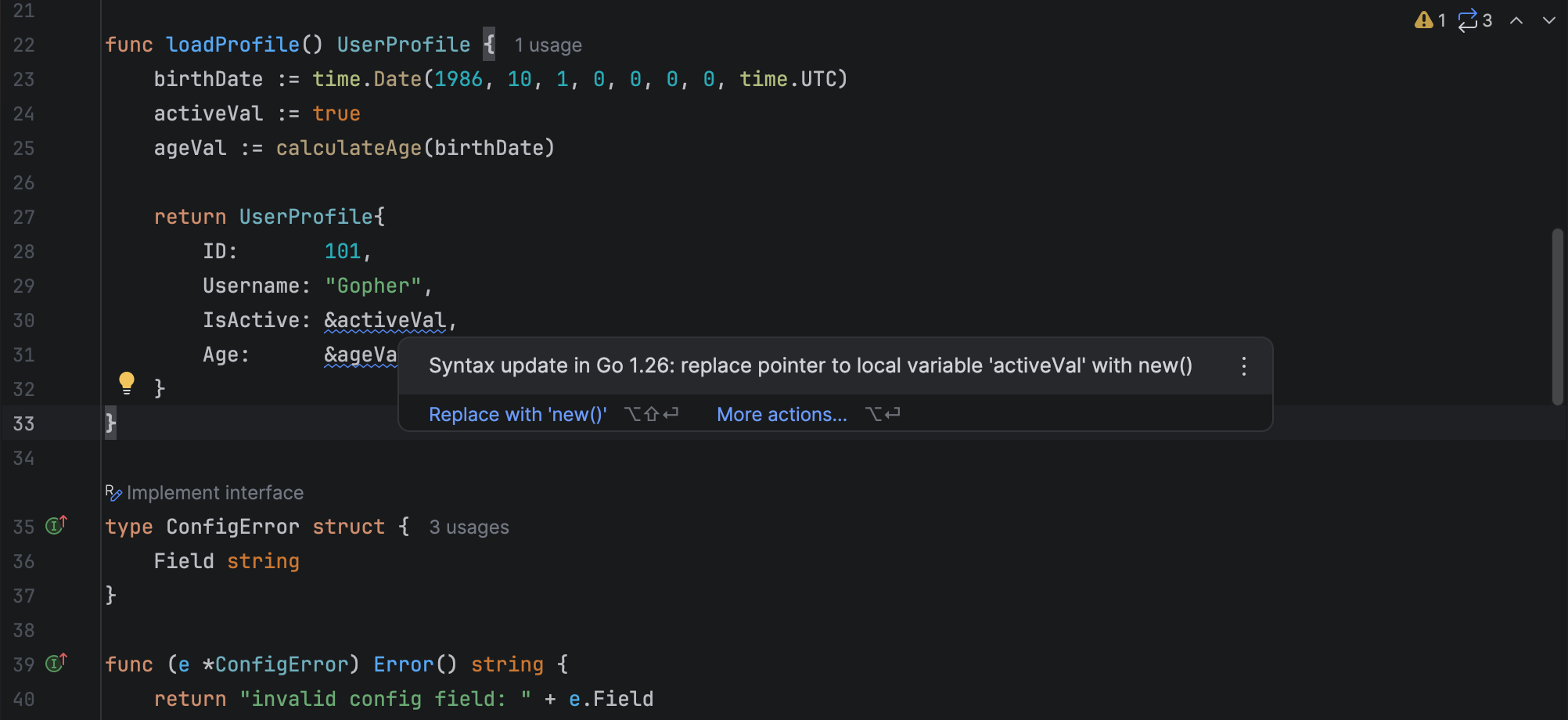
The first thing you’ll notice is subtle. A blue underline appears under code that is safe to modernize. The underline uses a dedicated severity level named Syntax updates, with a language updates icon ( ). It is not an error. It is instead an indication that the code can be updated without changing its behavior.
GoLand adds two Go 1.26 syntax update inspections:
- Pointer creation with
new() - Type-safe error unwrapping with
errors.AsType
We started with the latest Go 1.26 changes, and we plan to add more inspections for important language and standard library updates from recent years.
Type-safe error unwrapping with errors.AsType
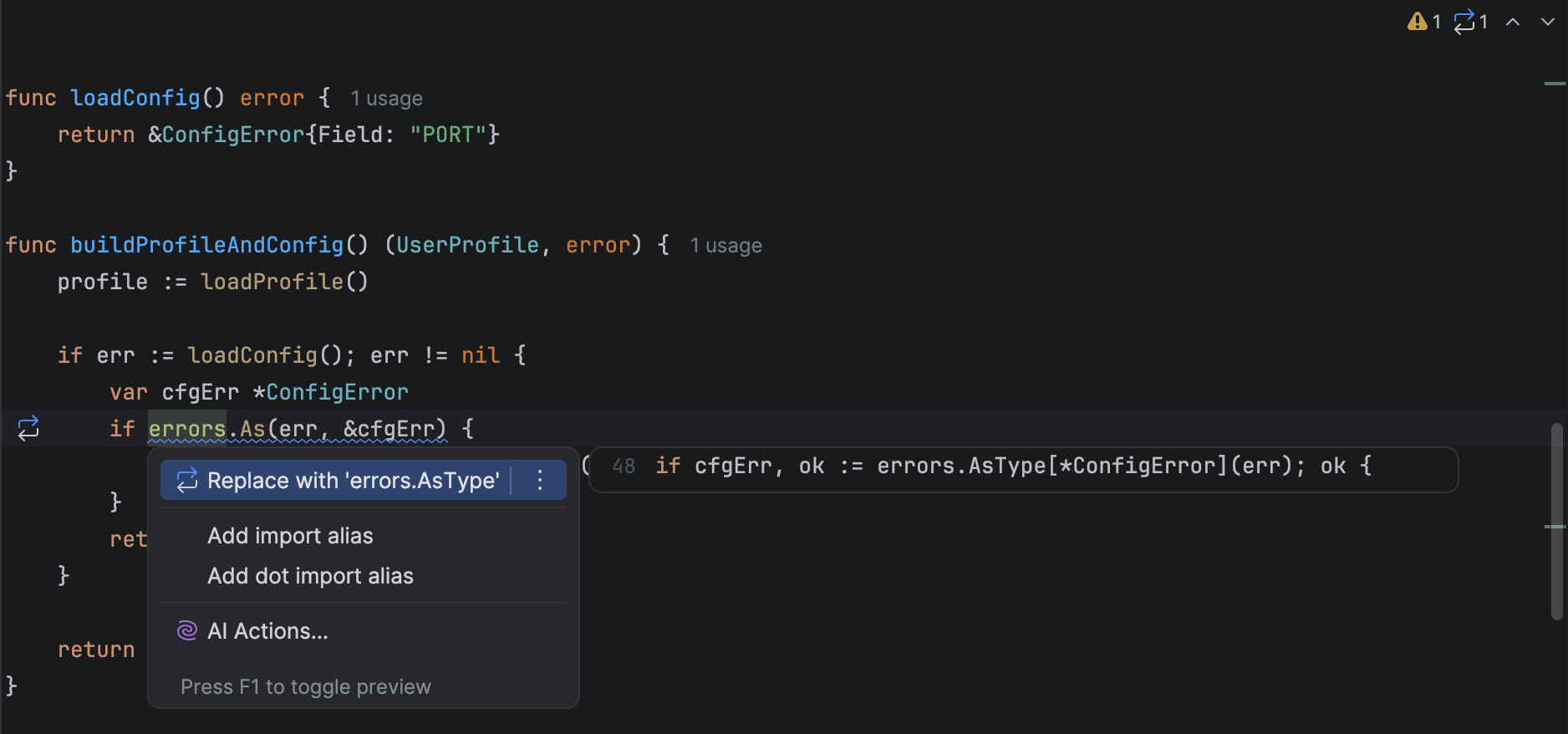
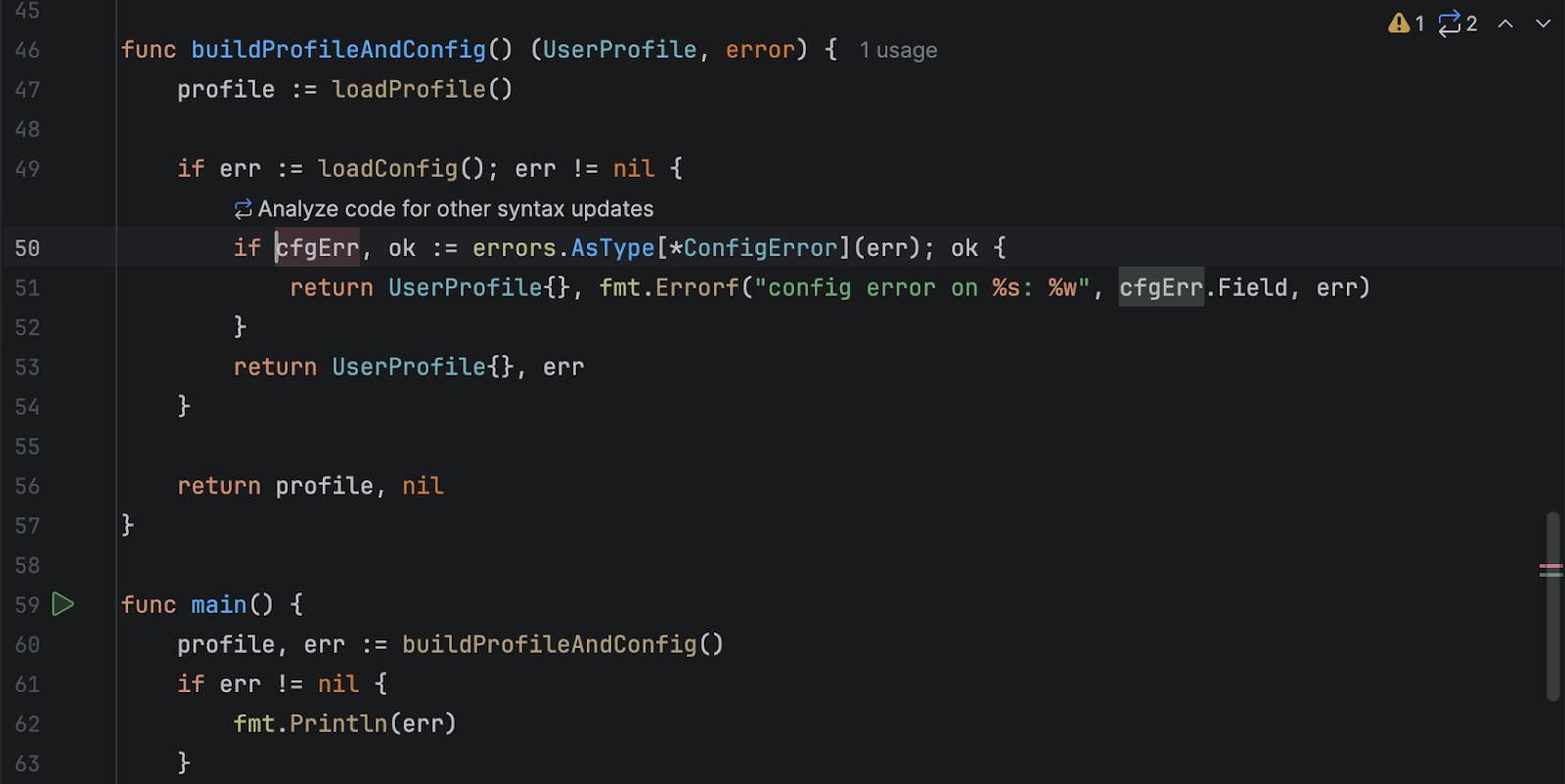
Go 1.26 adds errors.AsType, which gives you a typed result. It avoids the pointer setup that errors.As needs and prevents type-mismatch panics. GoLand suggests the safer form and offers the Replace with errors.AsType quick-fix. You can read more about errors.AsType in the GoLand or official documentation.
Before
After
Pointer creation with new()
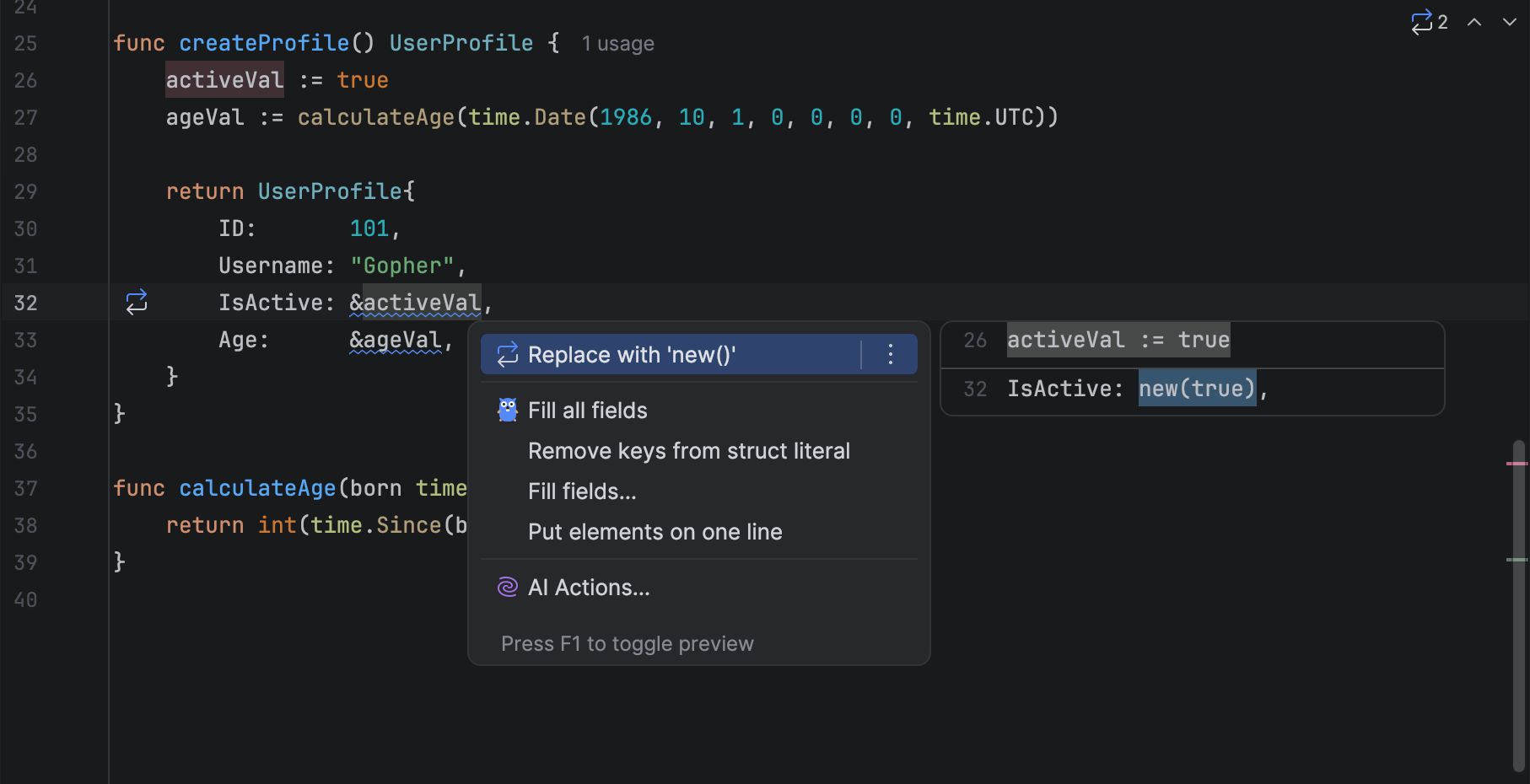
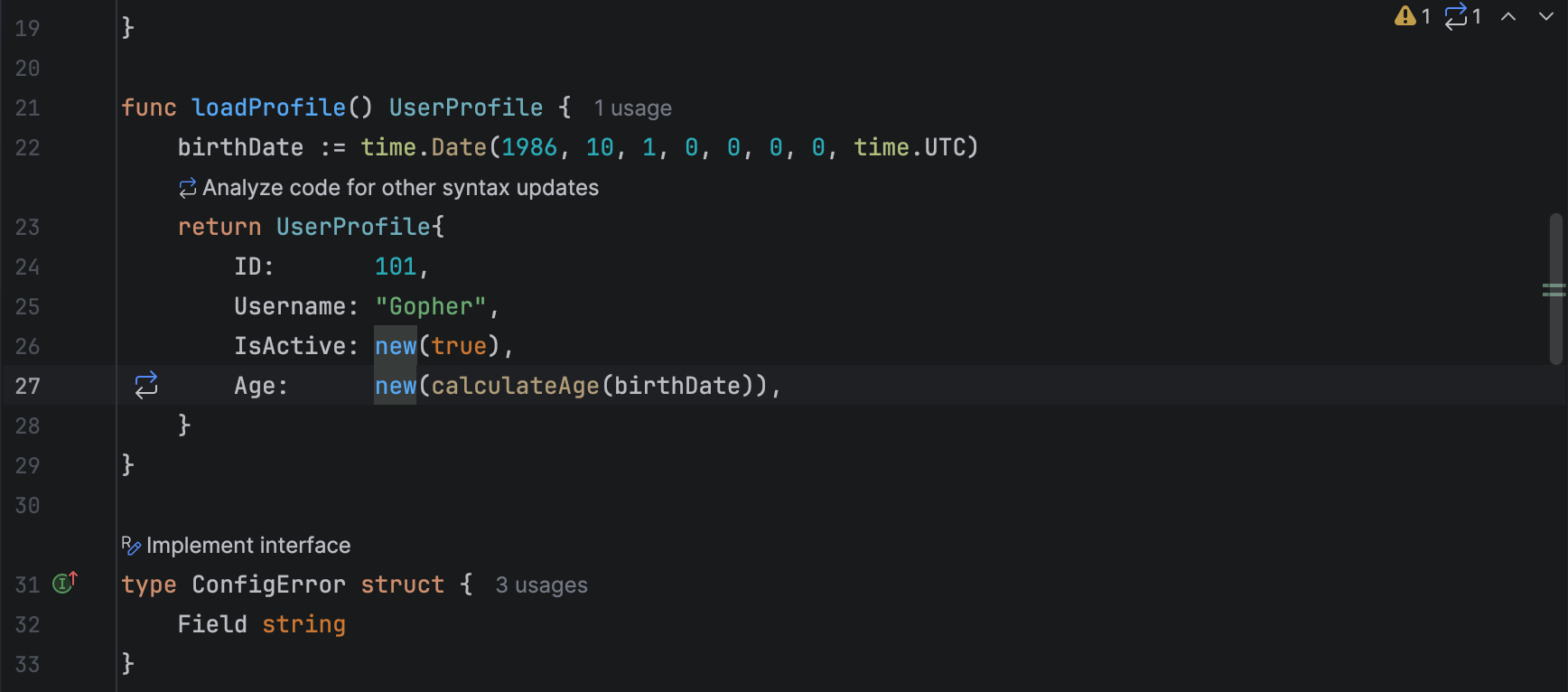
Go 1.26 lets new() accept expressions. This removes temporary variables that exist only so you can take their address. GoLand highlights the pattern and offers the Replace with new() quick-fix. You can read more about new()in the GoLand or official documentation.
Before
After
Expanding from one fix to the whole project
Once you apply the first quick-fix, you can move from a single change to a project-wide update. GoLand gives you several entry points, depending on how you work:
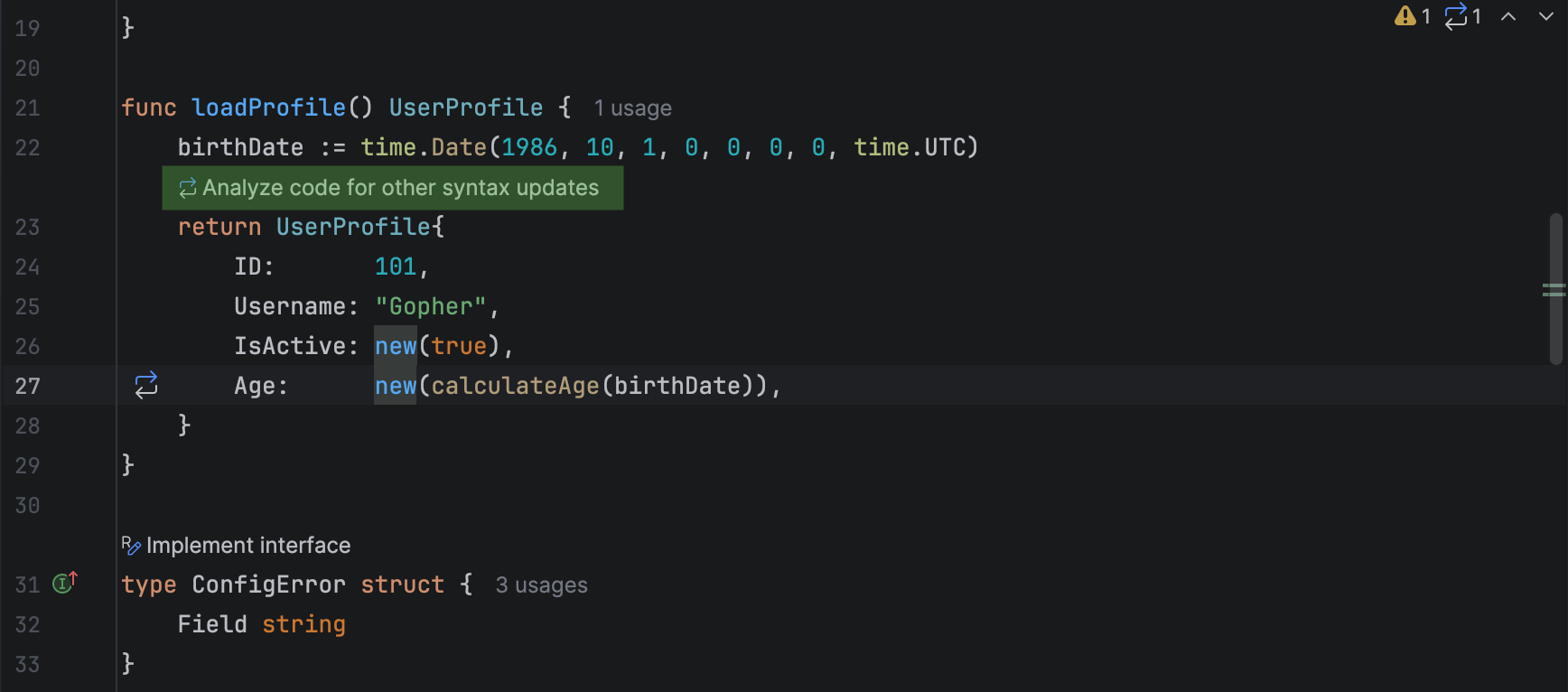
- Right after a quick-fix: Just click Analyze code for other syntax updates.
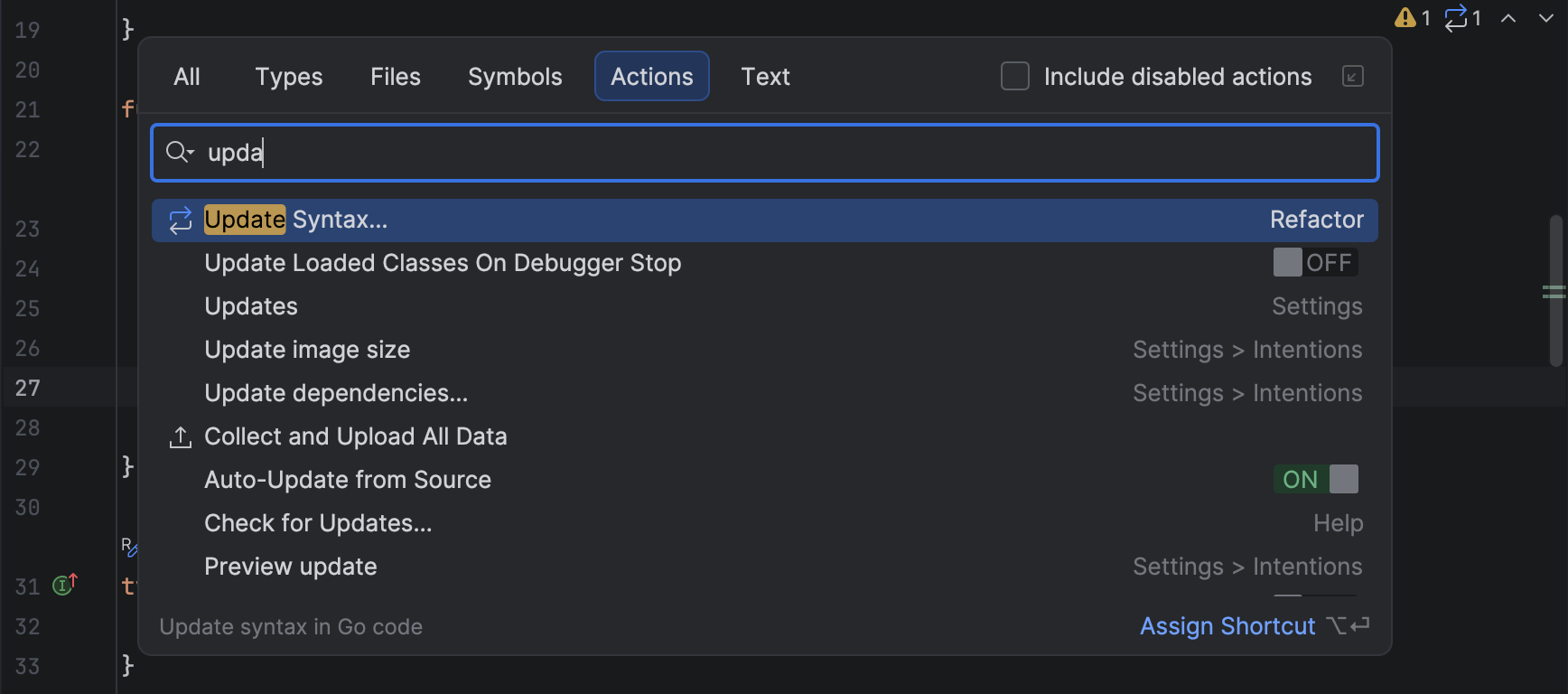
- From Search Everywhere: Open Search Everywhere (press Shift twice) and select the Update Syntax action.
- From
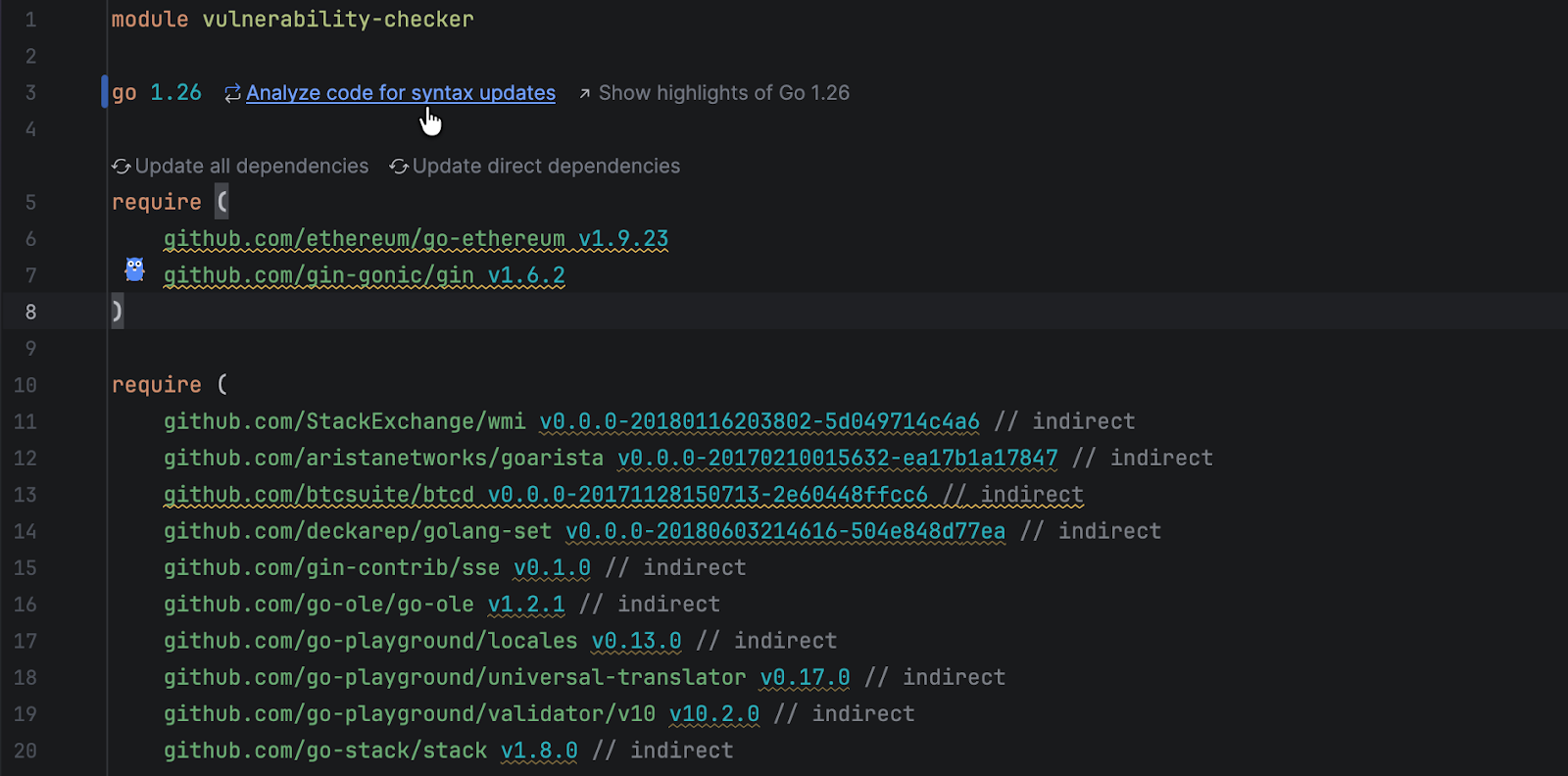
go.mod: Open the module file containing thego 1.26directive and click Analyze code for syntax updates.
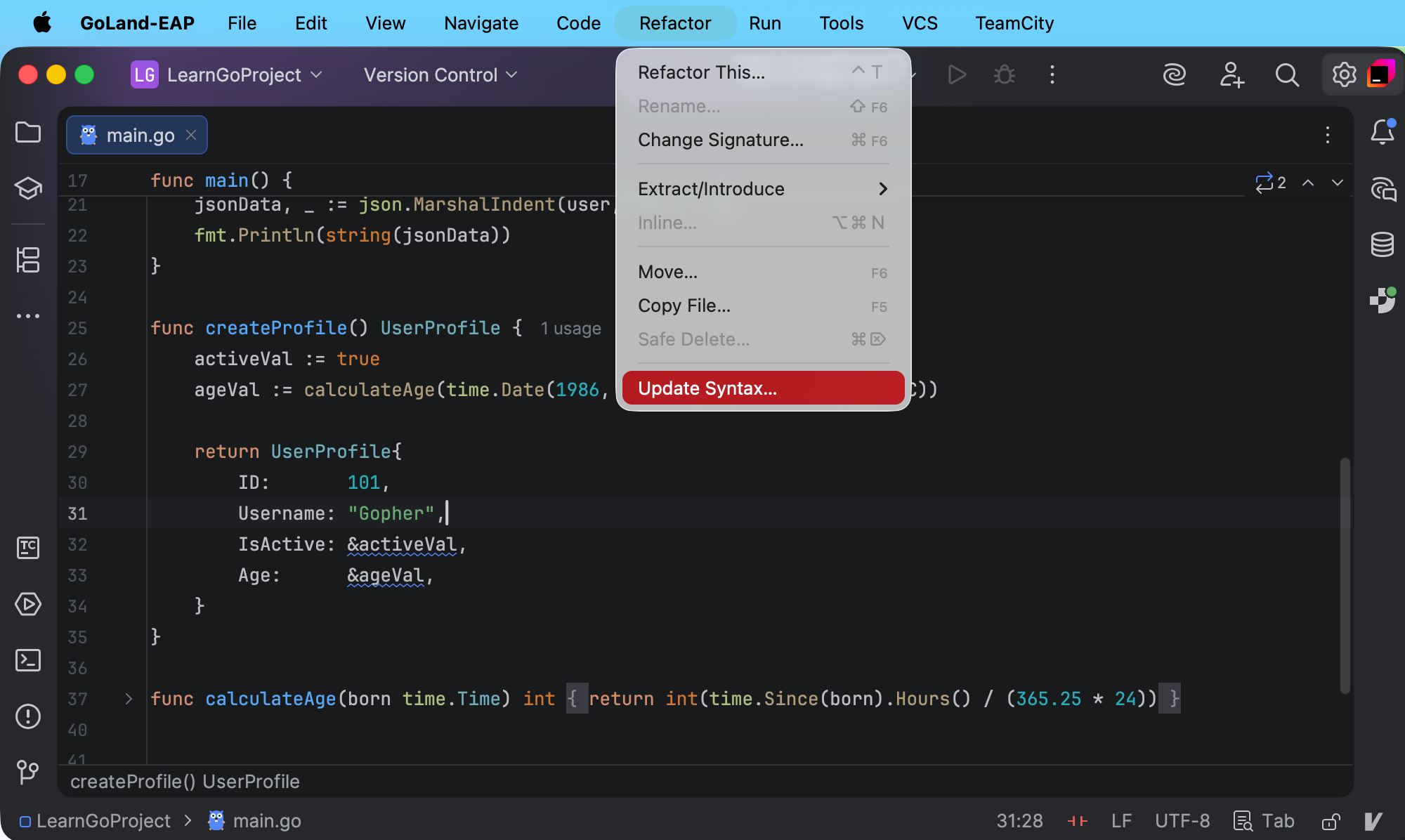
- From the Refactor menu: Click Refactor and select Update Syntax.
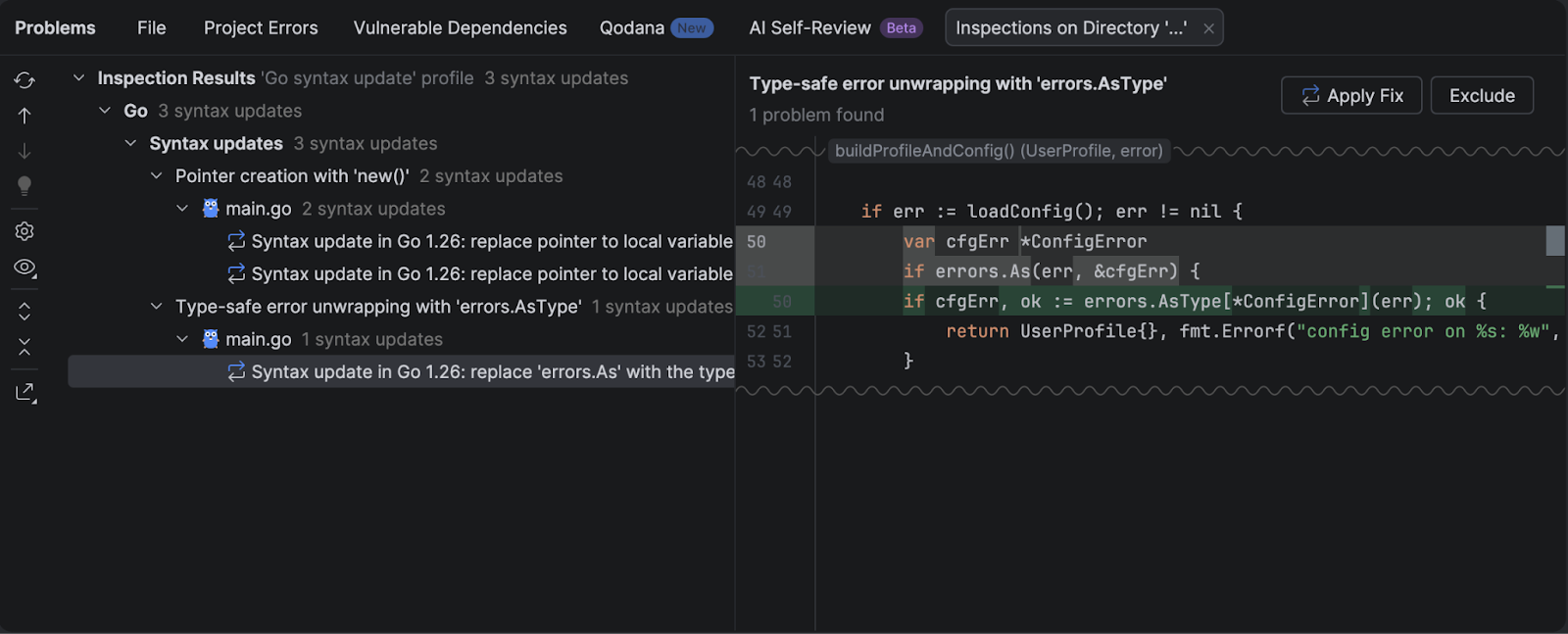
GoLand collects the results in a separate tab under the Syntax updates node in the Problems tool window. You can review the updates one by one or apply them in bulk.
GoLand shows a before-and-after diff for each suggested update, so you can review the exact rewrite before you apply it.
What this approach to syntax updates changes in practice
Migration to a new Go version is rarely one big rewrite. It usually happens over the course of dozens of small, safe modernizations mixed into daily work.
GoLand supports this workflow in a few connected steps:
- It helps you notice update candidates early. When you edit code that can be modernized, GoLand highlights it in the editor.
- It offers a safe rewrite. You can apply a quick-fix that rewrites the code to the Go 1.26 form without changing its behavior.
- It scales to the whole project. When you are ready, run Analyze code for other syntax updates on a wider scope and review the suggested updates before you apply them.
- It lets you apply updates in bulk. From the list of results in the Problems tool window, you can apply fixes one by one or apply a grouped fix to update many occurrences at once.
This combination lets you move your codebase forward without turning the migration into a separate project. You update a line, you see a better form, you apply it, and you keep going.
Happy coding!
The GoLand team