TeamCity
Powerful CI/CD for DevOps-centric teams
Introducing TeamCity’s New Design, Phase II: Creation Flow

This is the second part in a series that dives into how and why we’re redesigning TeamCity. In Part One, we shared navigational and admin changes. In Part Two, we’ll dive deeper into the сreation flow redesign. We’ll also introduce you to the new UI and go into detail about the steps we’re taking to revamp TeamCity.
Introducing a more cohesive UI
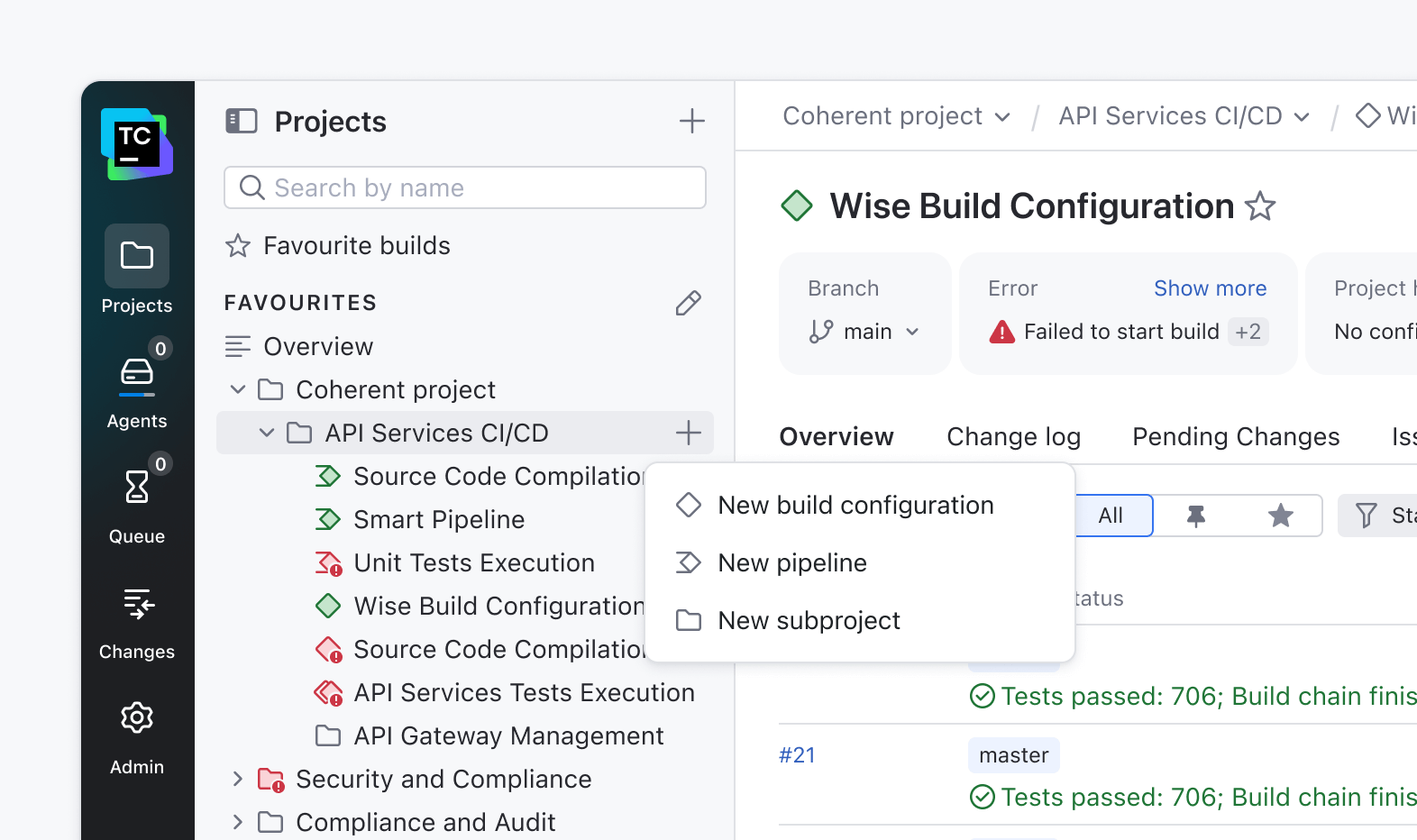
We’re reimagining TeamCity’s design to meet the expectations of today’s developers. The goal is simple: help teams get from setup to their first successful build faster and with less friction.
Today, creating a first build can take more than 20 clicks, and only a fraction of users explore advanced features. By rethinking this experience, we’re making TeamCity more approachable for new users and more efficient for experts.
The creation flow is a key part of how people experience a product. It’s often the first thing users see, and it helps determine whether the product feels easy and welcoming or confusing and heavy.
A well-designed flow helps people get started without overthinking and guides them smoothly so they can focus on what they want to do, not how to do it.
Concept exploration
As outlined in Part One, our product interviews uncovered a recurring pain point: new users often get stuck when creating projects in TeamCity. The flow wasn’t intuitive, and creating or reusing connections was more complex than it should have been.
Our mission became simple: to make starting a new project effortless, straightforward, and enjoyable.
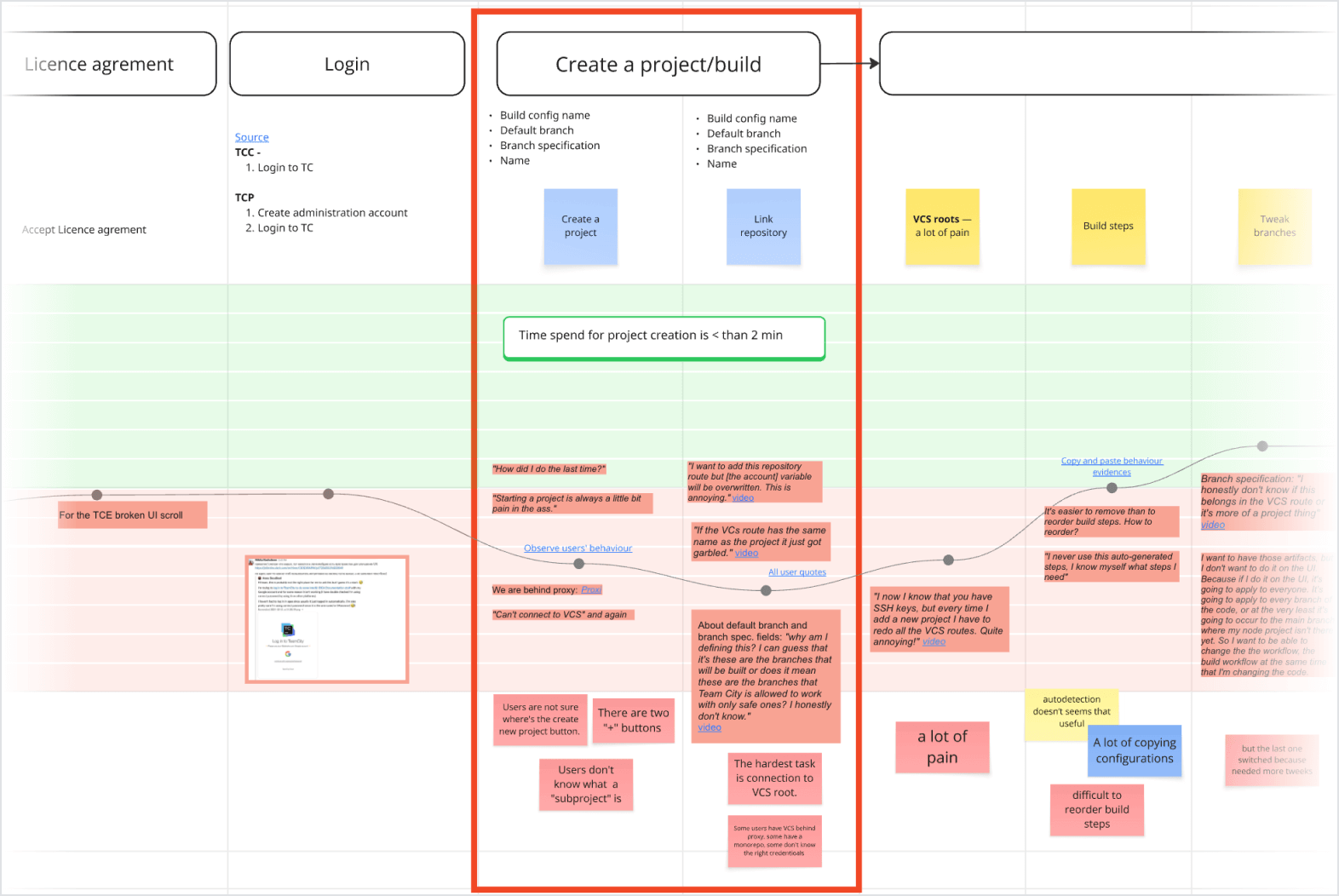
The most pressing problems were:
- A hidden entry point
- A cluttered UI with broken informational hierarchy
- Missing functionality that required the user to find workarounds
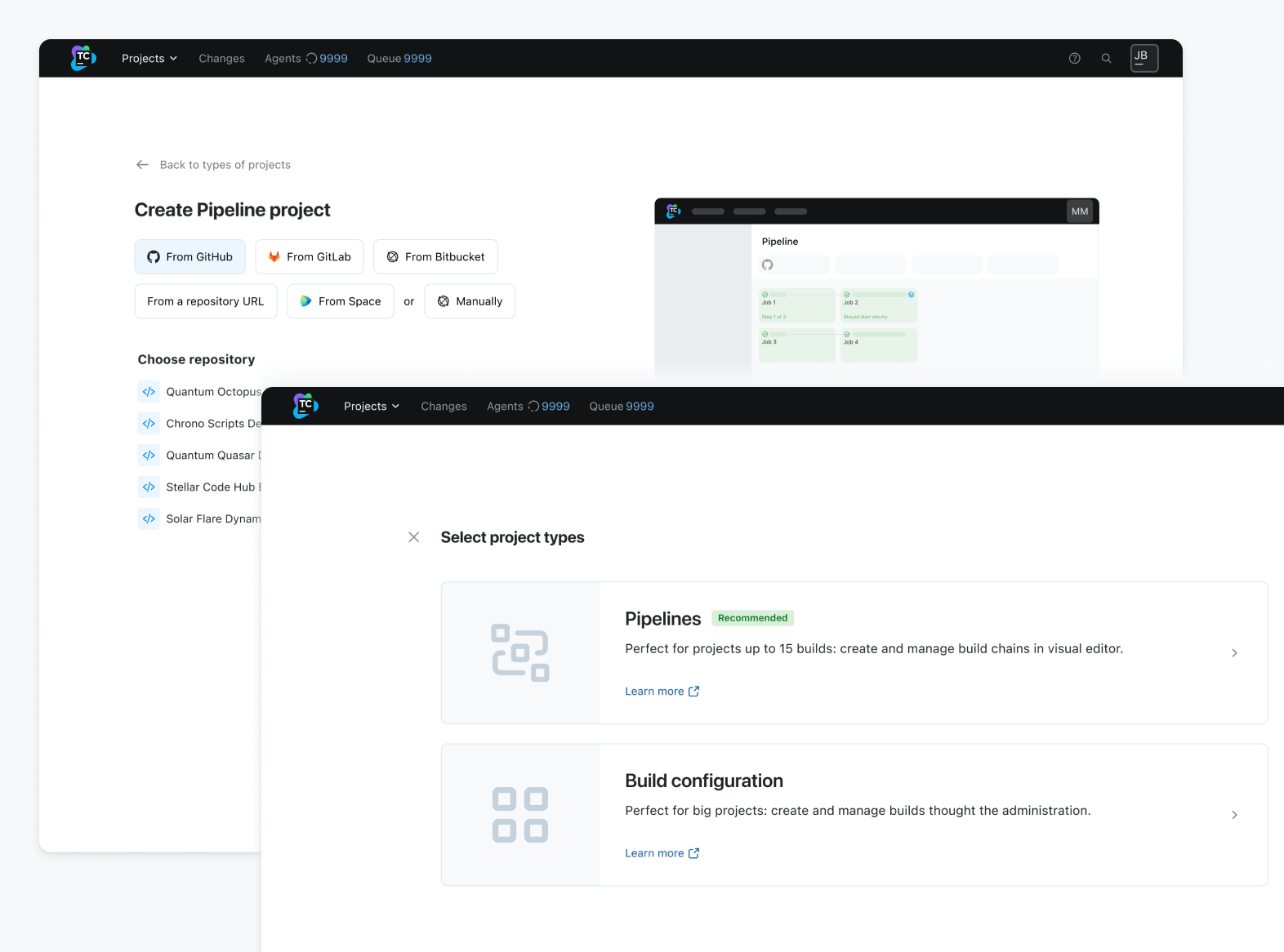
One major factor to keep in mind from the beginning is that we are bringing pipelines to TeamCity. So, the first challenge was to clearly communicate the difference between pipelines and build configurations and help users understand the distinct value each provides.
The second goal was to remove clutter and unnecessary information, guiding the user and displaying relevant settings when needed. TeamCity is one of the strongest CI tools on the market, but many of its strengths are hidden deep within the product.
During interview sessions, users mentioned pain points that had already been solved by functionality the users were simply not aware of, such as templates or VCS reuse.
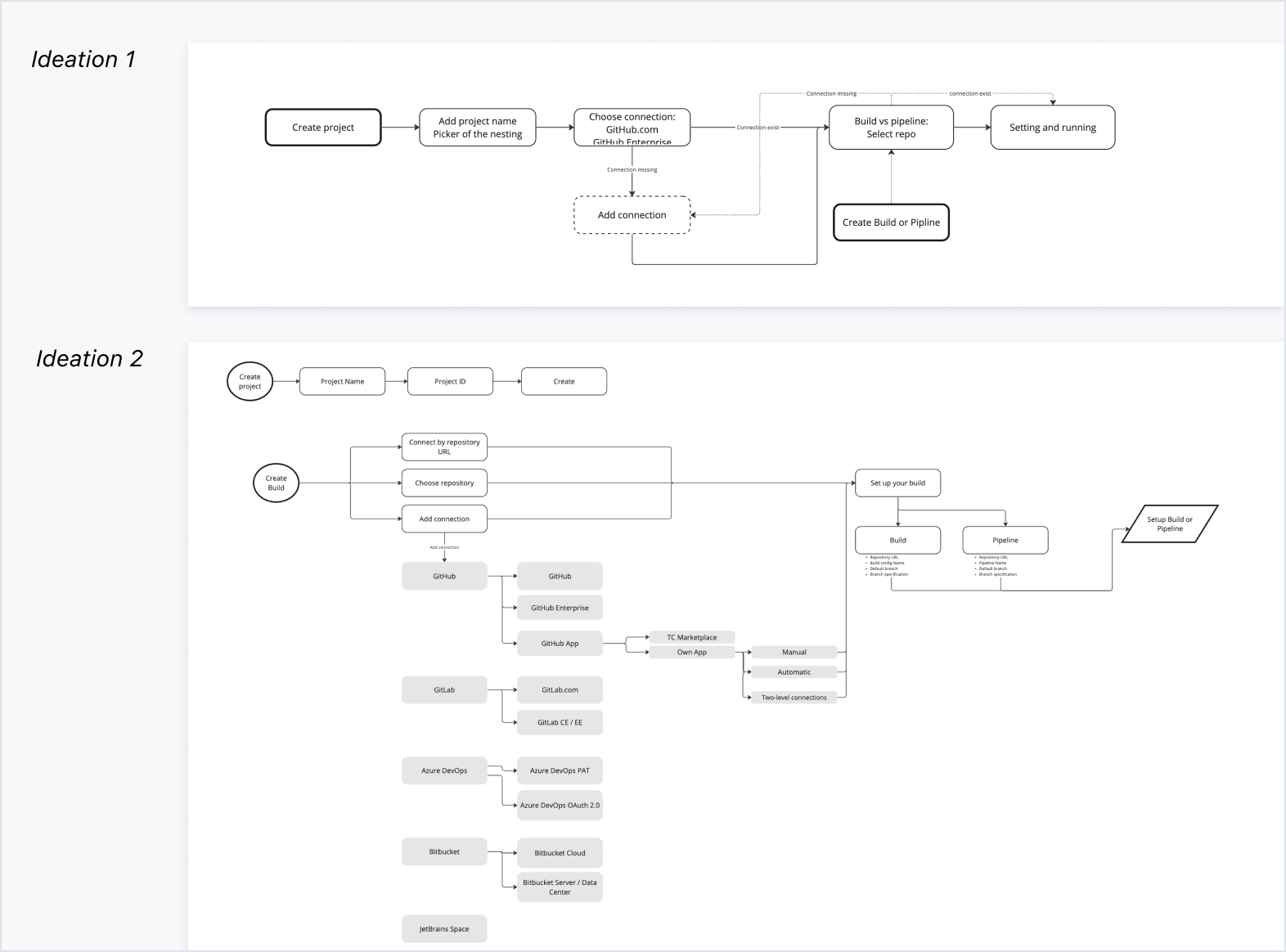
We started by drawing up a flow chart of what the new step-by-step process might look like:
Concept → Prototype → Action
The design underwent multiple iterations and rounds of guerrilla testing before being handed over to the first client for evaluation. We conducted UX prototype testing with 10 clients, iterating after each session to refine and develop the mockups.
Once the design was validated, we worked closely with the engineering team to review all existing and new scenarios, ensuring complete coverage. Finally, we structured the delivery into iterations – and the first version is now live for users to explore.
Features
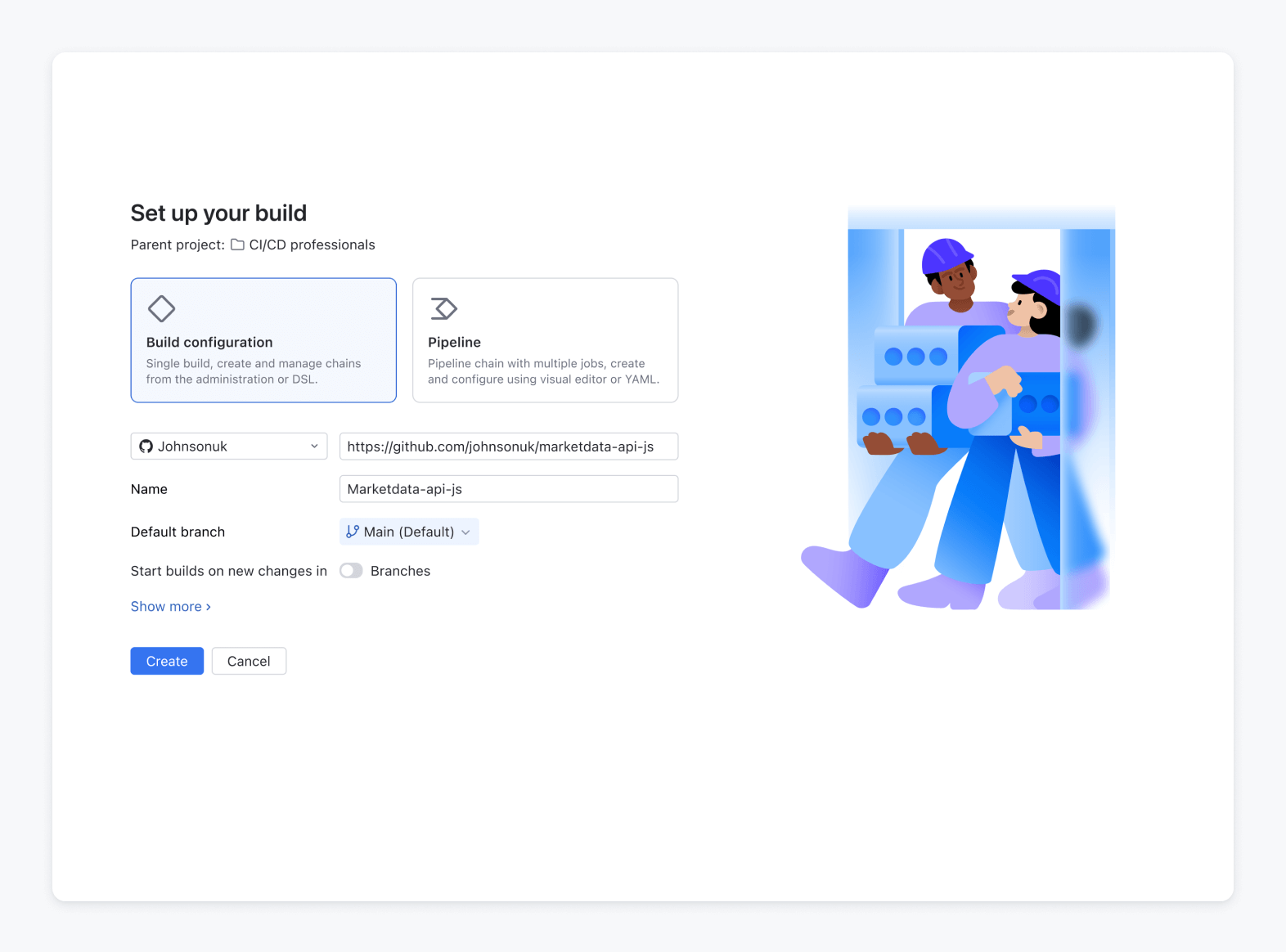
Separate flow for project creation
In the old UI, users were never sure what would happen after triggering the creation process – would it create a project, a build configuration, or both? Separating them into distinct flows brought much-needed clarity and predictability.
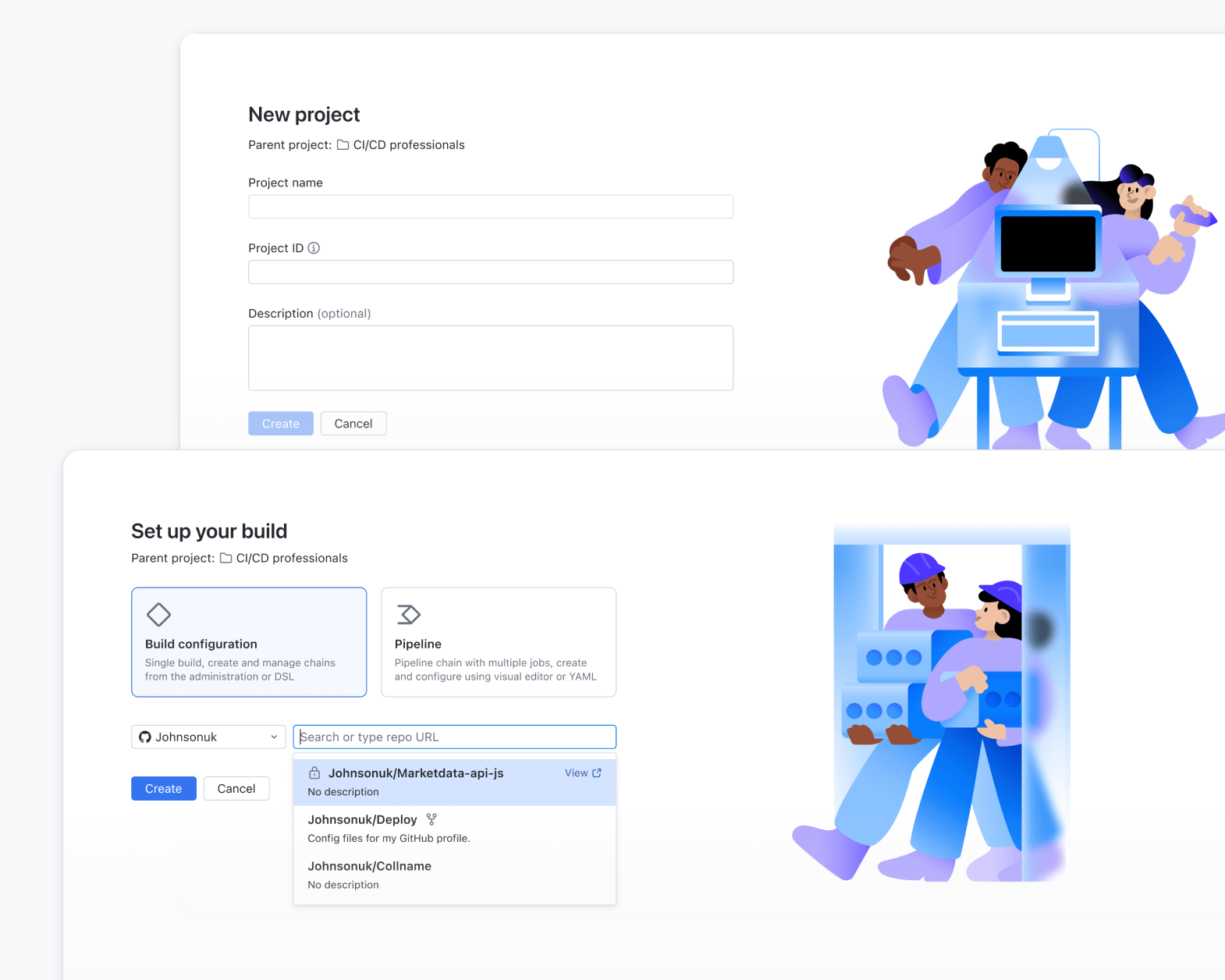
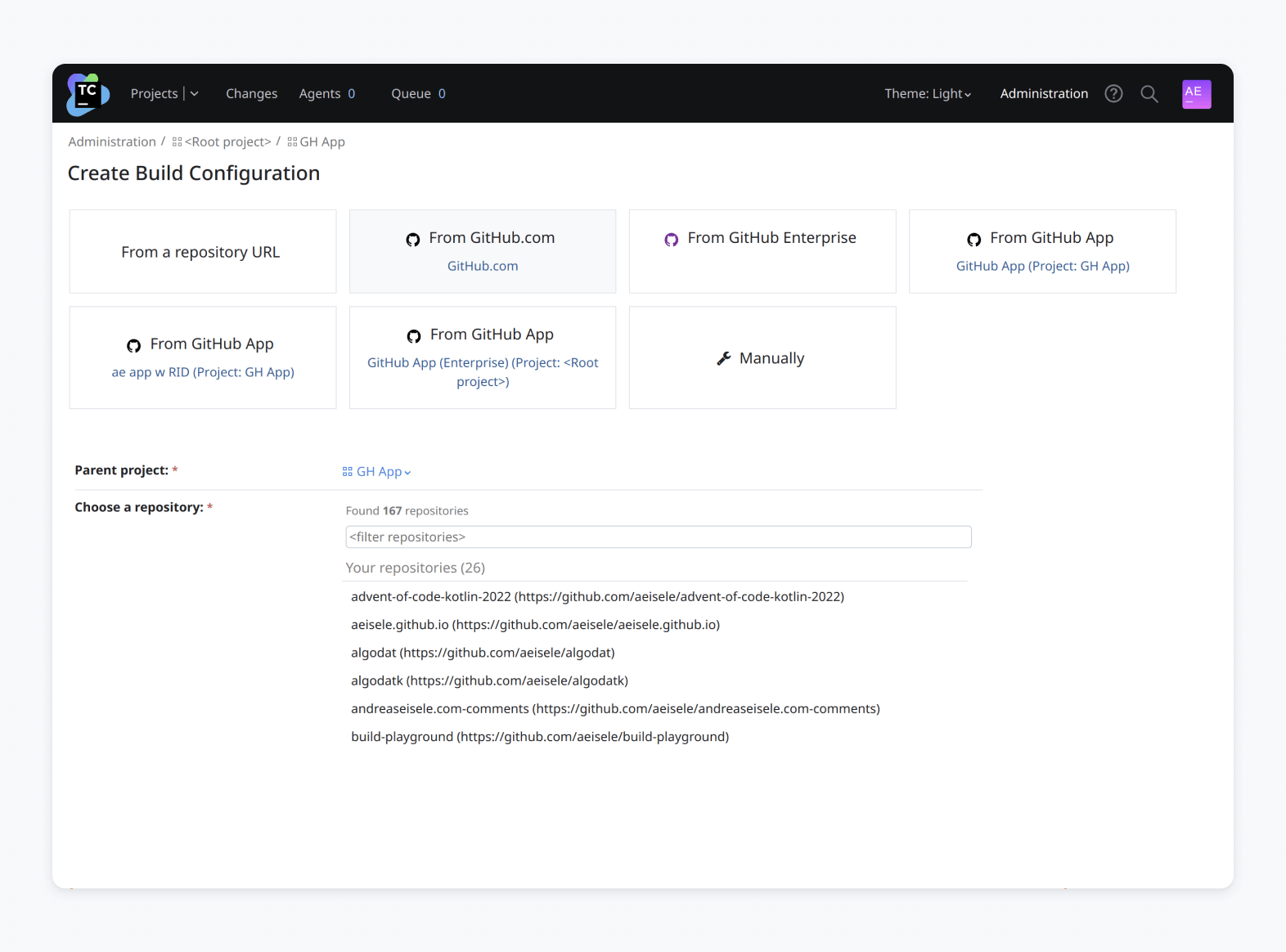
Create projects from an existing repository URL
During the Journey Map study, we discovered the workarounds that users employed when attaching the VCS root. To streamline this process, we’ve added the option to create a project straight from a VCS root.
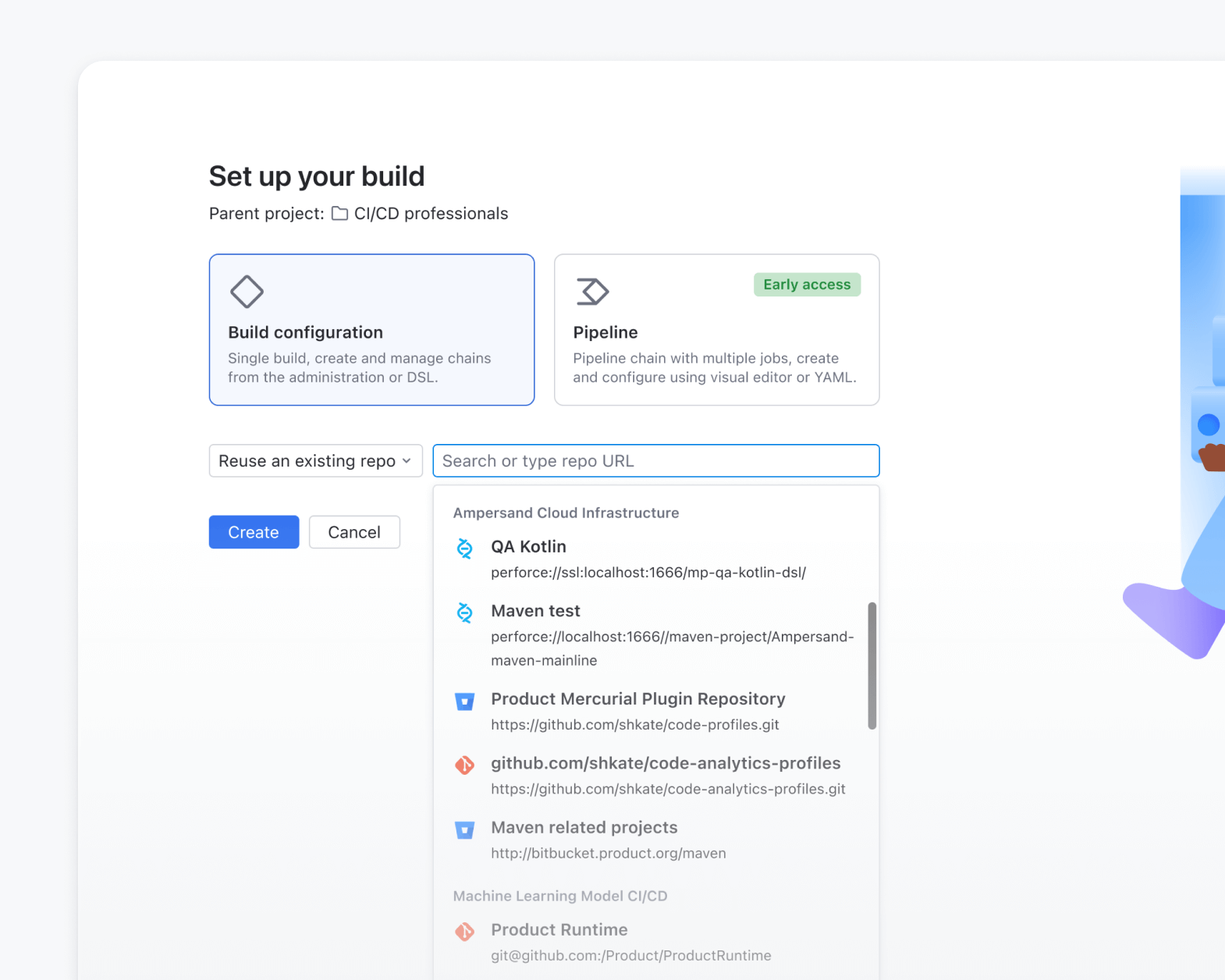
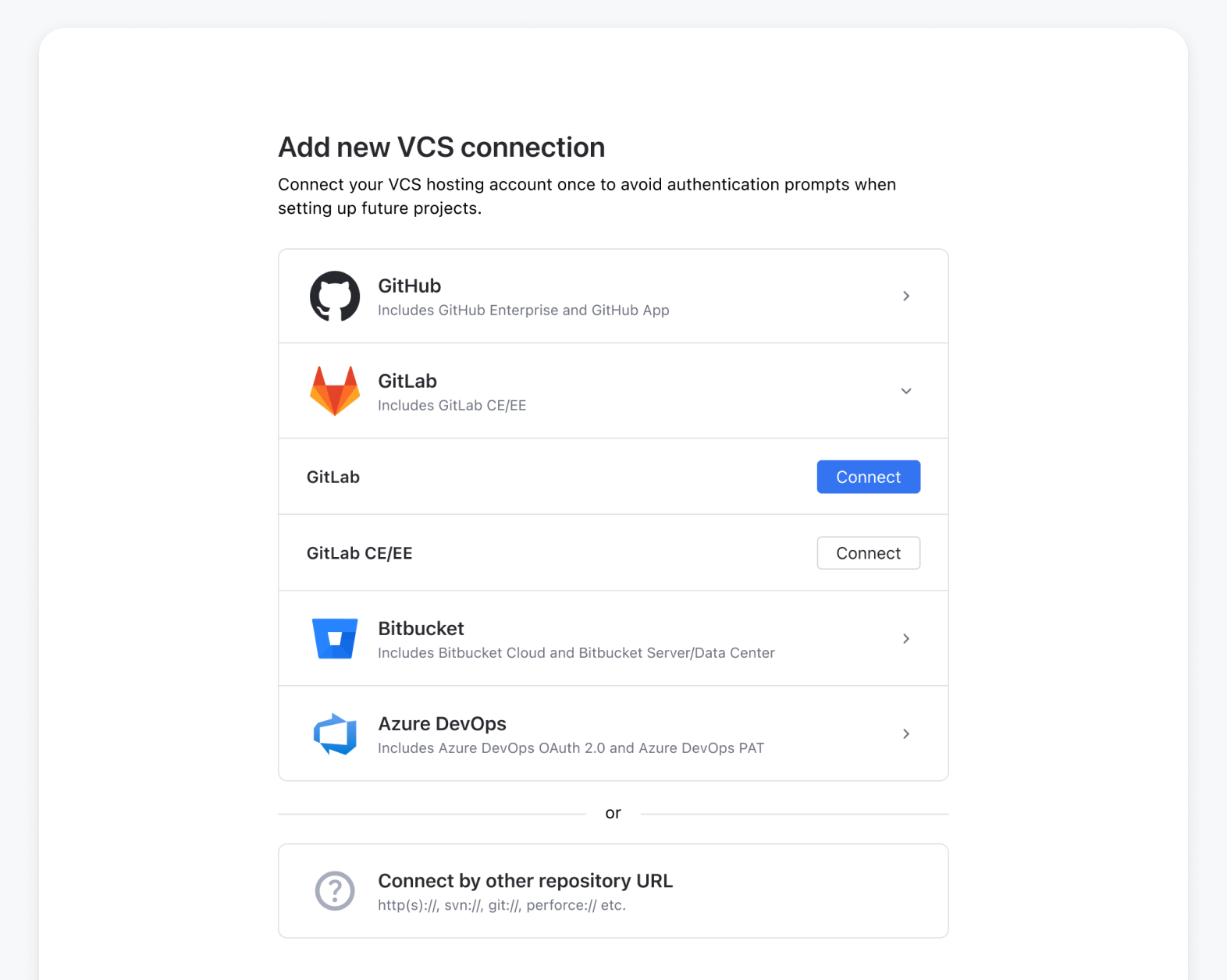
Easier VCS integration setup
Connecting TeamCity to your version control system is now simpler than ever. We’ve introduced a new connection interface that guides you through linking your GitHub, GitLab, or Bitbucket account before creating a VCS root.
Once the integration is set up, TeamCity can automatically find your repositories by name and help you configure the VCS root with just a few clicks.
We have added a setting to configure a new VCS connection in the creation flow. Setting up the connection both speeds up onboarding and enables TeamCity functionality to serve the user.
Create from template
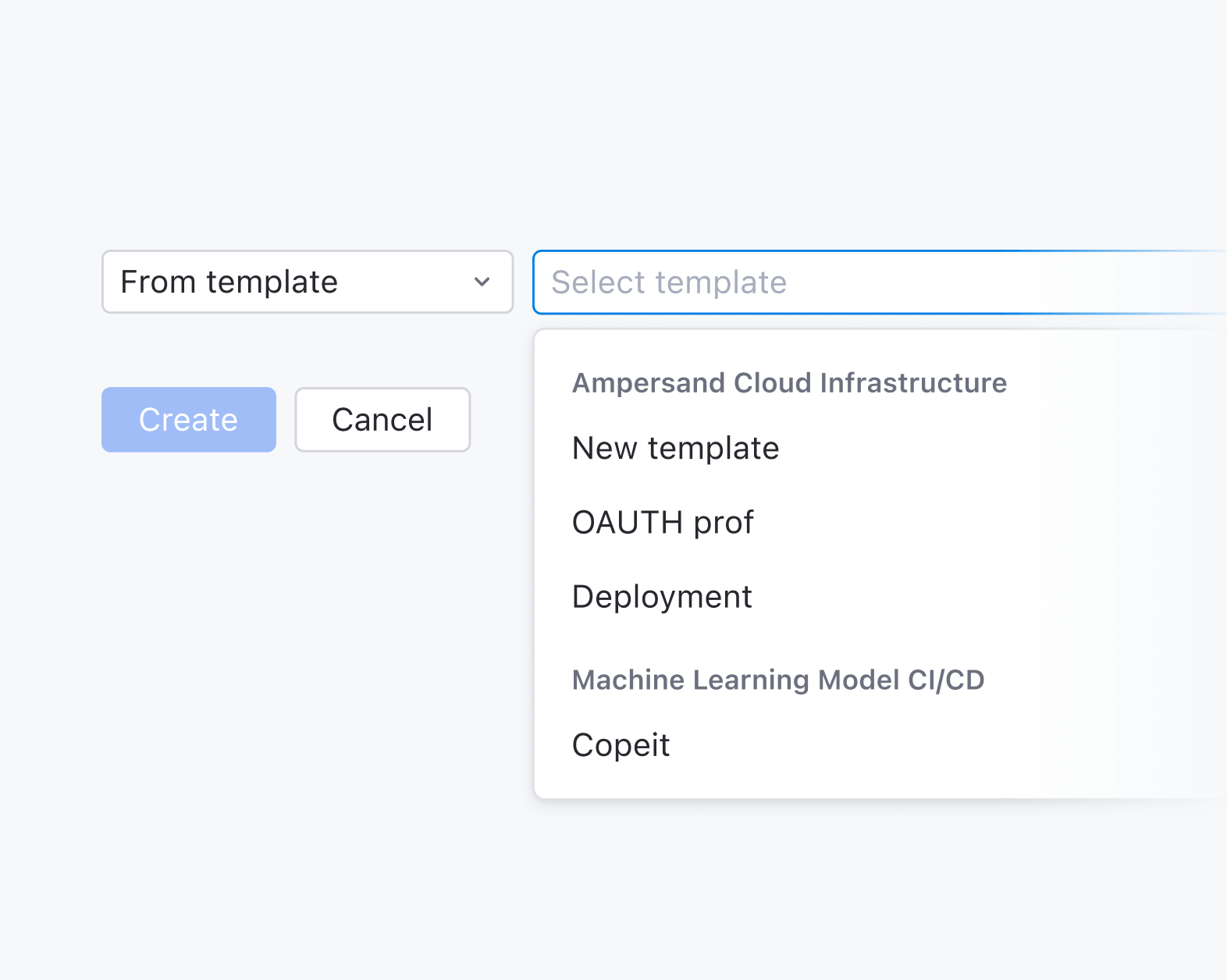
Templates have always been one of TeamCity’s hidden gems. They simplify setup, reduce repetition, and make managing builds easier.
In the new design, we’ve made templates a visible part of the setup flow. Instead of digging through menus, users can opt to use a template in the early stages of build creation. This saves time and helps you get to your first successful build faster.
Welcome to the new TeamCity
We’re excited for you to get your hands on the new TeamCity and can’t wait to hear your thoughts!
Please feel free to share them here in the comments, and don’t hesitate to contact our Support team if you have any questions. We’re always here to help!