YouTrack
Powerful project management for all your teams
YouTrack Introduces Whiteboards

YouTrack 2026.1 introduces Whiteboards, a new way for teams to plan, brainstorm, and collaborate. Connect your current projects to get a better overview and organize work, or add notes and turn them into tasks and articles when you’re ready. This allows project managers and teams to plan from scratch, collaborate on ongoing projects, and ensure every activity is linked to your work in YouTrack.
We’ve also streamlined project access management for administrators and improved the notification center experience for all users. For teams that rely on AI tools in everyday workflows, there are new ways to use YouTrack within your existing stack, including an n8n integration and new remote Model Context Protocol (MCP) server actions for the Knowledge Base.
The YouTrack app ecosystem continues to grow, with 50 apps now available on JetBrains Marketplace. We’ve highlighted some of the latest apps for project managers, QA and support teams, and more.
Turn planning into action with Whiteboards
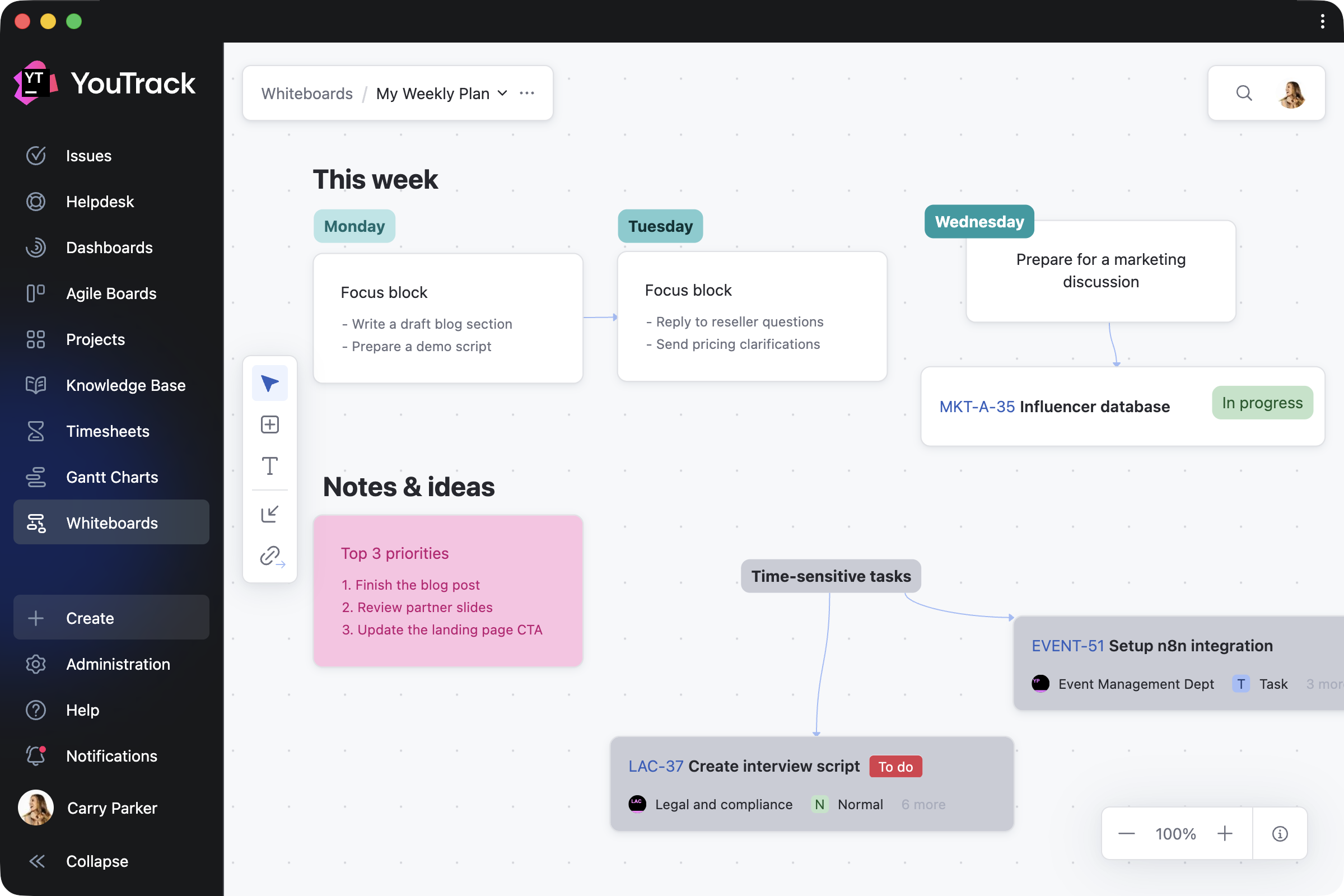
We’re excited to introduce Whiteboards – a new, flexible space where you can visualize your projects as you work on them. Whiteboards extend YouTrack’s built-in functionality and are available to every user and agent.
Whether you’re a project manager structuring a plan, a team brainstorming together, or an individual organizing your own work, Whiteboards support your approach. You can restructure existing projects, plan what comes next, and capture everything along the way – all in one place.
How Whiteboards work in a nutshell
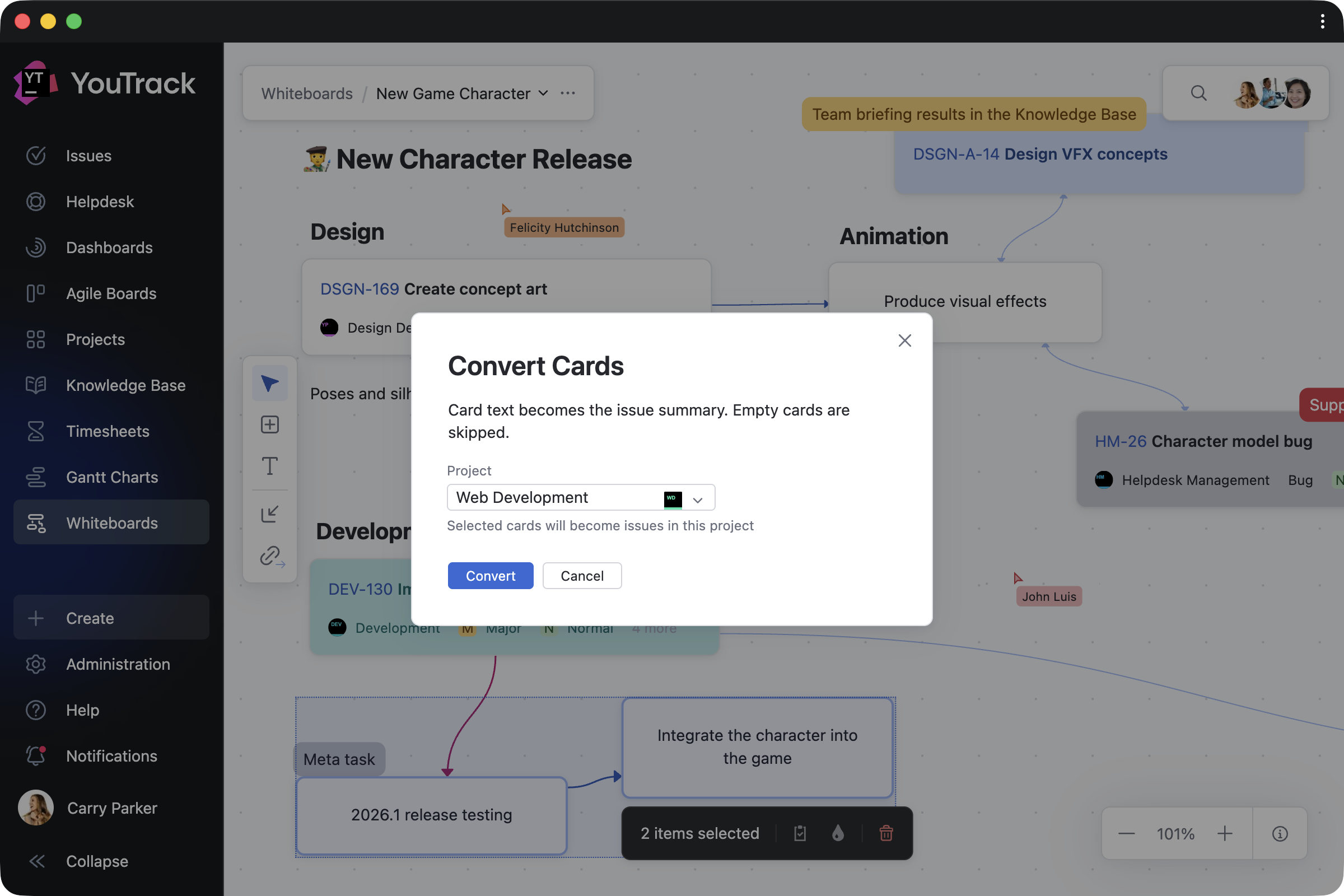
Turn ideas into tasks and articles
Work on Whiteboards on your own or together with your team, using cards and text blocks to shape your ideas and turning them into tasks or documentation with a single click.
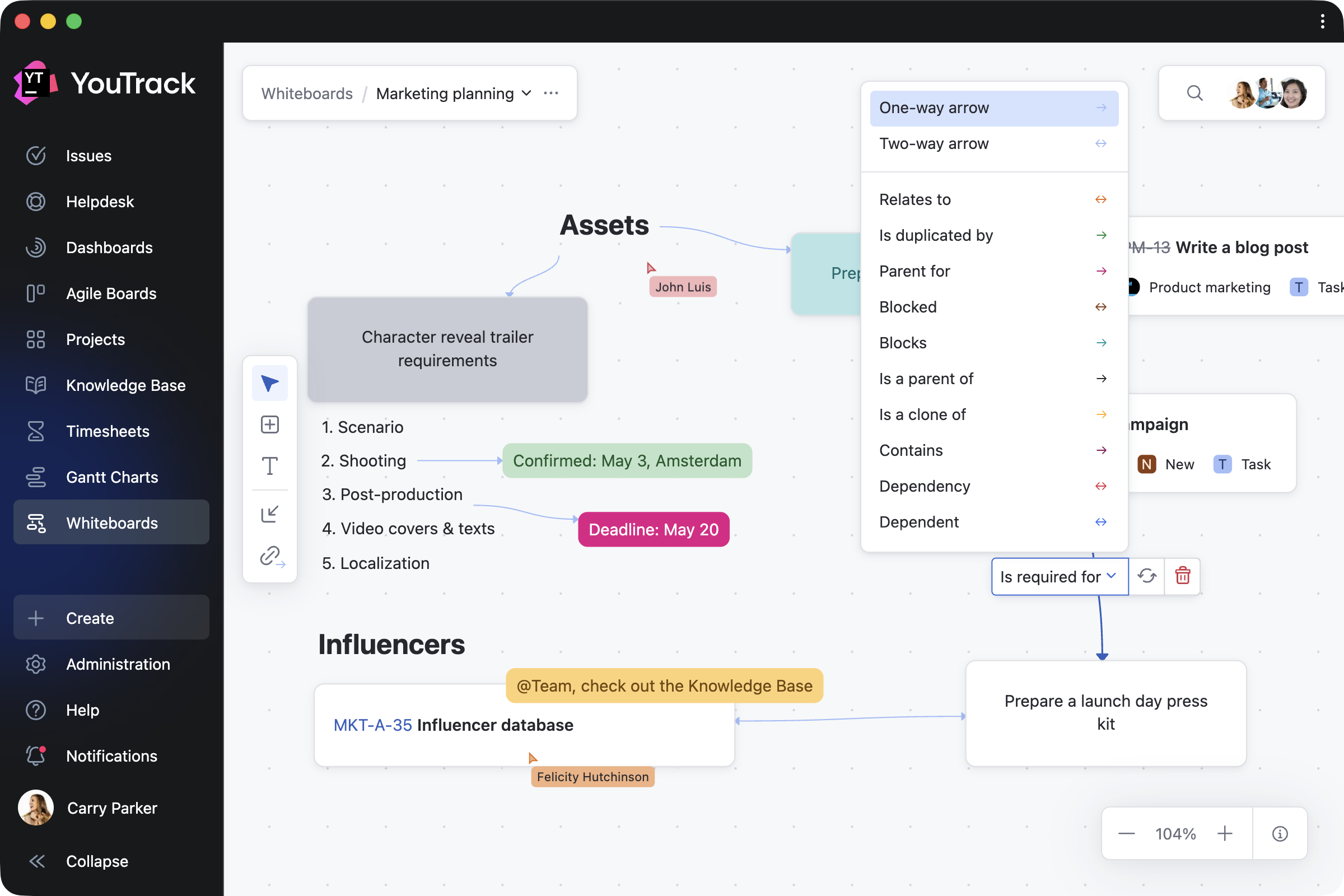
You can also connect any notes with links, so that linked cards reflect real relationships between tasks in your projects.
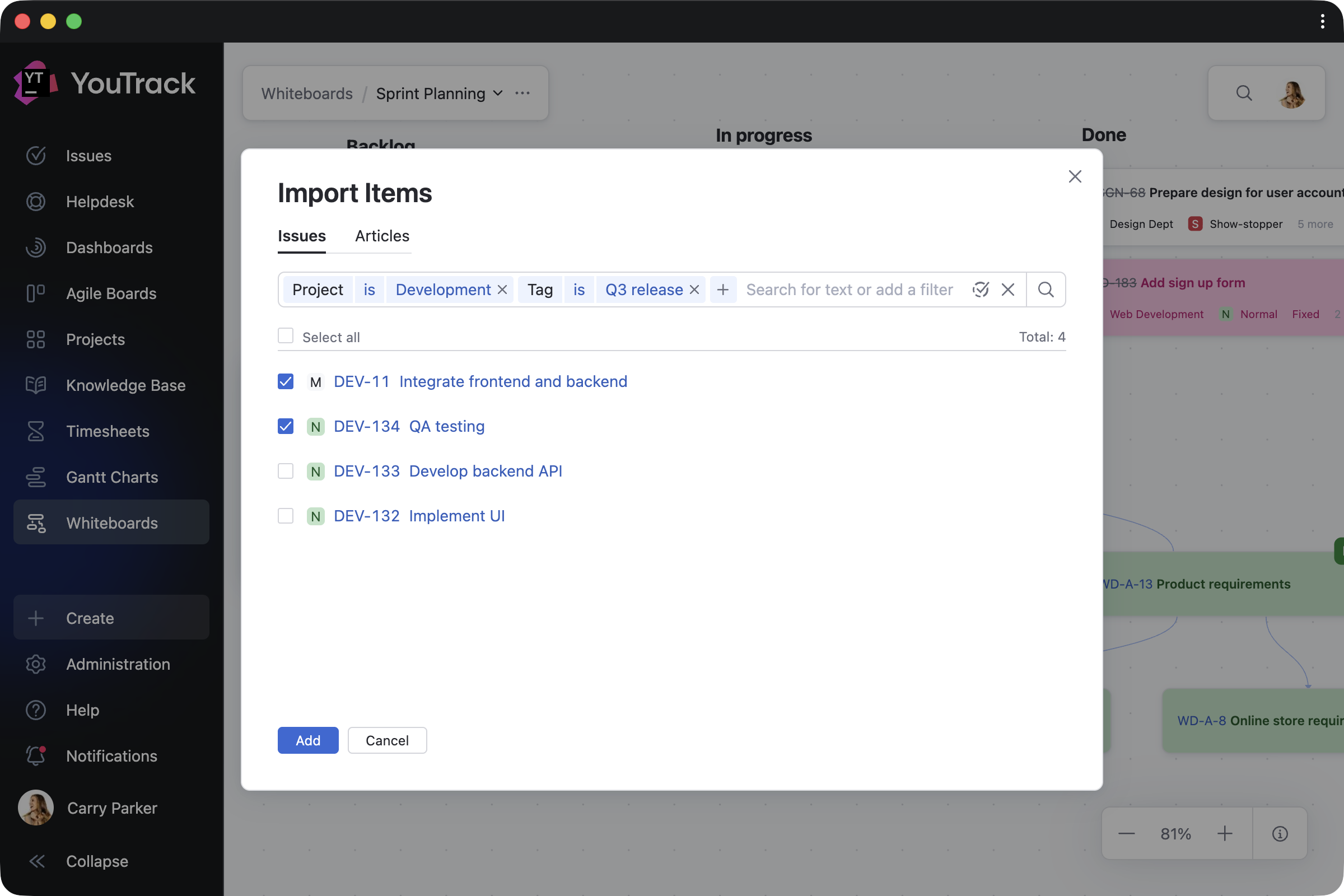
Import and work on ongoing projects
When you need to reorganize your current work, you can bring existing tasks, tickets, and articles onto your Whiteboard and update them directly as your plans evolve. Every change you make is instantly reflected across your projects – for both imported items and those created on the Whiteboard. Task dependencies are synced automatically as well.
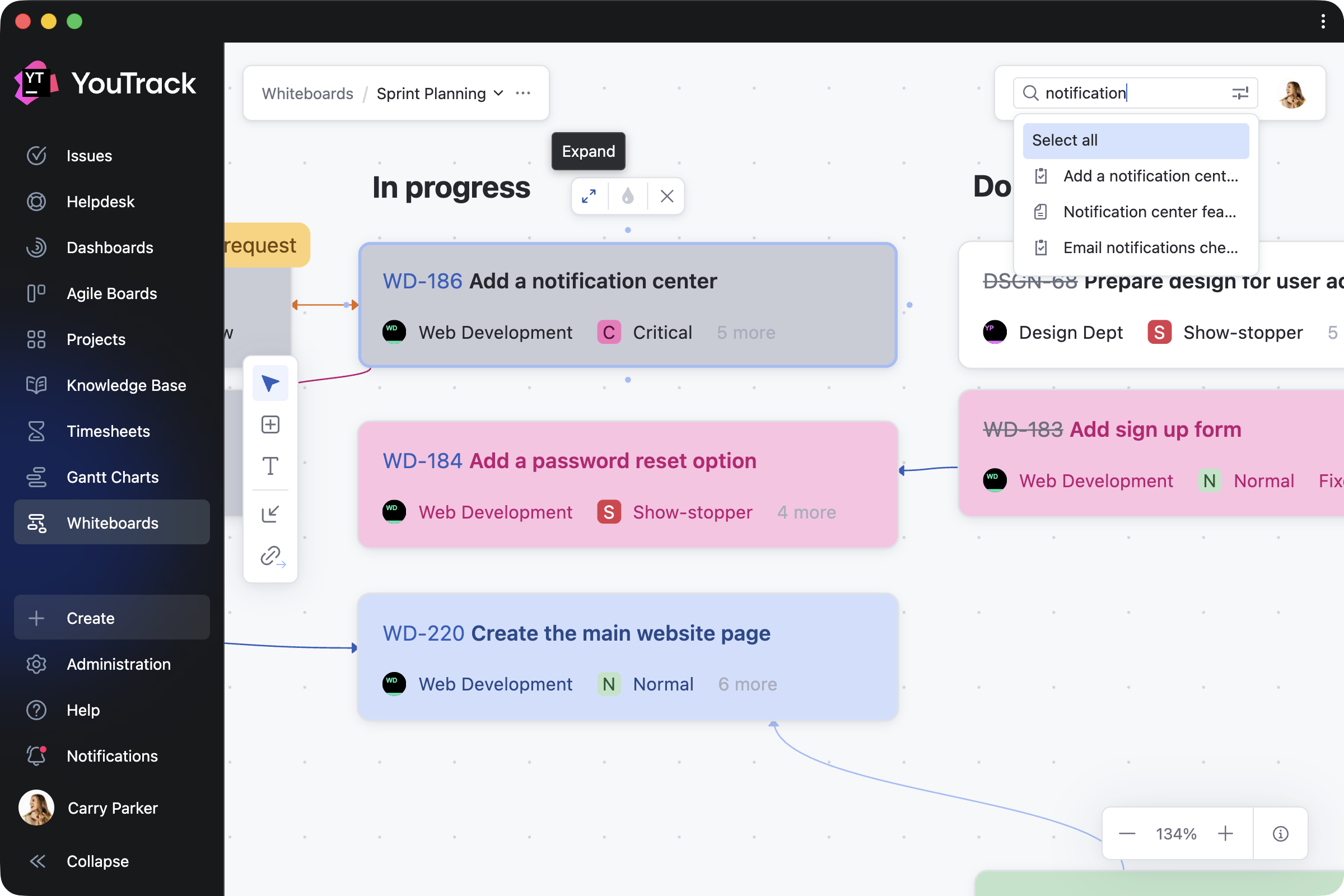
Navigate and track your progress
You can return to any Whiteboard at any point to see how your plans have evolved. Zoom in to focus on specific areas, switch to full-screen mode for a bird’s-eye view, or use search to quickly find and navigate to relevant content.
You can also control who can view or edit your work, with visibility on shared Whiteboards following your YouTrack project permissions.
Adapt Whiteboards to your work
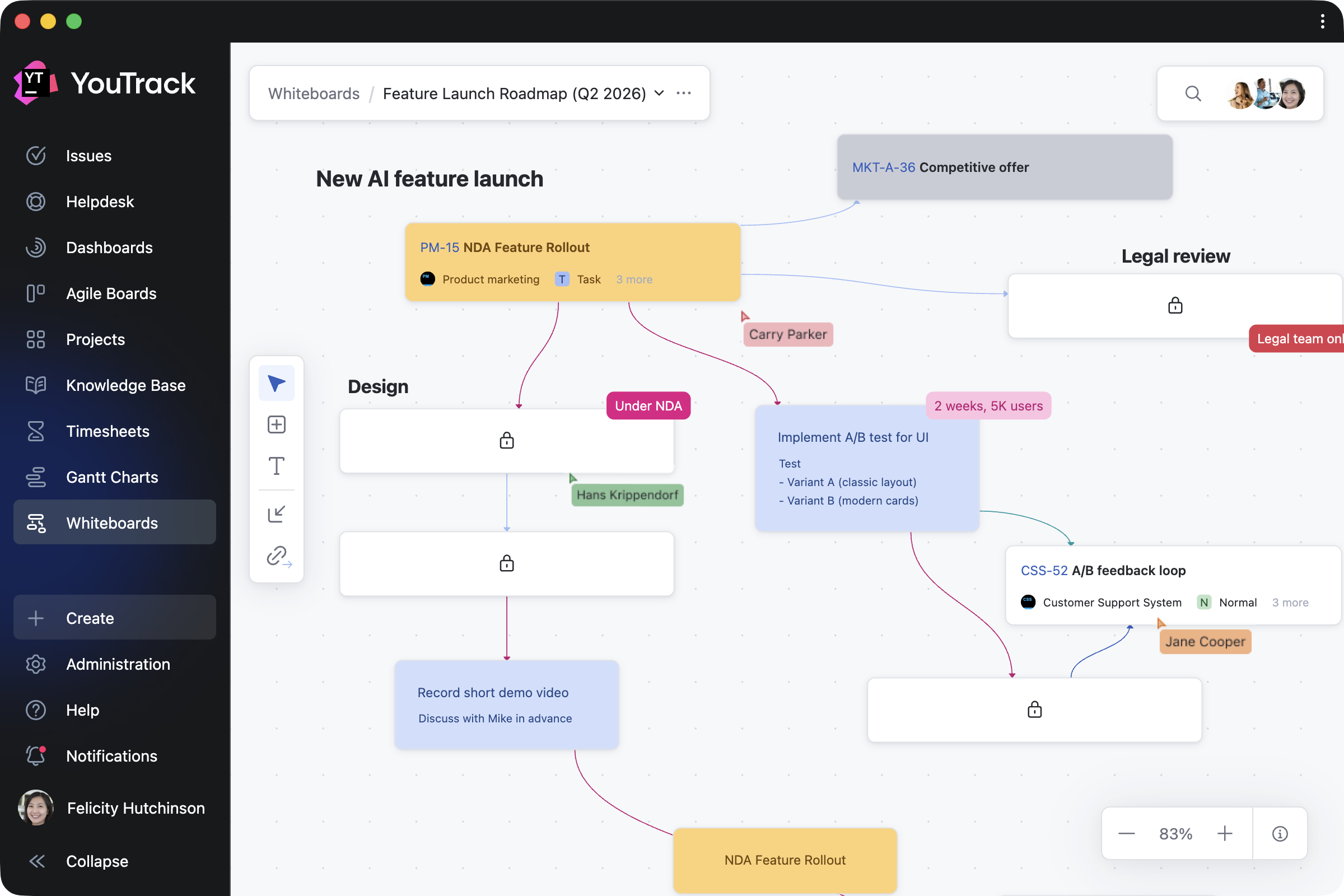
Since Whiteboards start from a blank canvas, you can shape them to fit any work scenario – from creating a cross-project overview to focusing on specific topics in detail. Here are a few ways you can use them.
Plan projects
Planning often starts with ideas rather than structured tasks. Project managers can outline team roadmaps, restructure ongoing work, or visualize new projects. As cards are converted into YouTrack tasks and articles, your team can continue working in projects without interruption.
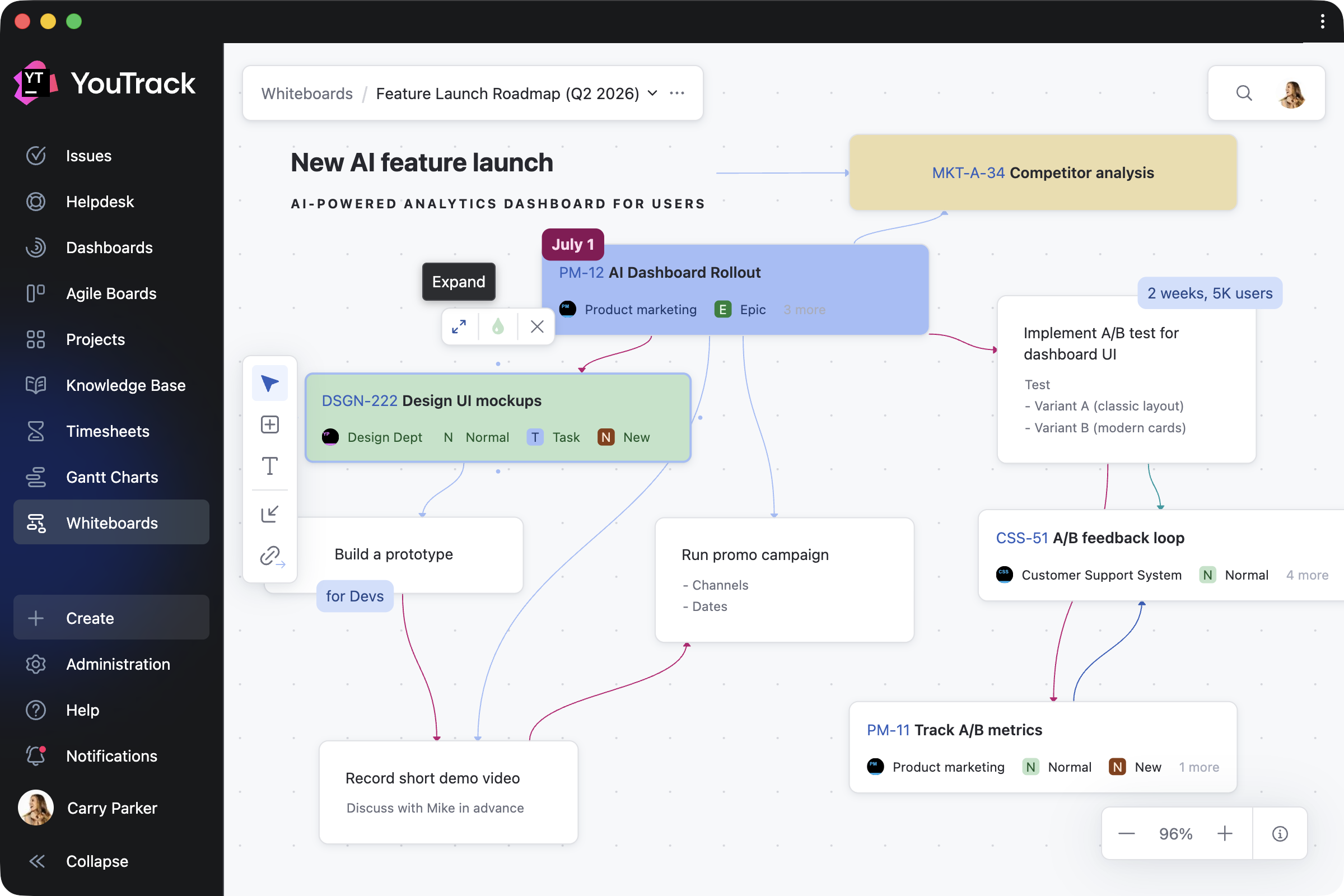
Brainstorm with the team
Any team member can add and update cards, text blocks, and their connections in real time or asynchronously. Whether you’re running a retrospective, building a mind map, or sketching out ideas together, Whiteboards adapt to your team’s distinct workflows. For example, product teams can shape new features, while support teams can map customer journeys.
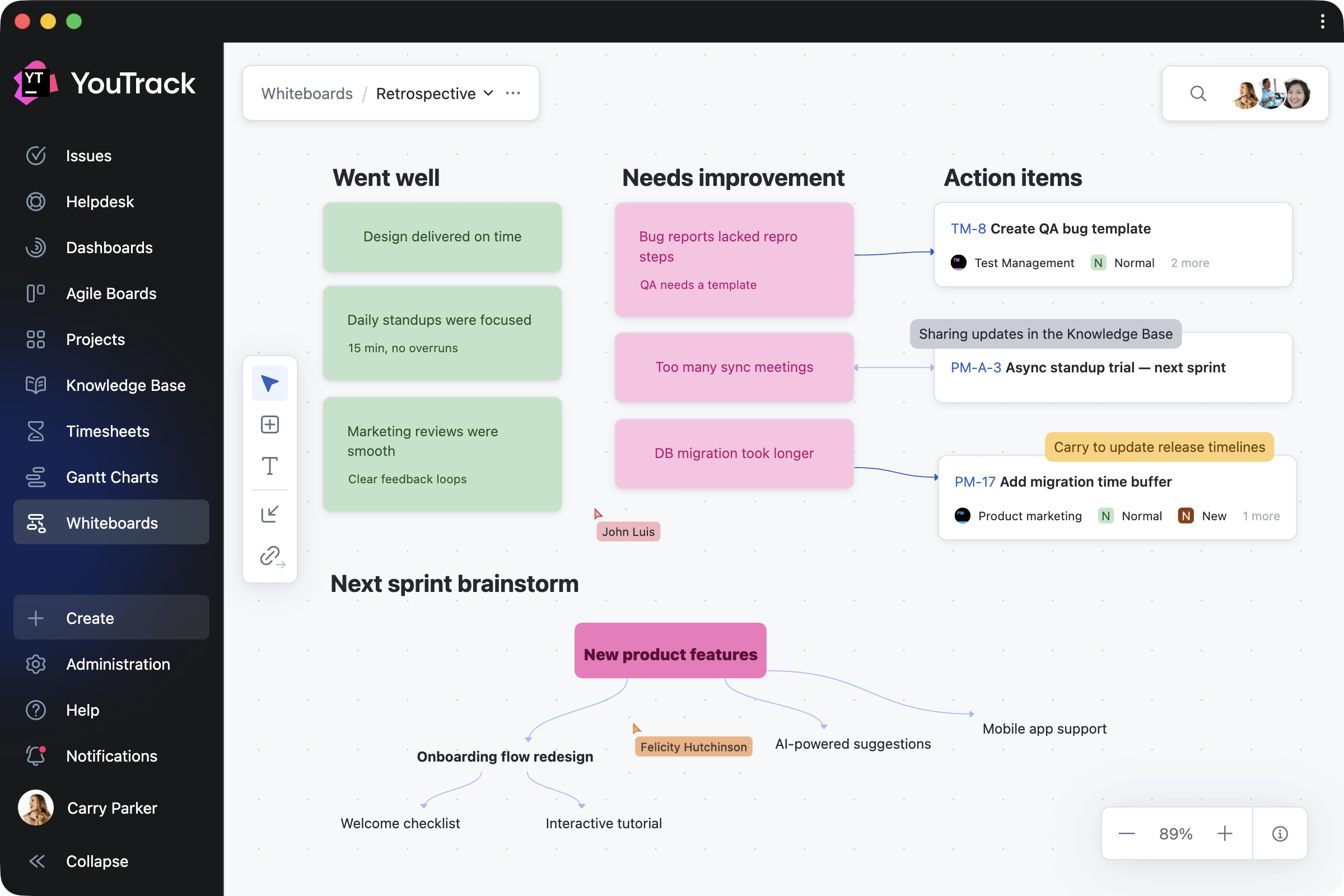
Share knowledge with your users
Administrators can create shared Whiteboards to explain workflows, processes, and project structures to users or guests. By combining guidance notes with direct links to relevant tasks and articles, you make it easier to access everything in one place.
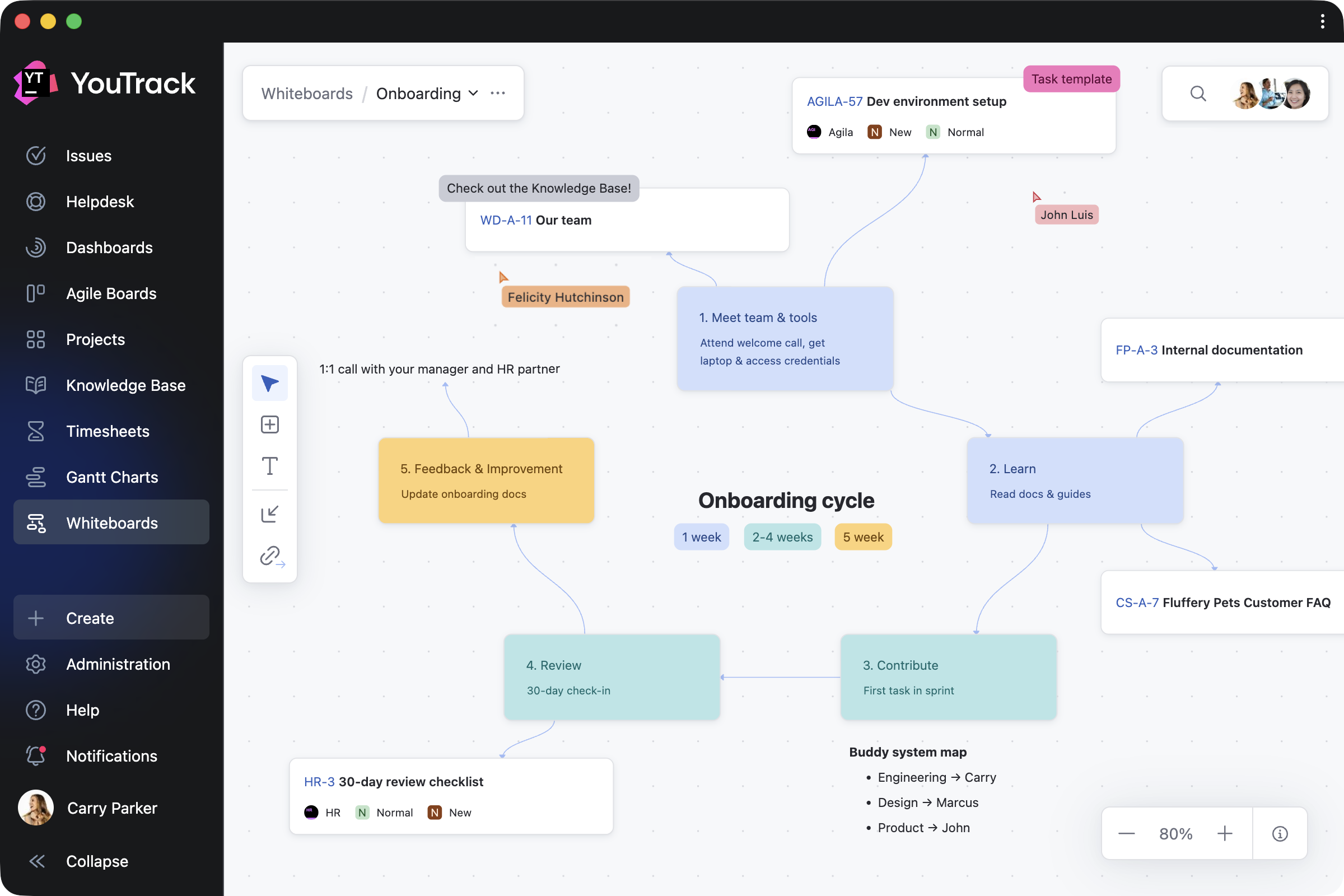
Organize personal work
Individual users can also use Whiteboards for their own planning – capturing ideas, organizing a week, or taking notes that are visible only to them. When you’re ready, you can invite others to collaborate and turn your private whiteboard into shared work.
Design enhancements for administrators and teams
Streamlined access management for projects
We’ve added further YouTrack design updates to make working on your projects easier. The new People tab on the project overview page simplifies how administrators manage project teams. Administrators can add or remove users and groups, assign roles, and filter team members by roles and permissions – all without having to jump between pages. The previous Team and Access tabs are now combined into a single, streamlined view. You can learn more about all changes in our documentation.
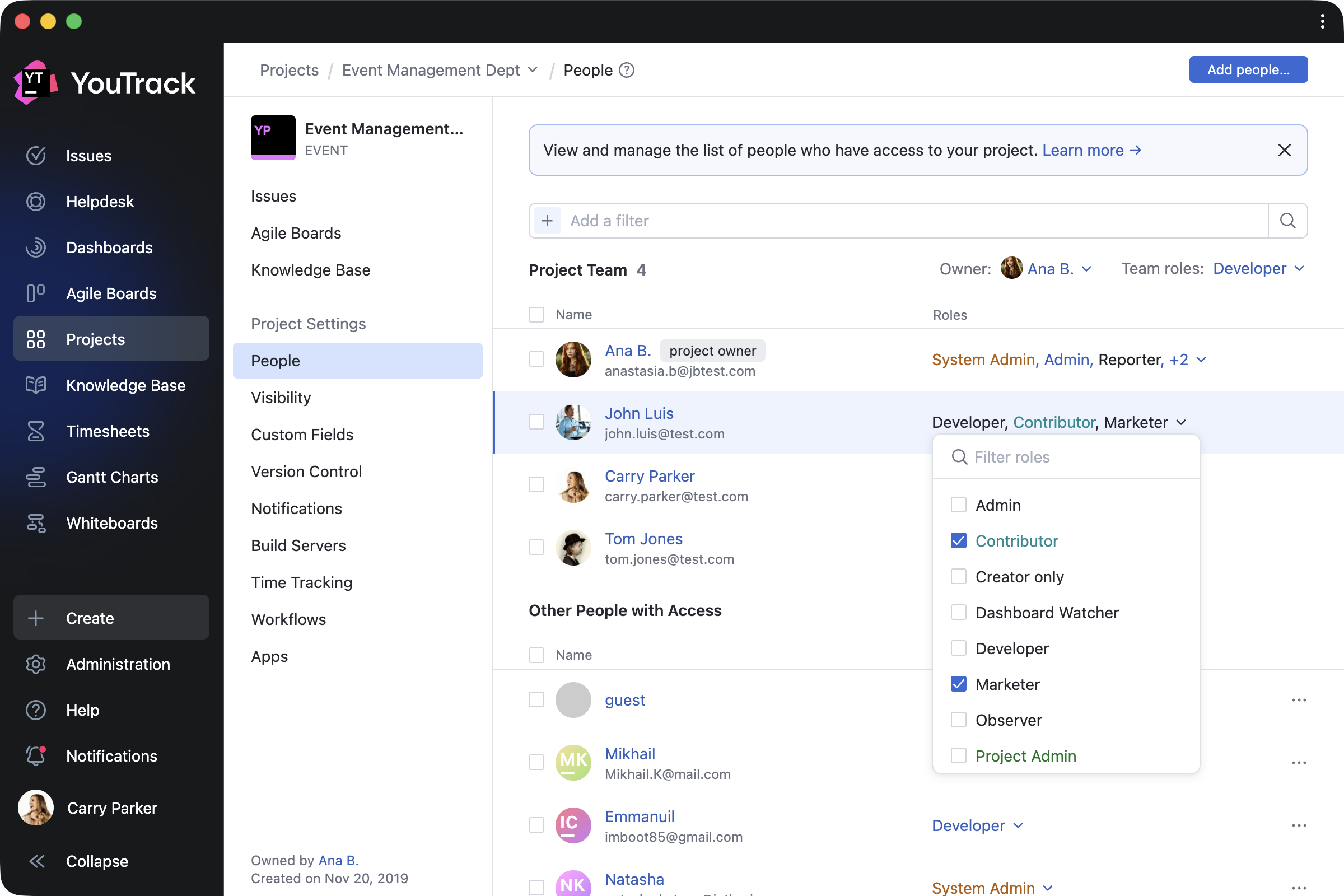
Here’s how it works in practice. When new team members join, you can add them to the project and assign their role right away. To manage existing project members, you can filter users and groups, then update or revoke their roles as needed. The People tab also lets you control access for people outside the project team, giving you a clearer overview of who can access your project.
Full-page notification center
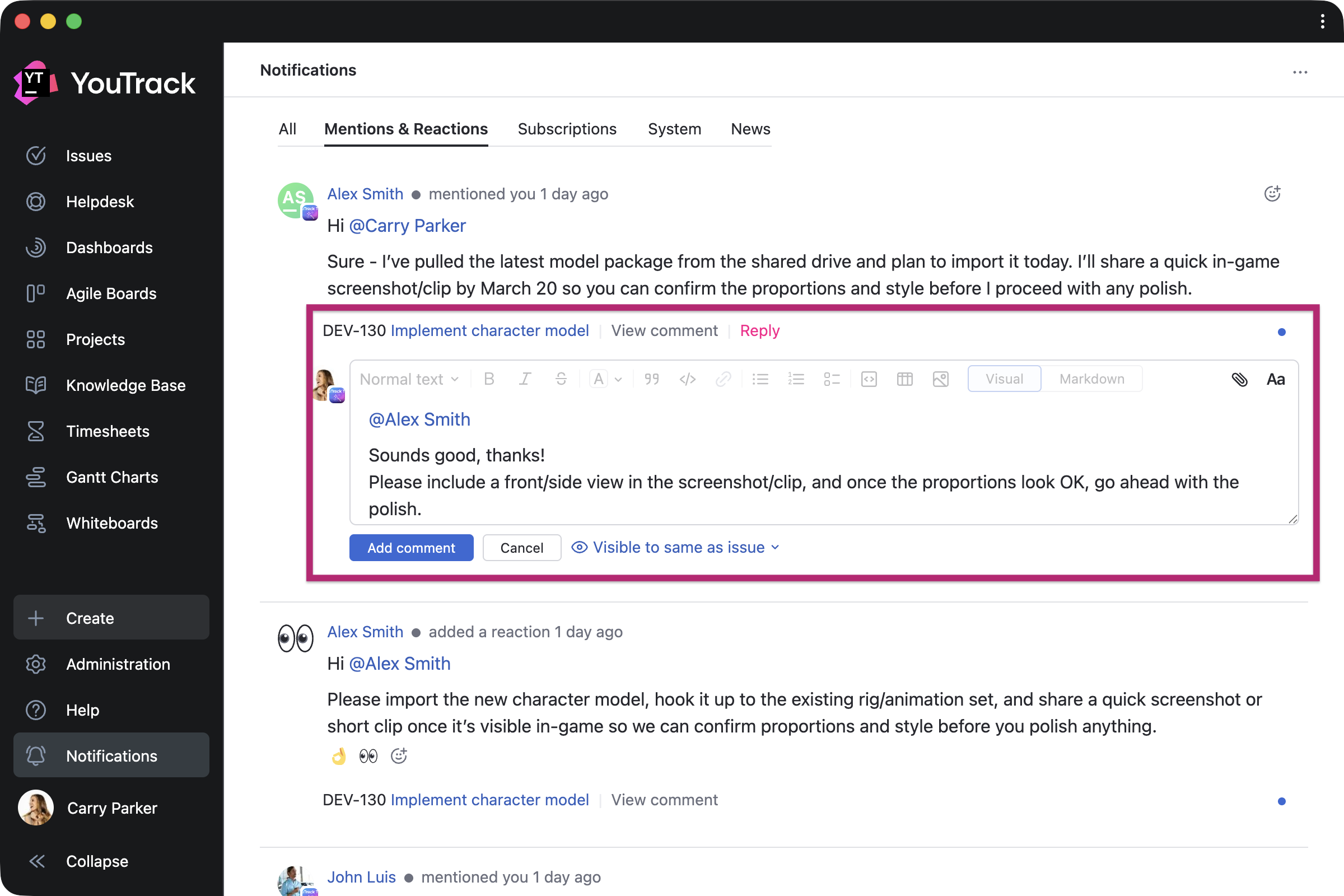
Every user can now expand the notification center to a full-page view and reply to comments directly from there. This makes it easier to quickly respond to feedback or discussions without switching contexts.
Use YouTrack inside your existing stack with AI-powered integrations
For many teams, AI tools are already part of their everyday workflows. In addition to our built-in free AI assistance, we’re introducing new AI-powered integrations so you can use YouTrack from the tools you already rely on.
n8n integration
n8n is a workflow automation platform that connects your tools and services without code. YouTrack now has a dedicated node in n8n, so you can automate workflows and connect YouTrack with hundreds of apps – sync data, trigger issue updates, execute YouTrack commands, and build cross-platform workflows with ease.
You can build your own workflows or use existing templates. For example, you can configure workflows to collect data from third-party systems into YouTrack, update tasks based on actions from your AI agents, share YouTrack content with other systems, and much more. This means YouTrack can be integrated into every step of your automation.

New remote MCP server actions for the Knowledge Base
For teams working from their existing LLM, IDE, or agent platform, we’ve expanded the number of predefined actions available via YouTrack’s remote MCP server. You can now use AI-powered tools to find, create, and update Knowledge Base articles and create tasks with pre-configured visibility.
If you want to set up the remote MCP server for your coding agents, such as Claude Code or Cursor, or for integration platforms like Zapier and Make or other automation tools, you can find detailed instructions in our documentation.

YouTrack Helpdesk experience for standard users and agents
We’ve enhanced the experience for standard users and agents participating as internal reporters in helpdesk projects, making it easier for them to submit and track their own requests. They can now seamlessly access reporter functionality while submitting tickets and receive reporter email notifications.
When the product team needs to join the conversation, standard users now have a similar experience to agents when replying to reporters via public comments or email CC.
New apps on JetBrains Marketplace
Check out some recent apps from our certified consulting partners and third-party providers, now available to enhance your YouTrack experience.
Apps for project managers and teams
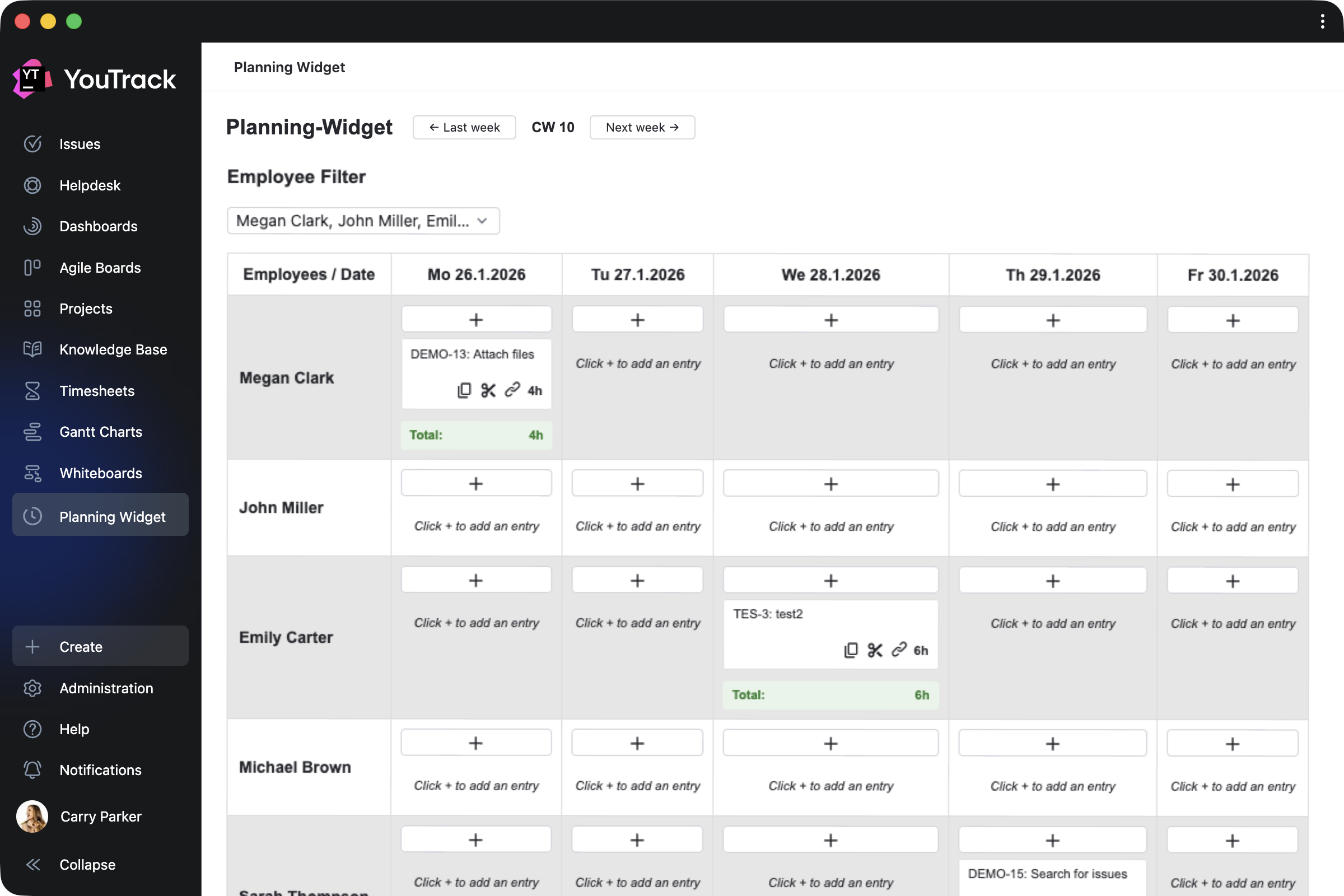
Planning Widget by CARL von CHIARI helps managers plan team activities in a calendar view. Review the tasks and tickets your team members work on each day, track time spent, and filter the view by employee.
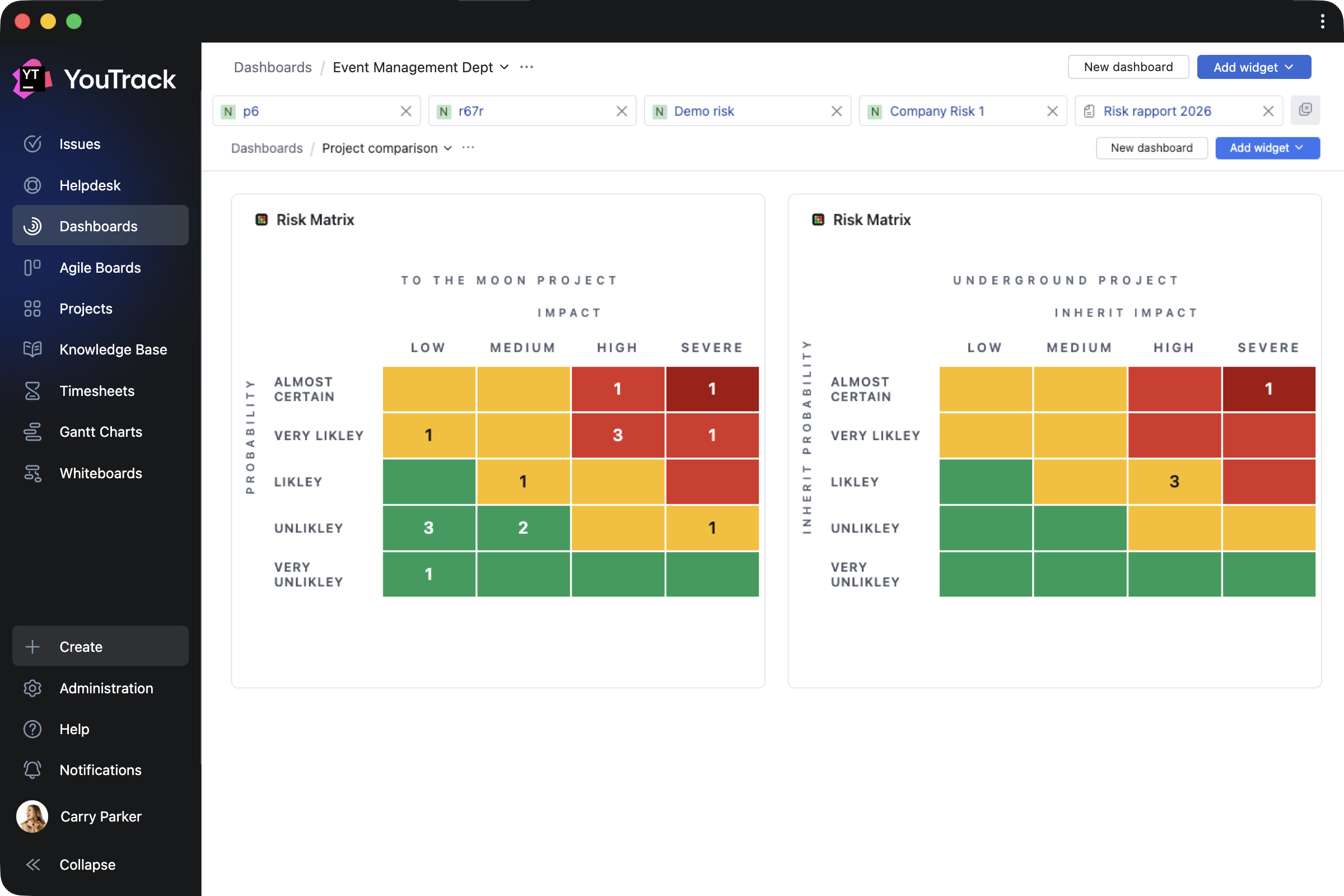
Risk Manager by Rixter AB helps project managers assess project risk levels by building risk-matrix widgets based on the probability and impact of specific outcomes for selected tasks.
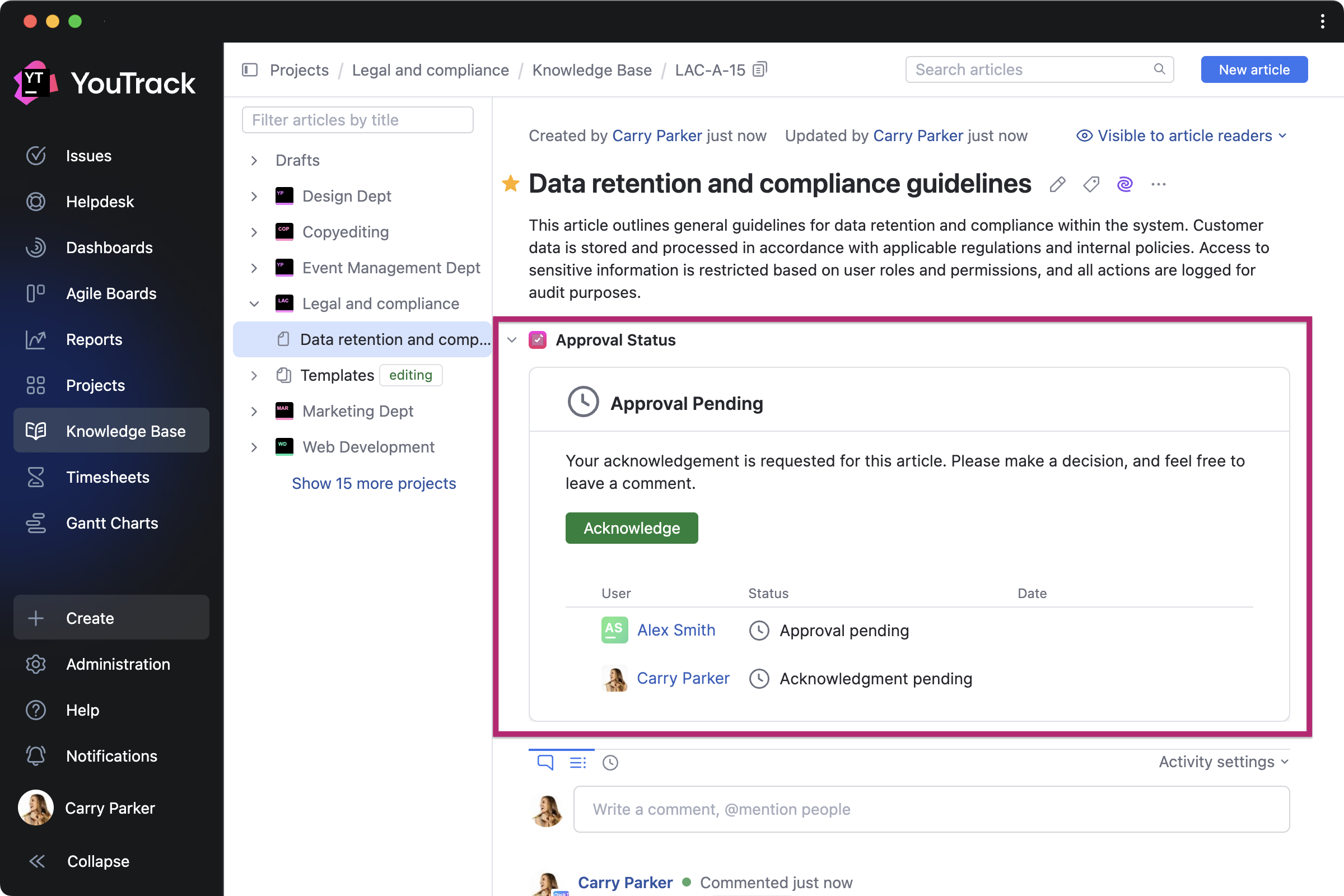
Article Approval by twenty20 is a paid app that allows teams to manage approval workflows directly in the Knowledge Base. You can invite approvers and acknowledgers for each article, set due dates, and track approval statuses.
Apps for QA and DevOps teams
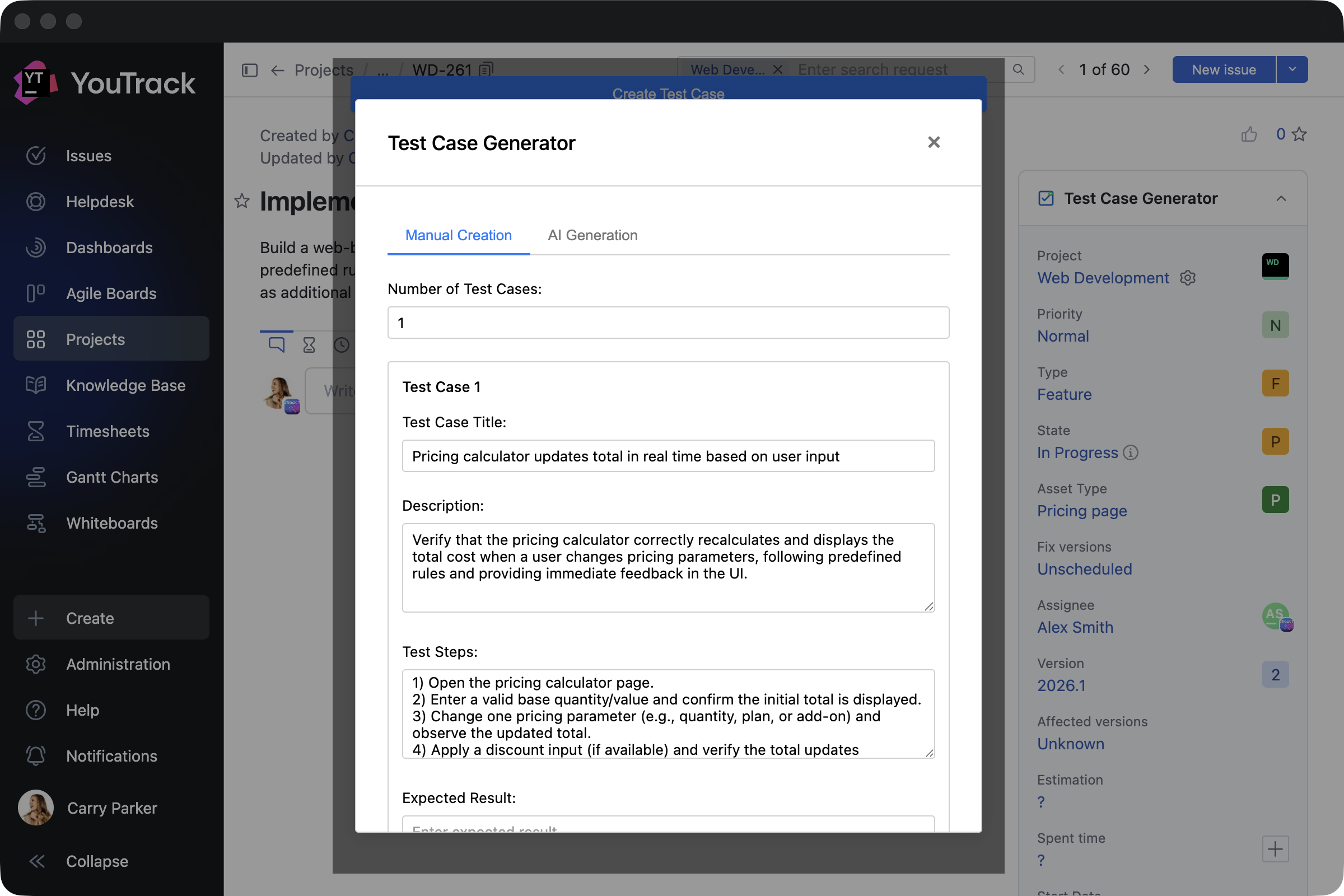
Test Case Generator by Depa Panjie Purnama helps users create test cases or generate them using AI models while working on other development tasks.
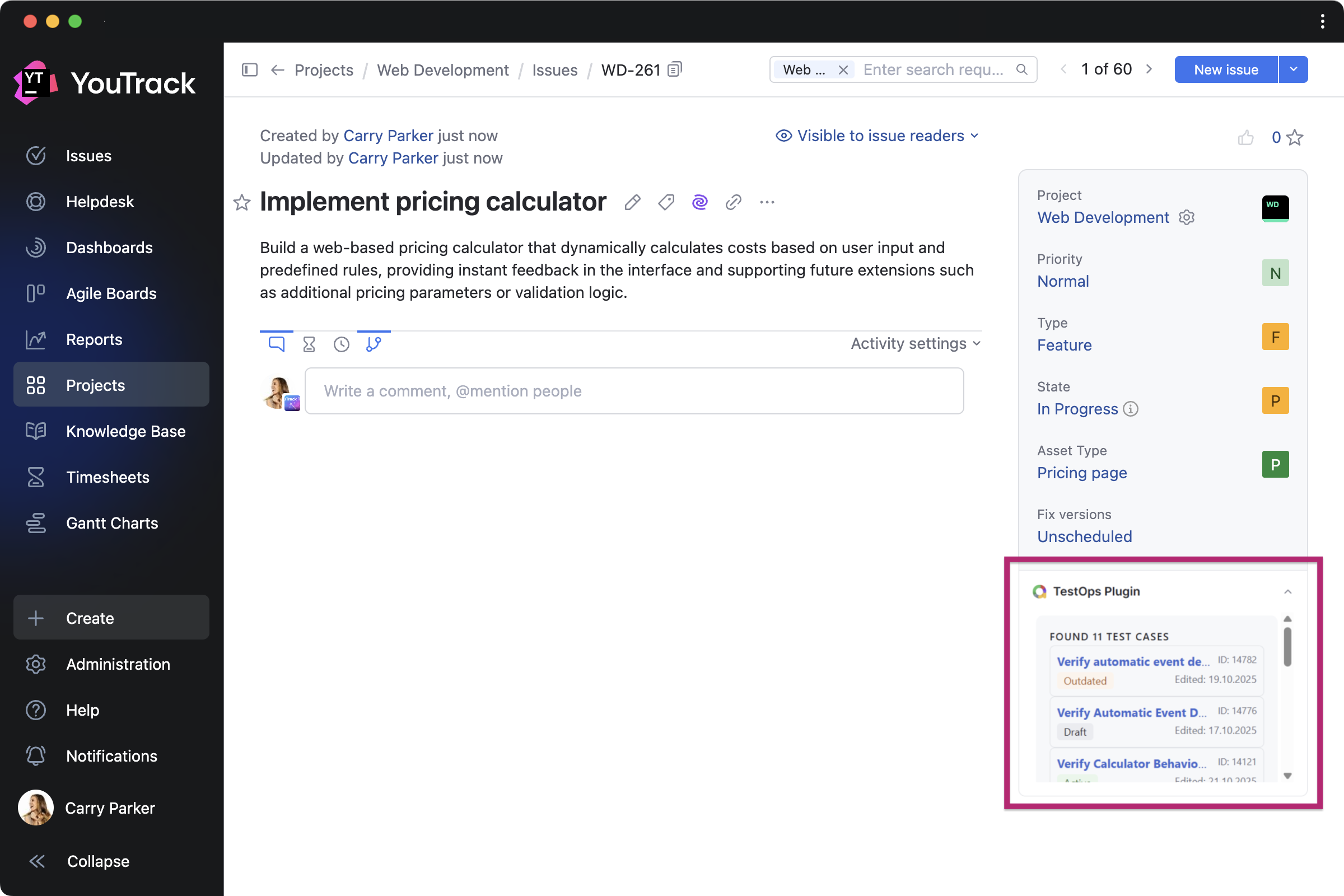
TestOps Plugin by bodm helps DevOps teams to stay on top of testing while developing features. It brings recent test cases from Allure TestOps directly into related tasks.
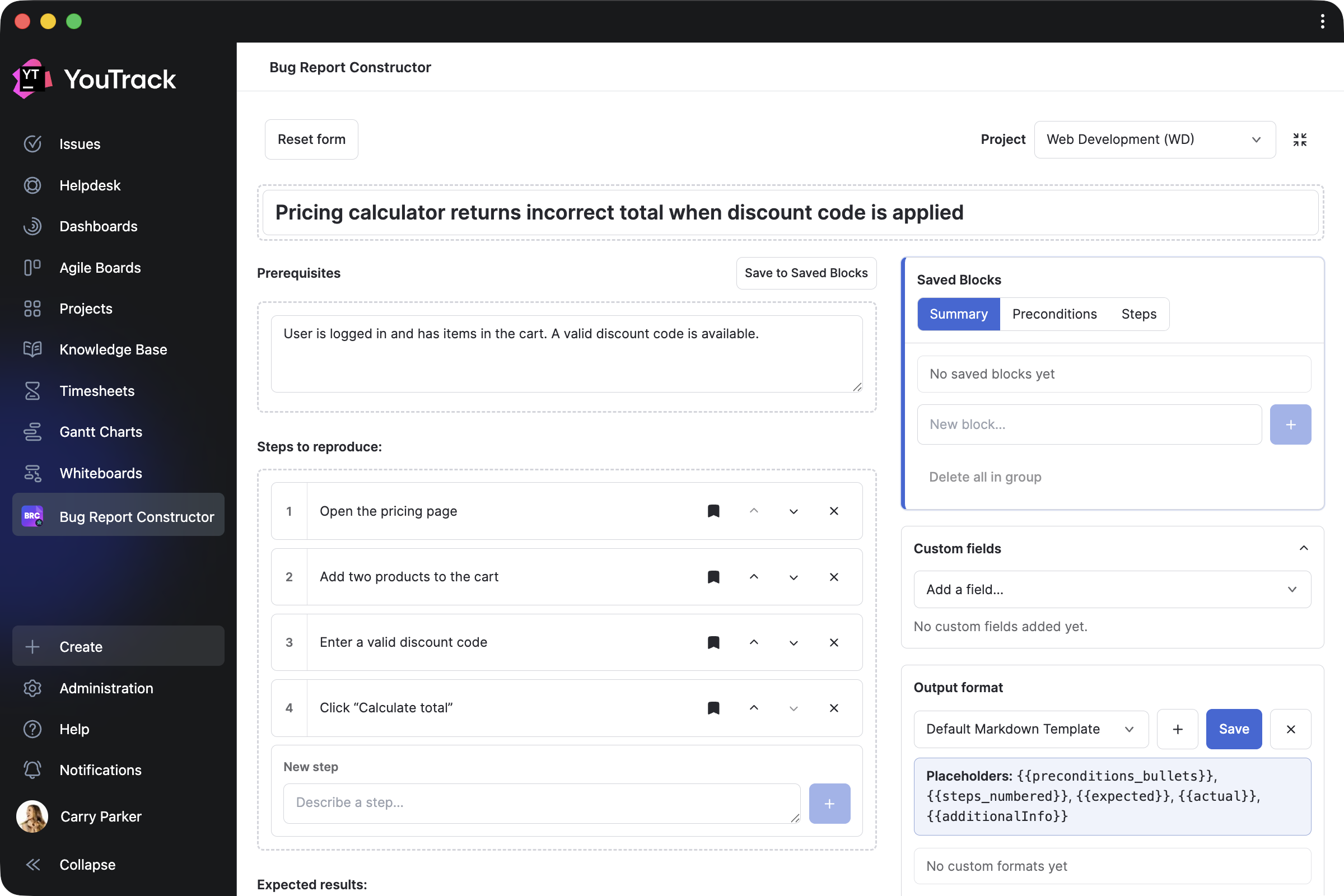
Bug Report Constructor by Evgenii Venediktov allows QA teams to collect bug reports using a single template and enables users to quickly create task drafts with pre-saved blocks.
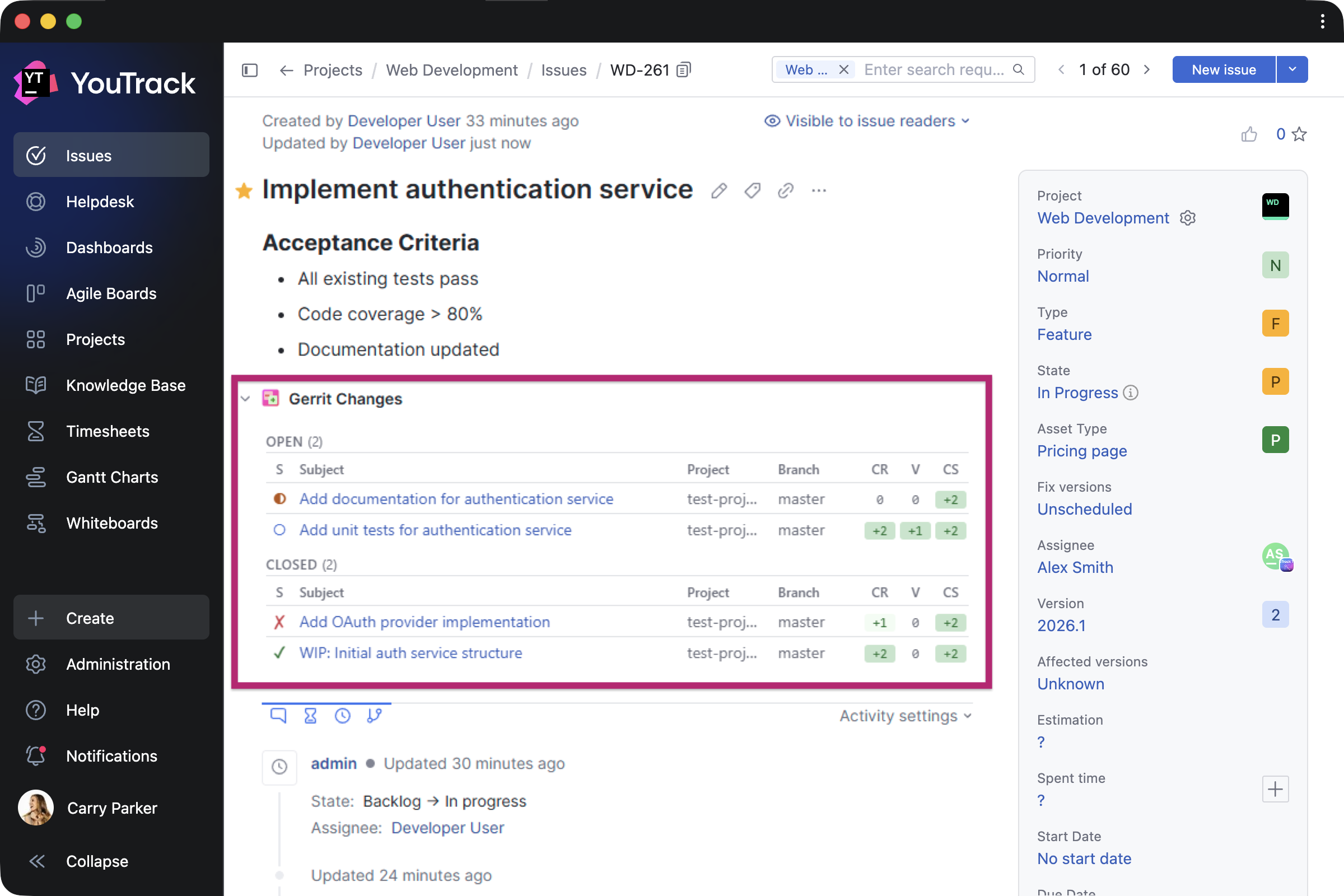
Gerrit Integration by Phoenix Systems helps developers display related Gerrit Code Review changes directly in tasks, including status, approvals, and links.
Apps for support teams
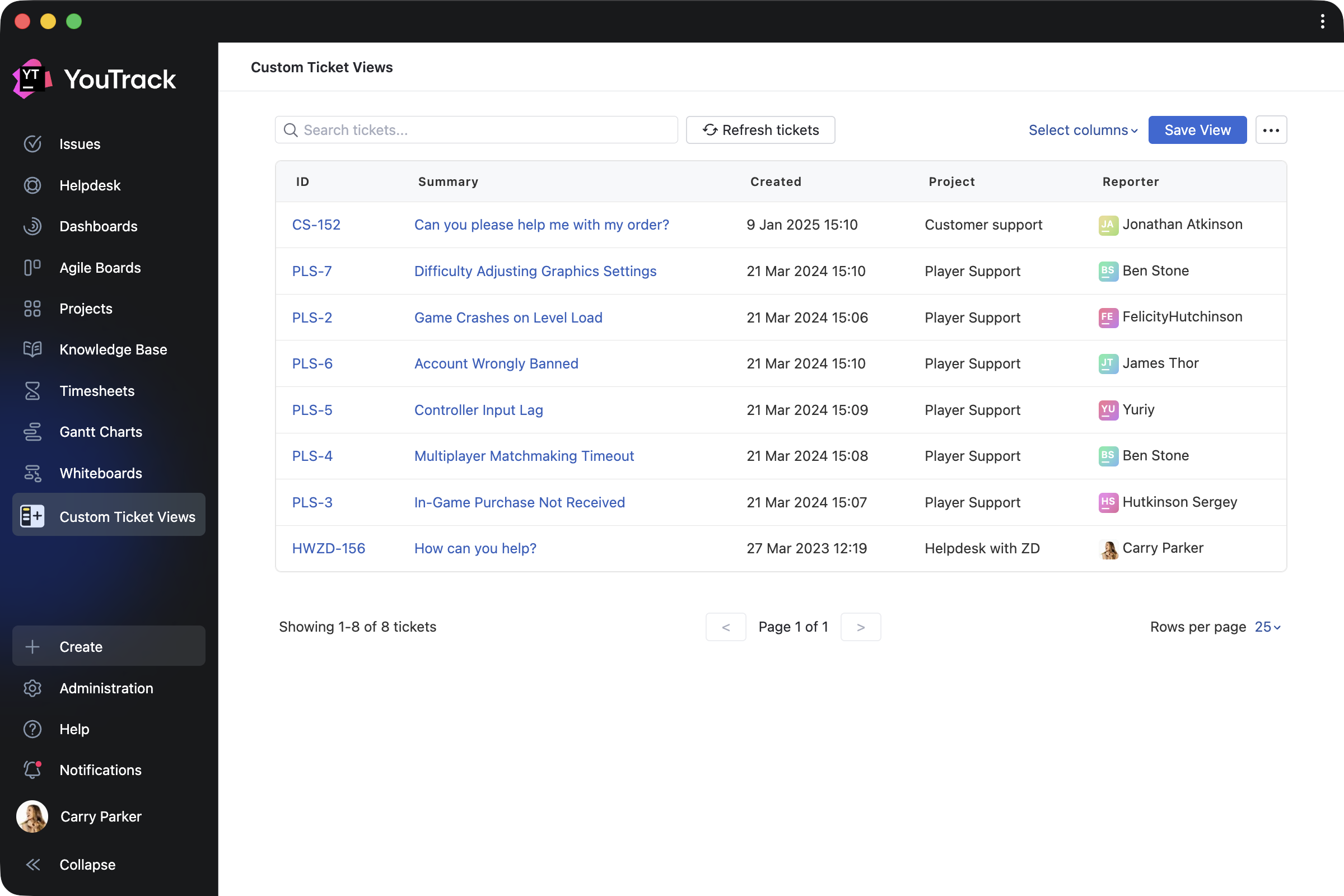
Custom Ticket Views by Appfero is a paid app created to help support teams enhance reporters’ experience when working in YouTrack Helpdesk. It adds a new menu section that shows a reporter their submitted tickets in a customizable view.
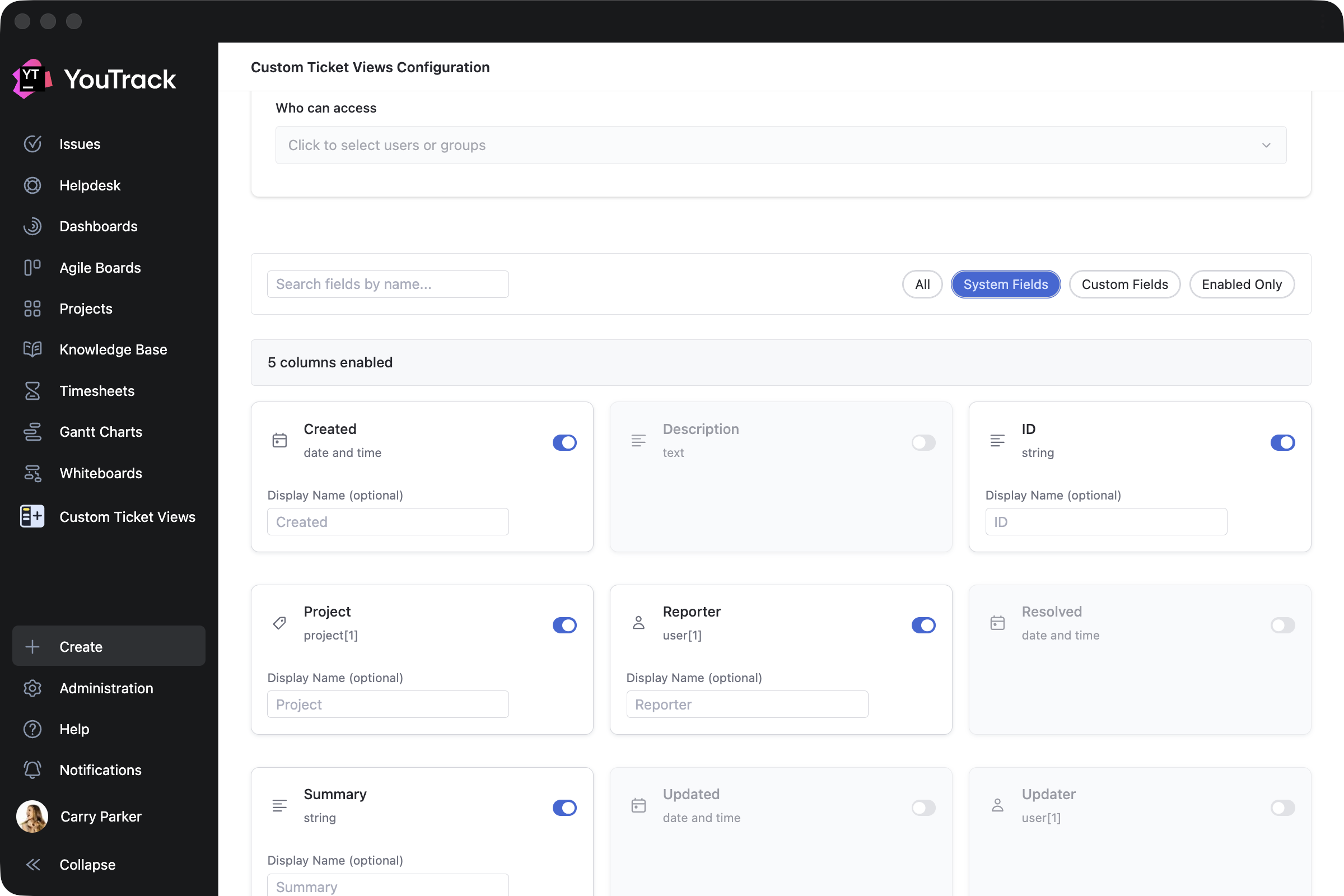
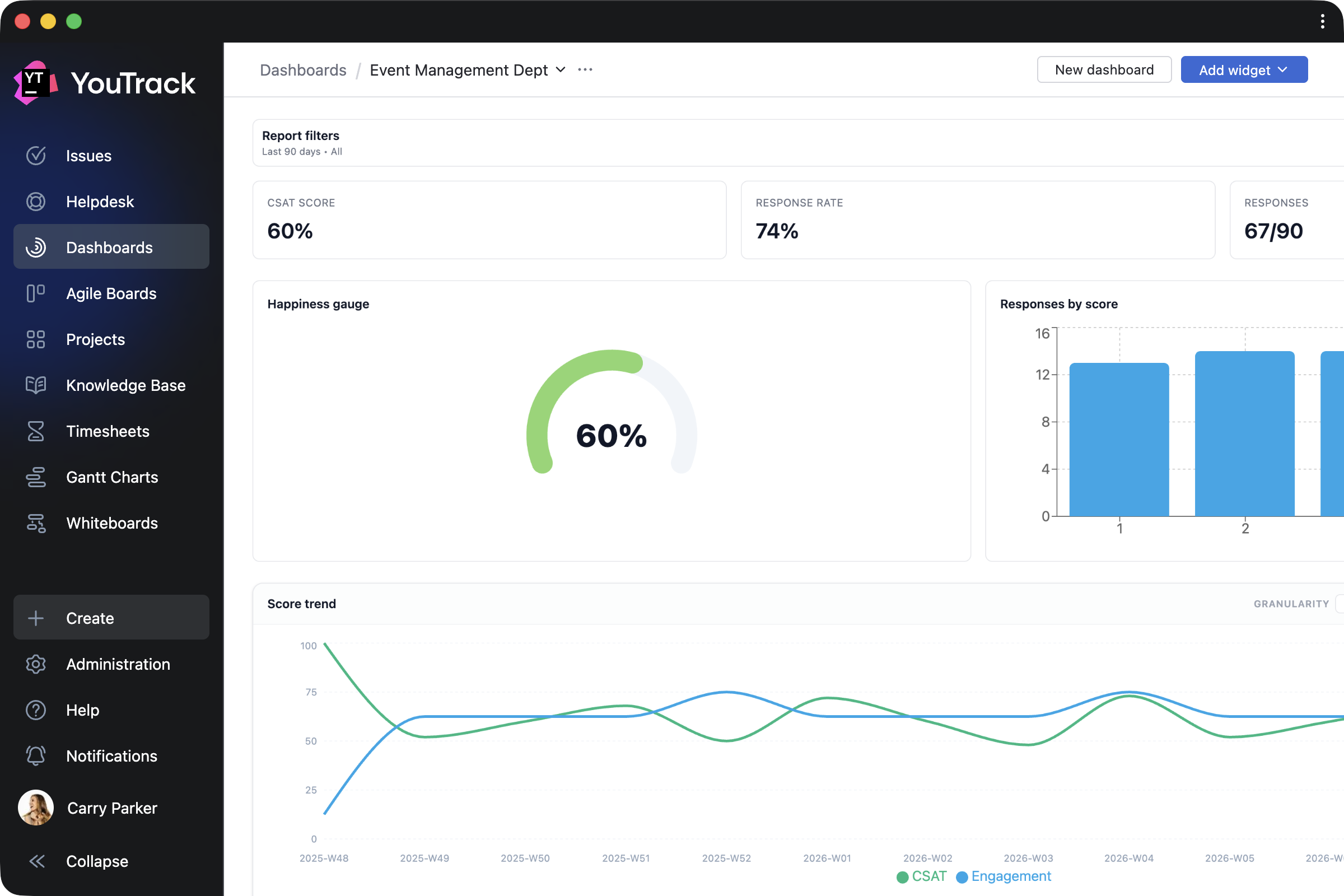
Customer Satisfaction by Appfero is another paid app that enables teams to collect feedback on task execution through automated customer satisfaction surveys (CSAT). Configure your custom survey flow and review response analytics directly in YouTrack.
Apps for working with task, ticket, and article content
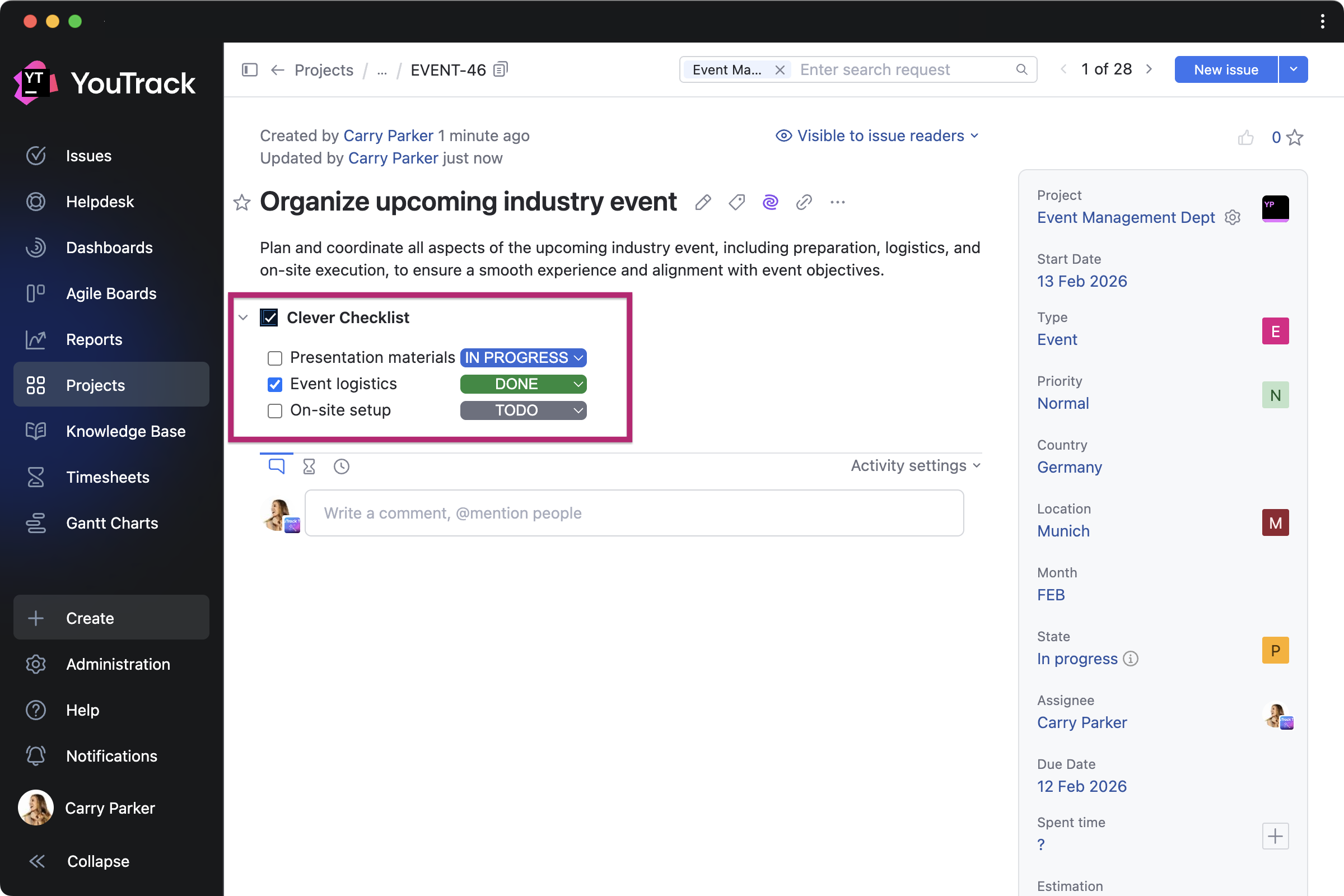
Clever Checklists by TEKDynamics lets everyone manage daily work with to-do lists by adding a custom checklist to every task in a selected project.
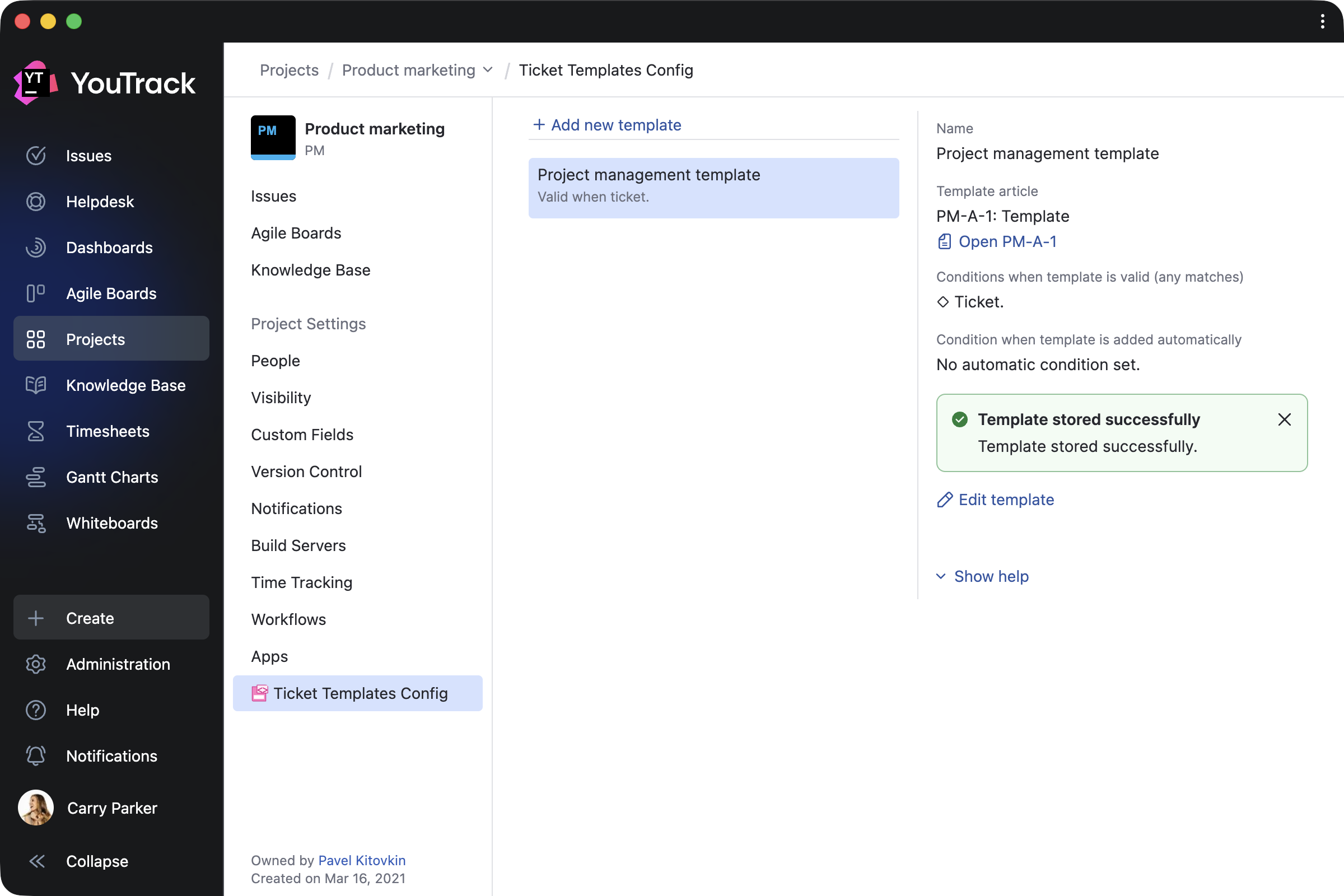
Ticket Templates by Marcus Christensson automatically updates tasks and article content using your saved templates, which can be created based on ticket fields, tags, and various other conditions.
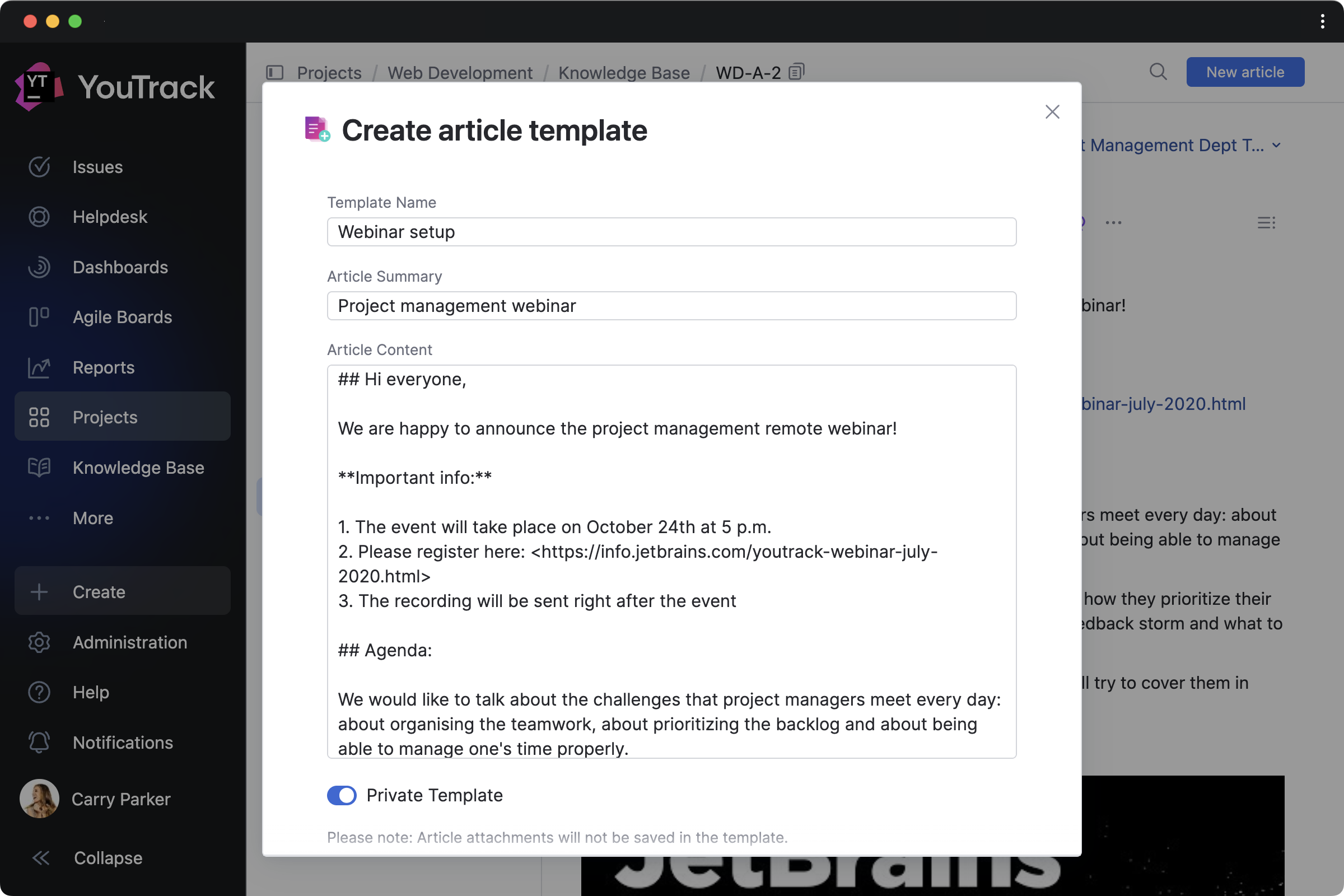
Article Templates by Maksim Fedorov makes it easier to draft articles based on existing Knowledge Base content. You can turn articles into templates and manage them all from a handy Article templates dashboard widget.
Text Replacer by Marcus Christensson allows you to update content across your project on either a one-time or a recurring basis. You can use it for tasks and articles to turn external system IDs into links, replace text with ready-made content, and more.
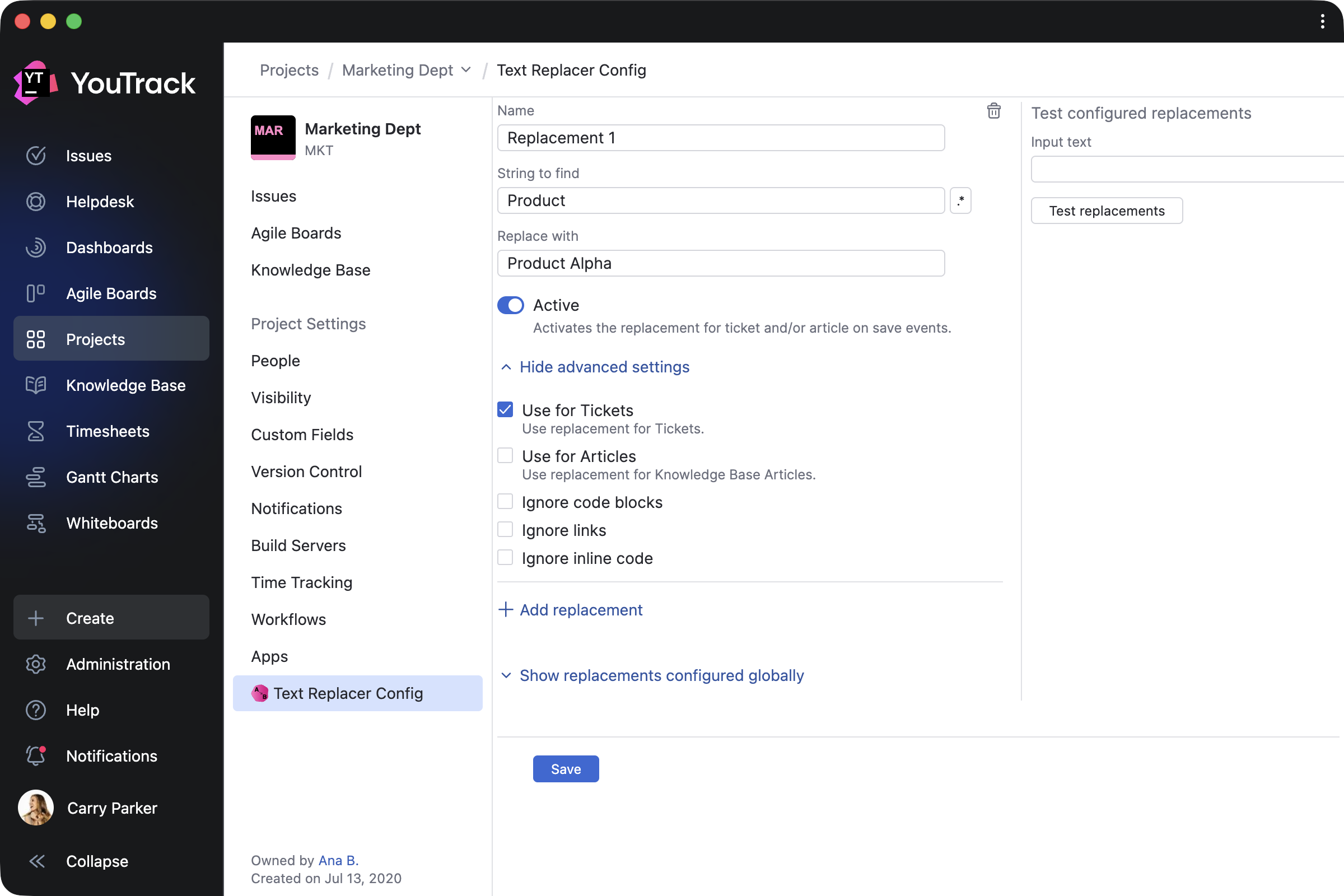
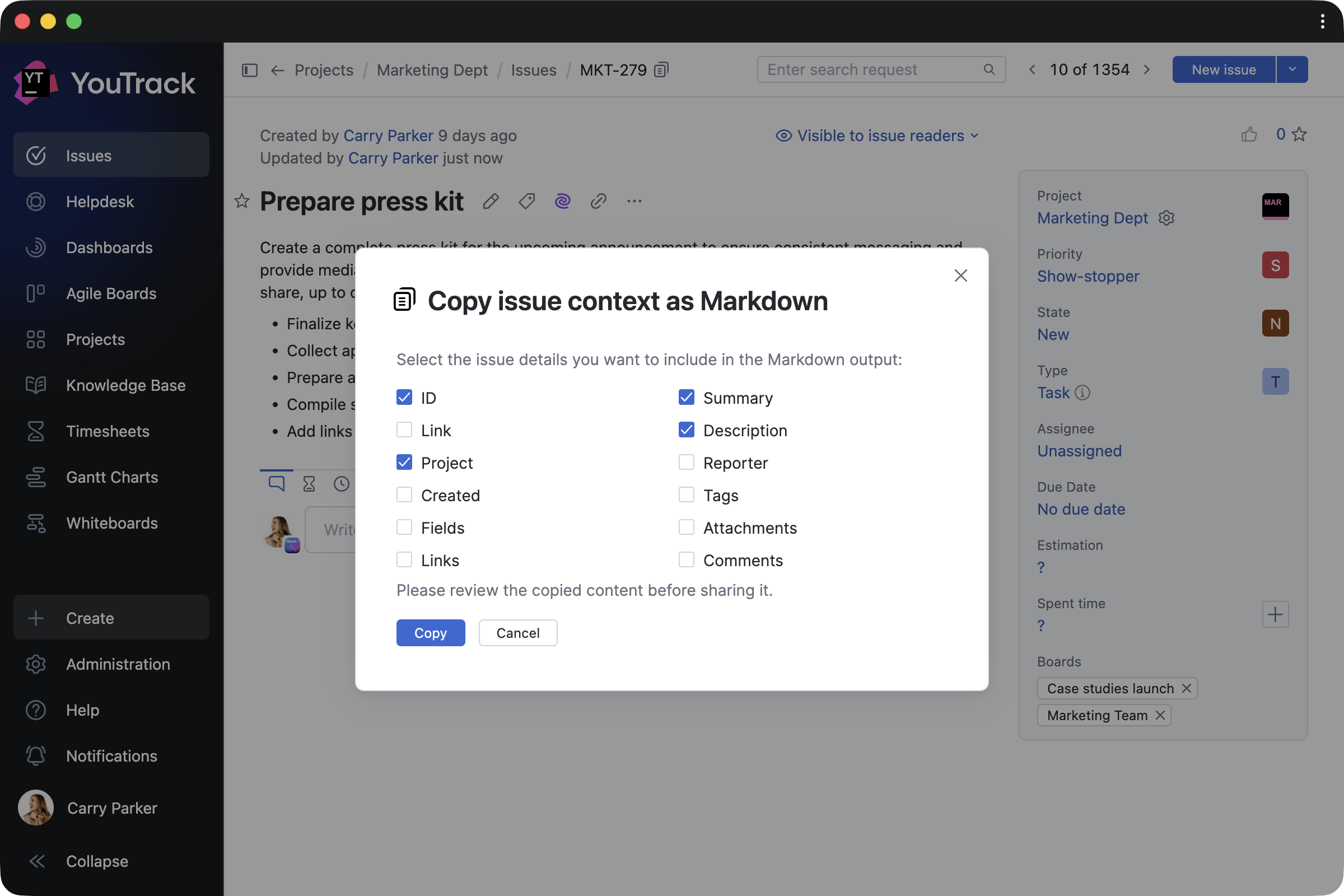
Copy link and context as Markdown by Maksim Fedorov makes working with content easier by copying selected tasks or article contexts, and their links, as Markdown.
App for administrators
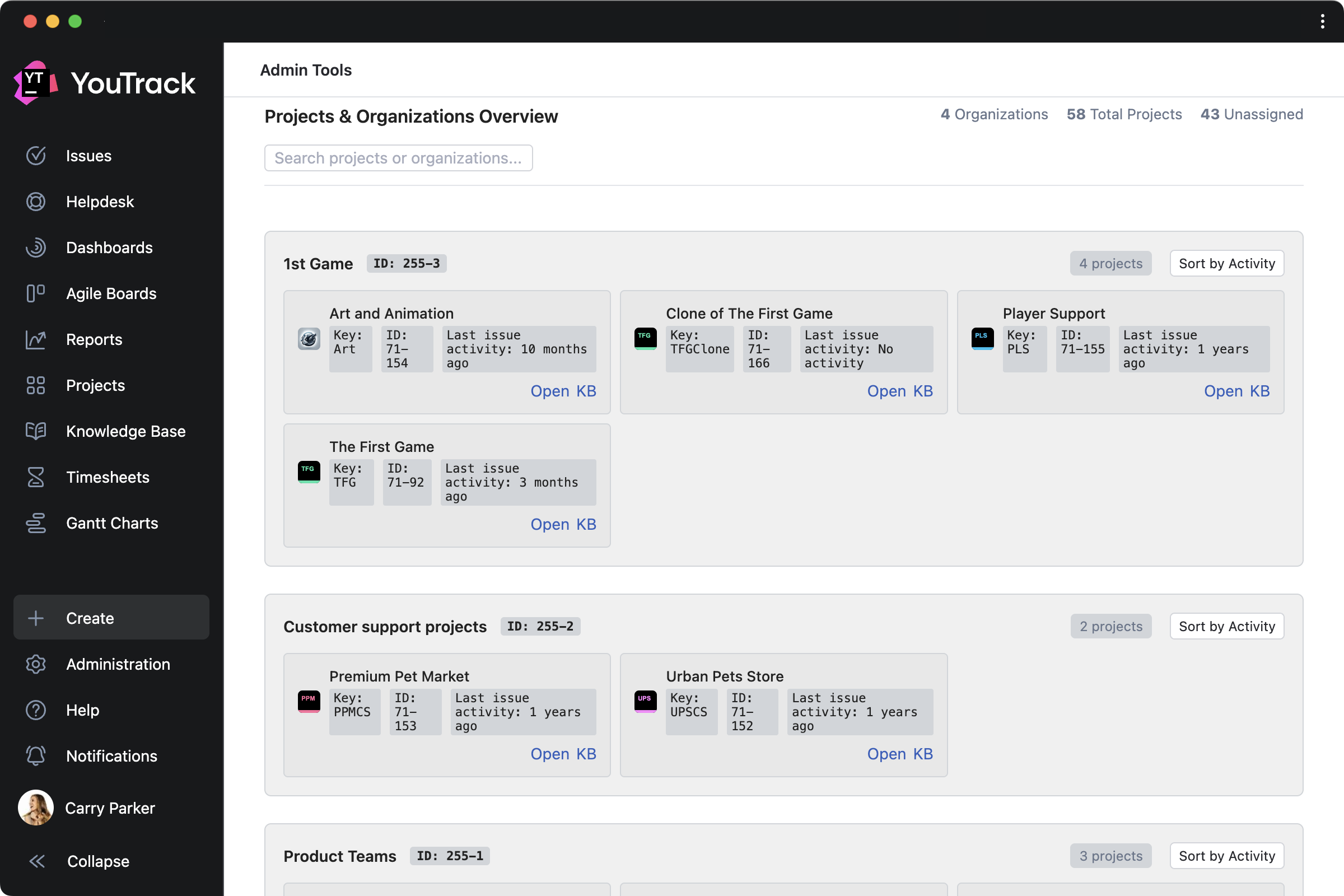
Admin Tools by msp AG is created for administrators and adds a separate page that lets you add custom fields to multiple projects at once, get a clear overview of all projects, and view license information for your YouTrack.
Other enhancements
Knowledge Base articles now rank more accurately in search results thanks to AI enhancements, helping you find the right information faster. We’ve also introduced other small design updates to further improve your overall experience.
Check out the release notes for the full technical details and a comprehensive list of this release’s bug fixes and improvements. For more details on configuring the latest features, see the documentation.
If you use YouTrack Cloud, you’ll automatically be upgraded to YouTrack 2026.1 in accordance with our Maintenance Calendar.
If you have an active YouTrack Server subscription, you can upgrade to YouTrack 2026.1 today.
If you don’t have an active YouTrack subscription, you can use the free YouTrack for up to 10 users to test out the new version before you commit to buying!
For more information about the licensing options available for YouTrack, please visit our Buy page.
Your YouTrack team