
.NET Tools
Essential productivity kit for .NET and game developers
ReSharper 2026.1 Release Candidate Released!

The ReSharper 2026.1 Release Candidate is ready for you to try.
This release focuses on making everyday .NET development faster and more predictable, with improvements to code analysis and language support, a new way to monitor runtime performance, and continued work on stability and responsiveness in Visual Studio.
If you’re ready to explore what’s coming, you can download the RC right now:
Release highlights
A new way to monitor runtime performance
ReSharper 2026.1 introduces the new Monitoring tool window, giving you a clearer view of how your application behaves at runtime.
You can track key performance metrics while your app is running or during debugging and get automated insights into potential issues. The new experience builds on capabilities previously available in Dynamic Program Analysis and our profiling tools, but brings them together in a single view that makes it easier to evaluate performance at a glance.
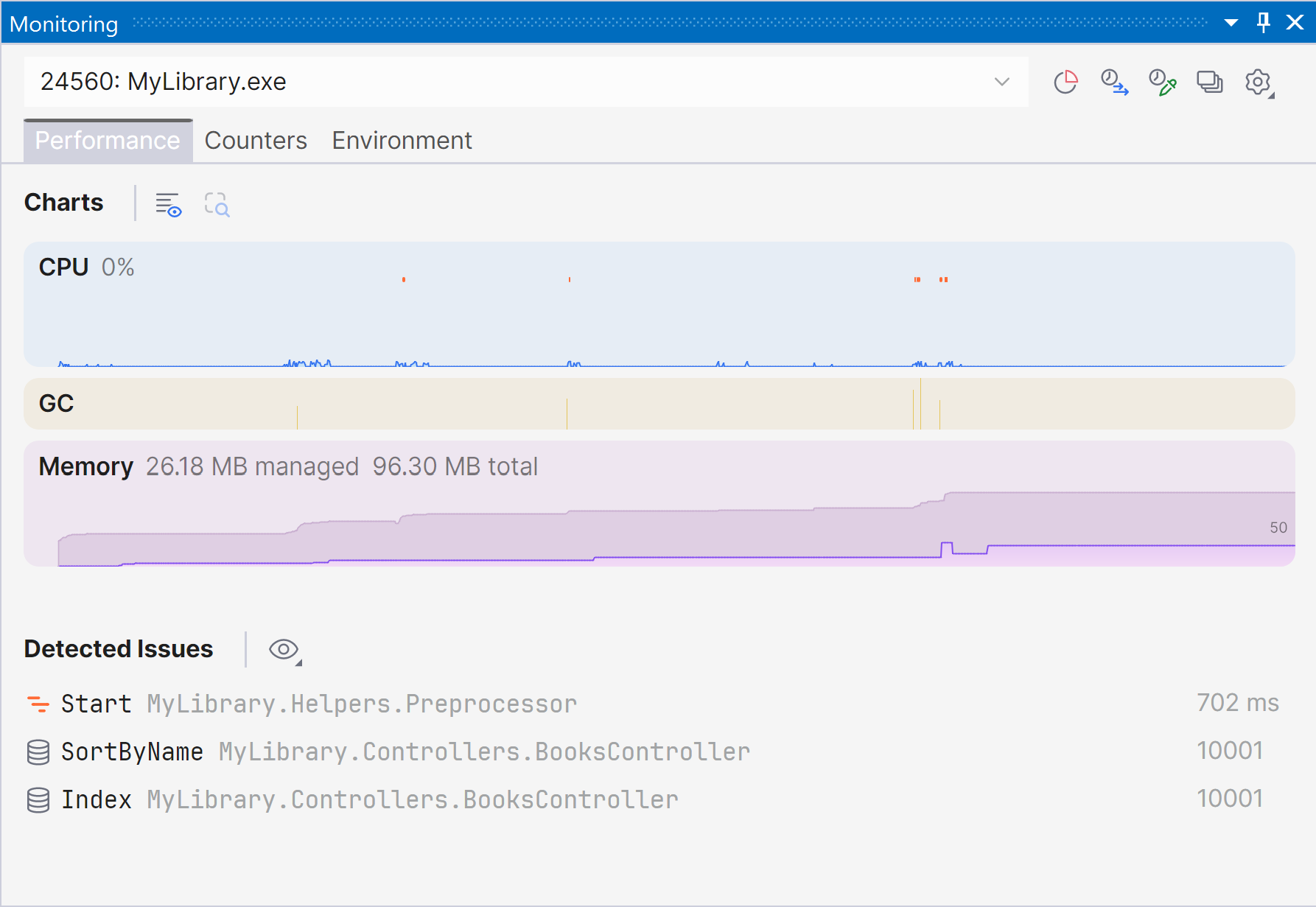
Starting with ReSharper 2026.1, the Monitoring tool window is available when using ReSharper as part of the dotUltimate subscription.
Note: The Dynamic Program Analysis (DPA) feature will be retired in the 2026.2 release, while its core capabilities will continue to be provided through the new monitoring experience.
Current limitations: The Monitoring tool window is not currently supported in Out-of-Process mode. We are working to remove this limitation in ReSharper 2026.2.
ReSharper now available in VS Code-compatible editors
ReSharper expands its support beyond Microsoft Visual Studio. The extension is now publicly available for Visual Studio Code and compatible editors like Cursor and Google Antigravity.
You can use familiar ReSharper features – including code analysis, navigation, and refactorings – in your preferred editor, along with support for C#, XAML, Razor, and Blazor, and built-in unit testing tools.
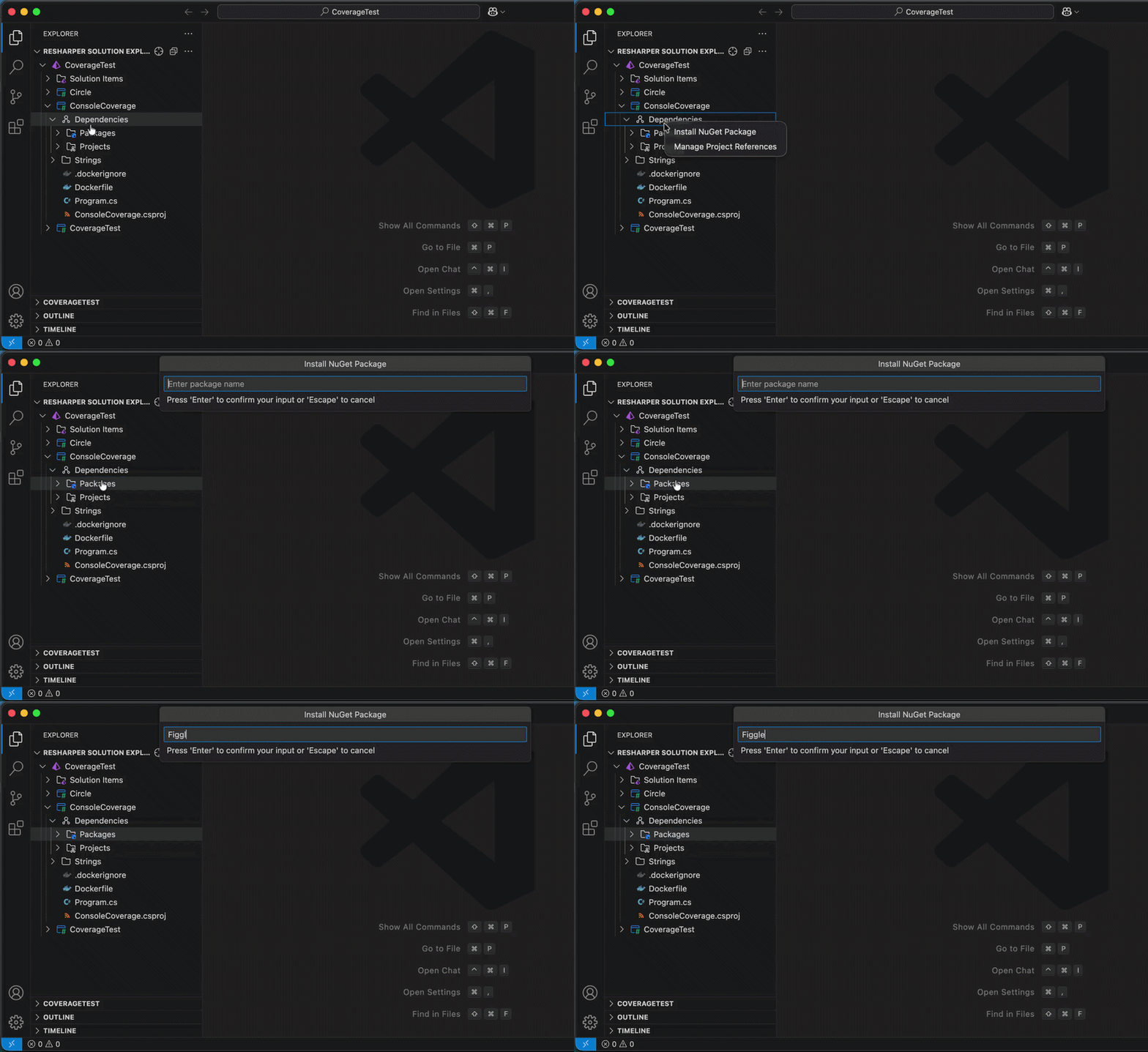
ReSharper for VS Code and compatible editors is available under the ReSharper, dotUltimate, and All Products Pack subscriptions. A free subscription is also available for non-commercial use.
Learn more in this dedicated blog post.
Better support for modern C#
ReSharper 2026.1 improves support for evolving C# language features, helping you work more efficiently with modern syntax.
- Better handling of extension members, including improved navigation, refactorings, and auto-imports
- Early support for upcoming C# features like collection expression arguments
- New inspections to catch subtle issues, such as short-lived
HttpClientusage or incorrectImmutableArray<T>initialization
These updates help you write safer, more consistent code with less manual effort.
Faster code analysis and indexing
This release includes performance improvements across core workflows:
- Faster indexing of annotated type members
- More responsive import completion
- Reduced overhead in code analysis by optimizing performance-critical paths
Improved stability in Out-of-Process mode
We continue to improve the reliability of ReSharper’s Out-of-Process (OOP) mode, which separates ReSharper’s backend from Visual Studio to keep the IDE responsive.
In this release, we fixed over 70 issues affecting navigation, UI interactions, unit testing sessions, and solution state synchronization, making everyday work more stable and predictable.
Updated editor UI
ReSharper’s editor experience has been refreshed to better align with the modern Visual Studio look and feel. Code completion, parameter info, and other popups now have a cleaner, more consistent design and properly support editor zoom, improving readability across different setups.
C++ improvements (ReSharper C++)
Alongside the core ReSharper updates, the 2026.1 Release Candidate also brings improvements for C++ developers working with ReSharper C++:
- Performance: Faster startup times and lower memory usage in Unreal Engine projects.
- Language support: Support for the C23/C++26 #embed directive, C++23 extended floating-point types, the C2Y _Countof operator, and other features.
- Coding assistance: Auto-import for C++20 modules and postfix completion for primitive types, literals, and user-defined literal suffixes.
- Code analysis: New inspections for out-of-order designated initializers and override visibility mismatches, update of bundled Clang-Tidy to LLVM 22.
- Unreal Engine: Richer Blueprint integration in Code Vision and Find Usages, compatibility fixes for the upcoming Unreal Engine 5.8.
Try it out and share your feedback
You can download and install ReSharper 2026.1 RC today:
We’d love to hear what you think. If you run into issues or have suggestions, please share your feedback via YouTrack.