
.NET Tools
Essential productivity kit for .NET and game developers
ReSharper 2026.1: Built-in Performance Monitoring, Expansion to VS Code, and Faster Everyday Workflows

ReSharper 2026.1 is here, bringing improvements that focus on how you actually work: understanding runtime behavior, writing safer C#, and keeping Visual Studio responsive.
This release introduces a new approach to performance monitoring, takes ReSharper beyond Visual Studio, and delivers a range of updates to code analysis, C++ support, and overall IDE responsiveness.
A new way to monitor runtime behavior [dotUltimate exclusive]
The Monitoring tool window is now available in ReSharper, bringing the streamlined runtime performance monitoring that was previously only available in JetBrains Rider.
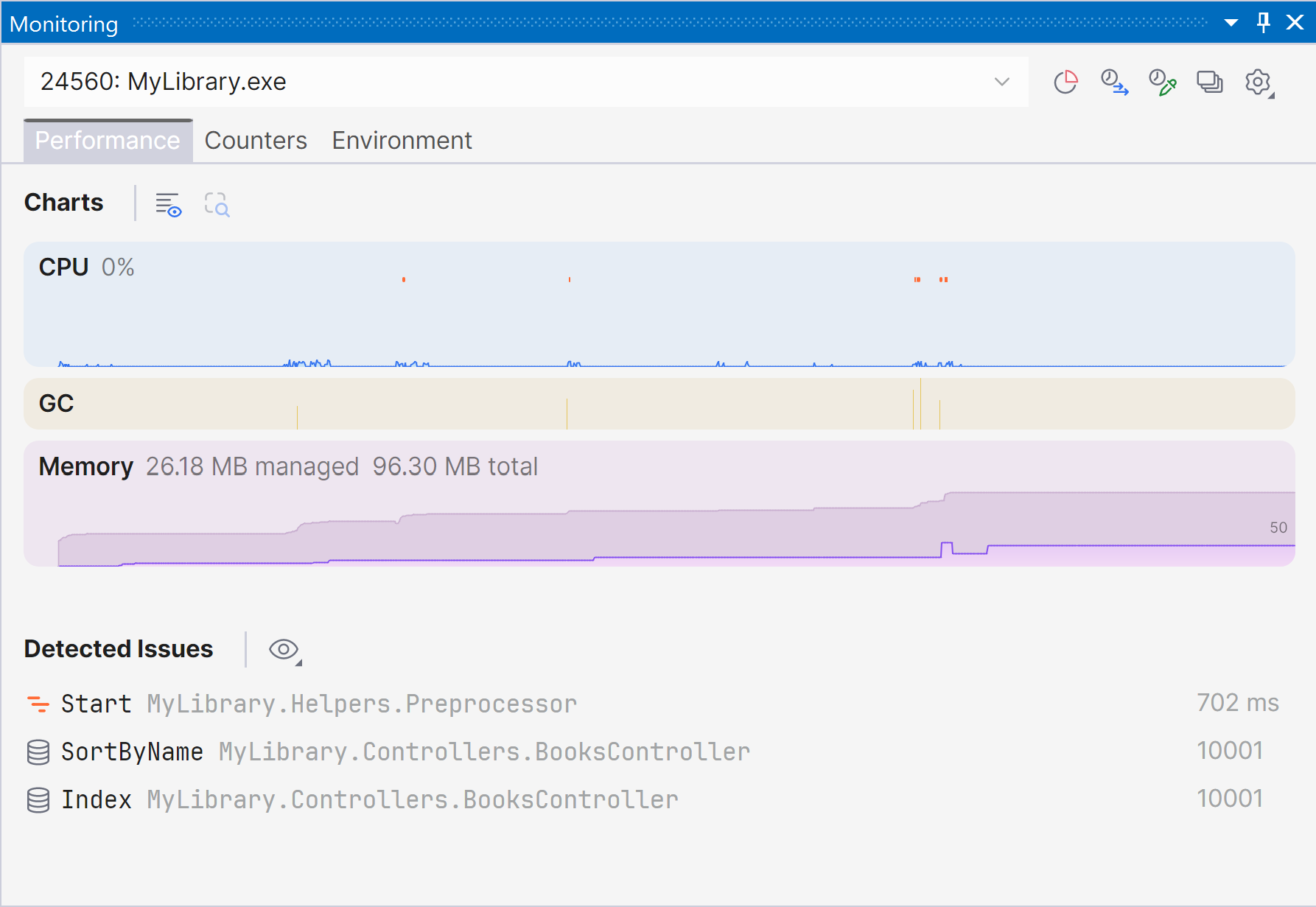
You can now observe CPU usage, memory allocation, and other key runtime metrics while your application is running or being debugged – all in one place. The tool also detects potential performance issues automatically, helping you identify optimization opportunities earlier.
This new experience builds on the capabilities previously available through Dynamic Program Analysis (DPA) and JetBrains .NET profiling tools, but unifies them into a clearer, more actionable view.
Note: The DPA feature will be retired in the 2026.2 release, while its core capabilities will continue to be provided through the new monitoring experience.
Important: The Monitoring tool window is available when using ReSharper as part of the dotUltimate subscription. The functionality is not currently supported in Out-of-Process mode. We are working to remove this limitation in ReSharper 2026.2.
ReSharper beyond Visual Studio
With ReSharper 2026.1, you can use JetBrains ReSharper’s C# tooling in Visual Studio Code and other compatible editors, including Cursor and Google Antigravity.
The extension provides:
- Gold-standard code analysis for C#, XAML, Razor, and Blazor.
- Solution-wide refactorings.
- Navigation (including to decompiled sources).
- Solution Explorer for managing projects, NuGet packages, and source generators.
- Unit testing support.
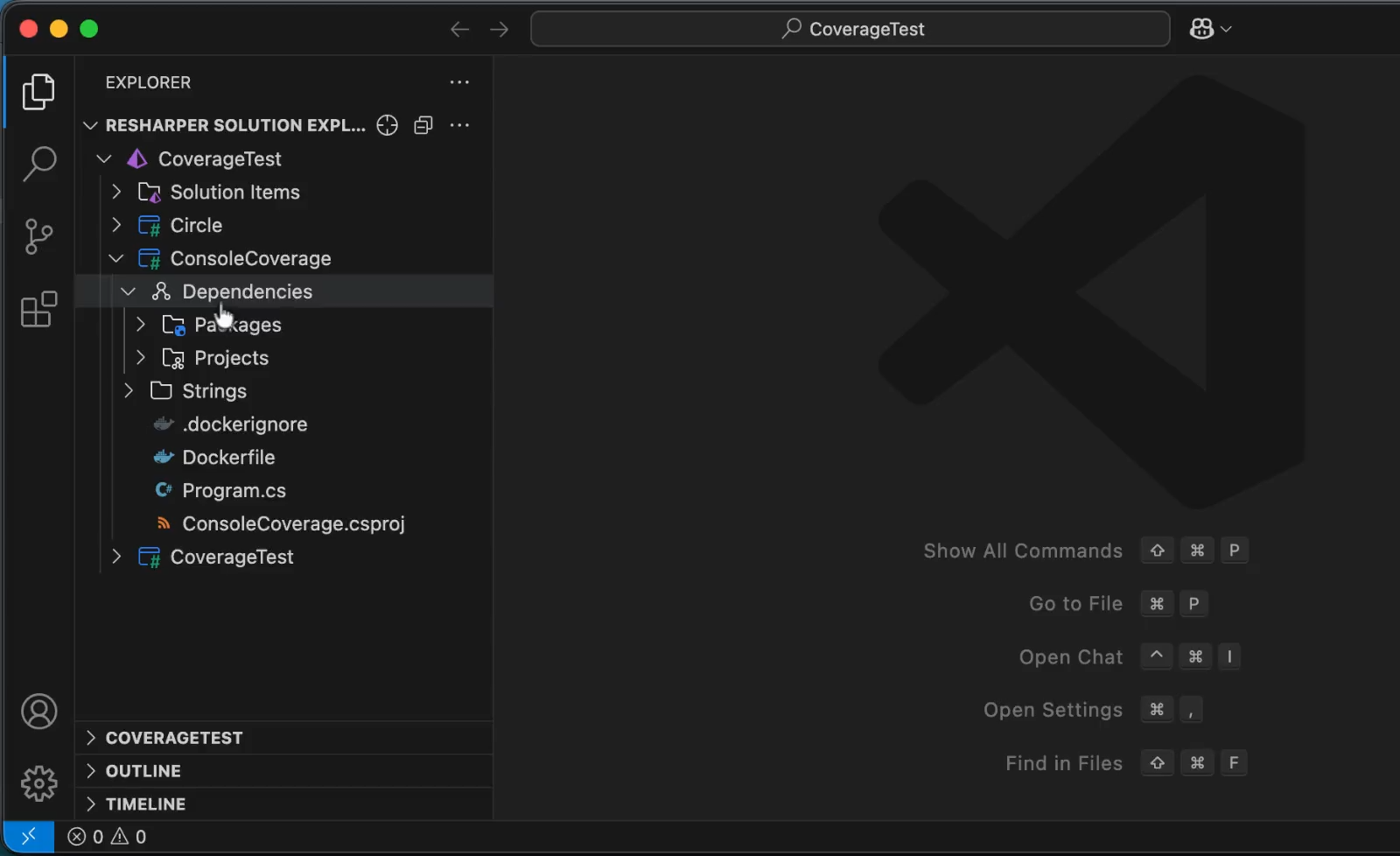
You can learn more about ReSharper for VS Code and other compatible editors from this blog post.
Performance improvements
ReSharper 2026.1 improves performance across solution indexing, code completion, and code analysis.
We’ve optimized how annotated type members are indexed, reduced expensive computations in import completion, and streamlined internal code paths, making analysis faster and reducing overhead.
The result: quicker feedback, more responsive typing, and less waiting when working with large solutions.
More stable Out-of-Process mode
Out-of-Process (OOP) mode continues to improve, making Visual Studio more responsive by running ReSharper in a separate process.
In this release, we’ve fixed over 70 issues affecting navigation, UI interactions, unit testing, and solution synchronization. The OOP runtime has also been updated to .NET 10.
Modernized completion and popup UI
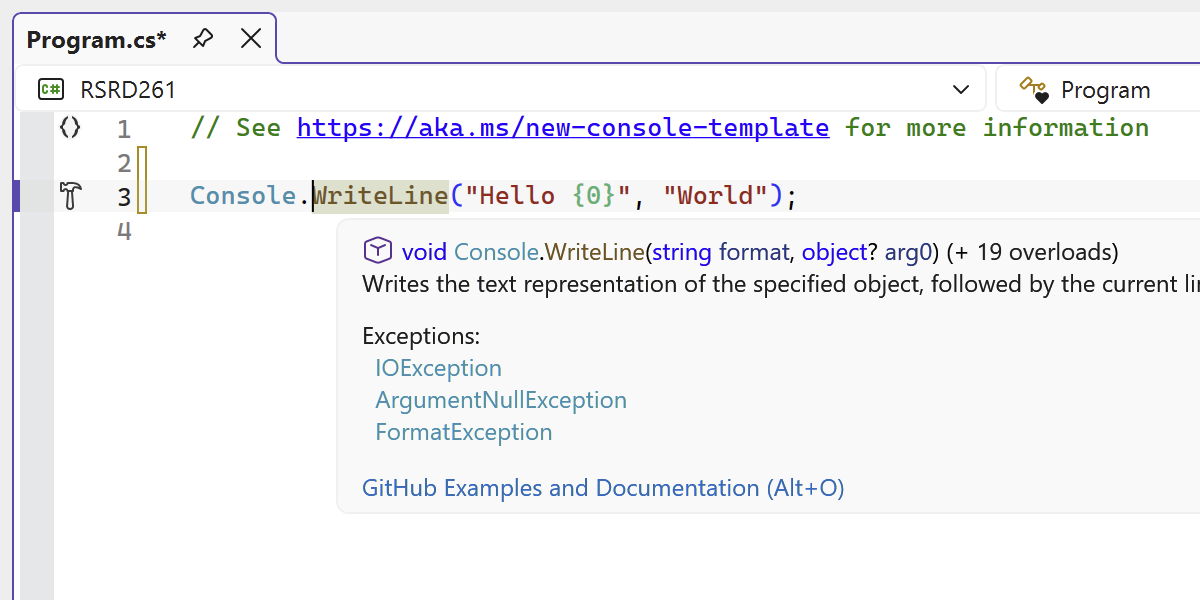
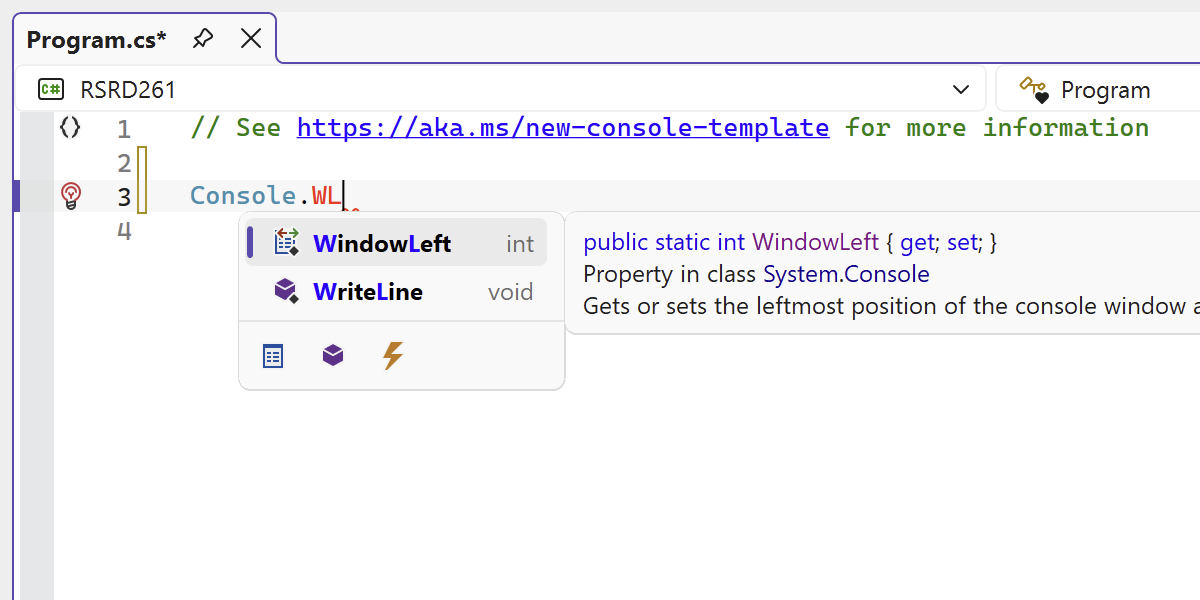
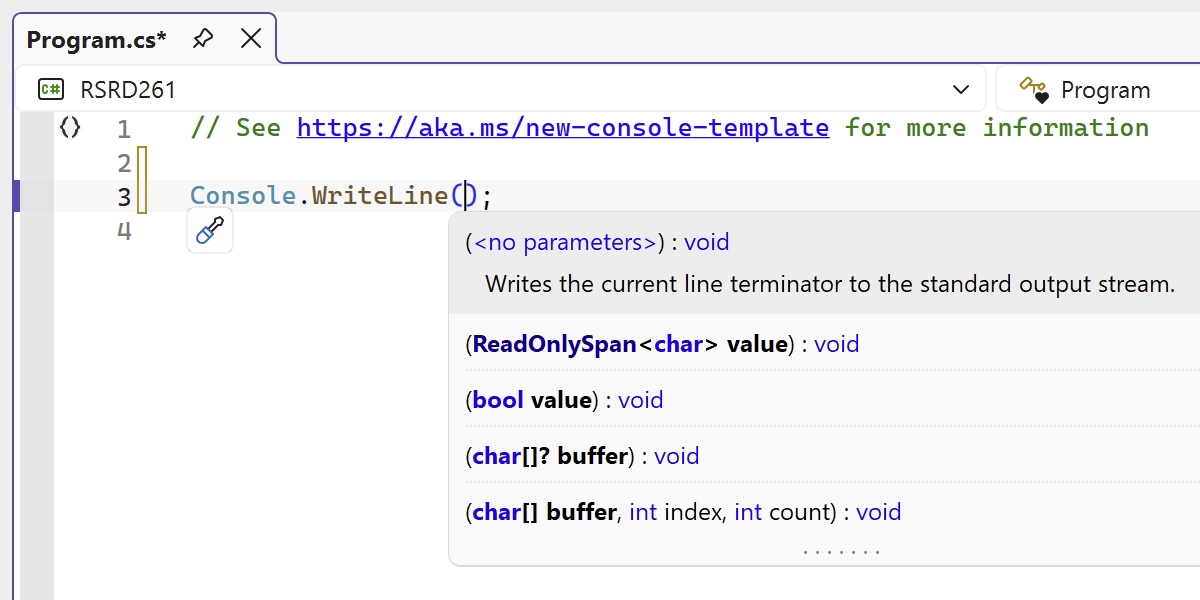
ReSharper’s editor UI has been refreshed to better match modern Visual Studio. Completion lists, parameter info popups, and tooltips have been redesigned for improved clarity and consistency, and now scale correctly with the editor zoom.
Improved C# support
Better handling of extension members
ReSharper continues to evolve alongside the C# language.
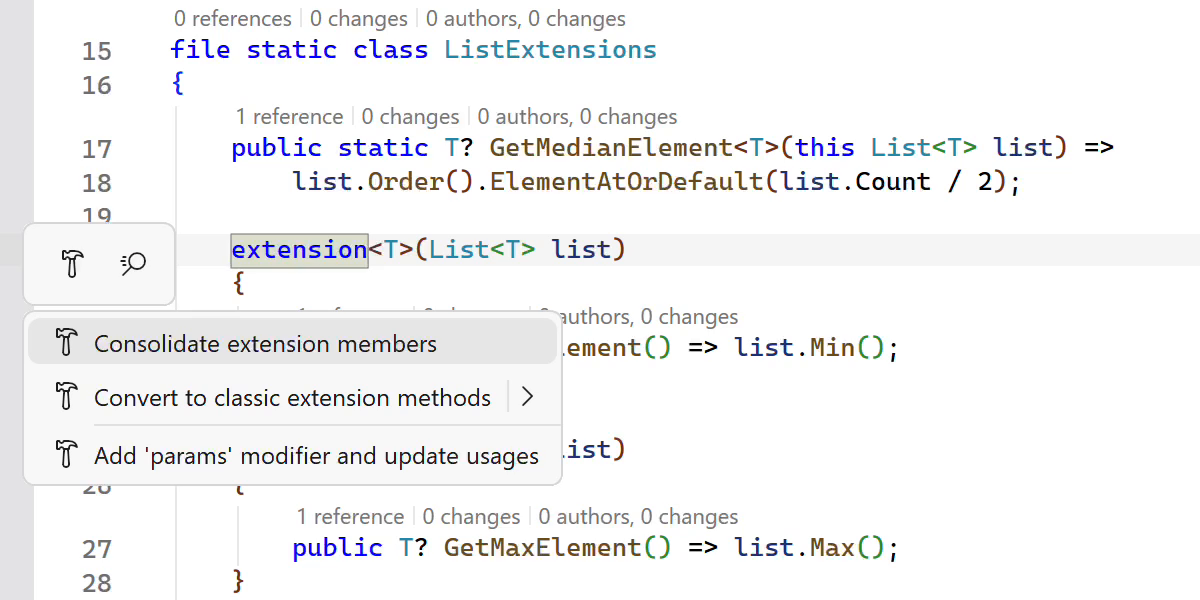
This release improves support for extension members with:
- Added Consolidate extension members action to merge declarations.
- Enhanced Import extension member quick-fix that works across all extension types.
- Improved navigation and refactorings, including decompilation support and conversion options.
Early support for upcoming C# features
ReSharper 2026.1 adds early support for upcoming language features, including collection expression arguments and the [ExtendedLayout] attribute.
This helps you experiment with new syntax while keeping full IDE support.
New inspections and code style options
This release adds several inspections that catch real issues. They can:
- Detect short-lived
HttpClientinstances and suggest reuse. - Warn about
ImmutableArray<T>misuse that can cause runtime exceptions. - Enforce accessor order in properties and events.
- Enable configurable styling options for empty strings (
string.Emptyvs.""). - Provide improved nullable migration with automatic
#nullableenable.
C++ improvements
ReSharper C++ continues to improve both performance and language support.
This release includes:
- Faster startup and lower memory usage in Unreal Engine projects.
- Support for modern C and C++ features like the
#embeddirective and extended floating-point types. - Improved coding assistance, including auto-import for modules and better postfix completion.
- New inspections for initializer order and override visibility issues.
More on these and other updates from this blog post.
Share your thoughts with us
ReSharper 2026.1 brings runtime insights, stronger C# support, and faster everyday workflows into your IDE – whether you’re working in Visual Studio or beyond.
Download the latest version and let us know how it works for your projects.