
.NET Tools
Essential productivity kit for .NET and game developers
The Complete Package: Why Debugging Is Only Half the C# Productivity Story

As .NET developers, we need to iterate on our applications while building, and part of that developer inner loop is the debugging experience. The rise of multi-platform code editors further requires developers to have all the functionality they need to build and debug their application out of the box, wherever they’re coding. Previously, .NET developers could leverage the ReSharper extension for Visual Studio Code to build .NET applications, but they lacked a proper debugging experience. That changes now.
With the release of version 2026.2, our built-in .NET debugger is officially live, bringing the battle-tested debugging engine powering JetBrains Rider directly into VS Code and compatible environments. But as engineers, we know a fundamental truth: Debugging is a reactive process. While a robust debugger is essential for diagnosing a failing runtime state, relying on it as your primary tool for catching errors is incredibly inefficient. A highly productive workflow is proactive, leveraging static analysis and structural code intelligence tools to prevent bugs from being compiled in the first place. With the arrival of the debugger, we add to the already rich experience included in the extension. We now offer a completely unified, highly intelligent development ecosystem inside your lightweight editor. To learn more about the debugger and its capabilities, read the announcement blog post.
Let’s take a look at some of the other functionality that ReSharper for VS Code provides to accompany the new debugging experience. With ReSharper’s deep static code analysis, you transition from diagnosing runtime exceptions to catching logical inefficiencies in real-time. ReSharper provides over 2,500 inspections that analyze code as you type, underlining code smells or potential improvements before you hit compile.
Static analysis: Stop bugs before your debugger catch block
Let’s look at an everyday code block that compiles without any compiler errors, but contains a classic collection-lookup performance bug and an asynchronous anti-pattern.
The code smell: Redundant lookups and async void
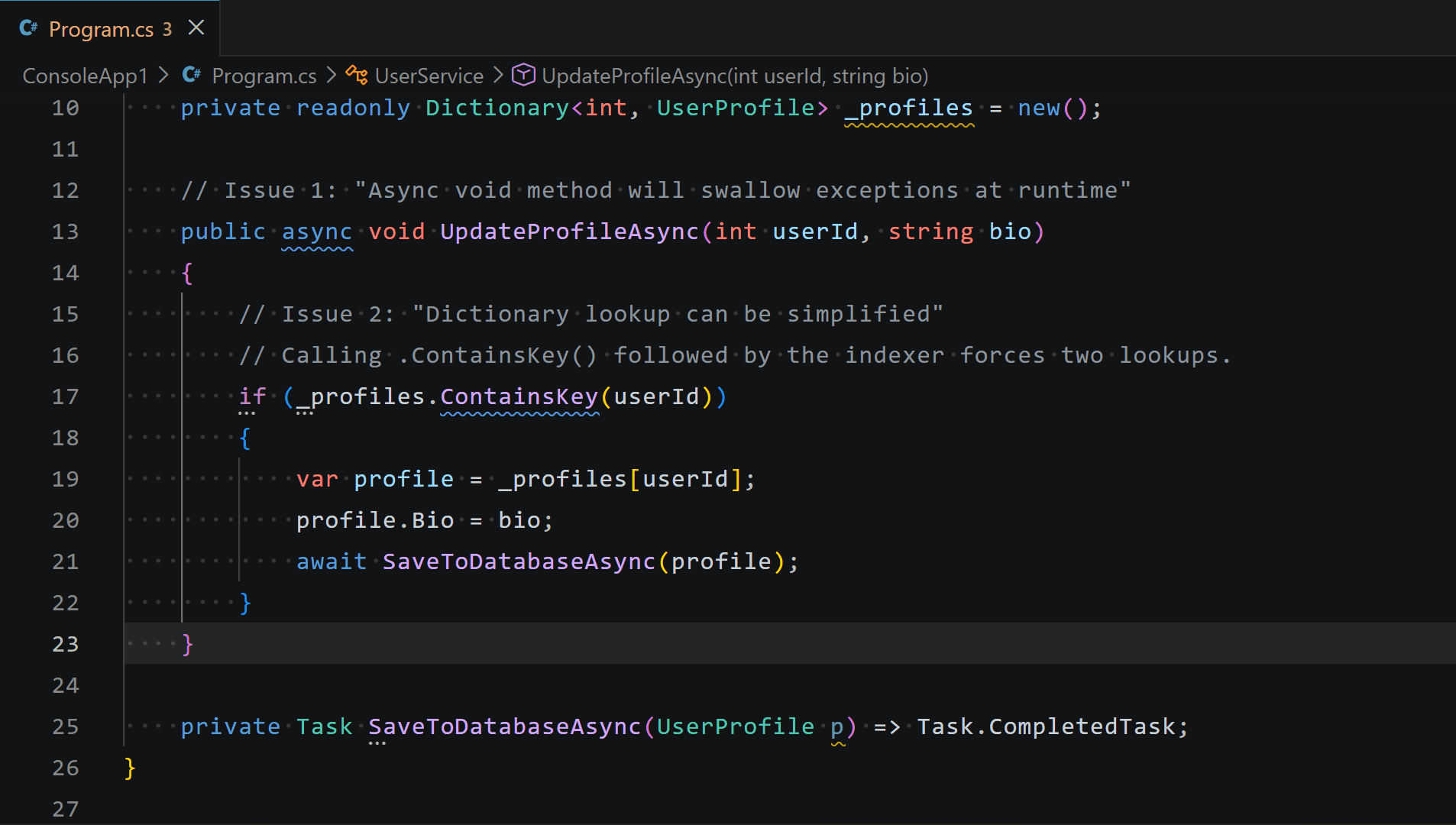
Without deep static analysis, the following code compiles silently, only showing up as a memory allocation spike during heavy profiling:
public class UserService
{
    private readonly Dictionary<int, UserProfile> _profiles = new();
    // Issue 1: "Async void method will swallow exceptions at runtime"
    public async void UpdateProfileAsync(int userId, string bio)
    {
        // Issue 2: "Dictionary lookup can be simplified"
        // Calling .ContainsKey() followed by the indexer forces two lookups.
        if (_profiles.ContainsKey(userId))
        {
            var profile = _profiles[userId];
            profile.Bio = bio;
            await SaveToDatabaseAsync(profile);
        }
    }
    private Task SaveToDatabaseAsync(UserProfile p) => Task.CompletedTask;
}
This snippet exposes two common bugs:
- The async void exception trap: Declaring an asynchronous method as async void instead of async Task means unhandled exceptions cannot be caught by an awaiting caller. If
SaveToDatabaseAsync()fails, it will quietly crash the thread or surface as an unhandled background crash. - The double-lookup penalty: Checking
.ContainsKey()immediately followed by an indexer access_profiles[userId]forces the dictionary to hash and traverse the collection twice. In hot loops, this significantly degrades performance.
What ReSharper sees (and how it fixes it)
Instead of leaving you to encounter these problems during a stress test or a tricky debugging session, ReSharper highlights both issues inline. Hovering over the lines reveals the context, and pressing Ctrl+. (or Alt+Enter) brings up instant quick-fixes to optimize the logic instantly:
Global symbol renaming without the search-and-replace risk
Using a standard string-based search-and-replace to rename a core domain model or an API endpoint is incredibly risky. A simple find-and-replace often over-corrects by modifying unrelated strings, variable names, or third-party properties that happen to share the same text. Conversely, it can miss occurrences hidden inside documentation comments or string-based route templates.
ReSharper brings its compiler-grade Rename refactoring engine directly into your workspace, allowing you to globally update a symbol with complete semantic safety. The Rename refactoring also includes a conflict handler, meaning if you attempt to rename a symbol to a value that already exists somewhere in your codebase, ReSharper will show a conflict view where you can either accept or discard the change.
The technical scenario: Renaming a core contract/domain property
Imagine you are working on an e-commerce platform and the business requirements dictate changing the name of a core property on a public class – changing Sku to StockKeepingUnit.
This property is referenced across your entire solution: inside API route constraints, domain logic, data models, and miscellaneous strings like string variables, method or property names, documentation blocks, etc.
/// <summary>
/// Represents an item in the system. The <see cref="Sku"/> must be unique.
/// </summary>
public class ProductItem
{
    // You want to rename 'Sku' to 'StockKeepingUnit' here
    public string Sku { get; init; } = string.Empty;
}
// Elsewhere in a different file/project:
public class InventoryService
{
    public bool IsItemInStock(ProductItem item)
    {
        // Simple search-and-replace might miss or break this exact reference:
        if (string.IsNullOrWhiteSpace(item.Sku))
            throw new ArgumentException("Sku cannot be blank.");
        return CheckWarehouseStock(item.Sku);
    }
    private bool CheckWarehouseStock(string sku)
    {
       return !string.IsNullOrEmpty(sku); // Placeholder logic
    }
}
What ReSharper does (the semantic rename)
Instead of manually executing an imprecise global search across your projects:
- Place your cursor on the
Skuproperty name inside theProductItemclass. - Press the global refactoring shortcut: Ctrl+R, R (or F2).
- Type the new name: StockKeepingUnit.
ReSharper builds a structural map of your entire workspace. Instead of performing a dumb text sweep, it targets the symbol’s underlying references safely:
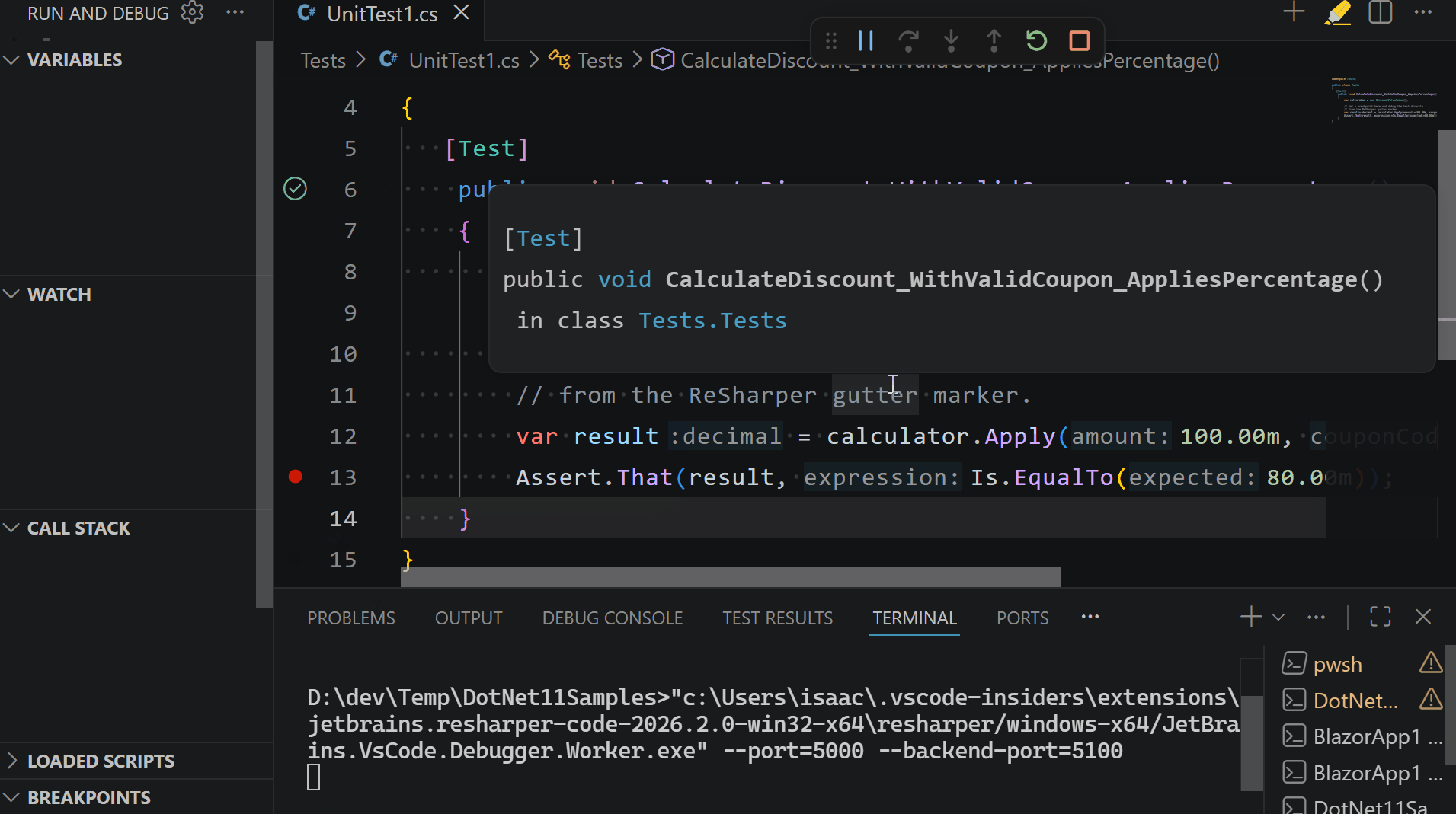
What it catches: ReSharper automatically updates the code references across all projects in the solution, updates the XML documentation tags (<see cref=''...''/>), and provides checkboxes allowing you to rename corresponding variables (like changing string sku to string stockKeepingUnit in local method signatures).
What it leaves alone: It safely ignores strings, comments, and third-party API payloads that happen to contain the characters “Sku” but are unrelated to your domain model’s property definition.
Quickly find what you are looking for
As .NET solutions scale, finding files and locating types can completely stall your momentum. ReSharper indexes your entire solution to provide lightning-fast keyboard shortcuts that let you jump to any file, class, interface, or specific member instantly.
| Key Shortcut | Action |
| Ctrl+T | Search Everywhere (Types, Symbols, Files) |
| Alt+\ | Navigate To popup (Quickly jump to methods/properties in the current file) |
| Shift+F12 | Find Usages (Deeply indexes every reference across all projects) |
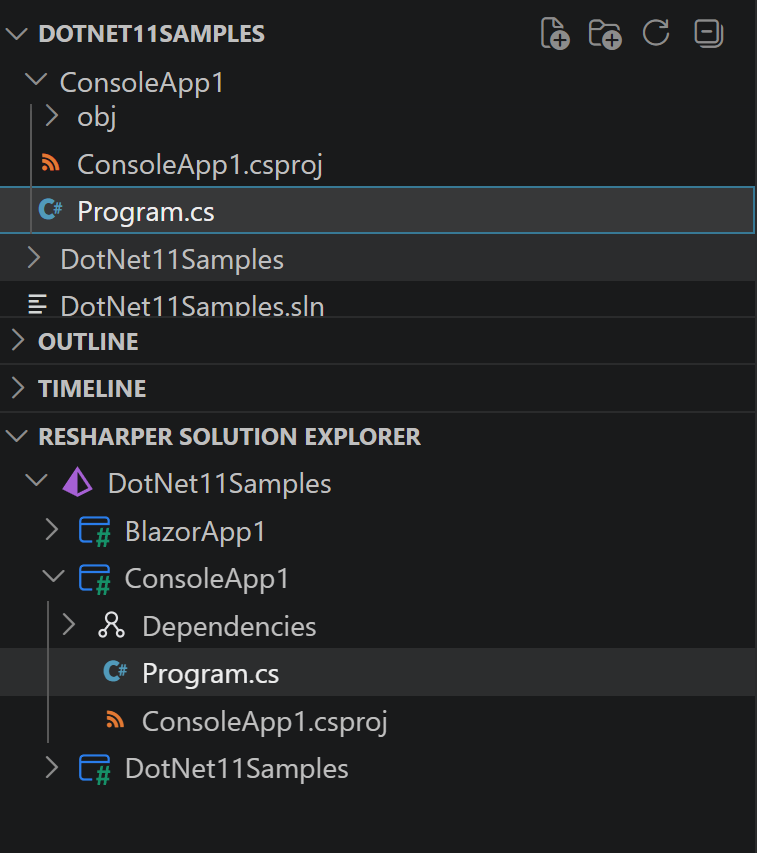
Combined with our dedicated Solution Explorer view, navigating massive, multi-project workspace architectures is seamless and fast.
A unified .NET lifecycle
By bringing a native .NET debugger into this ecosystem, ReSharper completes the puzzle for professional .NET development inside your editor. You get static inspections, navigation, refactorings, unit testing, and now debugging, all integrated into a single, cohesive extension.
Ready to experience a complete, high-performance .NET development workflow? Installing it in Visual Studio Code takes less than a minute.
# Press Ctrl+P (or Cmd+P on macOS) to open the Command Pallette in your editor and run:

ext install JetBrains.resharper-code
Coming up next…
Did you know that this extension works beyond Visual Studio Code? In our next post, we’ll take a look at some other .NET code editors that now benefit from our improved developer experience with ReSharper.