
.NET Tools
Essential productivity kit for .NET and game developers
Rider 2026.1 Release Candidate Is Out!

The Rider 2026.1 Release Candidate is ready for you to try.
This upcoming release brings improved support for the .NET ecosystem and game development workflows, as well as refinements to the overall developer experience. Rider 2026.1 allows you to work with file-based C# programs and offers an improved MAUI development experience on Windows, mixed-mode debugging, and early support for CMake projects.
If you’d like to explore what’s coming, you can download the RC build right now:
.NET highlights of this release
Support for file-based C# programs
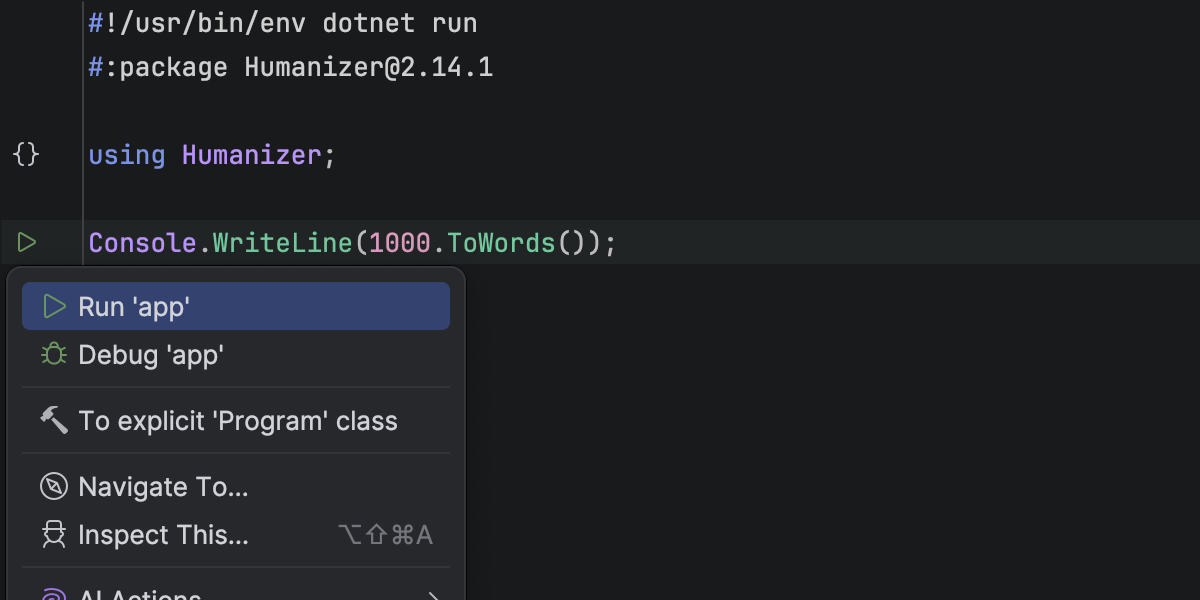
You can now open, run, and debug standalone .cs files directly in Rider – no project file required.
This makes it easier to create quick scripts, prototypes, or small tools while still benefiting from full IDE support, including code completion, navigation, and debugging.
Viewer for .NET disassemblies
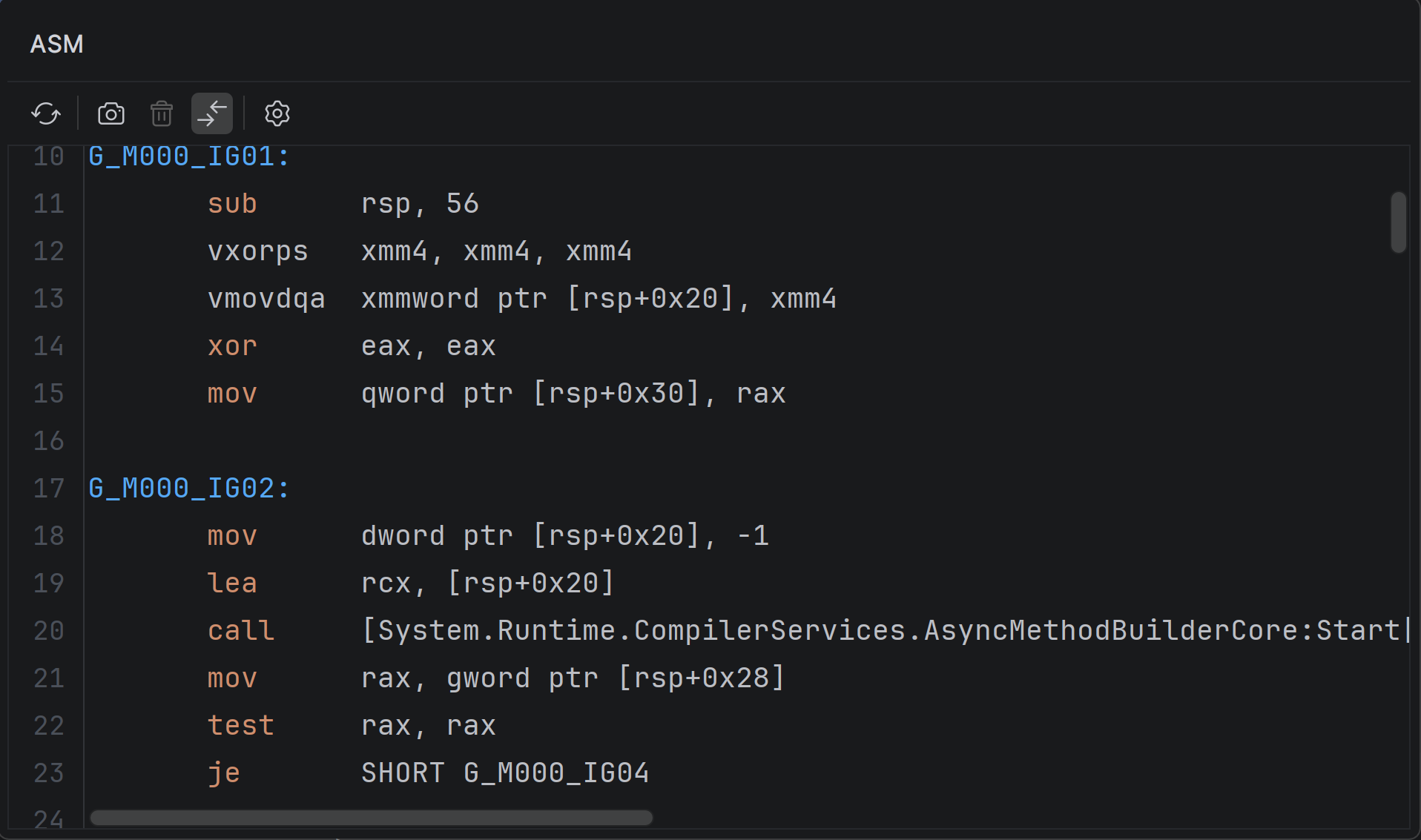
You can now inspect native disassembly generated from your C# code inside Rider.
With the new ASM Viewer tool window, you can explore output from JIT, ReadyToRun, and NativeAOT compilers without leaving the IDE. More on that here.
NuGet Package Manager Console (Preview)
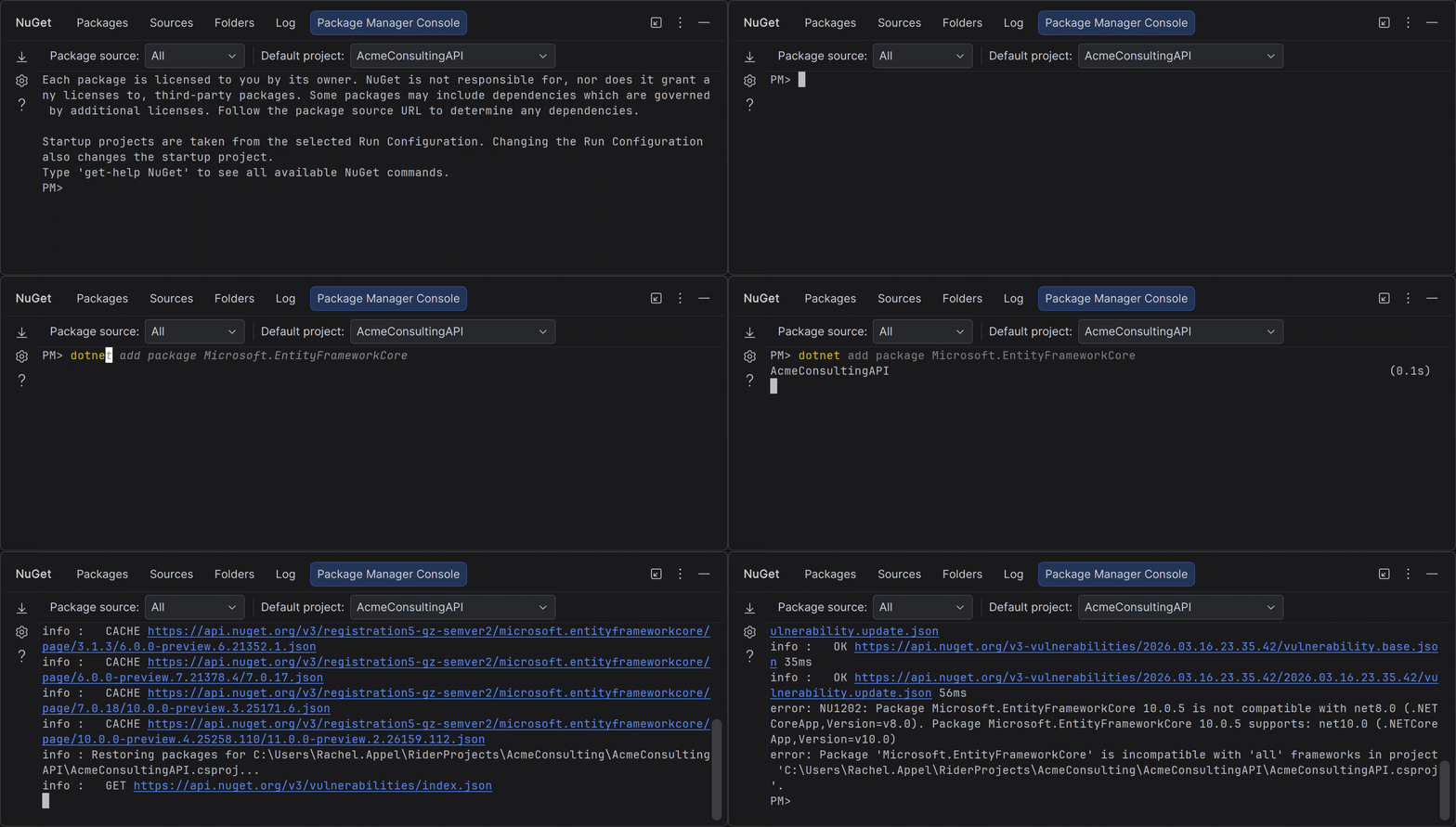
Rider now includes a NuGet Package Manager Console with support for standard PowerShell commands and Entity Framework Core workflows.
If you’re used to working with PMC in Visual Studio, you can now use the same commands without leaving Rider. Learn more here.
Smoother MAUI iOS workflow from Windows
Building and deploying MAUI iOS apps from Windows is now more reliable and easier to set up.
When connecting to a Mac build host, Rider automatically checks and prepares the environment – including Xcode, .NET SDK, and required workloads – so you can get started faster and spend less time troubleshooting setup issues.
Azure DevOps: Ability to clone repositories
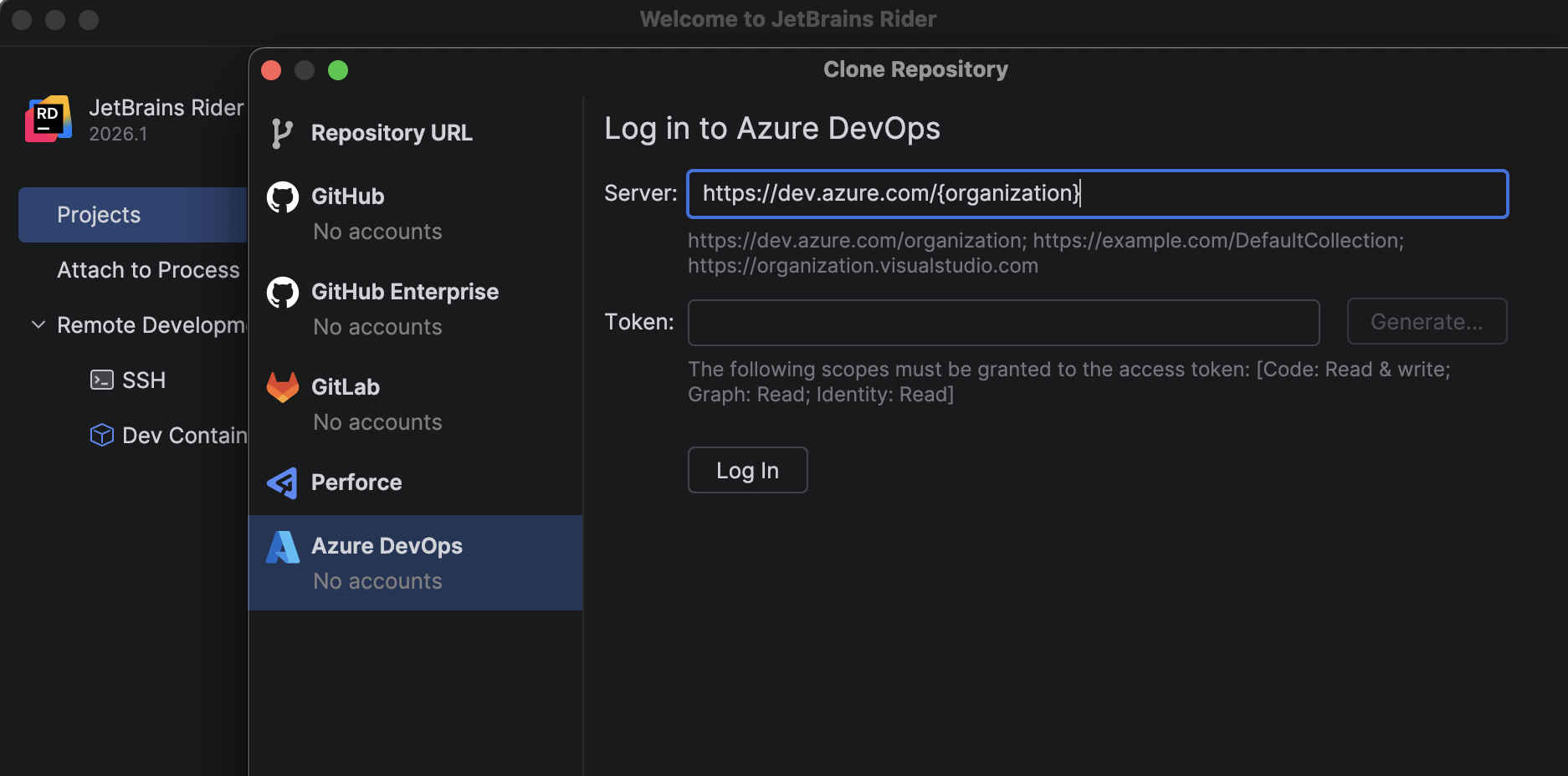
A new bundled Azure DevOps plugin lets you browse and clone repositories directly from Rider using your personal access token.
No need to switch tools – everything is available from File | Open | Get from Version Control.
Game development improvements
Rider 2026.1 continues to improve the experience of building and debugging games across Unreal Engine, Unity, and C++ workflows.
Full mobile development support for Unreal Engine
Rider 2026.1 fully supports mobile game development for Unreal Engine on both Android and iOS.
You can debug games running on iOS devices directly from Rider on macOS – set breakpoints, inspect variables, and step through code using the familiar debugger interface. This builds on previous Android support and completes the mobile workflow across platforms.
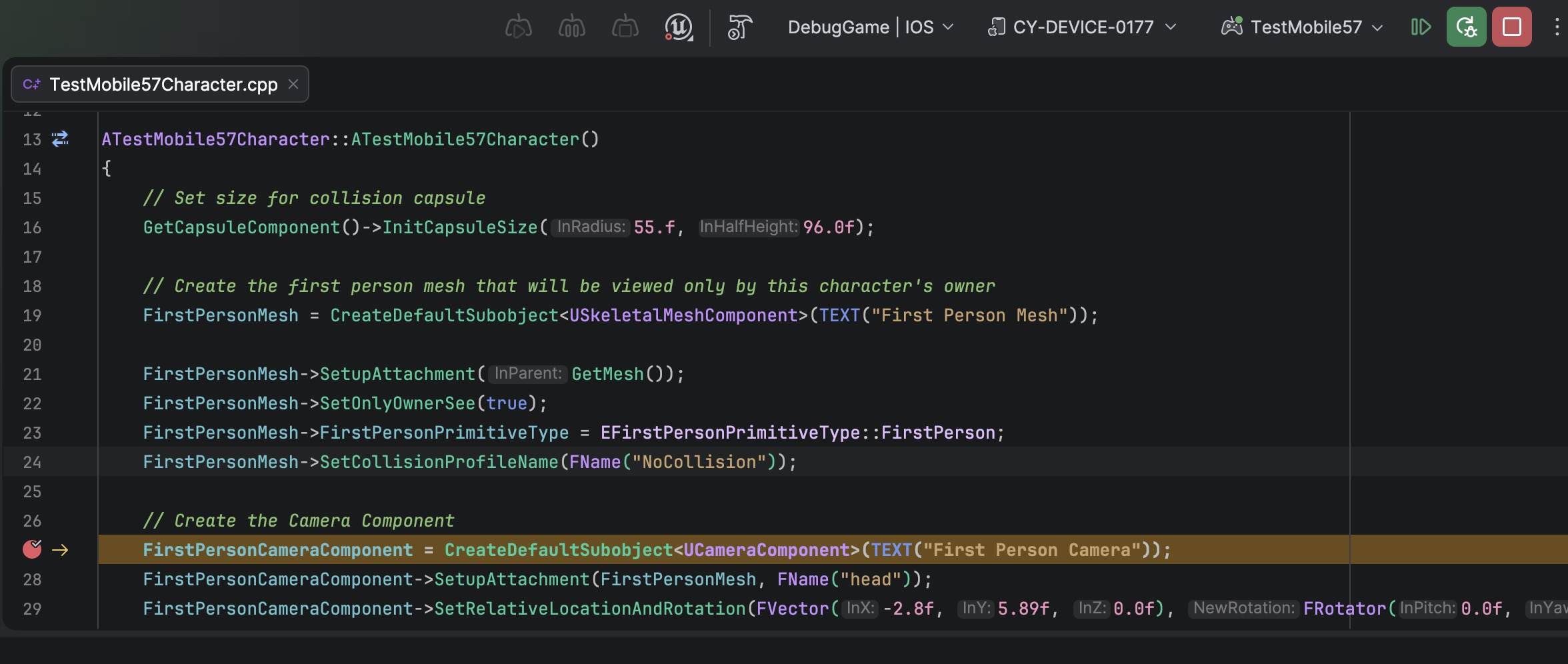
Faster and more responsive Unreal Engine debugging
C++ debugging in Rider now uses a new standalone parser and evaluator for Natvis expressions. Variable inspection with the rewritten evaluator is up to 87 times faster on warm runs and 16 times faster on cold ones. The debugger memory usage has dropped to just over a third of what it was.
Get the full story of how we were able to achieve that from this blog post.
Blueprint improvements
Finding usages, event implementations, and delegate bindings across Unreal Engine Blueprints and C++ code is now more reliable, making it easier to trace how gameplay logic connects across assets.
Code Vision now supports the BlueprintPure specifier and correctly detects blueprint events implementations in Blueprints. Find Usages has also been improved and now identifies additional BlueprintAssignable delegate bindings.
Blueprint usage search now relies on the asset path instead of the Blueprint name, ensuring accurate results even when multiple Blueprints share the same name.
CMake support for C++ gaming projects (Beta)
Rider 2026.1 introduces Beta support for CMake-based C++ projects.
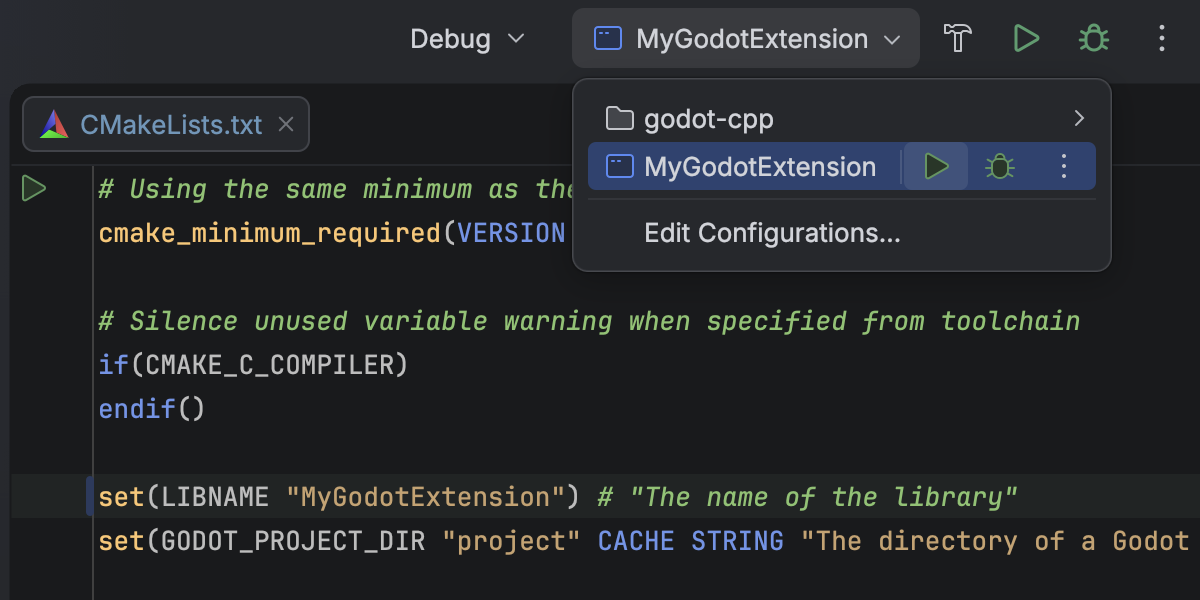
You can now open, edit, build, and debug CMake projects directly in Rider, making it easier to work with game engines that rely on CMake. This is an early implementation focused on core C++ workflows, and we’ll continue expanding compatibility and performance in future releases.
Redesigned Unity Profiler integration
Performance analysis for Unity projects is now more integrated into your workflow.
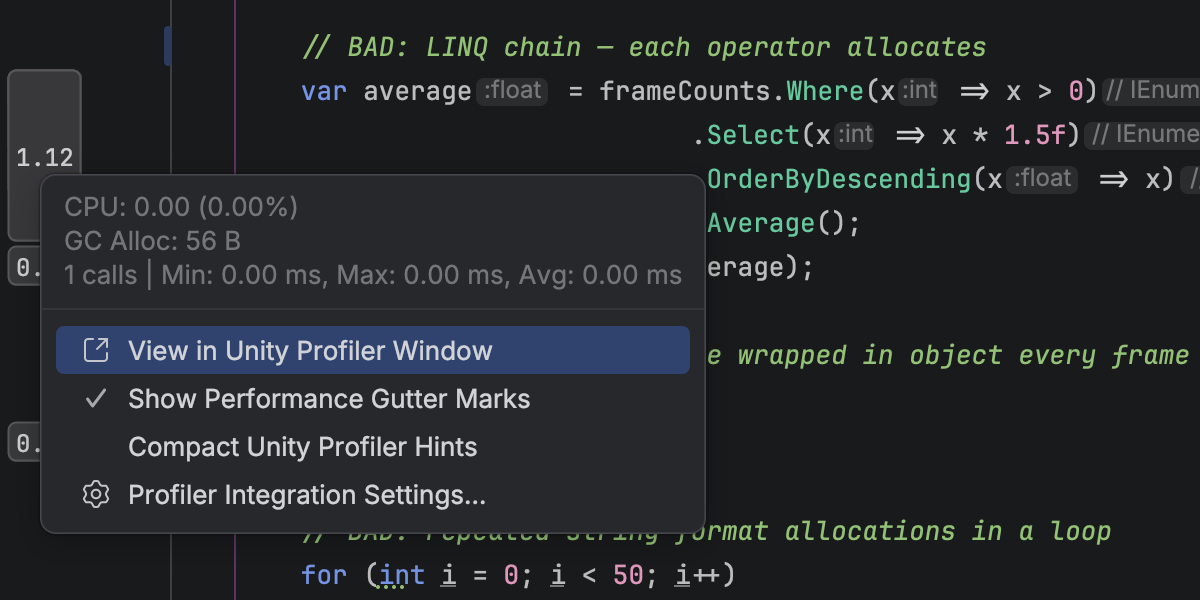
You can open Unity Profiler snapshots directly in Rider and explore them in a dedicated tool window with a structured view of frames and call stacks. A timeline graph helps you identify performance hotspots, and you can navigate directly from profiler data to source code.
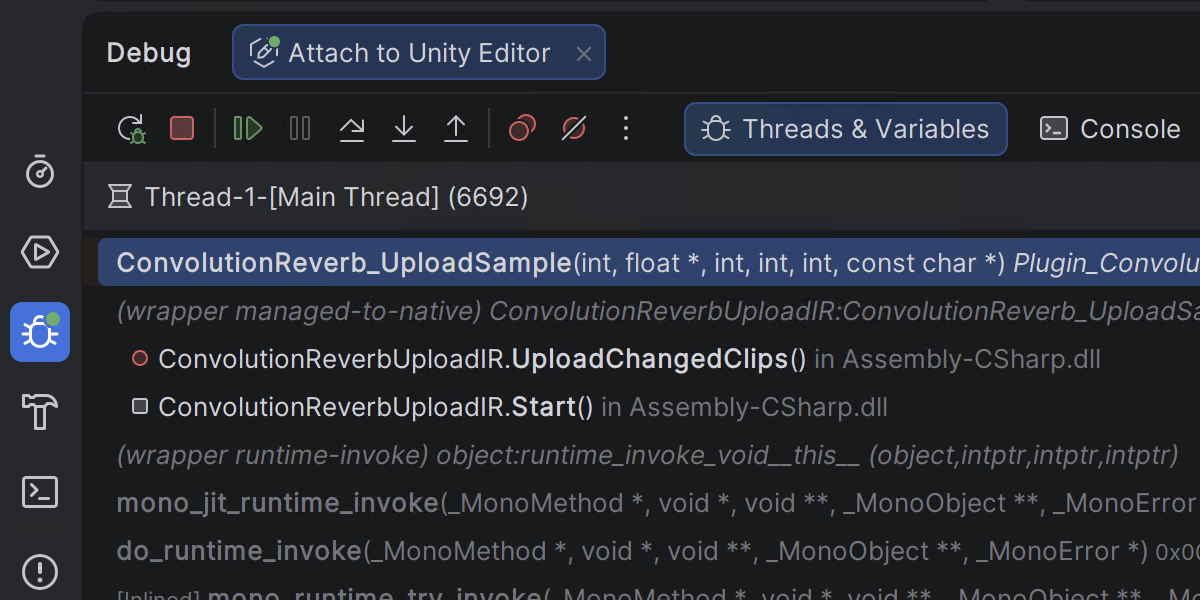
Mixed-mode debugging for game scenarios on Windows
With mixed-mode debugging on Windows, you can debug managed and native code in a single session. This is particularly useful for game development scenarios where .NET code interacts with native engines or libraries, allowing you to trace issues across the full stack without switching contexts.
Language support updates
Rider 2026.1 brings improvements across multiple languages:
- C#: better support for extension members, new inspections, and early support for C# 15 Preview
- C++: updated language support, improved code analysis, and smarter assistance
- F#: improved debugging with Smart Step Into and better async stepping
Rider’s C# intelligence is powered by ReSharper. For a deeper dive into C# updates, check out this blog post for ReSharper 2026.1 Release Candidate.
Try it out and share your feedback
You can download and install Rider 2026.1 RC today:
We’d love to hear what you think. If you run into issues or have suggestions, please report them via YouTrack or reach out to us on X.