.NET Tools
Essential productivity kit for .NET and game developers
Rider 2026.1: More AI Choice, Stronger .NET Tooling, and Expanded Game Dev Support

Rider 2026.1 is here, bringing improvements across the areas that matter most: .NET development, game development workflows, and the overall IDE experience.
Key updates include the ability to run file-based C# programs, inspect .NET disassemblies, and manage NuGet packages more easily. On the game development side, Rider handles Unreal Engine projects better than ever, mobile debugging now works across platforms, and its Unity Profiler integration is proving a real stand-out. All of this is complemented by more flexible AI-assisted workflows.
AI: More choice, more control, and better workflows
Rider is continuing to evolve as an open platform that allows you to bring your preferred AI tools into your professional development workflows.
With the new ACP Registry, you can discover and install AI agents in one click. In addition to built-in options like Junie, Claude Agent, and Codex, you can now work with tools like GitHub Copilot, Cursor, and other external agents.
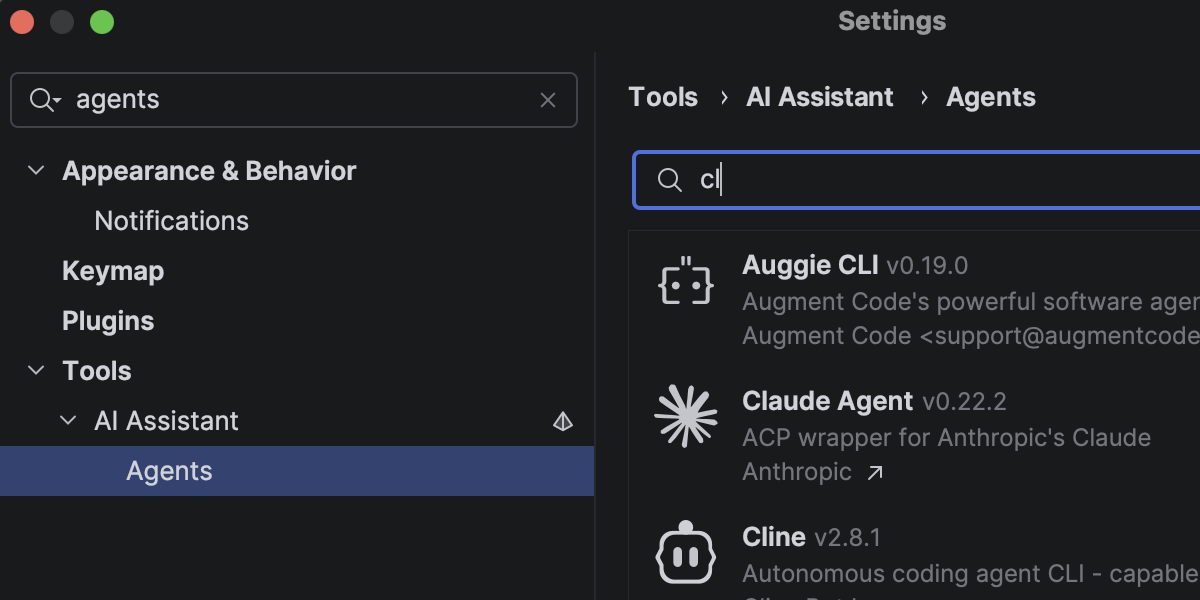
Rider 2026.1 also introduces improvements that make it easier to integrate AI into your everyday development workflows.
Work with multiple branches in parallel
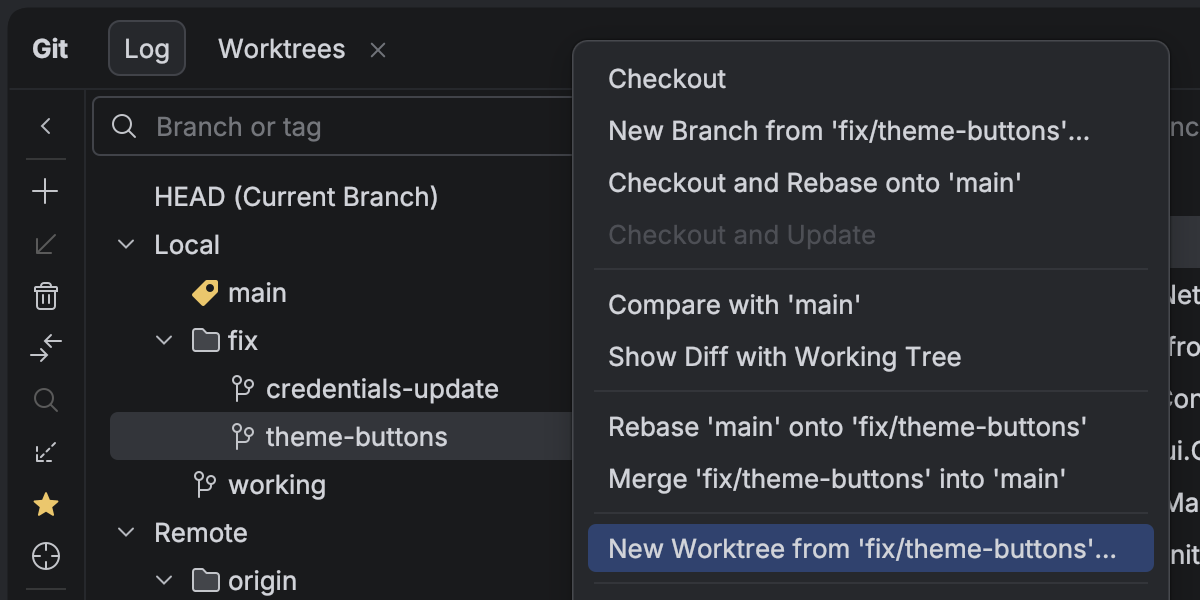
With Git worktrees, you can work on several branches at once. You can implement a hotfix, experiment with a feature, or delegate a task to an AI agent while continuing development in your main branch.
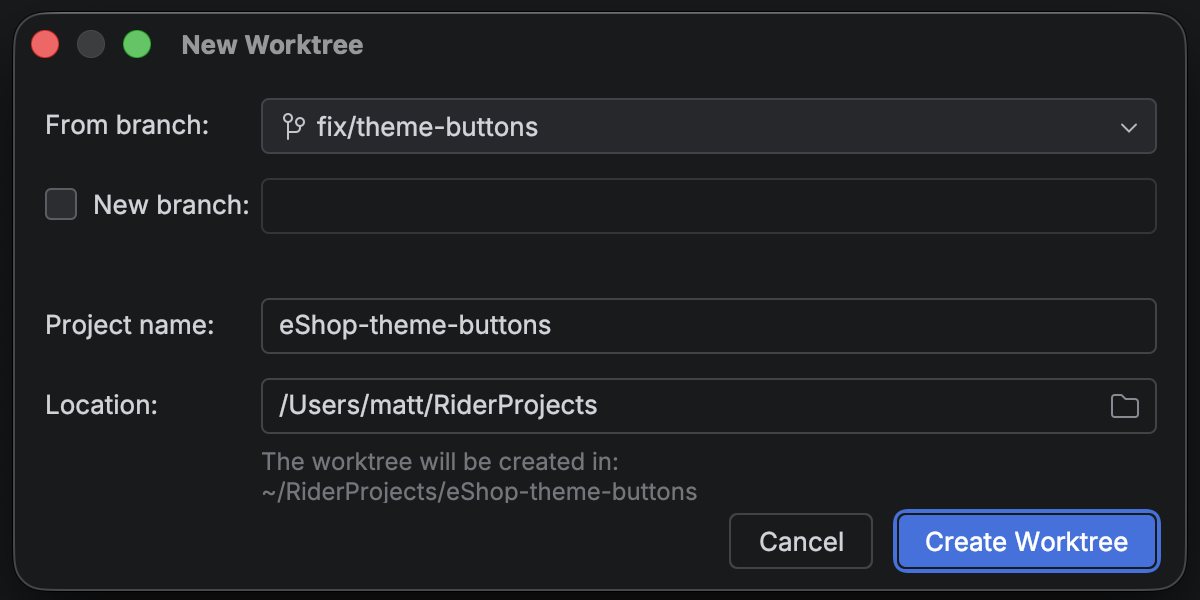
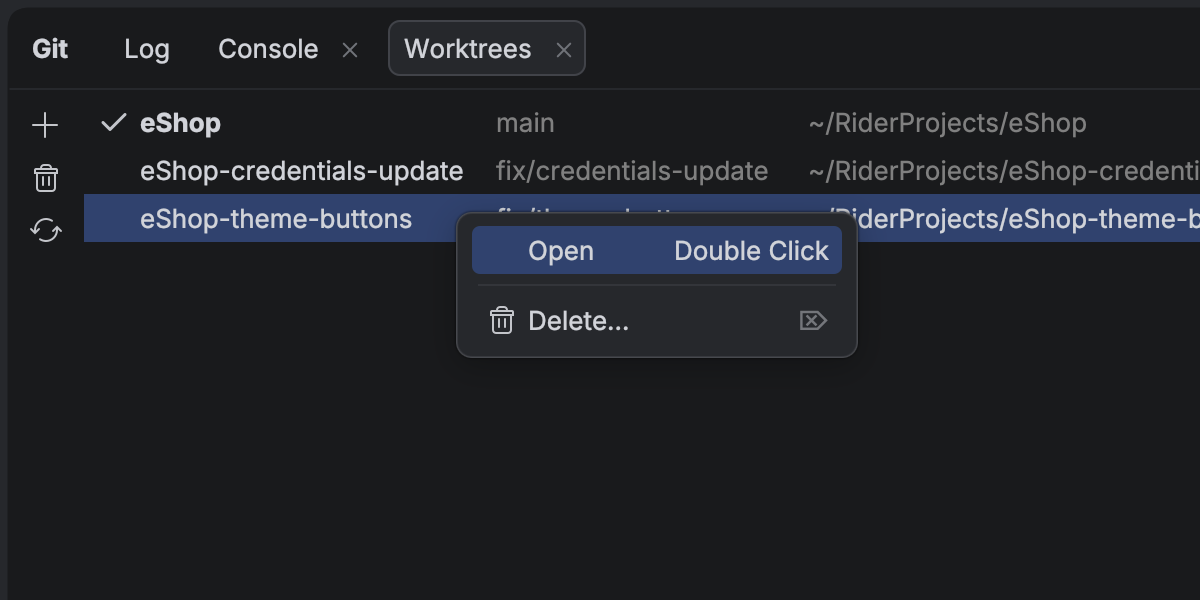
Work with your database through AI
AI chat now has native access to your connected databases. You can query, analyze, and modify your data using natural language – whether you’re using built-in agents or external ones via an MCP server.
.NET support and productivity improvements
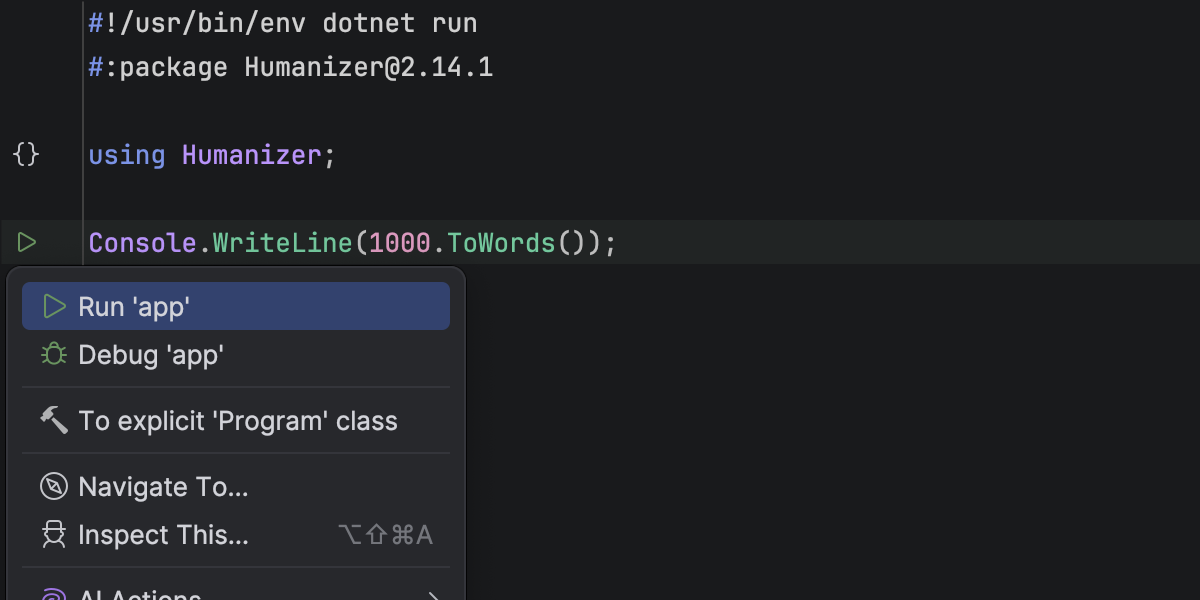
File-based C# programs
You can now open and run single-file C# programs directly in Rider, without a project file.
This makes it much easier to:
- Prototype ideas
- Write quick scripts
- Experiment with small utilities
All core IDE features – including highlighting, completion, and debugging – work out of the box.
NuGet Package Manager Console (Preview)
Rider 2026.1 brings NuGet’s PowerShell-based workflow into the IDE, offering a Package Manager Console (PMC) that’s currently in preview.
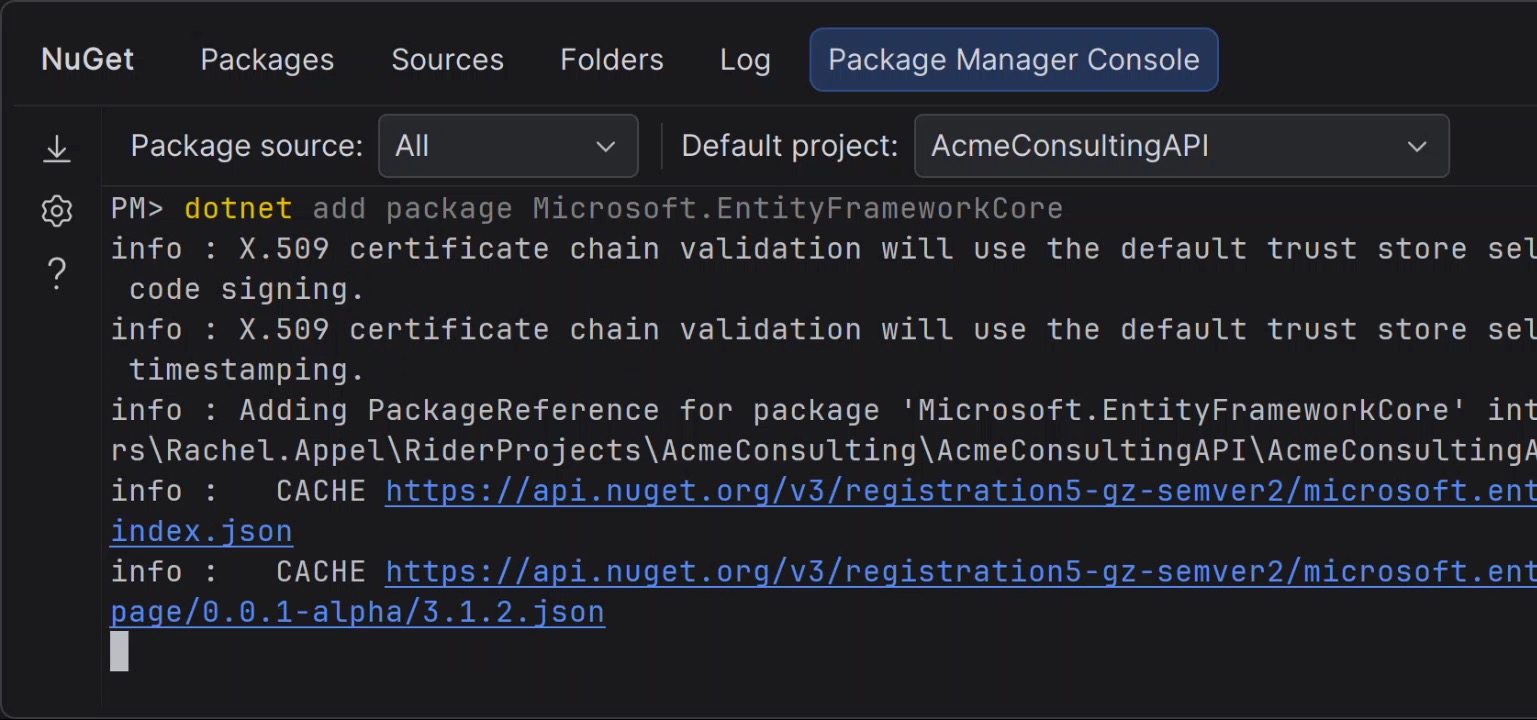
You can run standard NuGet and Entity Framework Core commands without switching tools, whether from the tool window or the terminal. More on this feature here.
Viewer for .NET disassemblies
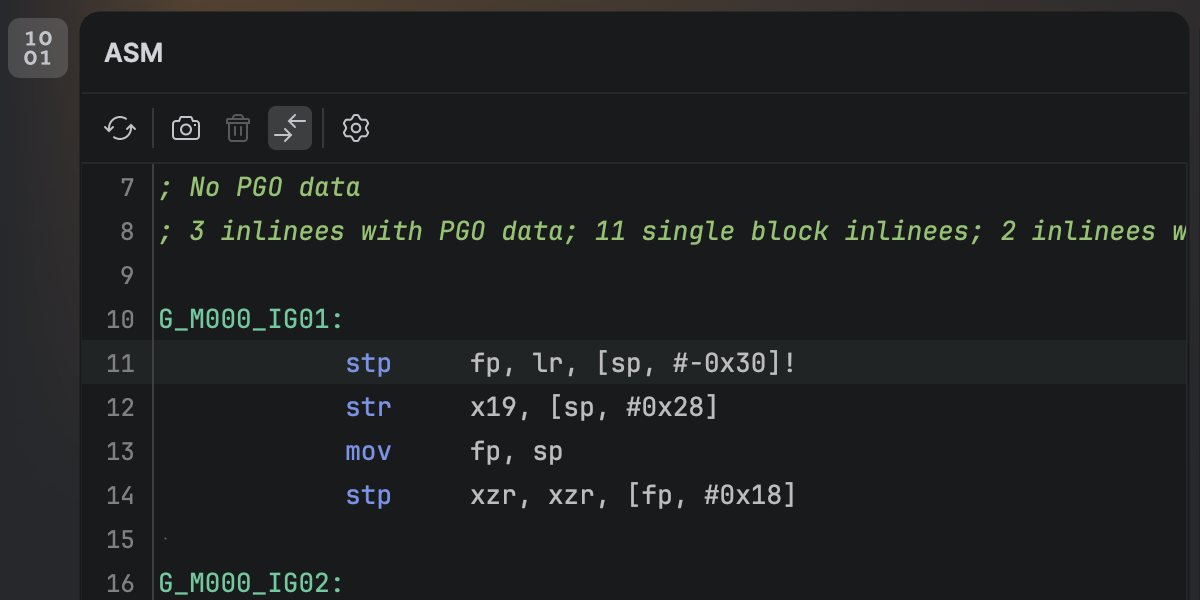
Rider now lets you inspect the native output of your C# code directly in the IDE.
With the new ASM Viewer, you can explore code generated by JIT, ReadyToRun, and NativeAOT compilers – helping you better understand performance and low-level behavior.
Azure DevOps integration
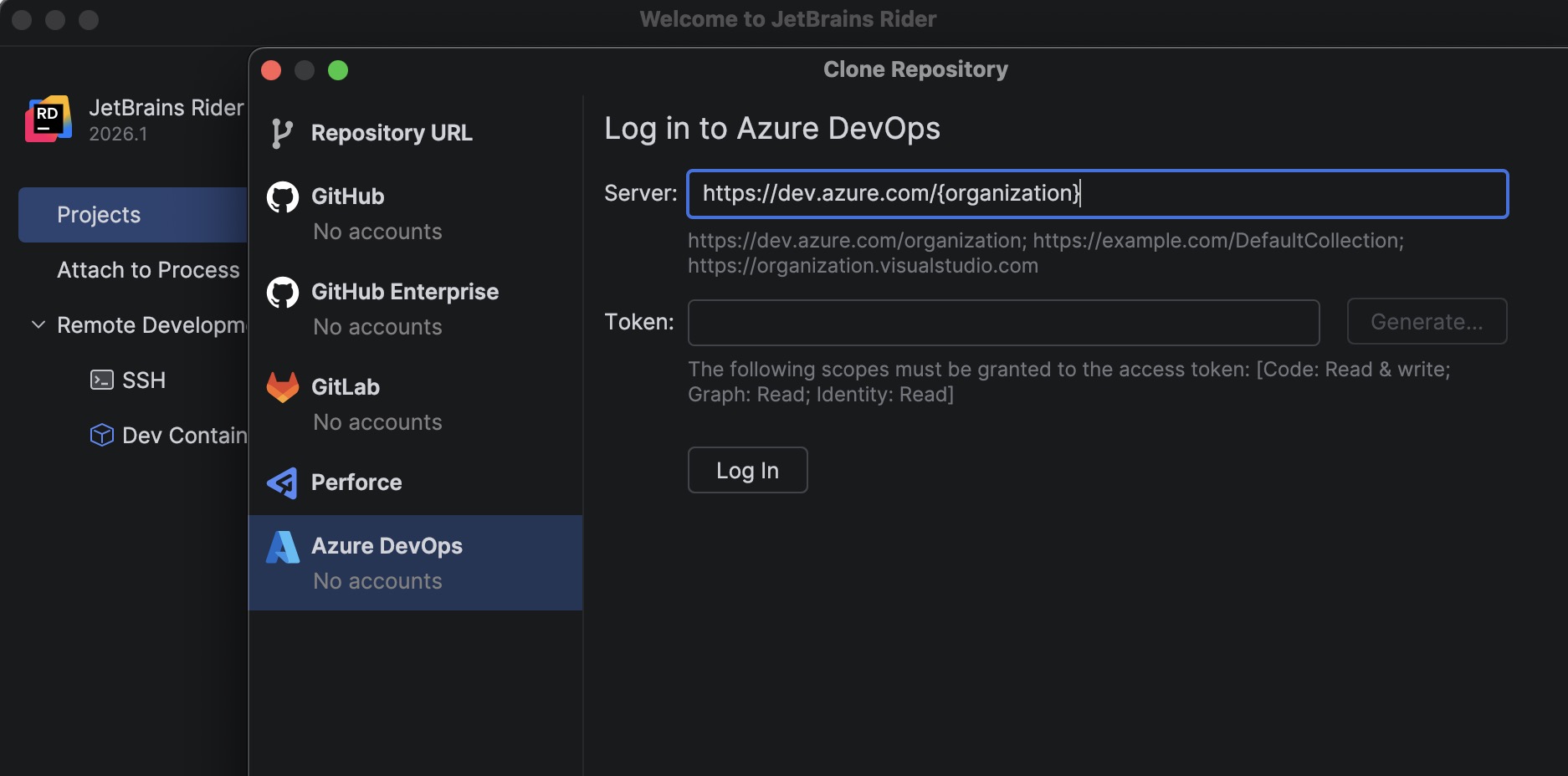
You can now clone repositories directly from Azure DevOps using a built-in plugin.
Authenticate with a personal access token, browse available repositories, and clone them without leaving Rider.
MAUI iOS development on Windows
Setting up a Mac build host for iOS development is now much smoother.
Rider automatically verifies and configures the remote environment, installs missing components, and improves connection reliability so you can build, deploy, and debug MAUI apps on Windows with less friction.
Game development
Rider 2026.1 makes game development workflows more complete, with full mobile support for Unreal Engine, integrated performance analysis for Unity, and tighter integration with the Godot editor for a smoother development experience.
Unreal Engine: Complete mobile development support
Rider 2026.1 now fully supports mobile development for Unreal Engine across Android and iOS.
You can now use Rider to:
- Deploy and debug directly on devices
- Inspect variables and call stacks
- Work within the IDE’s debugger without context switching
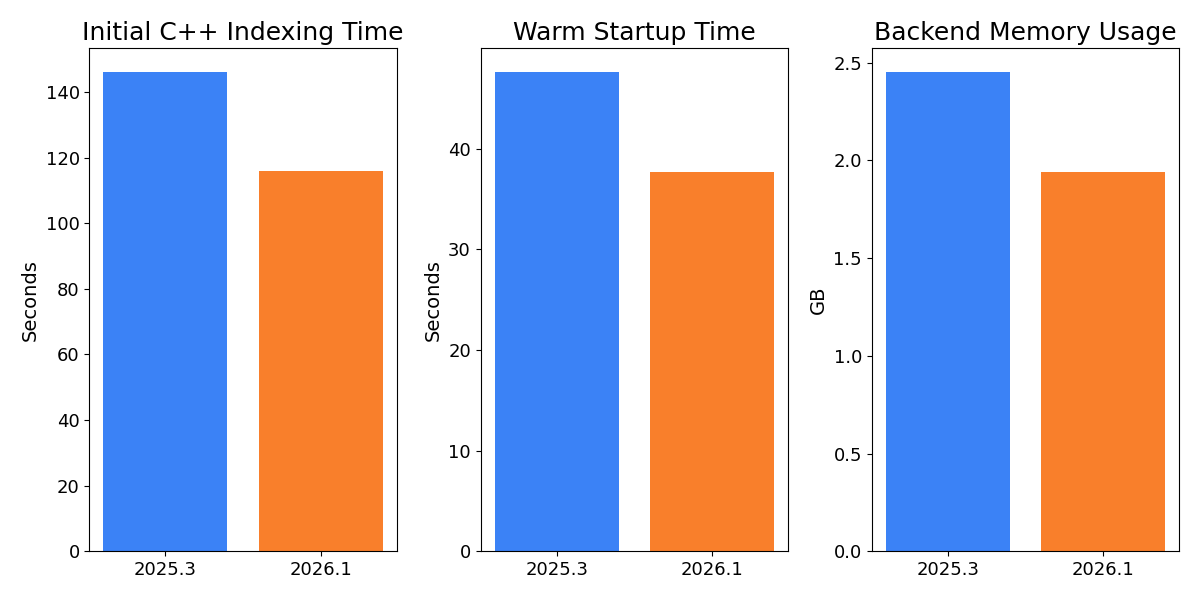
This release also delivers massive performance improvements in Rider’s handling of Unreal Engine projects. Initial indexing is faster, memory usage is lower, and everyday operations like opening and navigating large solutions feel noticeably more responsive.
The new Natvis evaluator dramatically speeds up variable inspection during debugging, making even complex data structures quick to explore instead of slowing you down.
You can learn more about these and other improvements to Unreal Engine development from this page. Improvements to Rider’s C++ language support are powered by ReSharper C++, and you’ll find the complete list of updates for this release here.
Integrated profiling for Unity
Performance investigation becomes a first-class workflow with the redesigned Unity Profiler integration.
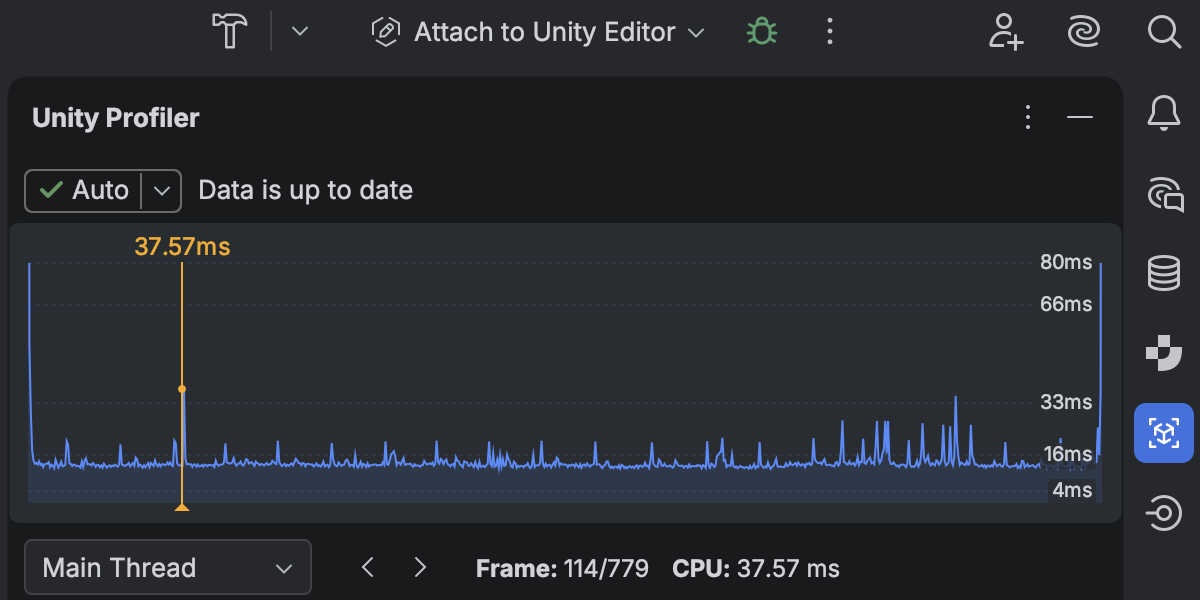
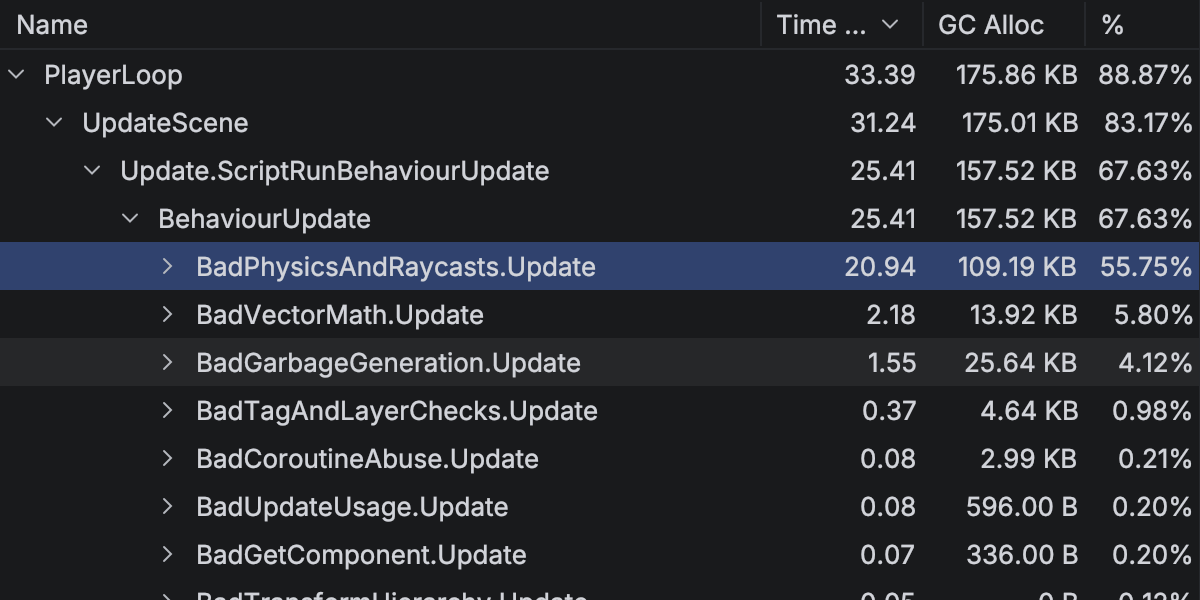
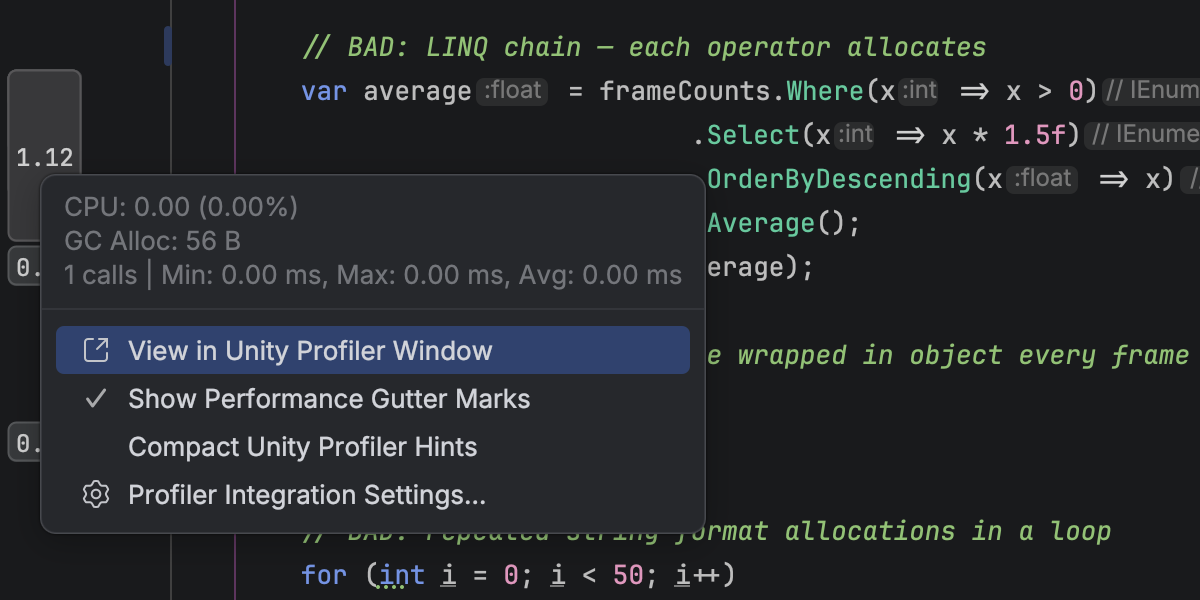
With Rider 2026.1, you can:
- Open profiler snapshots directly in Rider
- Analyze frames and call stacks in a structured view
- Navigate from performance data straight to source code
This reduces context switching and makes performance tuning more natural.
CMake support (Beta)
Rider now offers Beta support for CMake-based C++ projects, making it easier to work with cross-platform game development setups without switching tools.
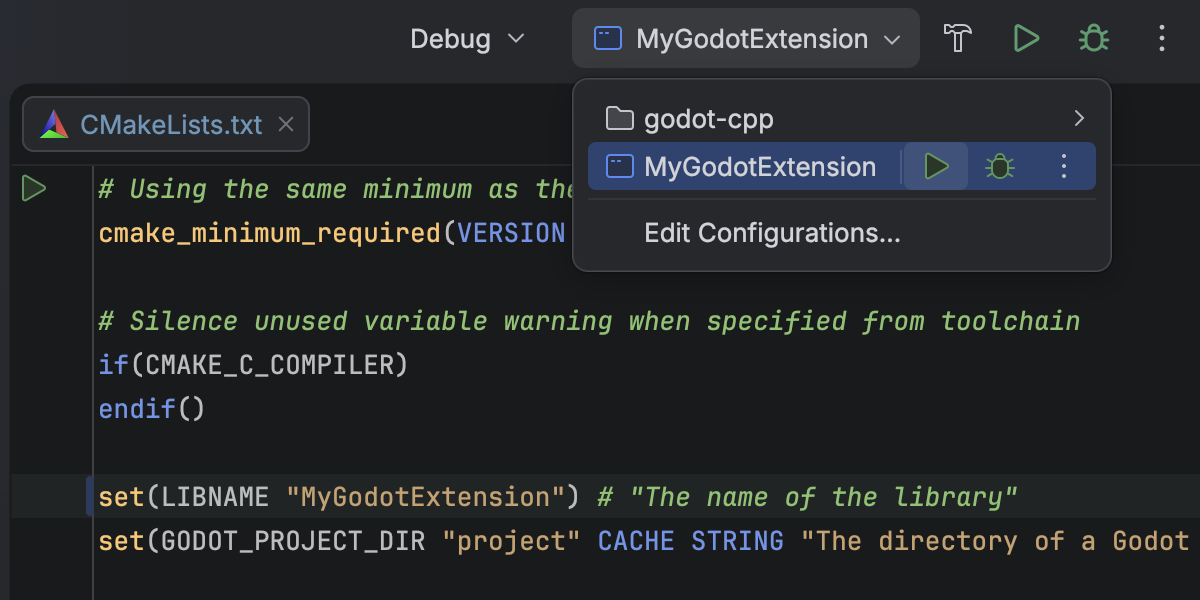
More updates for game development.
The latest language support
C#
Rider 2026.1 continues to deliver strong, compiler-aligned support for modern C#.
You get improved handling of extension members, better navigation and refactorings, and new inspections that help catch subtle issues earlier – from incorrect ImmutableArray<T> usage to inefficient HttpClient patterns.
We’ve also added early support for C# 15 preview features, so you can experiment with upcoming language changes.
Rider’s C# intelligence is powered by ReSharper. For a deeper dive into language-level improvements, see the What’s New in ReSharper 2026.1 page.
F#
Debugging F# code is now more transparent and easier to follow, meaning you can:
- Step into specific calls with Smart Step Into
- See return values directly in the debugger
- Navigate async workflows more reliably
Try Rider 2026.1
Rider 2026.1 brings together stronger .NET tooling, deeper game development support, and more flexible AI workflows – all in a single IDE.
Download the latest version and let us know how it fits into your workflow.