.NET Tools
Essential productivity kit for .NET and game developers
ReSharper and Rider 2025.3.1 Released: Next Edit Suggestions and Other Important Updates

Since the 2025.3 release, we’ve published several rapid-response updates (2025.3.0.1–2025.3.0.4) for ReSharper and Rider to address the most urgent issues as quickly as possible. The 2025.3.1 update brings all of those fixes together and includes additional improvements that required more time to implement.
For Rider, it also delivers the data-sharing functionality we announced earlier this year, now refined based on the feedback we’ve received, along with Next Edit Suggestions – a significant step forward in how JetBrains AI supports your everyday coding by anticipating follow-up changes and keeping your code consistent as you work.
Let’s take a look at these updates.
Rider 2025.3.1
Next edit suggestions (NES) come to JetBrains Rider
The 2025.3.1 update to Rider introduces the long awaited new feature from JetBrains AI Assistant – next edit suggestions (NES). Next edit suggestions offer intelligent recommendations for edits across your entire file – not just the next line of code.
Next edit suggestions work a lot like code completion – they appear as you type. But while completion focuses on your next token or line, NES reacts to the meaning of your edit, analyzing the change you just made and proposing follow-up updates elsewhere in your file. It also has more trigger points than completion, making it appear earlier and more frequently when it detects an opportunity to help.
In .NET projects, it might look like this: as you begin shaping a LINQ expression, NES picks up on the intent behind your edits and prepares related updates that may be needed in the rest of the method. It doesn’t replace code completion, but works alongside it, stepping in only when the changes you’ve made start to matter to the logic.
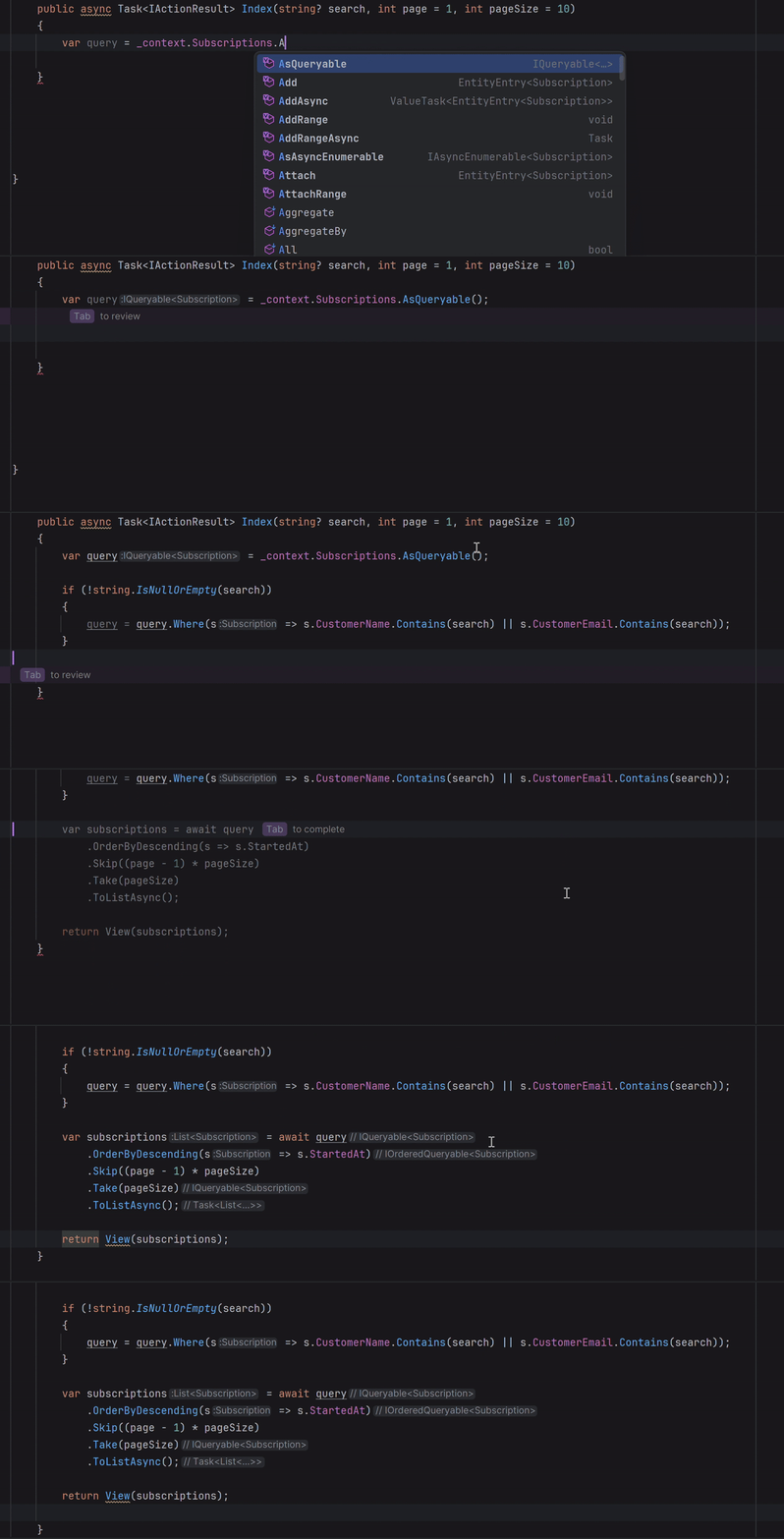
You will see NES suggestions highlighted in light purple. If they’re near your cursor, they appear instantly. If the suggestions touch other parts of the file, you’ll get a prompt to review and apply them.
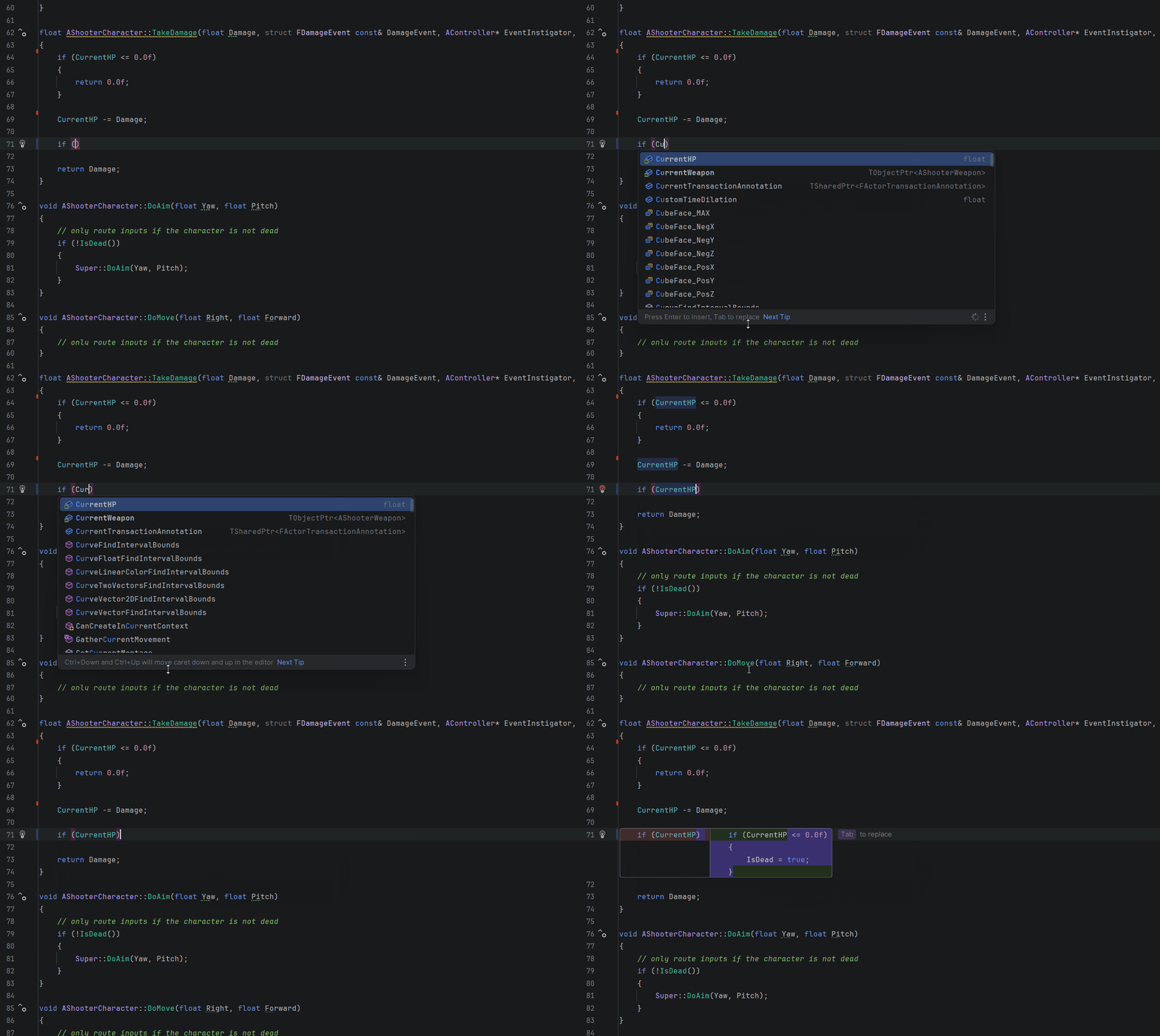
In this example from an Unreal Engine gameplay code, as you start typing a new if condition inside TakeDamage(), NES immediately picks up on the intent behind the change, namely that you’re adding new death-related logic after the character’s health has been reduced.
How to enable the feature
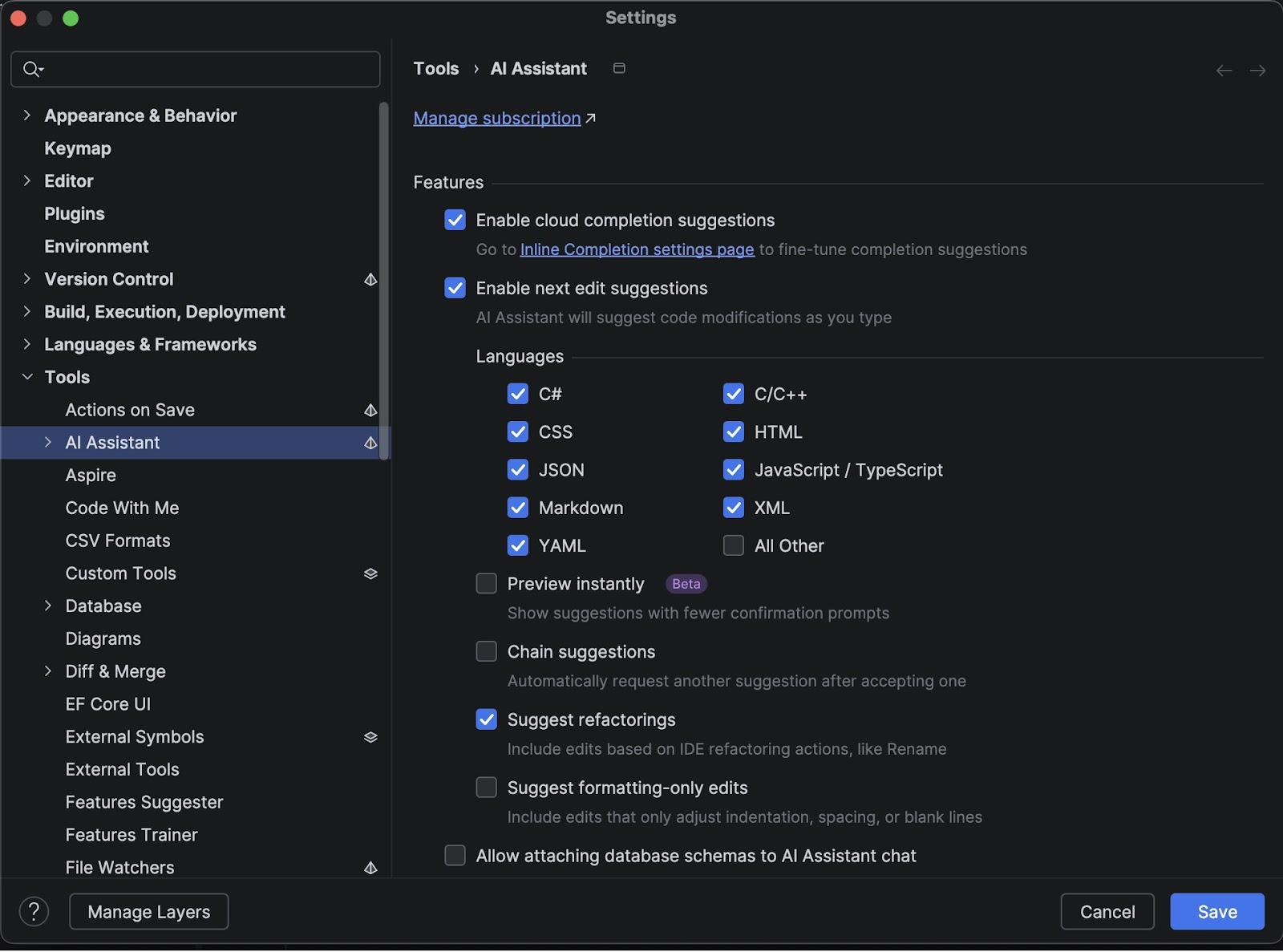
To start using the feature, update JetBrains AI Assistant to the latest version and check the Enable next edit suggestions box in the settings (Settings | Tools | AI Assistant). You will also have the option to enable IDE-powered Code Insight actions.
The new feature is available as part of all AI Pro and AI Ultimate plans – with unlimited usage and zero impact on your cloud quota.
We’d love to hear what you think! You can share feedback directly inside the IDE – a prompt will appear after you begin using the feature. You’re also welcome to leave your thoughts in the comment section below this blog post.
You can find the documentation on this feature here.
Data sharing for better AI in JetBrains IDEs
With this update, we’re delivering the data-sharing functionality we previewed earlier. Our goal remains the same: to improve the quality and reliability of the AI features in our IDEs by learning from real-world usage, while ensuring that sharing data is always a choice and never a requirement.
Nothing changes unless you explicitly agree to participate. Organizations continue to control data-sharing at the admin level, and individual users can adjust their preferences at any time. For non-commercial users, detailed data sharing is enabled by default, but no information is collected until after you see the in-IDE notice and you may disable it immediately. All shared data is processed responsibly and protected under strict safeguards.
You can find the most detailed information on our data collection and usage here.
Notable fixes
- Normal operation of the Suggested Plugins dialog has been restored. [IJPL-207992]
- MCP-related tool calls now return correct data for project dependencies, modules, and problems instead of empty or generic results. [RIDER-128984]
- The Show in Find Results shortcut now works correctly when viewing implementing methods. [RIDER-116221]
- RiderLink now compiles successfully with Unreal Engine 5.7 on Linux using v26 / clang-201.8.[RIDER-133226]
For the complete list of issues resolved, please see our issue tracker.
ReSharper 2025.3.1
These are the most notable fixes included in this update:
- dotTrace Viewer no longer fails to open snapshots [DTRC-31858]
- The Submit Feedback dialog now shows all expected categories and options again, instead of limiting reports to performance issues only. [RSRP-502160]
- The Code Cleanup window now renders correctly in Out-of-Process mode. [RSRP-502174]
- AI Assistant now stays activated after restarting Visual Studio. [RSRP-501759]
- Icons in the Options dialog now correctly follow the selected color scheme instead of appearing flat or uncolored. [RSRP-502170]
- Resolved a TypeLoadException when running
InspectCodewithMicrosoft.CodeAnalysis.CodeStyle.Fixes4.14.0, restoring full analyzer execution. [RSRP-502233]
For the full list of resolved issues included in this build, please refer to our issue tracker.
Resolved vulnerabilities
A couple of security vulnerabilities – [CVE-2025-64456] and [CVE-2025-64457] – have been resolved.
These vulnerabilities have been resolved in all Rider, ReSharper, and the .NET tools updates starting with 2024.3.9, including versions 2025.1.8, 2025.2.5, and the latest 2025.3.1.
You can download the latest builds from our website (Rider, ReSharper) or via the Toolbox App. You can also update Rider as a snap.
This is our last update of the year, and we want to close with a simple message: thank you. From the .NET team at JetBrains, we wish you a happy, warm, and safe holiday season. We’ll see you in the new year!